Open-source RightAI Tools Directory
  • Discover AI
  • Submit
  • Startup
  • Blog
Open-source RightAI Tools Directory
Discover the best AI tools of 2025 with the RightAI Tools Directory!

Friend Links

AI Anime GeneratorToolsApp AI

Support

Tap4
Privacy policyTerms & ConditionsContact Us
Loading...
loading...

HindustanGPT: GPT in Indian Languages on Google™

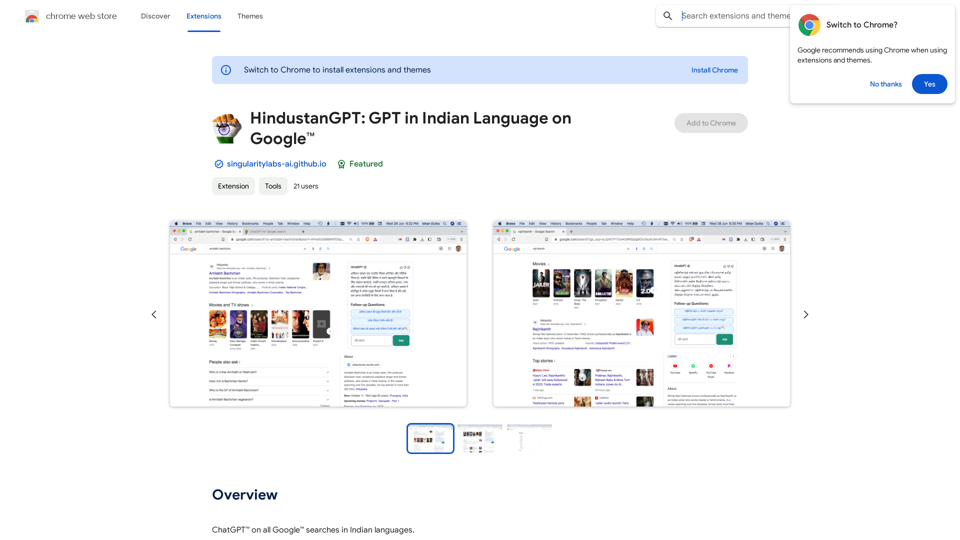
ChatGPT™ for all Google™ searches in Indian languages.
Visit Website
HindustanGPT: GPT in Indian Languages on Google™
Visit Website

Introduction

HindustanGPT is an AI-driven platform that integrates various AI technologies, including ChatGPT and GPT-4, to provide text generation and image understanding capabilities. Its standout feature is the ability to generate ChatGPT responses directly on Google's search page in multiple Indian languages, making AI-powered assistance more accessible to a diverse linguistic audience.

Feature

Multilingual Support

HindustanGPT supports a wide range of Indian languages, including:

  • Bengali
  • Gujarati
  • Hindi
  • Kannada
  • Malayalam
  • Marathi
  • Odia
  • Punjabi
  • Tamil
  • Telugu

Seamless Google Integration

The platform allows users to receive ChatGPT responses directly on Google's search page, enhancing the search experience without leaving the familiar interface.

No Subscription Required

Users can access HindustanGPT's features without any subscription or ChatGPT Plus plan, offering unlimited free queries per day.

Privacy-Focused

HindustanGPT prioritizes user privacy by not using personal information for training data or selling it to third parties.

Follow-up Suggestions

The extension provides follow-up question suggestions, allowing users to continue their conversation with HindustanGPT seamlessly.

Easy Setup

To use HindustanGPT, users only need to log in at https://chat.openai.com and can immediately start using the extension.

FAQ

What AI technologies does HindustanGPT incorporate?

HindustanGPT integrates various AI technologies, including:

  • ChatGPT for conversational AI
  • GPT-4 for advanced text generation and image understanding
  • Dalle3 for document analysis

Can HindustanGPT generate images?

No, HindustanGPT is primarily designed for text-based conversations and search results. It does not have image generation capabilities.

How does HindustanGPT enhance the Google search experience?

HindustanGPT enhances Google searches by:

  1. Providing ChatGPT responses directly on the search page
  2. Offering results in multiple Indian languages
  3. Suggesting follow-up questions for continued conversation

Is there a limit to the number of queries per day?

No, HindustanGPT offers unlimited free queries per day, making it accessible for frequent use without restrictions.

How does HindustanGPT handle user data?

HindustanGPT is committed to user privacy:

  • Does not use user information for training data
  • Does not sell data to third parties
  • Only uses data for core functionality purposes

Latest Traffic Insights

  • Monthly Visits

    193.90 M

  • Bounce Rate

    56.27%

  • Pages Per Visit

    2.71

  • Time on Site(s)

    115.91

  • Global Rank

    -

  • Country Rank

    -

Recent Visits

Traffic Sources

  • Social Media:
    0.48%
  • Paid Referrals:
    0.55%
  • Email:
    0.15%
  • Referrals:
    12.81%
  • Search Engines:
    16.21%
  • Direct:
    69.81%
More Data

Related Websites

Deploy GPTsDeploying GPTs
View Detail

Deploy GPTsDeploying GPTs

Deploy GPTsDeploying GPTs

This extension deploys your OpenAI GPTs to places like websites, WhatsApp, Telegram, and more.

193.90 M
Candy Jar
View Detail

Candy Jar

Candy Jar

Find IT candidates via CandyJar

193.90 M
Coursera Summary with ChatGPT and Take Notes
=====================================================

What is Coursera?

Coursera is an online learning platform that partners with top universities and organizations to offer courses and degree programs in a wide range of fields.

What is ChatGPT?

ChatGPT is a conversational AI tool that can understand and respond to human input in a human-like way. It can be used to generate text, answer questions, and even create content.

How to Use ChatGPT for Coursera Summary?

You can use ChatGPT to summarize Coursera courses by:

* Providing the course material or lecture notes to ChatGPT
* Asking ChatGPT to summarize the key points or main ideas
* Reviewing and editing the summary generated by ChatGPT

Benefits of Using ChatGPT for Coursera Summary

Using ChatGPT for Coursera summary can help you:

* Save time by automating the summarization process
* Improve understanding and retention of course material
* Focus on key concepts and ideas
* Enhance learning experience

How to Take Notes with ChatGPT?

You can use ChatGPT to take notes by:

* Providing the course material or lecture notes to ChatGPT
* Asking ChatGPT to generate notes or key points
* Reviewing and editing the notes generated by ChatGPT
* Organizing and structuring the notes for easy reference

Benefits of Using ChatGPT for Taking Notes

Using ChatGPT for taking notes can help you:

* Save time by automating the note-taking process
* Improve organization and structure of notes
* Enhance understanding and retention of course material
* Focus on key concepts and ideas
View Detail

Coursera Summary with ChatGPT and Take Notes ===================================================== What is Coursera? Coursera is an online learning platform that partners with top universities and organizations to offer courses and degree programs in a wide range of fields. What is ChatGPT? ChatGPT is a conversational AI tool that can understand and respond to human input in a human-like way. It can be used to generate text, answer questions, and even create content. How to Use ChatGPT for Coursera Summary? You can use ChatGPT to summarize Coursera courses by: * Providing the course material or lecture notes to ChatGPT * Asking ChatGPT to summarize the key points or main ideas * Reviewing and editing the summary generated by ChatGPT Benefits of Using ChatGPT for Coursera Summary Using ChatGPT for Coursera summary can help you: * Save time by automating the summarization process * Improve understanding and retention of course material * Focus on key concepts and ideas * Enhance learning experience How to Take Notes with ChatGPT? You can use ChatGPT to take notes by: * Providing the course material or lecture notes to ChatGPT * Asking ChatGPT to generate notes or key points * Reviewing and editing the notes generated by ChatGPT * Organizing and structuring the notes for easy reference Benefits of Using ChatGPT for Taking Notes Using ChatGPT for taking notes can help you: * Save time by automating the note-taking process * Improve organization and structure of notes * Enhance understanding and retention of course material * Focus on key concepts and ideas

Coursera Summary with ChatGPT and Take Notes ===================================================== What is Coursera? Coursera is an online learning platform that partners with top universities and organizations to offer courses and degree programs in a wide range of fields. What is ChatGPT? ChatGPT is a conversational AI tool that can understand and respond to human input in a human-like way. It can be used to generate text, answer questions, and even create content. How to Use ChatGPT for Coursera Summary? You can use ChatGPT to summarize Coursera courses by: * Providing the course material or lecture notes to ChatGPT * Asking ChatGPT to summarize the key points or main ideas * Reviewing and editing the summary generated by ChatGPT Benefits of Using ChatGPT for Coursera Summary Using ChatGPT for Coursera summary can help you: * Save time by automating the summarization process * Improve understanding and retention of course material * Focus on key concepts and ideas * Enhance learning experience How to Take Notes with ChatGPT? You can use ChatGPT to take notes by: * Providing the course material or lecture notes to ChatGPT * Asking ChatGPT to generate notes or key points * Reviewing and editing the notes generated by ChatGPT * Organizing and structuring the notes for easy reference Benefits of Using ChatGPT for Taking Notes Using ChatGPT for taking notes can help you: * Save time by automating the note-taking process * Improve organization and structure of notes * Enhance understanding and retention of course material * Focus on key concepts and ideas

Automate Your Learning: Coursera Videos Transcript and Summary with ChatGPT ============================================================ Are you tired of manually taking notes while watching Coursera videos? Do you wish you had a summary of the video to review later? Look no further! With the power of ChatGPT, you can now generate transcripts and summaries of Coursera videos with ease. How it Works --------------- 1. Transcribe the Video: Use a transcription tool to convert the audio from the Coursera video into text. 2. Feed it to ChatGPT: Input the transcript into ChatGPT, and it will generate a concise summary of the video. 3. Review and Refine: Review the summary, refine it as needed, and you're good to go! Benefits ------------ * Save Time: No more manual note-taking or re-watching videos to understand the content. * Improve Retention: A summary of the video helps you retain information better and review it quickly. * Enhance Learning: Focus on understanding the concepts rather than taking notes. Get Started -------------- Try it out today and take your learning to the next level!

193.90 M
Orthoscribe
View Detail

Orthoscribe

Orthoscribe

Orthographic transcription

193.90 M
Gmail Bot
View Detail

Gmail Bot

Gmail Bot

Ask ChatGPT about your Gmail messages

193.90 M
Happy Sales
View Detail

Happy Sales

Happy Sales

Happysales Chrome Extension 🔥 Unleash the Power of Personalized Email Engagement 🔥 Supercharge your email outreach by crafting...

193.90 M
Monica - Your ChatGPT AI Assistant for Anywhere
View Detail

Monica - Your ChatGPT AI Assistant for Anywhere

Monica - Your ChatGPT AI Assistant for Anywhere

Monica integrates leading AI models (GPT-4, Claude 3, Gemini) for one-click chat, search, writing, coding and more. Try it on Chrome, Edge, or our APP.

9.55 M
Ripper Web Content | Capture Metadata Content
View Detail

Ripper Web Content | Capture Metadata Content

Ripper Web Content | Capture Metadata Content

Extension that analyzes and extracts metadata from content found on the web.

193.90 M