Open-source RightAI Tools Directory
  • Discover AI
  • Submit
  • Startup
  • Blog
Open-source RightAI Tools Directory
Discover the best AI tools of 2025 with the RightAI Tools Directory!

Friend Links

AI Anime GeneratorToolsApp AI

Support

Tap4
Privacy policyTerms & ConditionsContact Us
Loading...
loading...

DeckBird

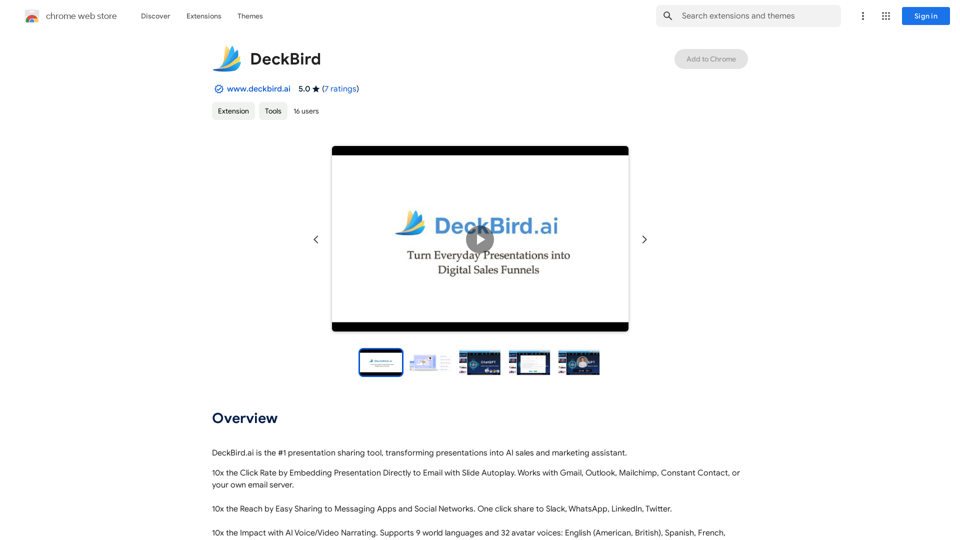
DeckBird.ai is the number one presentation sharing tool, turning presentations into an AI sales and marketing assistant.
Visit Website
DeckBird
Visit Website

Introduction

DeckBird.ai is an innovative presentation sharing tool that transforms presentations into AI-powered sales and marketing assistants. It offers features to increase click rates, expand reach, and enhance impact through embedded presentations, easy sharing, and AI-driven narration. The platform integrates with CRM tools and calendar apps, streamlining sales and marketing processes.

Feature

Embed Presentations in Emails

DeckBird.ai allows users to embed presentations directly into emails with slide autoplay, significantly increasing click rates and capturing audience attention more effectively.

Easy Sharing on Multiple Platforms

Users can easily share presentations on various messaging apps and social networks, expanding their reach and audience tenfold.

AI Voice/Video Narration

The platform offers AI-powered voice and video narration capabilities, adding a personal touch to presentations and increasing engagement.

CRM and Meeting Scheduling Integration

DeckBird.ai comes with built-in CRM functionality and integrates with popular calendar apps, streamlining sales and marketing processes.

User-Friendly Sign-Up Process

Getting started with DeckBird.ai is simple. Users can sign up for a free account using their email or via Gmail, LinkedIn, or Twitter.

Flexible Pricing Options

The platform offers a free plan along with affordable subscription options for both individuals and businesses.

FAQ

What makes DeckBird.ai unique?

DeckBird.ai stands out by transforming presentations into AI sales and marketing assistants, offering features like embedded presentations, easy sharing, and AI narration to increase click rates, reach, and impact.

How does DeckBird.ai improve presentation engagement?

DeckBird.ai improves engagement through features such as slide autoplay in emails, easy sharing on various platforms, and AI voice/video narration, all of which help capture attention and increase interaction with the presented content.

Is DeckBird.ai suitable for both individuals and businesses?

Yes, DeckBird.ai caters to both individuals and businesses with its flexible pricing options, including a free plan and affordable subscription choices for various needs.

Latest Traffic Insights

  • Monthly Visits

    193.90 M

  • Bounce Rate

    56.27%

  • Pages Per Visit

    2.71

  • Time on Site(s)

    115.91

  • Global Rank

    -

  • Country Rank

    -

Recent Visits

Traffic Sources

  • Social Media:
    0.48%
  • Paid Referrals:
    0.55%
  • Email:
    0.15%
  • Referrals:
    12.81%
  • Search Engines:
    16.21%
  • Direct:
    69.81%
More Data

Related Websites

Best AI Job Application Bot 2024 | Webs-Automation

This AI-powered job application bot is designed to simplify and streamline the job application process for both job seekers and employers. With its advanced automation capabilities, this bot can efficiently search for job openings, tailor resumes and cover letters, and even submit applications on behalf of the job seeker.
View Detail

Best AI Job Application Bot 2024 | Webs-Automation This AI-powered job application bot is designed to simplify and streamline the job application process for both job seekers and employers. With its advanced automation capabilities, this bot can efficiently search for job openings, tailor resumes and cover letters, and even submit applications on behalf of the job seeker.

Best AI Job Application Bot 2024 | Webs-Automation This AI-powered job application bot is designed to simplify and streamline the job application process for both job seekers and employers. With its advanced automation capabilities, this bot can efficiently search for job openings, tailor resumes and cover letters, and even submit applications on behalf of the job seeker.

Enhance Your Job Search with the Ultimate AI Job Application Bot! Simplify the Application Process and Boost Your Prospects with Our Top Job Application Bot.

2.69 K
AI Voice Over for YouTube 

This is a guide to using AI voice over for your YouTube videos. 

Why Use AI Voice Over?

* Cost-Effective: AI voice over is much cheaper than hiring a professional voice actor.
* Time-Saving: You can generate voice over quickly and easily, without needing to schedule recording sessions.
* Variety of Voices: Choose from a wide range of AI voices, including male, female, and even robotic voices.
* Accessibility: Make your videos accessible to viewers who are deaf or hard of hearing by adding captions generated by AI.

How to Use AI Voice Over

1. Choose a Platform: There are many different platforms that offer AI voice over services, such as:
    * Google Cloud Text-to-Speech
    * Amazon Polly
    * Microsoft Azure Text to Speech
    * Murf.ai
    * NaturalReader
2. Write Your Script:  Write a clear and concise script for your video.
3. Upload Your Script:  Upload your script to the chosen platform.
4. Select a Voice: Choose the voice that best suits your video.
5. Adjust Settings:  Adjust settings such as speed, pitch, and volume.
6. Generate Voice Over:  Click the "Generate" button to create your voice over.
7. Download and Edit: Download the generated voice over file and edit it as needed.
8. Add to Your Video:  Add the voice over to your YouTube video.

Tips for Using AI Voice Over

* Use Natural Language:  Write your script as if you were speaking naturally.
* Vary Your Tone:  Use different tones of voice to keep your viewers engaged.
* Add Pauses:  Include pauses in your script to allow viewers to process information.
* Proofread Carefully:  Always proofread your script before generating the voice over.
* Experiment:  Try different voices, settings, and styles to find what works best for you.
View Detail

AI Voice Over for YouTube This is a guide to using AI voice over for your YouTube videos. Why Use AI Voice Over? * Cost-Effective: AI voice over is much cheaper than hiring a professional voice actor. * Time-Saving: You can generate voice over quickly and easily, without needing to schedule recording sessions. * Variety of Voices: Choose from a wide range of AI voices, including male, female, and even robotic voices. * Accessibility: Make your videos accessible to viewers who are deaf or hard of hearing by adding captions generated by AI. How to Use AI Voice Over 1. Choose a Platform: There are many different platforms that offer AI voice over services, such as: * Google Cloud Text-to-Speech * Amazon Polly * Microsoft Azure Text to Speech * Murf.ai * NaturalReader 2. Write Your Script: Write a clear and concise script for your video. 3. Upload Your Script: Upload your script to the chosen platform. 4. Select a Voice: Choose the voice that best suits your video. 5. Adjust Settings: Adjust settings such as speed, pitch, and volume. 6. Generate Voice Over: Click the "Generate" button to create your voice over. 7. Download and Edit: Download the generated voice over file and edit it as needed. 8. Add to Your Video: Add the voice over to your YouTube video. Tips for Using AI Voice Over * Use Natural Language: Write your script as if you were speaking naturally. * Vary Your Tone: Use different tones of voice to keep your viewers engaged. * Add Pauses: Include pauses in your script to allow viewers to process information. * Proofread Carefully: Always proofread your script before generating the voice over. * Experiment: Try different voices, settings, and styles to find what works best for you.

AI Voice Over for YouTube This is a guide to using AI voice over for your YouTube videos. Why Use AI Voice Over? * Cost-Effective: AI voice over is much cheaper than hiring a professional voice actor. * Time-Saving: You can generate voice over quickly and easily, without needing to schedule recording sessions. * Variety of Voices: Choose from a wide range of AI voices, including male, female, and even robotic voices. * Accessibility: Make your videos accessible to viewers who are deaf or hard of hearing by adding captions generated by AI. How to Use AI Voice Over 1. Choose a Platform: There are many different platforms that offer AI voice over services, such as: * Google Cloud Text-to-Speech * Amazon Polly * Microsoft Azure Text to Speech * Murf.ai * NaturalReader 2. Write Your Script: Write a clear and concise script for your video. 3. Upload Your Script: Upload your script to the chosen platform. 4. Select a Voice: Choose the voice that best suits your video. 5. Adjust Settings: Adjust settings such as speed, pitch, and volume. 6. Generate Voice Over: Click the "Generate" button to create your voice over. 7. Download and Edit: Download the generated voice over file and edit it as needed. 8. Add to Your Video: Add the voice over to your YouTube video. Tips for Using AI Voice Over * Use Natural Language: Write your script as if you were speaking naturally. * Vary Your Tone: Use different tones of voice to keep your viewers engaged. * Add Pauses: Include pauses in your script to allow viewers to process information. * Proofread Carefully: Always proofread your script before generating the voice over. * Experiment: Try different voices, settings, and styles to find what works best for you.

Watch foreign language YouTube videos in your own language.

193.90 M
I Listen AI
View Detail

I Listen AI

I Listen AI

I Listen AI

193.90 M
HireJoy - AI assistant for reviewing resumes
View Detail

HireJoy - AI assistant for reviewing resumes

HireJoy - AI assistant for reviewing resumes

HireJoy is an AI tool powered by GPT-4 that can review candidates more completely than a person, in a much shorter amount of time.

193.90 M
AI Voice Generator & Text to Speech | Deepgram

Transform written text into natural-sounding speech with our AI voice generator and text-to-speech technology.
View Detail

AI Voice Generator & Text to Speech | Deepgram Transform written text into natural-sounding speech with our AI voice generator and text-to-speech technology.

AI Voice Generator & Text to Speech | Deepgram Transform written text into natural-sounding speech with our AI voice generator and text-to-speech technology.

Unlock the potential of Deepgram's AI Voice Generator. Experience natural-sounding text to speech for all your projects.

835.16 K
AI Photo Caption - Text Generator on the App Store
View Detail

AI Photo Caption - Text Generator on the App Store

AI Photo Caption - Text Generator on the App Store

Welcome to PhotoCaption AI – where your photos speak a thousand words in multiple languages! Do you often find yourself struggling to come up with the perfect caption for your amazing photos?

654.73 K
Integrating Copilot (Bing Chat)
View Detail

Integrating Copilot (Bing Chat)

Integrating Copilot (Bing Chat)

🗨️ Microsoft Copilot provides answers alongside Google search results.

193.90 M
CrackerJack Resume 

Objective: To obtain a challenging and rewarding position in a fast-paced environment where I can utilize my skills and experience to contribute to the success of a dynamic team.

Summary of Qualifications:

* Highly motivated and results-oriented individual with a proven track record of success in [mention your field].
* Excellent communication, interpersonal, and problem-solving skills.
* Strong analytical and critical thinking abilities.
* Proficient in [list your relevant skills].
* Adaptable and eager to learn new technologies and processes.

Experience:

* [Job Title], [Company Name], [City, State] - [Dates of Employment]
    * [List your responsibilities and achievements using action verbs]
* [Job Title], [Company Name], [City, State] - [Dates of Employment]
    * [List your responsibilities and achievements using action verbs]

Education:

* [Degree Name], [Major], [University Name], [City, State] - [Year of Graduation]
    * [List any relevant coursework, honors, or awards]

Skills:

* [List your hard and soft skills]

Projects:

* [List any relevant projects you have worked on, including a brief description and your role]

Awards and Recognition:

* [List any awards or recognition you have received]

Volunteer Experience:

* [List any volunteer experience you have]

References:

* Available upon request.
View Detail

CrackerJack Resume Objective: To obtain a challenging and rewarding position in a fast-paced environment where I can utilize my skills and experience to contribute to the success of a dynamic team. Summary of Qualifications: * Highly motivated and results-oriented individual with a proven track record of success in [mention your field]. * Excellent communication, interpersonal, and problem-solving skills. * Strong analytical and critical thinking abilities. * Proficient in [list your relevant skills]. * Adaptable and eager to learn new technologies and processes. Experience: * [Job Title], [Company Name], [City, State] - [Dates of Employment] * [List your responsibilities and achievements using action verbs] * [Job Title], [Company Name], [City, State] - [Dates of Employment] * [List your responsibilities and achievements using action verbs] Education: * [Degree Name], [Major], [University Name], [City, State] - [Year of Graduation] * [List any relevant coursework, honors, or awards] Skills: * [List your hard and soft skills] Projects: * [List any relevant projects you have worked on, including a brief description and your role] Awards and Recognition: * [List any awards or recognition you have received] Volunteer Experience: * [List any volunteer experience you have] References: * Available upon request.

CrackerJack Resume Objective: To obtain a challenging and rewarding position in a fast-paced environment where I can utilize my skills and experience to contribute to the success of a dynamic team. Summary of Qualifications: * Highly motivated and results-oriented individual with a proven track record of success in [mention your field]. * Excellent communication, interpersonal, and problem-solving skills. * Strong analytical and critical thinking abilities. * Proficient in [list your relevant skills]. * Adaptable and eager to learn new technologies and processes. Experience: * [Job Title], [Company Name], [City, State] - [Dates of Employment] * [List your responsibilities and achievements using action verbs] * [Job Title], [Company Name], [City, State] - [Dates of Employment] * [List your responsibilities and achievements using action verbs] Education: * [Degree Name], [Major], [University Name], [City, State] - [Year of Graduation] * [List any relevant coursework, honors, or awards] Skills: * [List your hard and soft skills] Projects: * [List any relevant projects you have worked on, including a brief description and your role] Awards and Recognition: * [List any awards or recognition you have received] Volunteer Experience: * [List any volunteer experience you have] References: * Available upon request.

Are you frustrated by the lack of response to your job applications? The secret may lie within your resume. Stop getting rejected…

193.90 M