Open-source RightAI Tools Directory
  • Discover AI
  • Submit
  • Startup
  • Blog
Open-source RightAI Tools Directory
Discover the best AI tools of 2025 with the RightAI Tools Directory!

Friend Links

AI Anime GeneratorToolsApp AI

Support

Tap4
Privacy policyTerms & ConditionsContact Us
Loading...
loading...

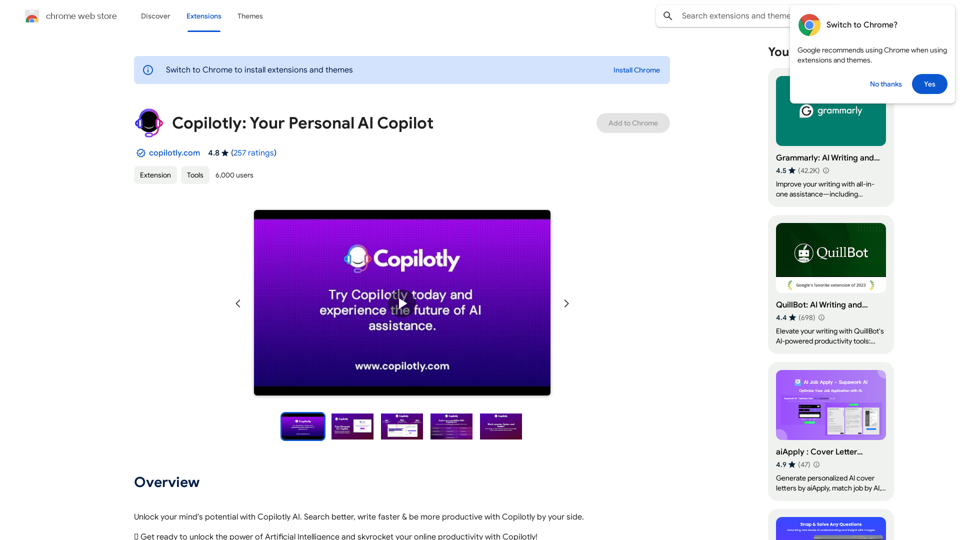
Copilotly: Your Personal AI Copilot

Unlock your mind's potential with Copilotly AI. Search better, write faster & be more productive with Copilotly by your side.
Visit Website
Copilotly: Your Personal AI Copilot
Visit Website

Introduction

Copilotly is an AI-powered personal assistant designed to enhance productivity and unlock mental potential. It offers advanced writing assistance, translation, summarization, and various other features to help users search better, write faster, and be more productive in both professional and personal spheres.

Feature

Advanced Writing Assistance

Copilotly provides flawless grammar and syntax correction, content rephrasing for clarity and style, and content expansion for depth and quality. This feature helps users improve their writing skills and produce high-quality content efficiently.

Intelligent Summarization

The tool offers lightning-fast summarization of online articles, allowing users to quickly grasp the main points of lengthy texts. This feature saves time and enhances information processing capabilities.

Multilingual Translation

Copilotly seamlessly translates content into various languages, breaking down language barriers and facilitating global communication.

Concept Simplification

Complex concepts are simplified and explained, making it easier for users to understand and work with challenging ideas or topics.

Programming Language Decoder

Developers can benefit from Copilotly's ability to decode programming languages, enhancing coding efficiency and understanding.

Creative Content Generation

The tool assists in generating persuasive ad scripts and engaging video scripts, boosting creative output for marketing and content creation purposes.

AI-Powered Tools

Copilotly offers a vast range of AI-powered tools to support various tasks, continuously updated with the latest AI breakthroughs and advancements.

Interactive AI Assistant

Users can select online content or draft their own, then use the Copilotly icon to open an interactive AI-assistant modal. This feature allows for easy task specification and execution.

Privacy Protection

Copilotly prioritizes user privacy with strict security measures and responsible data handling practices, ensuring a trustworthy AI companion experience.

FAQ

How does Copilotly work?

Copilotly works by allowing users to select online content or draft their own, then click the Copilotly icon to open an interactive AI-assistant modal. Users can choose the specific copilot they need, specify the task they want to accomplish, and then watch as Copilotly performs the requested action.

What are some ways to maximize the use of Copilotly?

To maximize Copilotly usage:

  1. Utilize daily free uses of GPT-4 document reading and Dalle's image generation
  2. Explore the wide range of AI-powered tools for various tasks
  3. Leverage advanced writing assistance, translation, and summarization features
  4. Stay updated with regular improvements incorporating the latest AI advancements

Is user information secure with Copilotly?

Yes, Copilotly prioritizes user privacy and data security. The platform implements strict security measures and responsible data handling practices, ensuring that user information is protected at all times.

Related Websites

Amolino Gmail Extension
View Detail

Amolino Gmail Extension

Amolino Gmail Extension

Amolino.AI is an AI-powered personal assistant that analyzes and learns from the emails you send and receive.

193.90 M
Datafi for Chrome
View Detail

Datafi for Chrome

Datafi for Chrome

Datafi Extension for Chrome

193.90 M
Chrome Web Store
View Detail

Chrome Web Store

Chrome Web Store

Enhance your browser with new features and tailor your browsing experience to your preferences.

193.90 M
Signify - Compliance Management System for Manufacturing
View Detail

Signify - Compliance Management System for Manufacturing

Signify - Compliance Management System for Manufacturing

Signify automates compliance for manufacturers by analyzing documents to ensure regulatory requirements are met throughout the product lifecycle.

3.17 K
Ryetools Access PRO
View Detail

Ryetools Access PRO

Ryetools Access PRO

RyeAccess AI: Effortless group deals and savings with Ryetools' smart technology.

193.90 M
Prompts Manager - ChatGPT, Bard, Bing AI
View Detail

Prompts Manager - ChatGPT, Bard, Bing AI

Prompts Manager - ChatGPT, Bard, Bing AI

Organize and sort templates designed to give instructions to ChatGPT, Google Bard, and Bing AI.

193.90 M
Thrive as a Freelancer
View Detail

Thrive as a Freelancer

Thrive as a Freelancer

Your all-in-one solution for maximizing efficiency and income

0
Chat-GPT PDF

What is Chat-GPT PDF?

Chat-GPT PDF is a tool that allows users to generate PDF files from Chat-GPT conversations. This innovative tool enables users to save and share their conversations in a more organized and visually appealing format.

How does Chat-GPT PDF work?

The process is simple and straightforward. Here's a step-by-step guide:

1. Copy the conversation: Copy the entire conversation from the Chat-GPT platform.
2. Paste the conversation: Paste the copied conversation into the Chat-GPT PDF tool.
3. Customize the layout: Customize the layout, font, and design of the PDF file according to your preferences.
4. Generate the PDF: Click the "Generate PDF" button to create a downloadable PDF file.

Features of Chat-GPT PDF

Chat-GPT PDF offers several features that make it an essential tool for users:

* Customizable layout: Customize the layout, font, and design of the PDF file to suit your needs.
* Easy sharing: Share the PDF file with others via email, social media, or messaging apps.
* Offline access: Access your conversations offline, even without an internet connection.
* Organization: Organize your conversations in a neat and tidy format, making it easier to review and reference.

Benefits of Chat-GPT PDF

The benefits of using Chat-GPT PDF are numerous:

* Improved productivity: Save time and increase productivity by having all your conversations in one place.
* Enhanced collaboration: Collaborate with others more effectively by sharing conversations in a clear and concise format.
* Better organization: Keep your conversations organized, making it easier to review and reference them later.

Conclusion

Chat-GPT PDF is a game-changer for anyone who uses Chat-GPT regularly. With its ease of use, customization options, and benefits, it's an essential tool for anyone looking to get the most out of their conversations.
View Detail

Chat-GPT PDF What is Chat-GPT PDF? Chat-GPT PDF is a tool that allows users to generate PDF files from Chat-GPT conversations. This innovative tool enables users to save and share their conversations in a more organized and visually appealing format. How does Chat-GPT PDF work? The process is simple and straightforward. Here's a step-by-step guide: 1. Copy the conversation: Copy the entire conversation from the Chat-GPT platform. 2. Paste the conversation: Paste the copied conversation into the Chat-GPT PDF tool. 3. Customize the layout: Customize the layout, font, and design of the PDF file according to your preferences. 4. Generate the PDF: Click the "Generate PDF" button to create a downloadable PDF file. Features of Chat-GPT PDF Chat-GPT PDF offers several features that make it an essential tool for users: * Customizable layout: Customize the layout, font, and design of the PDF file to suit your needs. * Easy sharing: Share the PDF file with others via email, social media, or messaging apps. * Offline access: Access your conversations offline, even without an internet connection. * Organization: Organize your conversations in a neat and tidy format, making it easier to review and reference. Benefits of Chat-GPT PDF The benefits of using Chat-GPT PDF are numerous: * Improved productivity: Save time and increase productivity by having all your conversations in one place. * Enhanced collaboration: Collaborate with others more effectively by sharing conversations in a clear and concise format. * Better organization: Keep your conversations organized, making it easier to review and reference them later. Conclusion Chat-GPT PDF is a game-changer for anyone who uses Chat-GPT regularly. With its ease of use, customization options, and benefits, it's an essential tool for anyone looking to get the most out of their conversations.

Chat-GPT PDF What is Chat-GPT PDF? Chat-GPT PDF is a tool that allows users to generate PDF files from Chat-GPT conversations. This innovative tool enables users to save and share their conversations in a more organized and visually appealing format. How does Chat-GPT PDF work? The process is simple and straightforward. Here's a step-by-step guide: 1. Copy the conversation: Copy the entire conversation from the Chat-GPT platform. 2. Paste the conversation: Paste the copied conversation into the Chat-GPT PDF tool. 3. Customize the layout: Customize the layout, font, and design of the PDF file according to your preferences. 4. Generate the PDF: Click the "Generate PDF" button to create a downloadable PDF file. Features of Chat-GPT PDF Chat-GPT PDF offers several features that make it an essential tool for users: * Customizable layout: Customize the layout, font, and design of the PDF file to suit your needs. * Easy sharing: Share the PDF file with others via email, social media, or messaging apps. * Offline access: Access your conversations offline, even without an internet connection. * Organization: Organize your conversations in a neat and tidy format, making it easier to review and reference. Benefits of Chat-GPT PDF The benefits of using Chat-GPT PDF are numerous: * Improved productivity: Save time and increase productivity by having all your conversations in one place. * Enhanced collaboration: Collaborate with others more effectively by sharing conversations in a clear and concise format. * Better organization: Keep your conversations organized, making it easier to review and reference them later. Conclusion Chat-GPT PDF is a game-changer for anyone who uses Chat-GPT regularly. With its ease of use, customization options, and benefits, it's an essential tool for anyone looking to get the most out of their conversations.

Exporting Chat History to PDF You can export your chat history with Chat-GPT to a PDF file using the following methods: #Method 1: Browser Print Function 1. Open your chat conversation with Chat-GPT in a web browser. 2. Press `Ctrl + P` (Windows) or `Cmd + P` (Mac) to open the print dialog box. 3. Select "Save as PDF" as the printer destination. 4. Choose a location to save the PDF file and set the file name. 5. Click "Save" to export the chat history to a PDF file. #Method 2: Online PDF Conversion Tools 1. Copy the entire chat conversation by pressing `Ctrl + A` (Windows) or `Cmd + A` (Mac) and then `Ctrl + C` (Windows) or `Cmd + C` (Mac). 2. Go to an online PDF conversion tool, such as SmallPDF or Convertio. 3. Paste the chat conversation into the conversion tool's text box. 4. Select the PDF format and click "Convert" to generate the PDF file. 5. Download the PDF file to your computer. #Method 3: Browser Extensions 1. Install a browser extension, such as Print Friendly & PDF or FireShot, that allows you to save web pages as PDF files. 2. Open your chat conversation with Chat-GPT in a web browser. 3. Click the browser extension's icon in the toolbar. 4. Select the "Save as PDF" option and choose a location to save the file. 5. Click "Save" to export the chat history to a PDF file. By following these methods, you can easily export your chat history with Chat-GPT to a PDF file for future reference or sharing.

193.90 M