Open-source RightAI Tools Directory
  • Discover AI
  • Submit
  • Startup
  • Blog
Open-source RightAI Tools Directory
Discover the best AI tools of 2025 with the RightAI Tools Directory!

Friend Links

AI Anime GeneratorToolsApp AI

Support

Tap4
Privacy policyTerms & ConditionsContact Us
Loading...
loading...

ChatTuesday.com - Customized Data. Empower with Gen-AI Platform

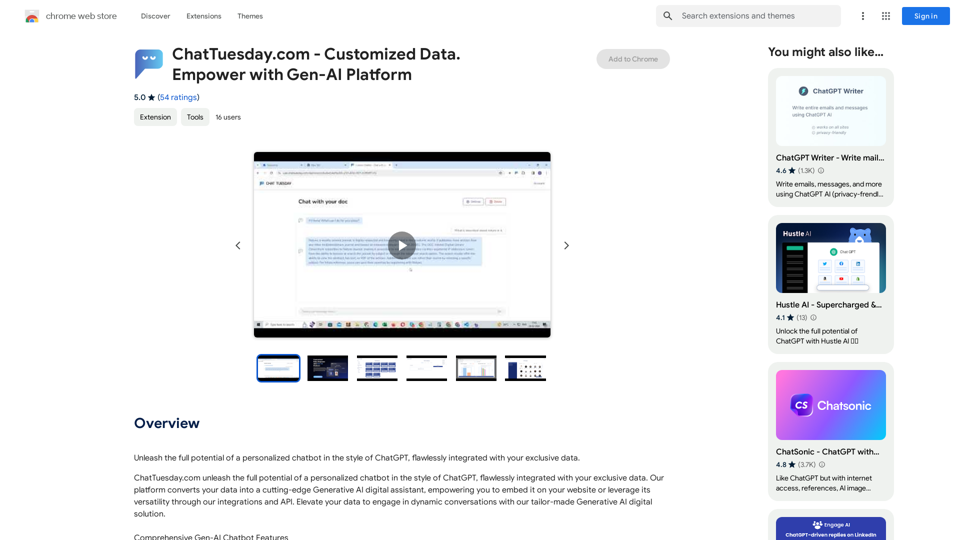
Unlock the full power of a custom-made chatbot, just like ChatGPT, perfectly combined with your unique information.
Visit Website
ChatTuesday.com - Customized Data. Empower with Gen-AI Platform
Visit Website

Introduction

ChatTuesday.com is a platform that enables users to create personalized chatbots similar to ChatGPT, integrated with their own data. It transforms user data into an advanced Generative AI digital assistant, which can be embedded on websites or utilized through integrations and API. This platform offers comprehensive features for customization, multiple bot creation, and multi-language support.

Feature

Customized Data Integration

  • Combine PDF, Dropbox, Typeform, and website data
  • Simple integration process: link data sources, upload files, or include website for crawling

Flexible Bot Configuration

  • Customize each bot with different models and roles
  • Create multiple bots for various use cases
  • Configure digital assistants for specific roles (e.g., sales agent, customer service)

Multilingual Support

  • Pre-built translation modules for different languages

Lead Generation

  • Capture leads and acquire customer data
  • Deliver tailored experiences to potential clients

Easy Installation and Use

  1. Install "Chat Tuesday Redirect" Chrome extension
  2. Click extension icon in browser toolbar
  3. Access personalized dashboard or relevant pages based on subscription status

Pricing

  • Affordable subscription plan available
  • Detailed pricing information on the ChatTuesday.com website

FAQ

What is the purpose of the "Chat Tuesday Redirect" extension?

The extension enhances the Chat Tuesday experience by providing seamless redirection based on the user's browsing context and subscription status.

How do I benefit from plan-based redirection?

To benefit from plan-based redirection, ensure you are logged into Chat Tuesday and have an active subscription. This allows for personalized access to your dashboard or relevant pages.

What are some helpful tips for using ChatTuesday.com?

  1. Customize your chatbot to align with your brand's needs
  2. Utilize the lead generation feature to capture leads and acquire customer data
  3. Integrate the chatbot with your website for a seamless user experience

Latest Traffic Insights

  • Monthly Visits

    193.90 M

  • Bounce Rate

    56.27%

  • Pages Per Visit

    2.71

  • Time on Site(s)

    115.91

  • Global Rank

    -

  • Country Rank

    -

Recent Visits

Traffic Sources

  • Social Media:
    0.48%
  • Paid Referrals:
    0.55%
  • Email:
    0.15%
  • Referrals:
    12.81%
  • Search Engines:
    16.21%
  • Direct:
    69.81%
More Data

Related Websites

ChatBro Treasure
View Detail

ChatBro Treasure

ChatBro Treasure

ChatBao, your AI assistant, works perfectly with search engines to provide more professional answers.

193.90 M
Meet2text - AI-Powered Meeting Minutes Generation
View Detail

Meet2text - AI-Powered Meeting Minutes Generation

Meet2text - AI-Powered Meeting Minutes Generation

Manage Google Meet Conversation and Comment Content, AI-Powered Meeting Minutes in One Go

193.90 M
ChatGPT Keyboard Shortcuts

#Navigation

* Ctrl + →: Move to the next message
* Ctrl + ←: Move to the previous message
* Home: Move to the beginning of the conversation
* End: Move to the end of the conversation

#Editing

* Ctrl + A: Select all text
* Ctrl + C: Copy selected text
* Ctrl + X: Cut selected text
* Ctrl + V: Paste copied or cut text
* Ctrl + Z: Undo
* Ctrl + Y: Redo
* Ctrl + Shift + F: Format text as code

#Actions

* Enter: Send the message
* Shift + Enter: Insert a new line
* Ctrl + Shift + Enter: Send the message and insert a new line
* Esc: Cancel editing and close the message input field
* Ctrl + Shift + Space: Open the emoji picker
* Ctrl + Shift + /: Open the help menu

#Accessibility

* Ctrl + +: Increase font size
* Ctrl + -: Decrease font size
* Ctrl + 0: Reset font size to default
View Detail

ChatGPT Keyboard Shortcuts #Navigation * Ctrl + →: Move to the next message * Ctrl + ←: Move to the previous message * Home: Move to the beginning of the conversation * End: Move to the end of the conversation #Editing * Ctrl + A: Select all text * Ctrl + C: Copy selected text * Ctrl + X: Cut selected text * Ctrl + V: Paste copied or cut text * Ctrl + Z: Undo * Ctrl + Y: Redo * Ctrl + Shift + F: Format text as code #Actions * Enter: Send the message * Shift + Enter: Insert a new line * Ctrl + Shift + Enter: Send the message and insert a new line * Esc: Cancel editing and close the message input field * Ctrl + Shift + Space: Open the emoji picker * Ctrl + Shift + /: Open the help menu #Accessibility * Ctrl + +: Increase font size * Ctrl + -: Decrease font size * Ctrl + 0: Reset font size to default

ChatGPT Keyboard Shortcuts #Navigation * Ctrl + →: Move to the next message * Ctrl + ←: Move to the previous message * Home: Move to the beginning of the conversation * End: Move to the end of the conversation #Editing * Ctrl + A: Select all text * Ctrl + C: Copy selected text * Ctrl + X: Cut selected text * Ctrl + V: Paste copied or cut text * Ctrl + Z: Undo * Ctrl + Y: Redo * Ctrl + Shift + F: Format text as code #Actions * Enter: Send the message * Shift + Enter: Insert a new line * Ctrl + Shift + Enter: Send the message and insert a new line * Esc: Cancel editing and close the message input field * Ctrl + Shift + Space: Open the emoji picker * Ctrl + Shift + /: Open the help menu #Accessibility * Ctrl + +: Increase font size * Ctrl + -: Decrease font size * Ctrl + 0: Reset font size to default

Enhance your ChatGPT experience with easy-to-use keyboard shortcuts.

193.90 M
Hashtag Guru: AI Assistant for Instagram on the App Store
View Detail

Hashtag Guru: AI Assistant for Instagram on the App Store

Hashtag Guru: AI Assistant for Instagram on the App Store

Your Ultimate AI-Powered Hashtag and Caption Generator! Unlock the secret to social media success with Hashtag Guru, the ultimate AI-driven hashtag generator and caption creator that helps you increase your online visibility, boost engagement, and grow your followers!

124.77 M
NoteGPT: ChatGPT Summary for Vimeo
===============

What is NoteGPT?

NoteGPT is an AI-powered note-taking tool that utilizes the capabilities of ChatGPT to assist users in summarizing and organizing their video content on Vimeo.

Key Features

* Automatic Summarization: NoteGPT can automatically generate a concise summary of Vimeo videos, saving users time and effort.
* Customizable Notes: Users can add their own notes and tags to the generated summary, making it easy to review and reference later.
* Organization: NoteGPT allows users to organize their video content by categorizing and tagging their notes, making it simple to find specific information.

Benefits

* Time-Saving: NoteGPT's automatic summarization feature saves users time and effort, allowing them to focus on more important tasks.
* Improved Productivity: With NoteGPT, users can quickly review and reference their video content, improving their overall productivity.
* Enhanced Learning: NoteGPT's customizable notes and organization features enable users to engage more effectively with their video content, leading to enhanced learning and retention.

Use Cases

* Education: NoteGPT is ideal for students and educators who need to review and summarize video lectures and online courses.
* Business: NoteGPT can be used by professionals to summarize and organize video content for meetings, training sessions, and presentations.
* Personal Development: Individuals can use NoteGPT to summarize and review video content for personal development, such as language learning or skill-building.
View Detail

NoteGPT: ChatGPT Summary for Vimeo =============== What is NoteGPT? NoteGPT is an AI-powered note-taking tool that utilizes the capabilities of ChatGPT to assist users in summarizing and organizing their video content on Vimeo. Key Features * Automatic Summarization: NoteGPT can automatically generate a concise summary of Vimeo videos, saving users time and effort. * Customizable Notes: Users can add their own notes and tags to the generated summary, making it easy to review and reference later. * Organization: NoteGPT allows users to organize their video content by categorizing and tagging their notes, making it simple to find specific information. Benefits * Time-Saving: NoteGPT's automatic summarization feature saves users time and effort, allowing them to focus on more important tasks. * Improved Productivity: With NoteGPT, users can quickly review and reference their video content, improving their overall productivity. * Enhanced Learning: NoteGPT's customizable notes and organization features enable users to engage more effectively with their video content, leading to enhanced learning and retention. Use Cases * Education: NoteGPT is ideal for students and educators who need to review and summarize video lectures and online courses. * Business: NoteGPT can be used by professionals to summarize and organize video content for meetings, training sessions, and presentations. * Personal Development: Individuals can use NoteGPT to summarize and review video content for personal development, such as language learning or skill-building.

NoteGPT: ChatGPT Summary for Vimeo =============== What is NoteGPT? NoteGPT is an AI-powered note-taking tool that utilizes the capabilities of ChatGPT to assist users in summarizing and organizing their video content on Vimeo. Key Features * Automatic Summarization: NoteGPT can automatically generate a concise summary of Vimeo videos, saving users time and effort. * Customizable Notes: Users can add their own notes and tags to the generated summary, making it easy to review and reference later. * Organization: NoteGPT allows users to organize their video content by categorizing and tagging their notes, making it simple to find specific information. Benefits * Time-Saving: NoteGPT's automatic summarization feature saves users time and effort, allowing them to focus on more important tasks. * Improved Productivity: With NoteGPT, users can quickly review and reference their video content, improving their overall productivity. * Enhanced Learning: NoteGPT's customizable notes and organization features enable users to engage more effectively with their video content, leading to enhanced learning and retention. Use Cases * Education: NoteGPT is ideal for students and educators who need to review and summarize video lectures and online courses. * Business: NoteGPT can be used by professionals to summarize and organize video content for meetings, training sessions, and presentations. * Personal Development: Individuals can use NoteGPT to summarize and review video content for personal development, such as language learning or skill-building.

Vimeo Summary with ChatGPT for Better Learning ===================================================== What is Vimeo? --------------- Vimeo is a video-hosting platform that allows users to upload, share, and view videos. It is popular among creative professionals, businesses, and individuals who want to showcase their videos in a high-quality format. How Can ChatGPT Help with Vimeo Courses? ----------------------------------------- ChatGPT is an AI-powered language model that can assist with summarizing Vimeo courses by: * Identifying key points: ChatGPT can analyze the video content and extract the most important information, making it easier to understand and retain. * Generating summaries: ChatGPT can create concise summaries of the video courses, saving time and effort. * Improving learning: By providing a clear and concise summary, ChatGPT can help learners focus on the essential concepts and improve their understanding of the material. Benefits of Using ChatGPT for Vimeo Courses --------------------------------------------- * Time-saving: ChatGPT can quickly summarize long video courses, saving learners time and effort. * Improved comprehension: ChatGPT's summaries can help learners understand complex concepts more easily. * Enhanced retention: By providing a concise summary, ChatGPT can help learners retain information better. How to Use ChatGPT for Vimeo Courses ----------------------------------------- 1. Upload the video course: Upload the Vimeo course to ChatGPT. 2. Analyze the content: ChatGPT will analyze the video content and extract key points. 3. Generate a summary: ChatGPT will create a concise summary of the video course. 4. Review and learn: Review the summary and use it to learn and retain the information. Conclusion ---------- ChatGPT can be a valuable tool for summarizing Vimeo courses, making it easier to learn and retain information. By using ChatGPT, learners can save time, improve comprehension, and enhance retention.

193.90 M
Coachpilot
View Detail

Coachpilot

Coachpilot

Coachpilot: Use AI to Write User Stories in Jira Coachpilot helps you write better user stories in Jira using the power of artificial intelligence.

193.90 M
The Only Platform You Need to Excel in Your Studies | AllWriting
View Detail

The Only Platform You Need to Excel in Your Studies | AllWriting

The Only Platform You Need to Excel in Your Studies | AllWriting

Allwriting provides a full pack of free online essay creation tools for your comfortable & fast editing, idea generation, essay checking, and summarizing.

638
Open AI Chat GPT For Email
View Detail

Open AI Chat GPT For Email

Open AI Chat GPT For Email

Email Completion Suggestions ============================= Powered by OpenAI, this feature provides intelligent suggestions to complete your emails, saving you time and effort. How it Works --------------- 1. Start Writing: Begin composing your email as you normally would. 2. AI Takes Over: Our AI engine, powered by OpenAI, kicks in and analyzes the context of your email. 3. Suggestions Appear: Relevant and contextual suggestions will appear, helping you complete your email quickly and efficiently. Benefits ------------ * Save Time: Get suggestions in real-time, reducing the time spent on writing emails. * Improve Quality: Enhance the clarity and coherence of your emails with AI-driven suggestions. * Boost Productivity: Focus on more important tasks while our AI handles the email completion. Get Started -------------- Try our email completion suggestions today and experience the power of AI-driven productivity!

193.90 M