Open-source RightAI Tools Directory
  • Discover AI
  • Submit
  • Startup
  • Blog
Open-source RightAI Tools Directory
Discover the best AI tools of 2025 with the RightAI Tools Directory!

Friend Links

AI Anime GeneratorToolsApp AI

Support

Tap4
Privacy policyTerms & ConditionsContact Us
Loading...
loading...

Infinity AI

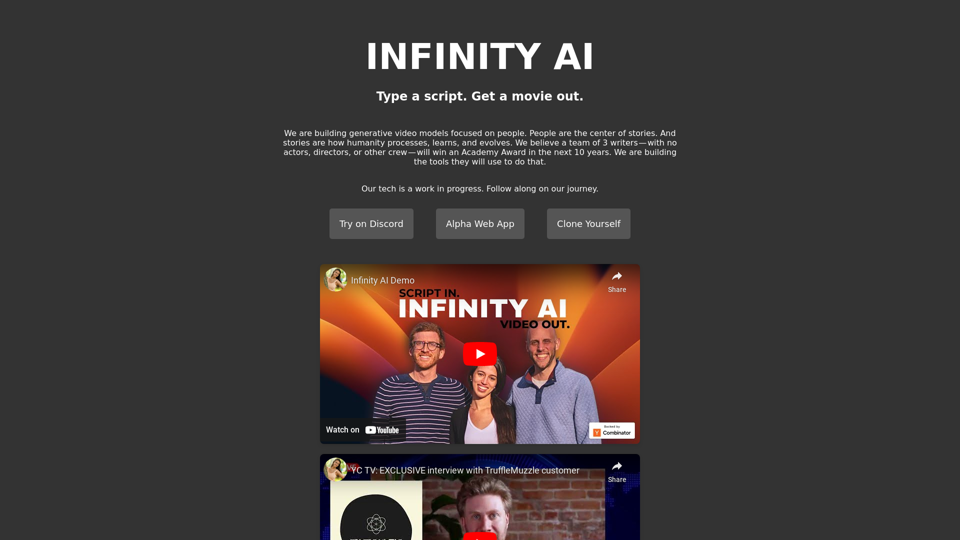
Infinity AI is a revolutionary platform that enables the creation of generative video models focused on people.
Visit Website
Infinity AI
Visit Website

Introduction

Infinity AI is a groundbreaking platform that harnesses AI technology to create generative video models focused on people. Its ambitious goal is to enable a small team of writers to produce award-winning movies without traditional filmmaking resources. The platform is currently in alpha stage, offering a web app for users to explore its evolving capabilities.

Feature

Generative Video Models

Infinity AI's core feature is its ability to generate video models centered on people. This technology allows writers to bring their stories to life without the need for actors, directors, or conventional filmmaking equipment.

AI-Powered Storytelling

The platform leverages advanced AI to facilitate the creation of compelling narratives. It aims to process, learn, and evolve humanity through the power of storytelling, pushing the boundaries of creative expression.

Community Engagement

Infinity AI fosters a vibrant community through its Discord channel. Users can follow the platform's development journey, provide feedback, and connect with like-minded individuals passionate about AI-driven storytelling.

Evolving Platform

As an alpha-stage product, Infinity AI is continuously improving. Regular updates and new features are added to enhance the user experience and expand the platform's capabilities.

Affordable Access

While the pricing model is yet to be finalized, Infinity AI plans to offer affordable products and services, making AI-powered filmmaking accessible to a wide range of users.

FAQ

What is the primary goal of Infinity AI?

Infinity AI aims to empower a team of three writers to produce a movie without traditional filmmaking resources, with the ambitious goal of winning an Academy Award within the next decade.

How does Infinity AI's technology work?

Infinity AI utilizes AI technology to generate video models focused on people, enabling writers to create stories without the need for conventional filmmaking equipment or personnel.

Is Infinity AI available for public use?

Infinity AI is currently in its alpha stage, with a web app available for users to try. The platform is continuously evolving, with regular updates and new features being added.

How can users stay updated on Infinity AI's development?

Users are encouraged to join Infinity AI's Discord channel to follow the platform's journey, provide feedback, and connect with other users interested in AI-driven storytelling.

What is the pricing model for Infinity AI?

The pricing model for Infinity AI is currently undetermined as the platform is still in development. However, the company plans to offer affordable products and services to users in the future.

Latest Traffic Insights

  • Monthly Visits

    158

  • Bounce Rate

    46.11%

  • Pages Per Visit

    1.01

  • Time on Site(s)

    0.00

  • Global Rank

    2079004

  • Country Rank

    -

Recent Visits

Traffic Sources

  • Social Media:
    3.78%
  • Paid Referrals:
    2.01%
  • Email:
    0.18%
  • Referrals:
    14.01%
  • Search Engines:
    40.71%
  • Direct:
    38.61%
More Data

Related Websites

Essay Writer Applicant
View Detail

Essay Writer Applicant

Essay Writer Applicant

An extension to bid on jobs from essay writers that is easy to use.

193.90 M
ChatGPT Voice Master
View Detail

ChatGPT Voice Master

ChatGPT Voice Master

Supports English voice engine for chatgpt.com, making conversations more natural and interactions smoother.

193.90 M
SwiftSubmit
View Detail

SwiftSubmit

SwiftSubmit

Streamline job applications with our AI extension! Apply to more roles by automatically filling out forms and cover letters in seconds.

193.90 M
Audeo AI: Audio Stem Splitter & Audio Enhancer
View Detail

Audeo AI: Audio Stem Splitter & Audio Enhancer

Audeo AI: Audio Stem Splitter & Audio Enhancer

Easily record, separate stems, isolate vocals, improve audio quality, and download audio directly from your web browser.

193.90 M
Ask AI
View Detail

Ask AI

Ask AI

Ask AI is an AI-powered Search Assistant, with Bing, ChatGPT, Bard, & more! ⚡

193.90 M
Kartiv: Automated Visual Content for eCommerce & Marketing Agencies
View Detail

Kartiv: Automated Visual Content for eCommerce & Marketing Agencies

Kartiv: Automated Visual Content for eCommerce & Marketing Agencies

Elevate your brand with Kartiv's AI-powered design solutions. Perfect for eCommerce businesses and marketing agencies.

440
Get ChatGPT for Free with Google

You can now access ChatGPT, a powerful language model, for free with Google. Here's how:

Method 1: Google Colab

* Open Google Colab ([colab.research.google.com](http://colab.research.google.com))
* Create a new notebook
* Install the `transformers` library by running `!pip install transformers`
* Import the `transformers` library and load the ChatGPT model using `from transformers import AutoModelForCausalLM, AutoTokenizer; model = AutoModelForCausalLM.from_pretrained('chatgpt'); tokenizer = AutoTokenizer.from_pretrained('chatgpt')`
* Use the model to generate text using `input_text = "Your input here"; inputs = tokenizer.encode_plus(input_text, return_tensors='pt', max_length=1024, padding='max_length', truncation=True); output = model(inputs['input_ids'], attention_mask=inputs['attention_mask']); print(tokenizer.decode(output.logits[0], skip_special_tokens=True))`

Method 2: Google Apps Script

* Open Google Apps Script ([script.google.com](http://script.google.com))
* Create a new project
* Install the `transformers` library by running `npm install transformers`
* Import the `transformers` library and load the ChatGPT model using `const { AutoModelForCausalLM, AutoTokenizer } = require('transformers'); const model = new AutoModelForCausalLM('chatgpt'); const tokenizer = new AutoTokenizer('chatgpt');`
* Use the model to generate text using `const inputText = "Your input here"; const inputs = tokenizer.encodePlus(inputText, { return_tensors: 'pt', max_length: 1024, padding: 'max_length', truncation: true }); const output = model(inputs.inputIds, inputs.attentionMask); console.log(tokenizer.decode(output.logits[0], { skipSpecialTokens: true }));`

Note: These methods require some technical knowledge and may have limitations compared to the original ChatGPT model.
View Detail

Get ChatGPT for Free with Google You can now access ChatGPT, a powerful language model, for free with Google. Here's how: Method 1: Google Colab * Open Google Colab ([colab.research.google.com](http://colab.research.google.com)) * Create a new notebook * Install the `transformers` library by running `!pip install transformers` * Import the `transformers` library and load the ChatGPT model using `from transformers import AutoModelForCausalLM, AutoTokenizer; model = AutoModelForCausalLM.from_pretrained('chatgpt'); tokenizer = AutoTokenizer.from_pretrained('chatgpt')` * Use the model to generate text using `input_text = "Your input here"; inputs = tokenizer.encode_plus(input_text, return_tensors='pt', max_length=1024, padding='max_length', truncation=True); output = model(inputs['input_ids'], attention_mask=inputs['attention_mask']); print(tokenizer.decode(output.logits[0], skip_special_tokens=True))` Method 2: Google Apps Script * Open Google Apps Script ([script.google.com](http://script.google.com)) * Create a new project * Install the `transformers` library by running `npm install transformers` * Import the `transformers` library and load the ChatGPT model using `const { AutoModelForCausalLM, AutoTokenizer } = require('transformers'); const model = new AutoModelForCausalLM('chatgpt'); const tokenizer = new AutoTokenizer('chatgpt');` * Use the model to generate text using `const inputText = "Your input here"; const inputs = tokenizer.encodePlus(inputText, { return_tensors: 'pt', max_length: 1024, padding: 'max_length', truncation: true }); const output = model(inputs.inputIds, inputs.attentionMask); console.log(tokenizer.decode(output.logits[0], { skipSpecialTokens: true }));` Note: These methods require some technical knowledge and may have limitations compared to the original ChatGPT model.

Get ChatGPT for Free with Google You can now access ChatGPT, a powerful language model, for free with Google. Here's how: Method 1: Google Colab * Open Google Colab ([colab.research.google.com](http://colab.research.google.com)) * Create a new notebook * Install the `transformers` library by running `!pip install transformers` * Import the `transformers` library and load the ChatGPT model using `from transformers import AutoModelForCausalLM, AutoTokenizer; model = AutoModelForCausalLM.from_pretrained('chatgpt'); tokenizer = AutoTokenizer.from_pretrained('chatgpt')` * Use the model to generate text using `input_text = "Your input here"; inputs = tokenizer.encode_plus(input_text, return_tensors='pt', max_length=1024, padding='max_length', truncation=True); output = model(inputs['input_ids'], attention_mask=inputs['attention_mask']); print(tokenizer.decode(output.logits[0], skip_special_tokens=True))` Method 2: Google Apps Script * Open Google Apps Script ([script.google.com](http://script.google.com)) * Create a new project * Install the `transformers` library by running `npm install transformers` * Import the `transformers` library and load the ChatGPT model using `const { AutoModelForCausalLM, AutoTokenizer } = require('transformers'); const model = new AutoModelForCausalLM('chatgpt'); const tokenizer = new AutoTokenizer('chatgpt');` * Use the model to generate text using `const inputText = "Your input here"; const inputs = tokenizer.encodePlus(inputText, { return_tensors: 'pt', max_length: 1024, padding: 'max_length', truncation: true }); const output = model(inputs.inputIds, inputs.attentionMask); console.log(tokenizer.decode(output.logits[0], { skipSpecialTokens: true }));` Note: These methods require some technical knowledge and may have limitations compared to the original ChatGPT model.

How to Add ChatGPT to All Google Searches ===================================================== Step 1: Create a Custom Search Engine -------------------------------------- * Go to the [Google Custom Search Engine](https://cse.google.com/) website and sign in with your Google account. * Click on the "New Search Engine" button. * Fill in the required information, such as the name and description of your search engine. * Click on the "Create" button. Step 2: Add ChatGPT to the Search Engine ----------------------------------------- * In the "Setup" tab, click on the "Add" button next to "Sites to search". * Enter the following URL: `https://chat.openai.com/` * Click on the "Add" button. Step 3: Configure the Search Engine -------------------------------------- * In the "Setup" tab, click on the "Edit" button next to "Search engine keywords". * Add the following keywords: `ChatGPT` * Click on the "Save" button. Step 4: Get the Search Engine Code ------------------------------------- * In the "Setup" tab, click on the "Get code" button. * Copy the HTML code provided. Step 5: Add the Search Engine to Your Browser ------------------------------------------------ * Open your browser and go to the "Settings" or "Options" page. * Look for the "Search engine" or "Default search engine" option. * Click on the "Add" or "Manage search engines" button. * Paste the HTML code you copied earlier. * Click on the "Add" or "Save" button. You're Done! =============== Now, whenever you search on Google, ChatGPT will be included in the search results. You can also use the custom search engine URL provided by Google to search directly.

193.90 M
Dream Machine AI
View Detail

Dream Machine AI

Dream Machine AI

Explore Dream Machine AI for the revolutionary AI video generator. Create unique, high-quality videos instantly from text and images. Free to use. Download and enjoy innovative video content now!

7.28 K