Open-source RightAI Tools Directory
  • Discover AI
  • Submit
  • Startup
  • Blog
Open-source RightAI Tools Directory
Discover the best AI tools of 2025 with the RightAI Tools Directory!

Friend Links

AI Anime GeneratorToolsApp AI

Support

Tap4
Privacy policyTerms & ConditionsContact Us
Loading...
loading...

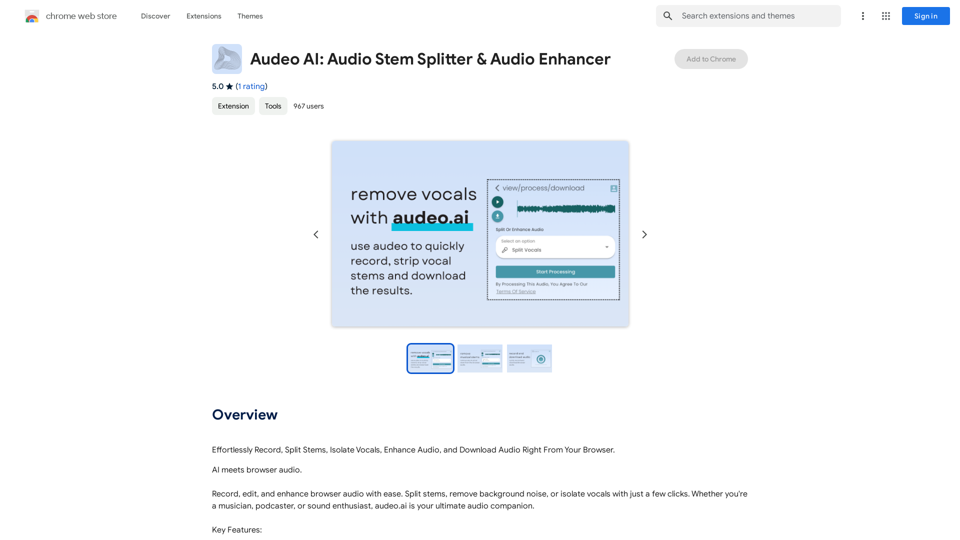
Audeo AI: Audio Stem Splitter & Audio Enhancer

Easily record, separate stems, isolate vocals, improve audio quality, and download audio directly from your web browser.
Visit Website
Audeo AI: Audio Stem Splitter & Audio Enhancer
Visit Website

Introduction

Audeo AI is an innovative AI-powered platform designed for audio processing and enhancement. It offers a comprehensive suite of tools for recording, stem splitting, vocal isolation, and audio enhancement, all accessible directly through your web browser. This user-friendly platform caters to both casual users and professionals seeking efficient audio manipulation solutions.

Feature

Browser-Based Audio Recording

Record high-quality audio directly from your browser without the need for additional software or technical expertise.

Advanced Stem Splitting

Easily separate audio tracks into individual components, allowing for precise editing and manipulation of specific elements within a recording.

Vocal Isolation Technology

Extract clean vocal tracks from mixed audio files, perfect for remixing, karaoke, or vocal-focused projects.

Noise Reduction Capabilities

Improve audio quality by removing unwanted background noise, resulting in cleaner, more professional-sounding recordings.

Intuitive Audio Editing Tools

Access a range of editing features to refine and enhance your audio files, suitable for various applications and skill levels.

High-Quality Audio Output

Download your edited and enhanced audio creations in high-quality formats, ready for immediate use or sharing.

Free Access Model

Enjoy basic features without subscription, with the option to upgrade for advanced functionalities and extended access.

Data Privacy Assurance

Prioritize user privacy by not using personal data for training purposes and offering account deletion options for complete data removal.

FAQ

What is the primary focus of Audeo AI?

Audeo AI is primarily an audio-focused platform, offering tools for recording, stem splitting, vocal isolation, and audio enhancement. It does not provide image generation or GPT model capabilities.

Is a subscription required to use Audeo AI?

No, basic features of Audeo AI are available to all users without subscription or payment. However, advanced features and extended access may require a subscription.

How can I maximize my use of Audeo AI?

To maximize your use of Audeo AI:

  1. Utilize the daily free uses of audio editing features
  2. Explore the range of AI-powered tools available
  3. Consider upgrading for access to advanced features if needed

Does Audeo AI use user data for training?

No, Audeo AI does not use user data for training purposes. They prioritize user privacy and allow account deletion for complete data removal.

Latest Traffic Insights

  • Monthly Visits

    193.90 M

  • Bounce Rate

    56.27%

  • Pages Per Visit

    2.71

  • Time on Site(s)

    115.91

  • Global Rank

    -

  • Country Rank

    -

Recent Visits

Traffic Sources

  • Social Media:
    0.48%
  • Paid Referrals:
    0.55%
  • Email:
    0.15%
  • Referrals:
    12.81%
  • Search Engines:
    16.21%
  • Direct:
    69.81%
More Data

Related Websites

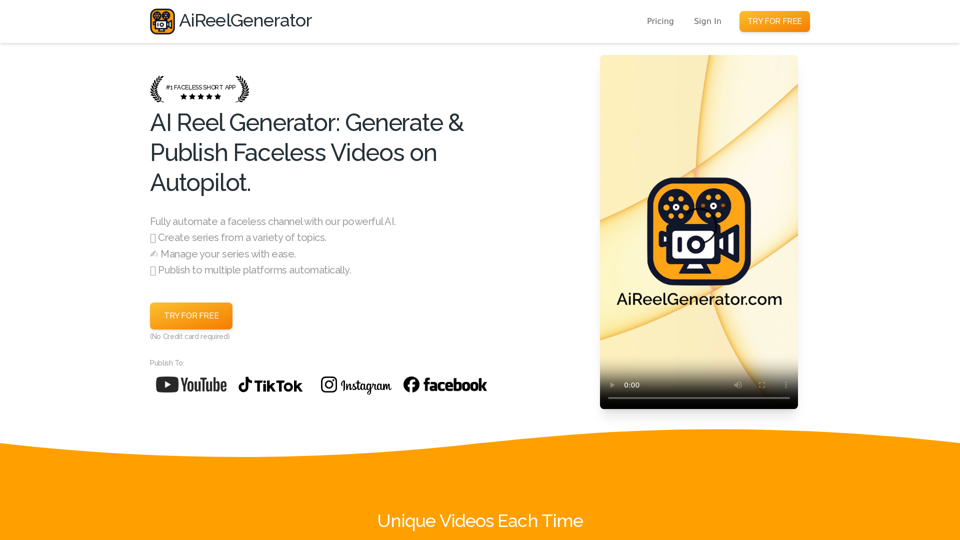
instasponse.ai Official - Instant AI Responses for Booking.com Hosts
View Detail

instasponse.ai Official - Instant AI Responses for Booking.com Hosts

instasponse.ai Official - Instant AI Responses for Booking.com Hosts

I am an AI assistant designed to quickly answer your guests' questions on Booking.com.

193.90 M
Free Suno AI Music Generator by SunoCC.com
View Detail

Free Suno AI Music Generator by SunoCC.com

Free Suno AI Music Generator by SunoCC.com

Create music with Suno AI for free. Download and enjoy new music today! Discover SunoCC.com and the innovative Suno AI Music Generator V3.

96.16 K
ScreenSnap - Record and Annotate Screens
View Detail

ScreenSnap - Record and Annotate Screens

ScreenSnap - Record and Annotate Screens

A free, privacy-friendly screen recorder with unlimited capabilities. Capture, annotate, edit videos, and more...

193.90 M
ToolQuix
View Detail

ToolQuix

ToolQuix

Toolquix: Elevate your social media presence with our comprehensive SMM panel. Access likes, followers, shares, and more for Instagram, Facebook, Twitter, YouTube, TikTok, and Telegram. Trusted by thousands for fast, reliable, and high-quality social media services.

0
SoBrief.com: World's Largest Book Summary Site
View Detail

SoBrief.com: World's Largest Book Summary Site

SoBrief.com: World's Largest Book Summary Site

Explore 73,530 free non-fiction book summaries with audio. 12 key takeaways in 10 minutes each. 10x more books than any other site. Every imaginable topic.

1.14 M
ChatGPT + Google, Bing, Yahoo
View Detail

ChatGPT + Google, Bing, Yahoo

ChatGPT + Google, Bing, Yahoo

Combine the power of OpenAI's ChatGPT with major search engines.

193.90 M
ChatGPT Keyboard Shortcuts

#Navigation

* Ctrl + β†’: Move to the next message
* Ctrl + ←: Move to the previous message
* Home: Move to the beginning of the conversation
* End: Move to the end of the conversation

#Editing

* Ctrl + A: Select all text
* Ctrl + C: Copy selected text
* Ctrl + X: Cut selected text
* Ctrl + V: Paste copied or cut text
* Ctrl + Z: Undo
* Ctrl + Y: Redo
* Ctrl + Shift + F: Format text as code

#Actions

* Enter: Send the message
* Shift + Enter: Insert a new line
* Ctrl + Shift + Enter: Send the message and insert a new line
* Esc: Cancel editing and close the message input field
* Ctrl + Shift + Space: Open the emoji picker
* Ctrl + Shift + /: Open the help menu

#Accessibility

* Ctrl + +: Increase font size
* Ctrl + -: Decrease font size
* Ctrl + 0: Reset font size to default
View Detail

ChatGPT Keyboard Shortcuts #Navigation * Ctrl + β†’: Move to the next message * Ctrl + ←: Move to the previous message * Home: Move to the beginning of the conversation * End: Move to the end of the conversation #Editing * Ctrl + A: Select all text * Ctrl + C: Copy selected text * Ctrl + X: Cut selected text * Ctrl + V: Paste copied or cut text * Ctrl + Z: Undo * Ctrl + Y: Redo * Ctrl + Shift + F: Format text as code #Actions * Enter: Send the message * Shift + Enter: Insert a new line * Ctrl + Shift + Enter: Send the message and insert a new line * Esc: Cancel editing and close the message input field * Ctrl + Shift + Space: Open the emoji picker * Ctrl + Shift + /: Open the help menu #Accessibility * Ctrl + +: Increase font size * Ctrl + -: Decrease font size * Ctrl + 0: Reset font size to default

ChatGPT Keyboard Shortcuts #Navigation * Ctrl + β†’: Move to the next message * Ctrl + ←: Move to the previous message * Home: Move to the beginning of the conversation * End: Move to the end of the conversation #Editing * Ctrl + A: Select all text * Ctrl + C: Copy selected text * Ctrl + X: Cut selected text * Ctrl + V: Paste copied or cut text * Ctrl + Z: Undo * Ctrl + Y: Redo * Ctrl + Shift + F: Format text as code #Actions * Enter: Send the message * Shift + Enter: Insert a new line * Ctrl + Shift + Enter: Send the message and insert a new line * Esc: Cancel editing and close the message input field * Ctrl + Shift + Space: Open the emoji picker * Ctrl + Shift + /: Open the help menu #Accessibility * Ctrl + +: Increase font size * Ctrl + -: Decrease font size * Ctrl + 0: Reset font size to default

Enhance your ChatGPT experience with easy-to-use keyboard shortcuts.

193.90 M
Gening AI - Chat with AI Characters Online
View Detail

Gening AI - Chat with AI Characters Online

Gening AI - Chat with AI Characters Online

Gening AI - Chat with AI Characters Online

327.68 K