Open-source RightAI Tools Directory
  • Discover AI
  • Submit
  • Startup
  • Blog
Open-source RightAI Tools Directory
Discover the best AI tools of 2025 with the RightAI Tools Directory!

Friend Links

AI Anime GeneratorToolsApp AI

Support

Tap4
Privacy policyTerms & ConditionsContact Us
Loading...
loading...

SliceX AI Tweet Analyzer

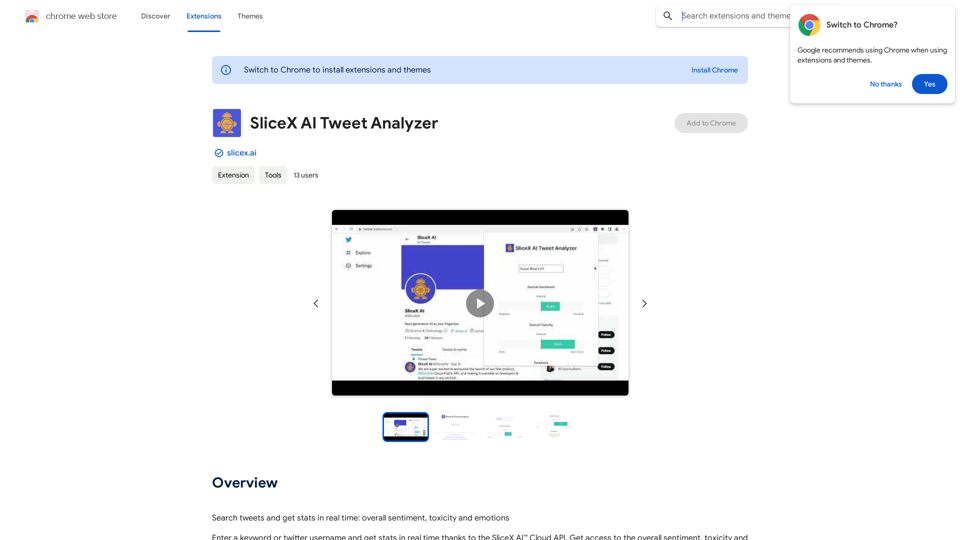
Search for tweets and get real-time statistics: general sentiment, toxicity levels, and emotions expressed.
Visit Website
SliceX AI Tweet Analyzer
Visit Website

Introduction

SliceX AI Tweet Analyzer is a Chrome extension designed to provide users with real-time analytics for Twitter content. This powerful tool leverages the SliceX AI Cloud API to deliver accurate and up-to-date information on tweet sentiment, toxicity, and emotions. By offering instant access to these insights, SliceX AI Tweet Analyzer enables users to gain a deeper understanding of social media trends and make data-driven decisions for their social media strategies.

Feature

Real-time Tweet Analysis

SliceX AI Tweet Analyzer provides instant access to overall sentiment, toxicity, and emotions of tweets, allowing users to quickly gauge the tone and impact of Twitter content.

User-Friendly Interface

The extension offers a simple and intuitive interface. Users can easily search for tweets by entering keywords or Twitter usernames, making it accessible for both novice and experienced social media analysts.

Advanced AI Technology

Utilizing state-of-the-art AI algorithms through the SliceX AI Cloud API, the extension delivers highly accurate results for tweet analysis.

Flexible Search Options

Users can analyze tweets based on specific keywords or by focusing on particular Twitter accounts, providing versatility in research and analysis.

Comprehensive Insights

The tool offers a range of metrics including sentiment analysis, toxicity levels, and emotional content, providing a holistic view of Twitter conversations.

Time-Saving Automation

By automating the process of tweet analysis, SliceX AI Tweet Analyzer significantly increases efficiency in social media research and strategy development.

Multiple Pricing Options

The extension offers a free plan along with several paid plans, catering to different user needs and budgets.

FAQ

How does SliceX AI Tweet Analyzer work?

SliceX AI Tweet Analyzer utilizes the SliceX AI Cloud API to analyze tweets. Users input keywords or Twitter usernames, and the extension processes this data to provide real-time stats on sentiment, toxicity, and emotions.

What are the main benefits of using this tool?

The key benefits include:

  1. Improved understanding of tweet sentiment and emotions
  2. Enhanced decision-making for social media strategies
  3. Increased efficiency through automated analysis
  4. Real-time access to comprehensive tweet statistics

Is SliceX AI Tweet Analyzer free to use?

SliceX AI Tweet Analyzer offers a free plan for basic usage. Additionally, it provides several paid plans with advanced features and benefits for users requiring more comprehensive analysis capabilities.

How can I get the most out of SliceX AI Tweet Analyzer?

To maximize the tool's effectiveness:

  1. Use relevant and specific keywords in your searches
  2. Analyze multiple tweets for a more comprehensive understanding
  3. Apply the generated stats to inform and refine your social media strategy
  4. Explore different pricing plans to find the best fit for your needs

Latest Traffic Insights

  • Monthly Visits

    193.90 M

  • Bounce Rate

    56.27%

  • Pages Per Visit

    2.71

  • Time on Site(s)

    115.91

  • Global Rank

    -

  • Country Rank

    -

Recent Visits

Traffic Sources

  • Social Media:
    0.48%
  • Paid Referrals:
    0.55%
  • Email:
    0.15%
  • Referrals:
    12.81%
  • Search Engines:
    16.21%
  • Direct:
    69.81%
More Data

Related Websites

Distribution
View Detail

Distribution

Distribution

Become a content creator in seconds

8.60 K
Chrome Web Store
View Detail

Chrome Web Store

Chrome Web Store

Enhance your browser with new features and customize your web browsing.

193.90 M
Justdone: AI Writing & Copywriting Assistant
View Detail

Justdone: AI Writing & Copywriting Assistant

Justdone: AI Writing & Copywriting Assistant

Justdone AI Chrome Extension

193.90 M
Talkative
View Detail

Talkative

Talkative

Chat with Web-LLM Models in the Browser You can interact with Web-LLM models directly in your web browser without requiring any additional setup or installation. This allows you to easily experiment with and explore the capabilities of these models. Getting Started To get started, simply open a web browser and navigate to the Web-LLM model's website or platform. Once you're on the website, you can usually find a chat interface or text input field where you can enter your prompts or questions. How it Works When you enter a prompt or question, the Web-LLM model processes your input and generates a response. This response is then displayed in the chat interface or output field, allowing you to read and interact with the model's output. Benefits The benefits of chatting with Web-LLM models in the browser include: * Convenience: No need to install any software or set up any development environments. * Accessibility: Anyone with a web browser can interact with the model, regardless of their technical expertise. * Ease of use: The chat interface provides a user-friendly way to interact with the model, making it easy to experiment and explore its capabilities. Use Cases Some potential use cases for chatting with Web-LLM models in the browser include: * Research and development: Quickly experiment with different models and prompts to explore their capabilities and limitations. * Education and learning: Use the chat interface to teach students about AI and language models, or to provide interactive learning experiences. * Creative writing and ideation: Use the model as a tool to generate ideas, write stories, or create poetry. Overall, chatting with Web-LLM models in the browser provides a convenient and accessible way to interact with these powerful language models, and can be a valuable tool for a wide range of applications.

2.59 K
Flot AI
View Detail

Flot AI

Flot AI

ChatGPT can now work on any documents, apps, websites, and emails.

193.90 M
AIDU
View Detail

AIDU

AIDU

This application helps users find and implement ideas based on advanced AI platforms with daily updated information...

193.90 M
Sketch2Code GPT4-128K GPT4-Vision - Sidebar 

This is a simple sidebar for a Sketch2Code application powered by GPT4-128K and GPT4-Vision. 

It likely contains:

* Upload Sketch: A button or area to upload an image sketch.
* Code Generation Options:  Settings to choose the programming language, desired code complexity, or other generation parameters.
* Output Code: A display area to show the generated code.
* Clear Output: A button to clear the generated code.


Let me know if you'd like me to elaborate on any specific aspect of the sidebar!
View Detail

Sketch2Code GPT4-128K GPT4-Vision - Sidebar This is a simple sidebar for a Sketch2Code application powered by GPT4-128K and GPT4-Vision. It likely contains: * Upload Sketch: A button or area to upload an image sketch. * Code Generation Options: Settings to choose the programming language, desired code complexity, or other generation parameters. * Output Code: A display area to show the generated code. * Clear Output: A button to clear the generated code. Let me know if you'd like me to elaborate on any specific aspect of the sidebar!

Sketch2Code GPT4-128K GPT4-Vision - Sidebar This is a simple sidebar for a Sketch2Code application powered by GPT4-128K and GPT4-Vision. It likely contains: * Upload Sketch: A button or area to upload an image sketch. * Code Generation Options: Settings to choose the programming language, desired code complexity, or other generation parameters. * Output Code: A display area to show the generated code. * Clear Output: A button to clear the generated code. Let me know if you'd like me to elaborate on any specific aspect of the sidebar!

Sketch2Code GPT4-128K GPT4-Vision - FREE

193.90 M
ChatGPT for Google Search
View Detail

ChatGPT for Google Search

ChatGPT for Google Search

Show the ChatGPT response next to the search engine results.

193.90 M