Open-source RightAI Tools Directory
  • Discover AI
  • Submit
  • Startup
  • Blog
Open-source RightAI Tools Directory
Discover the best AI tools of 2025 with the RightAI Tools Directory!

Friend Links

AI Anime GeneratorToolsApp AI

Support

Tap4
Privacy policyTerms & ConditionsContact Us
Loading...
loading...

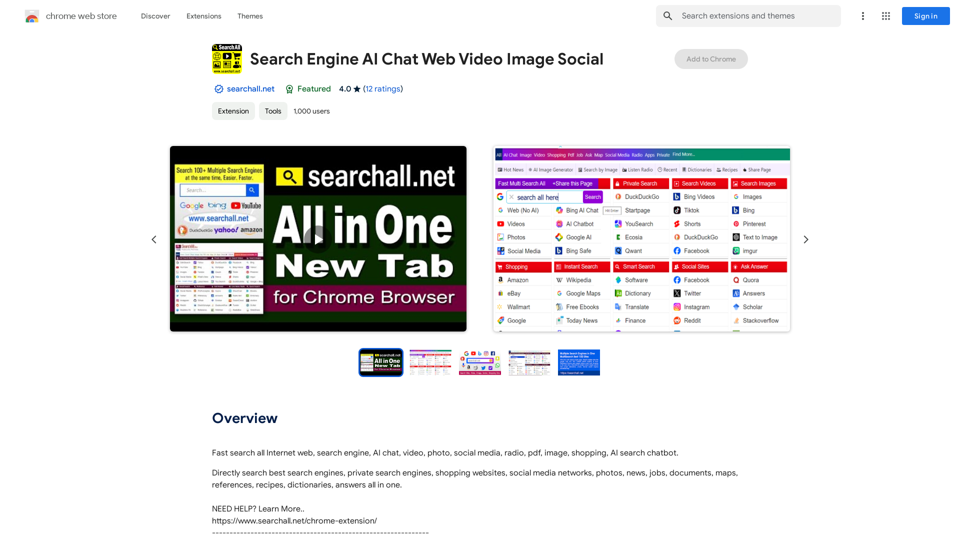
Search Engine AI Chat Web Video Image Social

Quickly search the entire Internet, including websites, search engines, AI chatbots, videos, photos, social media, radio, PDFs, images, online shopping platforms, and AI-powered search chatbots.
Visit Website
Search Engine  
AI Chat  
Web  
Video  
Image  
Social
Visit Website

Introduction

Search Engine AI Chat is a Chrome extension designed to streamline internet searching. It allows users to search multiple websites simultaneously, including search engines and social media platforms, all from a single interface. This tool combines the convenience of a unified search box with AI-powered capabilities to enhance search accuracy and relevance.

Feature

Multi-search Functionality

Search Engine AI Chat enables users to search across multiple websites instantly, eliminating the need to open multiple tabs or windows. This feature saves time and simplifies the search process.

Unified Search Box

The extension provides a single search box where users can input their queries. Results from various websites are then displayed, offering a comprehensive overview of search results from different sources.

Customizable Search Experience

Users can tailor their search experience by adding or removing search engines and adjusting settings according to their preferences. This customization allows for a more personalized and efficient search process.

AI-powered Search

The extension leverages artificial intelligence to improve search accuracy and relevance. This advanced feature helps users find more pertinent information quickly.

Free to Use

Search Engine AI Chat is available as a free Chrome extension, making it accessible to all users. However, some advanced features may require a subscription or one-time payment.

Secure Searching

The extension prioritizes user security by utilizing HTTPS protocol, ensuring that user data remains protected during searches.

FAQ

How do I start using Search Engine AI Chat?

To begin using Search Engine AI Chat:

  1. Install the extension from the Chrome Web Store
  2. Configure your search settings to add or remove search engines
  3. Start searching by typing in the unified search box

Can I customize the search engines I use?

Yes, the extension allows you to add or remove search engines and adjust settings to suit your specific needs, providing a highly customizable search experience.

Is Search Engine AI Chat free to use?

The basic version of Search Engine AI Chat is free. However, some advanced features may require a subscription or a one-time payment.

How does the AI-powered search feature work?

The AI-powered search feature uses advanced algorithms to analyze your search queries and provide more accurate and relevant results from multiple sources.

Latest Traffic Insights

  • Monthly Visits

    193.90 M

  • Bounce Rate

    56.27%

  • Pages Per Visit

    2.71

  • Time on Site(s)

    115.91

  • Global Rank

    -

  • Country Rank

    -

Recent Visits

Traffic Sources

  • Social Media:
    0.48%
  • Paid Referrals:
    0.55%
  • Email:
    0.15%
  • Referrals:
    12.81%
  • Search Engines:
    16.21%
  • Direct:
    69.81%
More Data

Related Websites

Volcano Translation - Screenshot and Webpage Translation
View Detail

Volcano Translation - Screenshot and Webpage Translation

Volcano Translation - Screenshot and Webpage Translation

ByteDance production, out of the box, no configuration required, completely free and ad-free.

193.90 M
Visual Programming | Bubble

Bubble is a web development platform that allows users to build web applications without coding. It uses a visual programming language that is based on dragging and dropping elements to create the application's logic.
View Detail

Visual Programming | Bubble Bubble is a web development platform that allows users to build web applications without coding. It uses a visual programming language that is based on dragging and dropping elements to create the application's logic.

Visual Programming | Bubble Bubble is a web development platform that allows users to build web applications without coding. It uses a visual programming language that is based on dragging and dropping elements to create the application's logic.

From first-time founders to experienced engineers, Bubble allows users to build, design, and launch apps in record speed – no code required.

0
Orthoscribe
View Detail

Orthoscribe

Orthoscribe

Orthographic transcription

193.90 M
Ryetools Access PRO
View Detail

Ryetools Access PRO

Ryetools Access PRO

RyeAccess AI: Effortless group deals and savings with Ryetools' smart technology.

193.90 M
AI Text Shortener | Precise Text Adjuster | WordLimiter
View Detail

AI Text Shortener | Precise Text Adjuster | WordLimiter

AI Text Shortener | Precise Text Adjuster | WordLimiter

WordLimit helps you to shorten your text precisely without losing key information and your unique writing style. Feel free to use it because it will never make your Human-Written content become AI-Written!

834
MailMentor | Sales Copilot
View Detail

MailMentor | Sales Copilot

MailMentor | Sales Copilot

Find and message potential leads quickly while browsing.

193.90 M
Hints Playbook AI

This playbook provides guidance on how to effectively use hints to improve the performance of AI models.

Understanding Hints

Hints are additional pieces of information provided to an AI model to guide its output. They can take various forms, such as:

* Textual prompts: Direct instructions or suggestions.
* Examples: Demonstrating the desired output format or style.
* Constraints: Specifying limitations or boundaries for the response.

Types of Hints

* Zero-shot: Hints are provided without any examples.
* Few-shot: A small number of examples are given to illustrate the desired output.
* Fine-tuning: Hints are incorporated into the training data to adjust the model's behavior.

Best Practices for Using Hints

* Be specific: Clearly articulate what you want the AI to do.
* Provide context: Give the model enough background information to understand the task.
* Use examples: Demonstrate the desired output format or style.
* Iterate and refine: Experiment with different types and formats of hints to find what works best.
* Evaluate results: Assess the quality of the AI's output and adjust hints accordingly.
View Detail

Hints Playbook AI This playbook provides guidance on how to effectively use hints to improve the performance of AI models. Understanding Hints Hints are additional pieces of information provided to an AI model to guide its output. They can take various forms, such as: * Textual prompts: Direct instructions or suggestions. * Examples: Demonstrating the desired output format or style. * Constraints: Specifying limitations or boundaries for the response. Types of Hints * Zero-shot: Hints are provided without any examples. * Few-shot: A small number of examples are given to illustrate the desired output. * Fine-tuning: Hints are incorporated into the training data to adjust the model's behavior. Best Practices for Using Hints * Be specific: Clearly articulate what you want the AI to do. * Provide context: Give the model enough background information to understand the task. * Use examples: Demonstrate the desired output format or style. * Iterate and refine: Experiment with different types and formats of hints to find what works best. * Evaluate results: Assess the quality of the AI's output and adjust hints accordingly.

Hints Playbook AI This playbook provides guidance on how to effectively use hints to improve the performance of AI models. Understanding Hints Hints are additional pieces of information provided to an AI model to guide its output. They can take various forms, such as: * Textual prompts: Direct instructions or suggestions. * Examples: Demonstrating the desired output format or style. * Constraints: Specifying limitations or boundaries for the response. Types of Hints * Zero-shot: Hints are provided without any examples. * Few-shot: A small number of examples are given to illustrate the desired output. * Fine-tuning: Hints are incorporated into the training data to adjust the model's behavior. Best Practices for Using Hints * Be specific: Clearly articulate what you want the AI to do. * Provide context: Give the model enough background information to understand the task. * Use examples: Demonstrate the desired output format or style. * Iterate and refine: Experiment with different types and formats of hints to find what works best. * Evaluate results: Assess the quality of the AI's output and adjust hints accordingly.

Hints automatically updates CRM fields from video calls. Keep your CRM up-to-date.

193.90 M
Julius AI - Analyze Google Sheets with ChatGPT

This is a powerful tool that combines the analytical capabilities of ChatGPT with the data organization of Google Sheets. 

Imagine being able to ask natural language questions about your spreadsheet data and get insightful answers instantly. 

Julius AI makes this a reality. 


Here's how it works:

* Connect your Google Sheet:  Easily link your spreadsheet to Julius AI.
* Ask ChatGPT to analyze:  Use natural language to ask questions about your data. For example, "What is the average sales for product X?" or "Show me the top 5 customers by revenue."
* Get clear, concise answers:  Julius AI will leverage ChatGPT's understanding of language and your spreadsheet data to provide you with accurate and easy-to-understand answers.

Julius AI empowers you to:

* Uncover hidden insights:  Discover patterns and trends in your data that you might have missed.
* Make data-driven decisions:  Use the insights gained from Julius AI to make informed business decisions.
* Save time and effort:  Stop spending hours manually analyzing data. Let Julius AI do the heavy lifting for you.


Julius AI is the perfect tool for anyone who wants to unlock the power of their Google Sheets data.
View Detail

Julius AI - Analyze Google Sheets with ChatGPT This is a powerful tool that combines the analytical capabilities of ChatGPT with the data organization of Google Sheets. Imagine being able to ask natural language questions about your spreadsheet data and get insightful answers instantly. Julius AI makes this a reality. Here's how it works: * Connect your Google Sheet: Easily link your spreadsheet to Julius AI. * Ask ChatGPT to analyze: Use natural language to ask questions about your data. For example, "What is the average sales for product X?" or "Show me the top 5 customers by revenue." * Get clear, concise answers: Julius AI will leverage ChatGPT's understanding of language and your spreadsheet data to provide you with accurate and easy-to-understand answers. Julius AI empowers you to: * Uncover hidden insights: Discover patterns and trends in your data that you might have missed. * Make data-driven decisions: Use the insights gained from Julius AI to make informed business decisions. * Save time and effort: Stop spending hours manually analyzing data. Let Julius AI do the heavy lifting for you. Julius AI is the perfect tool for anyone who wants to unlock the power of their Google Sheets data.

Julius AI - Analyze Google Sheets with ChatGPT This is a powerful tool that combines the analytical capabilities of ChatGPT with the data organization of Google Sheets. Imagine being able to ask natural language questions about your spreadsheet data and get insightful answers instantly. Julius AI makes this a reality. Here's how it works: * Connect your Google Sheet: Easily link your spreadsheet to Julius AI. * Ask ChatGPT to analyze: Use natural language to ask questions about your data. For example, "What is the average sales for product X?" or "Show me the top 5 customers by revenue." * Get clear, concise answers: Julius AI will leverage ChatGPT's understanding of language and your spreadsheet data to provide you with accurate and easy-to-understand answers. Julius AI empowers you to: * Uncover hidden insights: Discover patterns and trends in your data that you might have missed. * Make data-driven decisions: Use the insights gained from Julius AI to make informed business decisions. * Save time and effort: Stop spending hours manually analyzing data. Let Julius AI do the heavy lifting for you. Julius AI is the perfect tool for anyone who wants to unlock the power of their Google Sheets data.

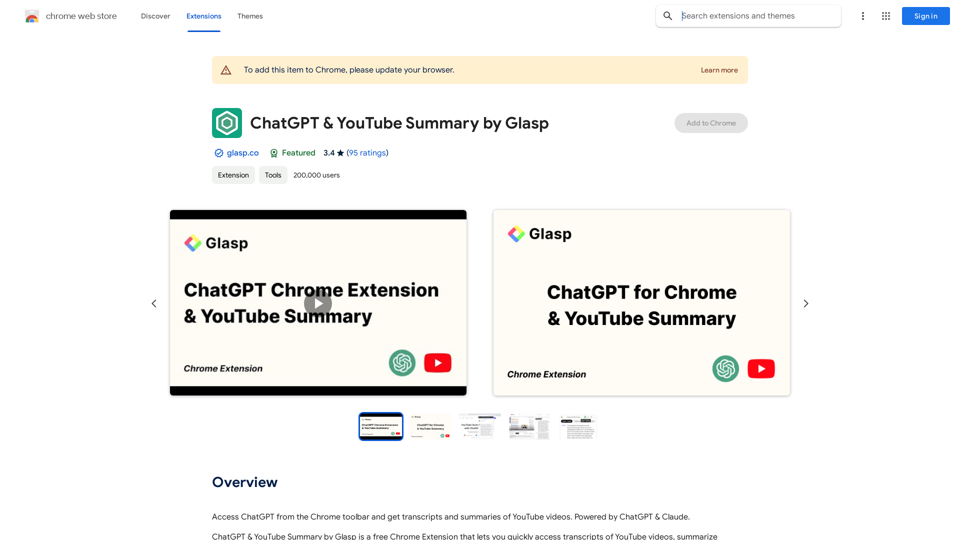
Use Julius AI, which is powered by ChatGPT and Anthropic, to analyze your Google Sheets data. You can create charts, write reports, and do other tasks.

193.90 M