Open-source RightAI Tools Directory
  • Discover AI
  • Submit
  • Startup
  • Blog
Open-source RightAI Tools Directory
Discover the best AI tools of 2025 with the RightAI Tools Directory!

Friend Links

AI Anime GeneratorToolsApp AI

Support

Tap4
Privacy policyTerms & ConditionsContact Us
Loading...
loading...

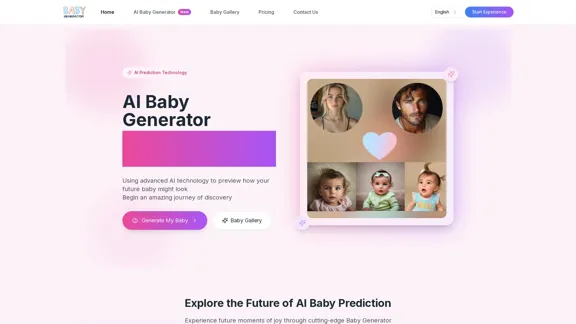
Baby Generator | AI Future Baby Prediction | Free Trial

Create realistic AI predictions of your future baby with Baby Generator. Free trial for new users! Advanced technology transforms parents' photos into lifelike baby images.
Visit Website
Baby Generator | AI Future Baby Prediction | Free Trial
Visit Website

Introduction

The AI Baby Generator offers a unique experience for future parents by predicting how their future baby might look using advanced AI technology. By uploading photos and selecting preferences, users can generate realistic images of their potential child, exploring the joy of family life before it happens.

Feature

  1. High-Quality AI Model Prediction

    Utilizes advanced AI models and facial recognition technology to provide accurate predictions of a future baby's appearance.

  2. Dual Model Selection

    Offers two AI models, each with unique advantages, allowing users to choose between realistic or artistic styles for their baby predictions.

  3. Multi-Age Prediction

    Not only predicts infant appearance but also showcases potential looks during toddler and teenage years, providing a glimpse into different growth stages.

  4. Feature Blending

    Smart analysis of both parents' features to blend genetic characteristics naturally, creating a more personalized image.

  5. Privacy Protection

    Implements strict privacy measures to ensure the security of uploaded photos, with automatic deletion within 24 hours.

  6. HD Watermark-Free Download

    Users can download original images without watermarks, making it easy to share with family and friends.

How to Use?

  1. Upload clear front-facing photos of both parents for optimal results.
  2. Select your baby's gender and choose from over 10 artistic styles.
  3. Click 'Generate Baby' to activate the AI and see the blended features.
  4. Expect results within 30 to 90 seconds, depending on network speed.

FAQ

What are the requirements for the photos I upload?

Clear front-facing photos showing facial features are required. Avoid side profiles, sunglasses, or exaggerated expressions for the best results.

How long does it take to generate a baby photo?

Typically, results are produced within 30 to 90 seconds, though it may take longer during busy times.

Are the images I upload safe?

Yes, uploaded photos are automatically deleted within 24 hours to ensure privacy.

Can I delete my data?

Users can delete generated photos at any time, though shared photos will be permanently saved.

Is my privacy protected?

The Baby Generator employs strict privacy measures, including encrypted data transmission and automatic deletion of uploaded photos.

Price

  • Free Trial: $0
  • Basic Plan: $9.99/month
  • Standard Plan: $19.99/month
  • Professional Plan: $49.99/month
The price is for reference only, please refer to the latest official data for actual information.

Evaluation

The AI Baby Generator excels in providing a fun and engaging way for couples to visualize their future family. The dual model selection and multi-age prediction features enhance user experience by offering personalized options. However, the reliance on clear photos may limit usability for some users. Additionally, while the technology is impressive, it may not fully replace the emotional aspect of family planning. Overall, it serves as an entertaining tool but may not be a necessity for everyone.

Related Websites
Home - Marketing Automation
View Detail

Home - Marketing Automation

Home - Marketing Automation

AI-Based Revenue Optimization Embark on a Revenue Journey: AI Leading the Way! Revmore helps you to grow the in-app purchase (IAP) and in-app advertising (IAA) revenue of your apps and games with AI-based optimizations and improvements. Book A Demo! Elevate your revenue with our AI magic. Explore our diverse optimization solutions, meticulously crafted to meet unique demands. In-app Purchase (IAP)

0
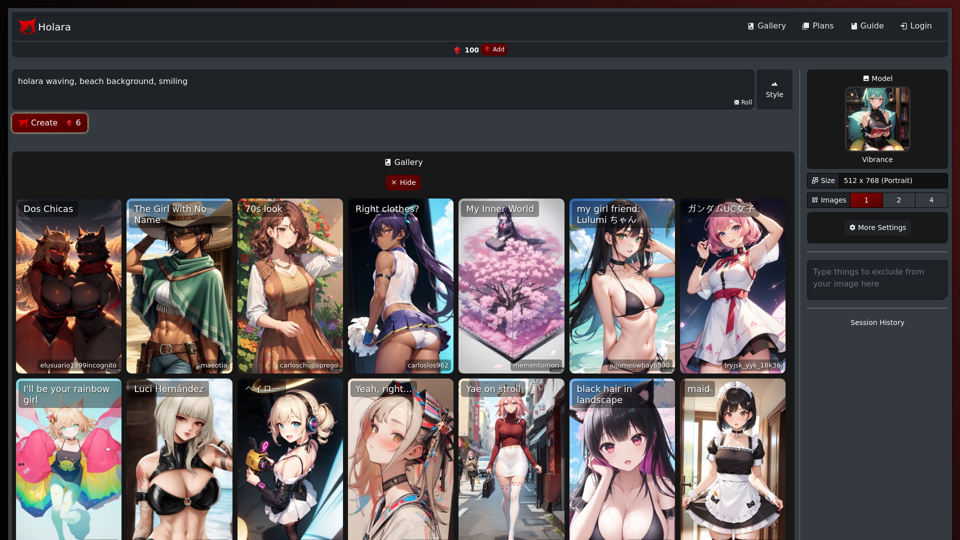
Midjourney API - Automate Midjourney AI Image Generation 

This document outlines how to use the Midjourney API to automate the generation of AI images. 

What is the Midjourney API?

The Midjourney API allows developers to programmatically interact with the powerful Midjourney AI model. This means you can generate images, control various parameters, and integrate Midjourney into your own applications and workflows.

Why Use the Midjourney API?

* Automation: Automate the creation of images for various purposes, such as marketing materials, website content, or research projects.
* Customization: Fine-tune image generation by controlling parameters like aspect ratio, style, and seed values.
* Integration: Seamlessly integrate Midjourney's capabilities into your existing tools and platforms.

Getting Started

1. Sign Up for a Midjourney Account: You'll need a Midjourney account to access the API.

2. Obtain an API Key: Once you have an account, you can generate an API key from your account settings.

3. Choose a Programming Language: The Midjourney API supports various programming languages, including Python, JavaScript, and Go.

4. Install the API Client: Install the appropriate API client library for your chosen language.

5. Start Generating Images: Use the API client to send image generation requests to the Midjourney server.

Example (Python):

```python
import midjourney

Replace with your actual API key
api_key = "YOUR_API_KEY"

Create a Midjourney client
client = midjourney.Client(api_key=api_key)

Generate an image
response = client.create_image(prompt="A cat wearing a hat", num_images=1)

Print the image URL
print(response.images[0].url)
```

Documentation and Resources

For detailed information about the Midjourney API, including available endpoints, parameters, and examples, please refer to the official documentation: [https://docs.midjourney.com/](https://docs.midjourney.com/)
View Detail

Midjourney API - Automate Midjourney AI Image Generation This document outlines how to use the Midjourney API to automate the generation of AI images. What is the Midjourney API? The Midjourney API allows developers to programmatically interact with the powerful Midjourney AI model. This means you can generate images, control various parameters, and integrate Midjourney into your own applications and workflows. Why Use the Midjourney API? * Automation: Automate the creation of images for various purposes, such as marketing materials, website content, or research projects. * Customization: Fine-tune image generation by controlling parameters like aspect ratio, style, and seed values. * Integration: Seamlessly integrate Midjourney's capabilities into your existing tools and platforms. Getting Started 1. Sign Up for a Midjourney Account: You'll need a Midjourney account to access the API. 2. Obtain an API Key: Once you have an account, you can generate an API key from your account settings. 3. Choose a Programming Language: The Midjourney API supports various programming languages, including Python, JavaScript, and Go. 4. Install the API Client: Install the appropriate API client library for your chosen language. 5. Start Generating Images: Use the API client to send image generation requests to the Midjourney server. Example (Python): ```python import midjourney Replace with your actual API key api_key = "YOUR_API_KEY" Create a Midjourney client client = midjourney.Client(api_key=api_key) Generate an image response = client.create_image(prompt="A cat wearing a hat", num_images=1) Print the image URL print(response.images[0].url) ``` Documentation and Resources For detailed information about the Midjourney API, including available endpoints, parameters, and examples, please refer to the official documentation: [https://docs.midjourney.com/](https://docs.midjourney.com/)

Midjourney API - Automate Midjourney AI Image Generation This document outlines how to use the Midjourney API to automate the generation of AI images. What is the Midjourney API? The Midjourney API allows developers to programmatically interact with the powerful Midjourney AI model. This means you can generate images, control various parameters, and integrate Midjourney into your own applications and workflows. Why Use the Midjourney API? * Automation: Automate the creation of images for various purposes, such as marketing materials, website content, or research projects. * Customization: Fine-tune image generation by controlling parameters like aspect ratio, style, and seed values. * Integration: Seamlessly integrate Midjourney's capabilities into your existing tools and platforms. Getting Started 1. Sign Up for a Midjourney Account: You'll need a Midjourney account to access the API. 2. Obtain an API Key: Once you have an account, you can generate an API key from your account settings. 3. Choose a Programming Language: The Midjourney API supports various programming languages, including Python, JavaScript, and Go. 4. Install the API Client: Install the appropriate API client library for your chosen language. 5. Start Generating Images: Use the API client to send image generation requests to the Midjourney server. Example (Python): ```python import midjourney Replace with your actual API key api_key = "YOUR_API_KEY" Create a Midjourney client client = midjourney.Client(api_key=api_key) Generate an image response = client.create_image(prompt="A cat wearing a hat", num_images=1) Print the image URL print(response.images[0].url) ``` Documentation and Resources For detailed information about the Midjourney API, including available endpoints, parameters, and examples, please refer to the official documentation: [https://docs.midjourney.com/](https://docs.midjourney.com/)

Easily integrate Midjourney AI into your apps using the Midjourney API. Start creating AI images automatically today!

0
Kolors Virtual Try On AI: Free Tool for Stunning Virtual
View Detail

Kolors Virtual Try On AI: Free Tool for Stunning Virtual

Kolors Virtual Try On AI: Free Tool for Stunning Virtual

Experience Kolors Virtual Try On AI: effortlessly try various makeup looks and hairstyles in real-time, ensuring the perfect style for you

0
SyntheticEye AI Detector 

This is a tool to detect AI-generated text. 


It analyzes the text for patterns and characteristics commonly found in AI-written content. 


You can use it to identify potentially fake news, spam, or other types of AI-generated text. 


Keep in mind that no AI detection tool is perfect, and some sophisticated AI-generated text may be difficult to detect.
View Detail

SyntheticEye AI Detector This is a tool to detect AI-generated text. It analyzes the text for patterns and characteristics commonly found in AI-written content. You can use it to identify potentially fake news, spam, or other types of AI-generated text. Keep in mind that no AI detection tool is perfect, and some sophisticated AI-generated text may be difficult to detect.

SyntheticEye AI Detector This is a tool to detect AI-generated text. It analyzes the text for patterns and characteristics commonly found in AI-written content. You can use it to identify potentially fake news, spam, or other types of AI-generated text. Keep in mind that no AI detection tool is perfect, and some sophisticated AI-generated text may be difficult to detect.

SyntheticEye provides a tool to detect images that may have been created by artificial intelligence, helping users tell the difference between AI-generated images and real ones.

193.90 M
Physna Nexus+
View Detail

Physna Nexus+

Physna Nexus+

Physna Nexus+ is a tool that improves Unity Asset Manager by adding search features powered by Physna.

193.90 M
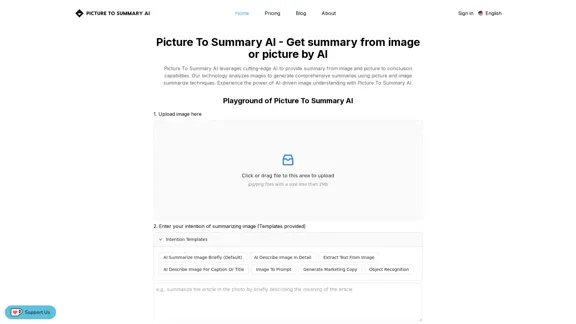
Image Describer - AI Describe Image or Picture Online

With the advancement of Artificial Intelligence (AI), it is now possible to describe images or pictures online using an Image Describer. This innovative tool uses computer vision and machine learning algorithms to analyze and identify the contents of an image, generating a descriptive text of what it sees.

How it Works

The process is quite simple:

1. Upload an Image: You can upload an image or enter the URL of an online image to the Image Describer tool.
2. AI Analysis: The AI algorithm analyzes the image, detecting objects, people, animals, and other elements within the picture.
3. Generate Description: The AI generates a descriptive text based on the analysis, providing a clear and concise description of the image.

Applications of Image Describer

The Image Describer has numerous applications, including:

* Accessibility: Helping visually impaired individuals to understand the content of an image.
* E-commerce: Providing product descriptions for online shopping platforms.
* Search Engine Optimization (SEO): Generating alt tags and descriptions for images to improve search engine rankings.
* Content Creation: Assisting writers and content creators with image descriptions.

Benefits of Image Describer

The Image Describer offers several benefits, including:

* Time-Saving: Automating the process of image description, saving time and effort.
* Accuracy: Providing accurate and objective descriptions of images.
* Efficiency: Enabling individuals to focus on other tasks while the AI handles image description.

Try it Out

Experience the power of AI-driven image description today! Upload an image or enter a URL to see the Image Describer in action.
View Detail

Image Describer - AI Describe Image or Picture Online With the advancement of Artificial Intelligence (AI), it is now possible to describe images or pictures online using an Image Describer. This innovative tool uses computer vision and machine learning algorithms to analyze and identify the contents of an image, generating a descriptive text of what it sees. How it Works The process is quite simple: 1. Upload an Image: You can upload an image or enter the URL of an online image to the Image Describer tool. 2. AI Analysis: The AI algorithm analyzes the image, detecting objects, people, animals, and other elements within the picture. 3. Generate Description: The AI generates a descriptive text based on the analysis, providing a clear and concise description of the image. Applications of Image Describer The Image Describer has numerous applications, including: * Accessibility: Helping visually impaired individuals to understand the content of an image. * E-commerce: Providing product descriptions for online shopping platforms. * Search Engine Optimization (SEO): Generating alt tags and descriptions for images to improve search engine rankings. * Content Creation: Assisting writers and content creators with image descriptions. Benefits of Image Describer The Image Describer offers several benefits, including: * Time-Saving: Automating the process of image description, saving time and effort. * Accuracy: Providing accurate and objective descriptions of images. * Efficiency: Enabling individuals to focus on other tasks while the AI handles image description. Try it Out Experience the power of AI-driven image description today! Upload an image or enter a URL to see the Image Describer in action.

Image Describer - AI Describe Image or Picture Online With the advancement of Artificial Intelligence (AI), it is now possible to describe images or pictures online using an Image Describer. This innovative tool uses computer vision and machine learning algorithms to analyze and identify the contents of an image, generating a descriptive text of what it sees. How it Works The process is quite simple: 1. Upload an Image: You can upload an image or enter the URL of an online image to the Image Describer tool. 2. AI Analysis: The AI algorithm analyzes the image, detecting objects, people, animals, and other elements within the picture. 3. Generate Description: The AI generates a descriptive text based on the analysis, providing a clear and concise description of the image. Applications of Image Describer The Image Describer has numerous applications, including: * Accessibility: Helping visually impaired individuals to understand the content of an image. * E-commerce: Providing product descriptions for online shopping platforms. * Search Engine Optimization (SEO): Generating alt tags and descriptions for images to improve search engine rankings. * Content Creation: Assisting writers and content creators with image descriptions. Benefits of Image Describer The Image Describer offers several benefits, including: * Time-Saving: Automating the process of image description, saving time and effort. * Accuracy: Providing accurate and objective descriptions of images. * Efficiency: Enabling individuals to focus on other tasks while the AI handles image description. Try it Out Experience the power of AI-driven image description today! Upload an image or enter a URL to see the Image Describer in action.

AI Image Describer is a tool to describe images or pictures online. It can be used as an image description and caption generator. Additionally, it supports image-to-prompt and text extraction from photos.

5.16 K
Image to SVG Converter
View Detail

Image to SVG Converter

Image to SVG Converter

Help me convert images to vector graphics (SVG).

193.90 M
Colorize Image
View Detail

Colorize Image

Colorize Image

Image Colorizer | Colorize your old black and white photos automatically online.

193.90 M