Open-source RightAI Tools Directory
  • Discover AI
  • Submit
  • Startup
  • Blog
Open-source RightAI Tools Directory
Discover the best AI tools of 2025 with the RightAI Tools Directory!

Friend Links

AI Anime GeneratorToolsApp AI

Support

Tap4
Privacy policyTerms & ConditionsContact Us
Loading...
loading...

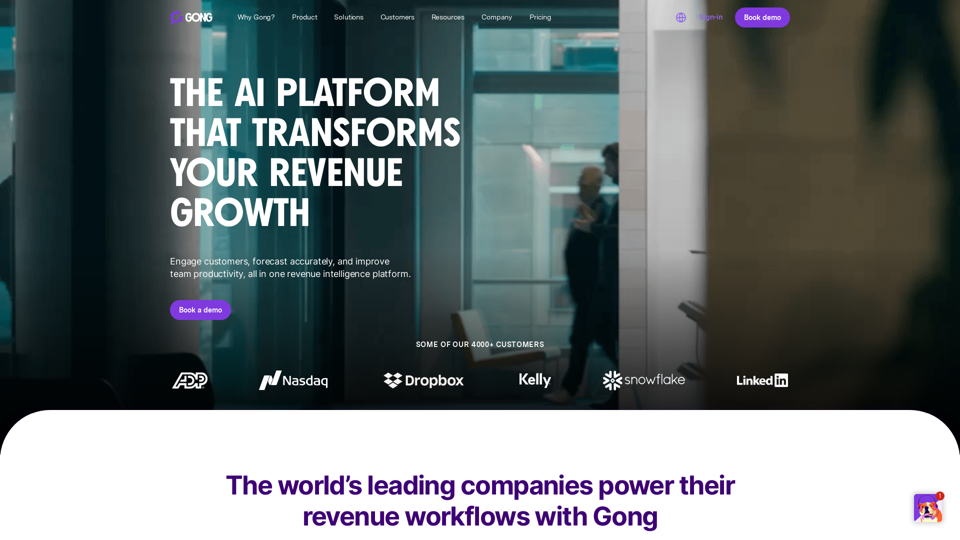
Gong - Revenue Intelligence Platform

Gong captures customer interactions and then delivers insights at scale, enabling teams to make decisions based on data rather than opinions.
Visit Website
Gong - Revenue Intelligence Platform
Visit Website

Introduction

Gong is a Revenue Intelligence platform that uses AI-powered technology to enhance sales team performance and increase revenue. It analyzes customer interactions, provides insights, and improves various aspects of the sales process. Gong collects data from multiple channels, analyzes it using AI models, and offers actionable insights to drive revenue growth.

Feature

Conversation Intelligence

Gong analyzes customer interactions across various channels, providing valuable insights to sales teams.

AI-powered Forecasting

The platform uses advanced AI models to achieve 95% forecast accuracy, enabling precise pipeline management.

Sales Engagement

Gong offers AI-powered tools to create, accelerate, and close pipeline, improving overall sales efficiency.

Team Productivity Enhancement

By providing actionable insights and analytics, Gong helps boost team productivity and performance.

Pipeline Management

The platform's AI capabilities assist in effective pipeline management and accurate forecasting.

Coaching and Training Tools

Gong provides AI-driven identification of coaching opportunities and offers resources like Gong Academy for skill-building.

Multilingual Support

Gong supports over 70 languages, making it accessible to a global user base.

Integration Capabilities

The platform seamlessly integrates with existing tech stacks through the Gong Collective ecosystem.

Security and Compliance

Gong emphasizes data privacy and protection, offering a Trust Center and detailed compliance information.

FAQ

What industries can benefit from Gong?

Gong is designed to benefit various teams and industries, including:

  • Sales teams
  • Customer Success departments
  • Marketing teams
  • Revenue Operations
  • Enterprise-level organizations

How does Gong's AI technology work?

Gong uses 40+ purpose-built AI models to:

  1. Collect data from customer interactions across various channels
  2. Analyze this data using advanced AI algorithms
  3. Provide actionable insights to drive revenue growth
  4. Integrate with existing tech stacks

What improvements can users expect with Gong?

According to Gong, users can expect:

  • 10x sales efficiency
  • 95% forecast accuracy
  • 80% increase in email response rate

How can I get started with Gong?

To get started with Gong:

  1. Fill out a form on the Gong website
  2. Request a demo or contact their sales team
  3. Utilize the self-guided platform tour
  4. Explore Gong Academy for best practices
  5. Join the Gong Influencer Club to connect with other users

What resources does Gong provide for customers?

Gong offers various resources for customers:

  1. Gong Help Center
  2. Gong Academy
  3. Webinars and events
  4. The Edge (content for revenue leaders)
  5. Gong Labs (content hub for best practices)

Related Websites

Alter | AI for Your Whole Workday
View Detail

Alter | AI for Your Whole Workday

Alter | AI for Your Whole Workday

Alter: The seamless AI that enhances your Mac. Bypass the chat, perform instant actions across all applications. Boost your productivity by 10 times with full privacy control.

19.74 K
Trade Ideas: AI-Driven Stock Scanning & Charting Platform
View Detail

Trade Ideas: AI-Driven Stock Scanning & Charting Platform

Trade Ideas: AI-Driven Stock Scanning & Charting Platform

Trade Ideas: Real-time AI stock scanning, automated trades, entry/exit signals & trade alerts. Manage your portfolio, mitigate risk, backtest, & analyze markets

355.16 K
Your AI Meeting Assistant in Multiple Languages
View Detail

Your AI Meeting Assistant in Multiple Languages

Your AI Meeting Assistant in Multiple Languages

JotMe transcribes and translates your meetings, generating meeting notes, documents, emails, task tickets, and more, all based on the context that is important to you.

129.69 K
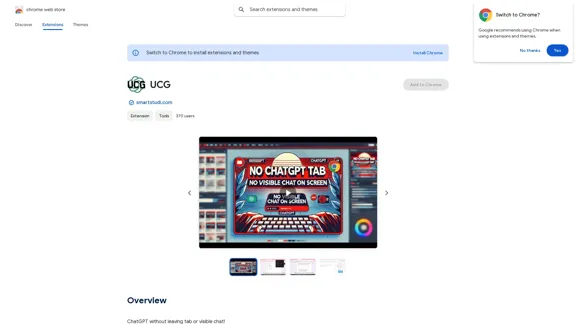
UCG - Chrome Web Store
View Detail

UCG - Chrome Web Store

UCG - Chrome Web Store

ChatGPT without leaving the tab or visible chat!

193.90 M
Copilot for Microsoft 365 – Microsoft Adoption

Copilot for Microsoft 365 is a powerful AI assistant that helps you work smarter and faster across Microsoft 365 apps and services. It combines the power of large language models (LLMs) with your organization's data in the Microsoft Graph and Microsoft 365 apps to turn your words into the most powerful productivity tool on the planet.

Copilot is designed to help you:

• Unleash creativity
• Unlock productivity
• Uplevel skills

Copilot is built on Microsoft's comprehensive approach to security, compliance, and privacy. Copilot in Microsoft 365 apps and services:

• Does not use your data to train the underlying LLM
• Does not replace human ingenuity and judgment
• Is designed to keep humans in the loop

Copilot is currently available in Word, Excel, PowerPoint, Outlook, Teams, and more.

Getting Started with Copilot

To get started with Copilot, follow these steps:

1. Check availability: Ensure your organization has access to Copilot.
2. Learn the basics: Familiarize yourself with Copilot's capabilities and how to use it effectively.
3. Explore use cases: Discover how Copilot can help you in your specific role and tasks.
4. Practice and refine: Use Copilot regularly and refine your prompts for better results.
5. Share and collaborate: Collaborate with colleagues using Copilot and share best practices.

Best Practices for Using Copilot

1. Be specific in your prompts
2. Provide context for better results
3. Review and edit Copilot's output
4. Use Copilot as a starting point, not a final product
5. Experiment with different approaches
6. Stay informed about new features and updates

Copilot in Different Microsoft 365 Apps

• Word: Draft, edit, summarize, and rewrite content
• Excel: Analyze data, create formulas, and generate insights
• PowerPoint: Create presentations, design slides, and generate content
• Outlook: Compose emails, summarize threads, and manage your inbox
• Teams: Summarize meetings, generate action items, and create meeting notes

Responsible AI and Copilot

Microsoft is committed to developing AI systems responsibly. When using Copilot, keep in mind:

• AI-generated content may contain biases or inaccuracies
• Always review and verify Copilot's output
• Use your judgment and expertise alongside Copilot's suggestions
• Be aware of your organization's policies regarding AI use

Conclusion

Copilot for Microsoft 365 is a powerful tool that can significantly enhance your productivity and creativity. By understanding its capabilities, following best practices, and using it responsibly, you can make the most of this AI assistant in your daily work.
View Detail

Copilot for Microsoft 365 – Microsoft Adoption Copilot for Microsoft 365 is a powerful AI assistant that helps you work smarter and faster across Microsoft 365 apps and services. It combines the power of large language models (LLMs) with your organization's data in the Microsoft Graph and Microsoft 365 apps to turn your words into the most powerful productivity tool on the planet. Copilot is designed to help you: • Unleash creativity • Unlock productivity • Uplevel skills Copilot is built on Microsoft's comprehensive approach to security, compliance, and privacy. Copilot in Microsoft 365 apps and services: • Does not use your data to train the underlying LLM • Does not replace human ingenuity and judgment • Is designed to keep humans in the loop Copilot is currently available in Word, Excel, PowerPoint, Outlook, Teams, and more. Getting Started with Copilot To get started with Copilot, follow these steps: 1. Check availability: Ensure your organization has access to Copilot. 2. Learn the basics: Familiarize yourself with Copilot's capabilities and how to use it effectively. 3. Explore use cases: Discover how Copilot can help you in your specific role and tasks. 4. Practice and refine: Use Copilot regularly and refine your prompts for better results. 5. Share and collaborate: Collaborate with colleagues using Copilot and share best practices. Best Practices for Using Copilot 1. Be specific in your prompts 2. Provide context for better results 3. Review and edit Copilot's output 4. Use Copilot as a starting point, not a final product 5. Experiment with different approaches 6. Stay informed about new features and updates Copilot in Different Microsoft 365 Apps • Word: Draft, edit, summarize, and rewrite content • Excel: Analyze data, create formulas, and generate insights • PowerPoint: Create presentations, design slides, and generate content • Outlook: Compose emails, summarize threads, and manage your inbox • Teams: Summarize meetings, generate action items, and create meeting notes Responsible AI and Copilot Microsoft is committed to developing AI systems responsibly. When using Copilot, keep in mind: • AI-generated content may contain biases or inaccuracies • Always review and verify Copilot's output • Use your judgment and expertise alongside Copilot's suggestions • Be aware of your organization's policies regarding AI use Conclusion Copilot for Microsoft 365 is a powerful tool that can significantly enhance your productivity and creativity. By understanding its capabilities, following best practices, and using it responsibly, you can make the most of this AI assistant in your daily work.

Copilot for Microsoft 365 – Microsoft Adoption Copilot for Microsoft 365 is a powerful AI assistant that helps you work smarter and faster across Microsoft 365 apps and services. It combines the power of large language models (LLMs) with your organization's data in the Microsoft Graph and Microsoft 365 apps to turn your words into the most powerful productivity tool on the planet. Copilot is designed to help you: • Unleash creativity • Unlock productivity • Uplevel skills Copilot is built on Microsoft's comprehensive approach to security, compliance, and privacy. Copilot in Microsoft 365 apps and services: • Does not use your data to train the underlying LLM • Does not replace human ingenuity and judgment • Is designed to keep humans in the loop Copilot is currently available in Word, Excel, PowerPoint, Outlook, Teams, and more. Getting Started with Copilot To get started with Copilot, follow these steps: 1. Check availability: Ensure your organization has access to Copilot. 2. Learn the basics: Familiarize yourself with Copilot's capabilities and how to use it effectively. 3. Explore use cases: Discover how Copilot can help you in your specific role and tasks. 4. Practice and refine: Use Copilot regularly and refine your prompts for better results. 5. Share and collaborate: Collaborate with colleagues using Copilot and share best practices. Best Practices for Using Copilot 1. Be specific in your prompts 2. Provide context for better results 3. Review and edit Copilot's output 4. Use Copilot as a starting point, not a final product 5. Experiment with different approaches 6. Stay informed about new features and updates Copilot in Different Microsoft 365 Apps • Word: Draft, edit, summarize, and rewrite content • Excel: Analyze data, create formulas, and generate insights • PowerPoint: Create presentations, design slides, and generate content • Outlook: Compose emails, summarize threads, and manage your inbox • Teams: Summarize meetings, generate action items, and create meeting notes Responsible AI and Copilot Microsoft is committed to developing AI systems responsibly. When using Copilot, keep in mind: • AI-generated content may contain biases or inaccuracies • Always review and verify Copilot's output • Use your judgment and expertise alongside Copilot's suggestions • Be aware of your organization's policies regarding AI use Conclusion Copilot for Microsoft 365 is a powerful tool that can significantly enhance your productivity and creativity. By understanding its capabilities, following best practices, and using it responsibly, you can make the most of this AI assistant in your daily work.

Microsoft Copilot combines the power of large language models (LLMs) with your organization's data to turn your words into one of the most powerful productivity tools on the planet.

608.60 K
Storytell.ai SmartChat™
View Detail

Storytell.ai SmartChat™

Storytell.ai SmartChat™

Enhance team efficiency with enterprise-level intelligence throughout your data. Empower employees to generate superior ideas and achieve quicker outcomes using top-tier AI models. Implement data security measures and LLM routing for businesses to maintain control.

55.32 K
Clean Inbox for Gmail™ | A Gmail addon with GPT powered filters to avoid unwanted email, spam and marketing email
View Detail

Clean Inbox for Gmail™ | A Gmail addon with GPT powered filters to avoid unwanted email, spam and marketing email

Clean Inbox for Gmail™ | A Gmail addon with GPT powered filters to avoid unwanted email, spam and marketing email

Clean Inbox for Gmail™ | A Gmail addon with GPT powered filters to avoid unwanted email, spam and marketing email.

2.73 K
Dr. Muscle
View Detail

Dr. Muscle

Dr. Muscle

Imagine ChatGPT, but for fitness. Automated yet personal, with expert coaching and workouts tailored specifically to you—optimized to get you in shape faster, on autopilot.

385