Open-source RightAI Tools Directory
  • Discover AI
  • Submit
  • Startup
  • Blog
Open-source RightAI Tools Directory
Discover the best AI tools of 2025 with the RightAI Tools Directory!

Friend Links

AI Anime GeneratorToolsApp AI

Support

Tap4
Privacy policyTerms & ConditionsContact Us
Loading...
loading...

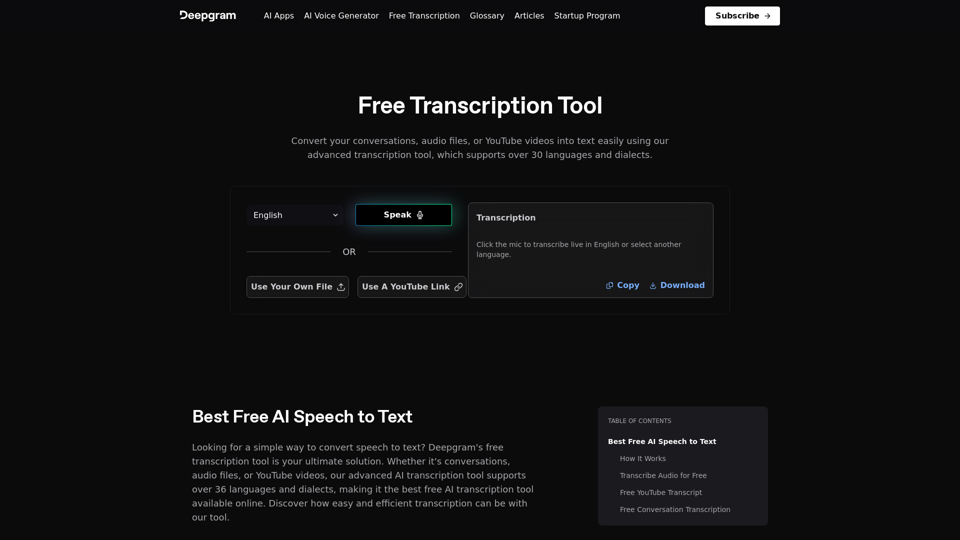
Free Transcription Tool | Deepgram

Easily convert your conversations, audio files, or YouTube videos into text for free with our advanced transcription tool.
Visit Website
Free Transcription Tool | Deepgram
Visit Website

Introduction

Deepgram AI Transcription Tool is a free online platform that converts audio content into text. It supports over 30 languages and dialects, making it versatile for various users including students, journalists, podcasters, and professionals. The tool uses advanced AI technology to ensure accurate and reliable transcriptions, and offers an easy-to-use interface for a seamless experience.

Feature

Multi-Language Support

  • Over 30 languages and dialects available
  • Includes English, Spanish, French, Chinese, and many more
  • Caters to a diverse global user base

Advanced AI Technology

  • Ensures accurate and reliable transcriptions
  • Ideal for professional use in various fields
  • Handles complex audio content effectively

User-Friendly Interface

  1. Select language
  2. Choose input method (speak, upload audio, or YouTube link)
  3. Obtain transcript instantly

Versatile Input Options

  • Live speech transcription
  • Audio file upload
  • YouTube video transcription

Free and Ad-Free Service

  • No hidden costs or charges
  • Ad-free experience for uninterrupted use
  • Accessible to all users without financial barriers

Flexible Output Options

  • Copy text to clipboard
  • Download transcript as .txt file
  • Easy integration with other applications

FAQ

Is Deepgram's transcription tool really free?

Yes, the Deepgram AI Transcription Tool is completely free to use. There are no hidden costs, charges, or advertisements, providing users with a seamless and straightforward transcription experience.

How many languages does Deepgram support?

Deepgram supports over 30 languages and dialects, making it a versatile tool for users around the world. This wide range of language options allows for diverse applications in various fields and regions.

Can I use Deepgram for live transcription?

Yes, Deepgram's AI Transcription Tool allows you to transcribe live conversations in real-time. This feature is particularly useful for meetings, interviews, or any situation where immediate text conversion is needed.

What are the input methods available for transcription?

Deepgram offers three main input methods:

  1. Live speech: Click the 'Speak' button to start transcribing in real-time
  2. Audio file upload: Convert pre-recorded audio files into text
  3. YouTube link: Transcribe the audio from YouTube videos directly

Latest Traffic Insights

  • Monthly Visits

    835.16 K

  • Bounce Rate

    40.51%

  • Pages Per Visit

    3.47

  • Time on Site(s)

    175.97

  • Global Rank

    57205

  • Country Rank

    United States 66140

Recent Visits

Traffic Sources

  • Social Media:
    1.88%
  • Paid Referrals:
    0.67%
  • Email:
    0.08%
  • Referrals:
    6.09%
  • Search Engines:
    53.23%
  • Direct:
    38.06%
More Data

Related Websites

nbnm8
View Detail

nbnm8

nbnm8

Checks if nbn is available at your address, so you don't have to.

193.90 M
CrackerJack Resume 

Objective: To obtain a challenging and rewarding position in a fast-paced environment where I can utilize my skills and experience to contribute to the success of a dynamic team.

Summary of Qualifications:

* Highly motivated and results-oriented individual with a proven track record of success in [mention your field].
* Excellent communication, interpersonal, and problem-solving skills.
* Strong analytical and critical thinking abilities.
* Proficient in [list your relevant skills].
* Adaptable and eager to learn new technologies and processes.

Experience:

* [Job Title], [Company Name], [City, State] - [Dates of Employment]
    * [List your responsibilities and achievements using action verbs]
* [Job Title], [Company Name], [City, State] - [Dates of Employment]
    * [List your responsibilities and achievements using action verbs]

Education:

* [Degree Name], [Major], [University Name], [City, State] - [Year of Graduation]
    * [List any relevant coursework, honors, or awards]

Skills:

* [List your hard and soft skills]

Projects:

* [List any relevant projects you have worked on, including a brief description and your role]

Awards and Recognition:

* [List any awards or recognition you have received]

Volunteer Experience:

* [List any volunteer experience you have]

References:

* Available upon request.
View Detail

CrackerJack Resume Objective: To obtain a challenging and rewarding position in a fast-paced environment where I can utilize my skills and experience to contribute to the success of a dynamic team. Summary of Qualifications: * Highly motivated and results-oriented individual with a proven track record of success in [mention your field]. * Excellent communication, interpersonal, and problem-solving skills. * Strong analytical and critical thinking abilities. * Proficient in [list your relevant skills]. * Adaptable and eager to learn new technologies and processes. Experience: * [Job Title], [Company Name], [City, State] - [Dates of Employment] * [List your responsibilities and achievements using action verbs] * [Job Title], [Company Name], [City, State] - [Dates of Employment] * [List your responsibilities and achievements using action verbs] Education: * [Degree Name], [Major], [University Name], [City, State] - [Year of Graduation] * [List any relevant coursework, honors, or awards] Skills: * [List your hard and soft skills] Projects: * [List any relevant projects you have worked on, including a brief description and your role] Awards and Recognition: * [List any awards or recognition you have received] Volunteer Experience: * [List any volunteer experience you have] References: * Available upon request.

CrackerJack Resume Objective: To obtain a challenging and rewarding position in a fast-paced environment where I can utilize my skills and experience to contribute to the success of a dynamic team. Summary of Qualifications: * Highly motivated and results-oriented individual with a proven track record of success in [mention your field]. * Excellent communication, interpersonal, and problem-solving skills. * Strong analytical and critical thinking abilities. * Proficient in [list your relevant skills]. * Adaptable and eager to learn new technologies and processes. Experience: * [Job Title], [Company Name], [City, State] - [Dates of Employment] * [List your responsibilities and achievements using action verbs] * [Job Title], [Company Name], [City, State] - [Dates of Employment] * [List your responsibilities and achievements using action verbs] Education: * [Degree Name], [Major], [University Name], [City, State] - [Year of Graduation] * [List any relevant coursework, honors, or awards] Skills: * [List your hard and soft skills] Projects: * [List any relevant projects you have worked on, including a brief description and your role] Awards and Recognition: * [List any awards or recognition you have received] Volunteer Experience: * [List any volunteer experience you have] References: * Available upon request.

Are you frustrated by the lack of response to your job applications? The secret may lie within your resume. Stop getting rejected…

193.90 M
Claude to Notion

This is a guide on how to connect Claude, an AI assistant, with Notion, a note-taking and workspace app. 

Why connect Claude and Notion?

* Boost your productivity: Use Claude to generate content, summarize information, and automate tasks directly within Notion.
* Enhance your research: Ask Claude questions about your Notion notes and get insightful answers.
* Unlock new creative possibilities: Leverage Claude's generative capabilities to brainstorm ideas, write stories, or compose emails within your Notion workspace.

How to connect Claude and Notion:

1. API Keys: Obtain an API key for both Claude and Notion. 
2. Integration Tool: Explore integration tools like Zapier or Integromat to connect Claude and Notion. These platforms allow you to create workflows that trigger actions in one app based on events in the other.
3. Custom Development: For advanced users, you can develop your own custom integration using the Claude and Notion APIs. This gives you the most flexibility but requires coding knowledge.

Example Use Cases:

* Meeting Summarization: After a meeting, paste the transcript into Notion and use Claude to generate a concise summary.
* Content Creation:  Use Claude to write blog posts, articles, or social media captions directly within your Notion pages.
* Idea Generation: Brainstorm new ideas for projects or tasks by prompting Claude with specific questions within your Notion workspace.


Remember to review the documentation and terms of service for both Claude and Notion to ensure proper usage and security.
View Detail

Claude to Notion This is a guide on how to connect Claude, an AI assistant, with Notion, a note-taking and workspace app. Why connect Claude and Notion? * Boost your productivity: Use Claude to generate content, summarize information, and automate tasks directly within Notion. * Enhance your research: Ask Claude questions about your Notion notes and get insightful answers. * Unlock new creative possibilities: Leverage Claude's generative capabilities to brainstorm ideas, write stories, or compose emails within your Notion workspace. How to connect Claude and Notion: 1. API Keys: Obtain an API key for both Claude and Notion. 2. Integration Tool: Explore integration tools like Zapier or Integromat to connect Claude and Notion. These platforms allow you to create workflows that trigger actions in one app based on events in the other. 3. Custom Development: For advanced users, you can develop your own custom integration using the Claude and Notion APIs. This gives you the most flexibility but requires coding knowledge. Example Use Cases: * Meeting Summarization: After a meeting, paste the transcript into Notion and use Claude to generate a concise summary. * Content Creation: Use Claude to write blog posts, articles, or social media captions directly within your Notion pages. * Idea Generation: Brainstorm new ideas for projects or tasks by prompting Claude with specific questions within your Notion workspace. Remember to review the documentation and terms of service for both Claude and Notion to ensure proper usage and security.

Claude to Notion This is a guide on how to connect Claude, an AI assistant, with Notion, a note-taking and workspace app. Why connect Claude and Notion? * Boost your productivity: Use Claude to generate content, summarize information, and automate tasks directly within Notion. * Enhance your research: Ask Claude questions about your Notion notes and get insightful answers. * Unlock new creative possibilities: Leverage Claude's generative capabilities to brainstorm ideas, write stories, or compose emails within your Notion workspace. How to connect Claude and Notion: 1. API Keys: Obtain an API key for both Claude and Notion. 2. Integration Tool: Explore integration tools like Zapier or Integromat to connect Claude and Notion. These platforms allow you to create workflows that trigger actions in one app based on events in the other. 3. Custom Development: For advanced users, you can develop your own custom integration using the Claude and Notion APIs. This gives you the most flexibility but requires coding knowledge. Example Use Cases: * Meeting Summarization: After a meeting, paste the transcript into Notion and use Claude to generate a concise summary. * Content Creation: Use Claude to write blog posts, articles, or social media captions directly within your Notion pages. * Idea Generation: Brainstorm new ideas for projects or tasks by prompting Claude with specific questions within your Notion workspace. Remember to review the documentation and terms of service for both Claude and Notion to ensure proper usage and security.

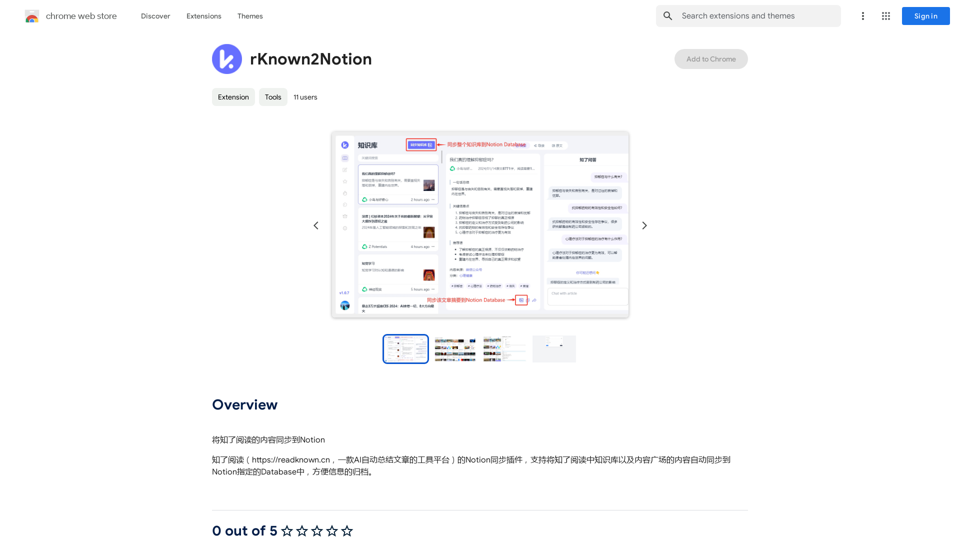
Save Claude conversations to Notion with one click. Export Claude conversations.

193.90 M
popup
View Detail

popup

popup

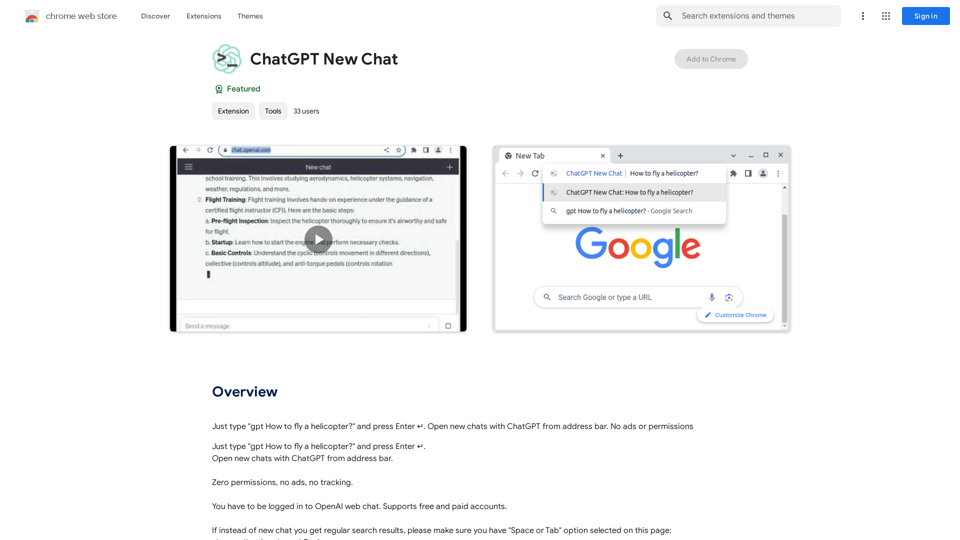
An assistant powered by ChatGPT

193.90 M
Bing AI Anywhere - GPT 4

Bing AI Anywhere is a cutting-edge technology that integrates the power of artificial intelligence into various aspects of our daily lives. With the latest GPT-4 model, this innovative platform is poised to revolutionize the way we interact, work, and live.

What is GPT-4?

GPT-4 is the fourth generation of the Generative Pre-trained Transformer (GPT) model, a type of artificial intelligence language model developed by OpenAI. This advanced language model is trained on a massive dataset of text from the internet and can generate human-like language, making it an ideal tool for a wide range of applications.

Key Features of Bing AI Anywhere with GPT-4

* Conversational AI: Engage in natural-sounding conversations with Bing AI Anywhere, which can understand and respond to voice or text inputs.
* Contextual Understanding: GPT-4's advanced language model enables Bing AI Anywhere to comprehend context, nuances, and subtleties of language, making interactions more human-like.
* Multitasking: This technology can handle multiple tasks simultaneously, making it an efficient and productive tool for various industries and applications.
* Personalization: Bing AI Anywhere with GPT-4 can learn and adapt to individual preferences, providing a tailored experience for each user.

Potential Applications of Bing AI Anywhere with GPT-4

* Virtual Assistants: Integrate Bing AI Anywhere into virtual assistants to create more conversational and helpful AI-powered companions.
* Customer Service: Implement this technology in customer service platforms to provide 24/7 support and improve customer satisfaction.
* Healthcare: Utilize Bing AI Anywhere with GPT-4 to develop AI-powered chatbots that can assist with medical inquiries, appointments, and more.
* Education: Create interactive and engaging educational tools that can provide personalized learning experiences for students.

The Future of AI with Bing AI Anywhere and GPT-4

As Bing AI Anywhere continues to evolve with the power of GPT-4, we can expect to see even more innovative applications and use cases emerge. This technology has the potential to transform industries, revolutionize the way we work and live, and bring us closer to a future where humans and AI collaborate seamlessly.
View Detail

Bing AI Anywhere - GPT 4 Bing AI Anywhere is a cutting-edge technology that integrates the power of artificial intelligence into various aspects of our daily lives. With the latest GPT-4 model, this innovative platform is poised to revolutionize the way we interact, work, and live. What is GPT-4? GPT-4 is the fourth generation of the Generative Pre-trained Transformer (GPT) model, a type of artificial intelligence language model developed by OpenAI. This advanced language model is trained on a massive dataset of text from the internet and can generate human-like language, making it an ideal tool for a wide range of applications. Key Features of Bing AI Anywhere with GPT-4 * Conversational AI: Engage in natural-sounding conversations with Bing AI Anywhere, which can understand and respond to voice or text inputs. * Contextual Understanding: GPT-4's advanced language model enables Bing AI Anywhere to comprehend context, nuances, and subtleties of language, making interactions more human-like. * Multitasking: This technology can handle multiple tasks simultaneously, making it an efficient and productive tool for various industries and applications. * Personalization: Bing AI Anywhere with GPT-4 can learn and adapt to individual preferences, providing a tailored experience for each user. Potential Applications of Bing AI Anywhere with GPT-4 * Virtual Assistants: Integrate Bing AI Anywhere into virtual assistants to create more conversational and helpful AI-powered companions. * Customer Service: Implement this technology in customer service platforms to provide 24/7 support and improve customer satisfaction. * Healthcare: Utilize Bing AI Anywhere with GPT-4 to develop AI-powered chatbots that can assist with medical inquiries, appointments, and more. * Education: Create interactive and engaging educational tools that can provide personalized learning experiences for students. The Future of AI with Bing AI Anywhere and GPT-4 As Bing AI Anywhere continues to evolve with the power of GPT-4, we can expect to see even more innovative applications and use cases emerge. This technology has the potential to transform industries, revolutionize the way we work and live, and bring us closer to a future where humans and AI collaborate seamlessly.

Bing AI Anywhere - GPT 4 Bing AI Anywhere is a cutting-edge technology that integrates the power of artificial intelligence into various aspects of our daily lives. With the latest GPT-4 model, this innovative platform is poised to revolutionize the way we interact, work, and live. What is GPT-4? GPT-4 is the fourth generation of the Generative Pre-trained Transformer (GPT) model, a type of artificial intelligence language model developed by OpenAI. This advanced language model is trained on a massive dataset of text from the internet and can generate human-like language, making it an ideal tool for a wide range of applications. Key Features of Bing AI Anywhere with GPT-4 * Conversational AI: Engage in natural-sounding conversations with Bing AI Anywhere, which can understand and respond to voice or text inputs. * Contextual Understanding: GPT-4's advanced language model enables Bing AI Anywhere to comprehend context, nuances, and subtleties of language, making interactions more human-like. * Multitasking: This technology can handle multiple tasks simultaneously, making it an efficient and productive tool for various industries and applications. * Personalization: Bing AI Anywhere with GPT-4 can learn and adapt to individual preferences, providing a tailored experience for each user. Potential Applications of Bing AI Anywhere with GPT-4 * Virtual Assistants: Integrate Bing AI Anywhere into virtual assistants to create more conversational and helpful AI-powered companions. * Customer Service: Implement this technology in customer service platforms to provide 24/7 support and improve customer satisfaction. * Healthcare: Utilize Bing AI Anywhere with GPT-4 to develop AI-powered chatbots that can assist with medical inquiries, appointments, and more. * Education: Create interactive and engaging educational tools that can provide personalized learning experiences for students. The Future of AI with Bing AI Anywhere and GPT-4 As Bing AI Anywhere continues to evolve with the power of GPT-4, we can expect to see even more innovative applications and use cases emerge. This technology has the potential to transform industries, revolutionize the way we work and live, and bring us closer to a future where humans and AI collaborate seamlessly.

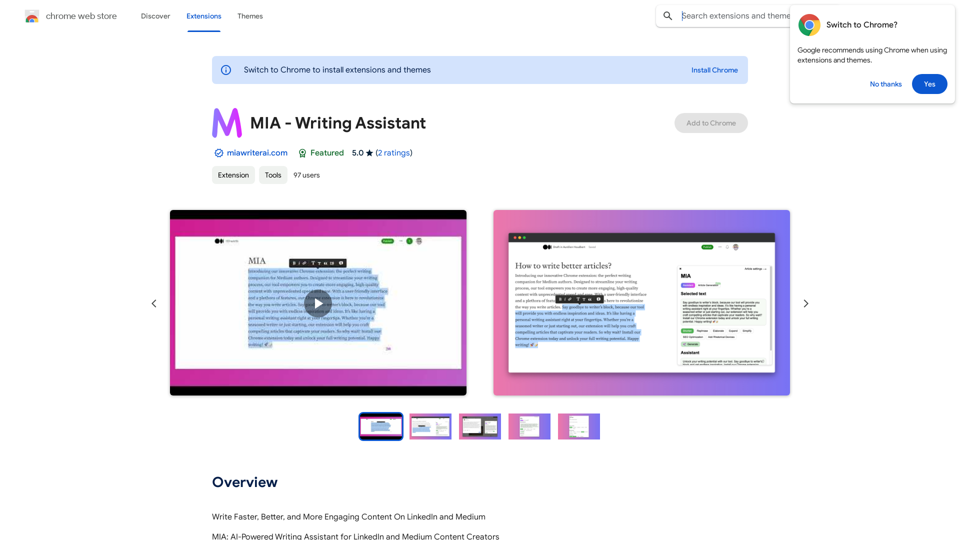
This extension helps you use Bing AI on Chrome with a popup and website.

193.90 M
Chrome Web Store
View Detail

Chrome Web Store

Chrome Web Store

Enhance your browser with new features and customize your browsing experience.

193.90 M
HindustanGPT: GPT in Indian Languages on Google™
View Detail

HindustanGPT: GPT in Indian Languages on Google™

HindustanGPT: GPT in Indian Languages on Google™

ChatGPT™ for all Google™ searches in Indian languages.

193.90 M
Seenopsi
View Detail

Seenopsi

Seenopsi

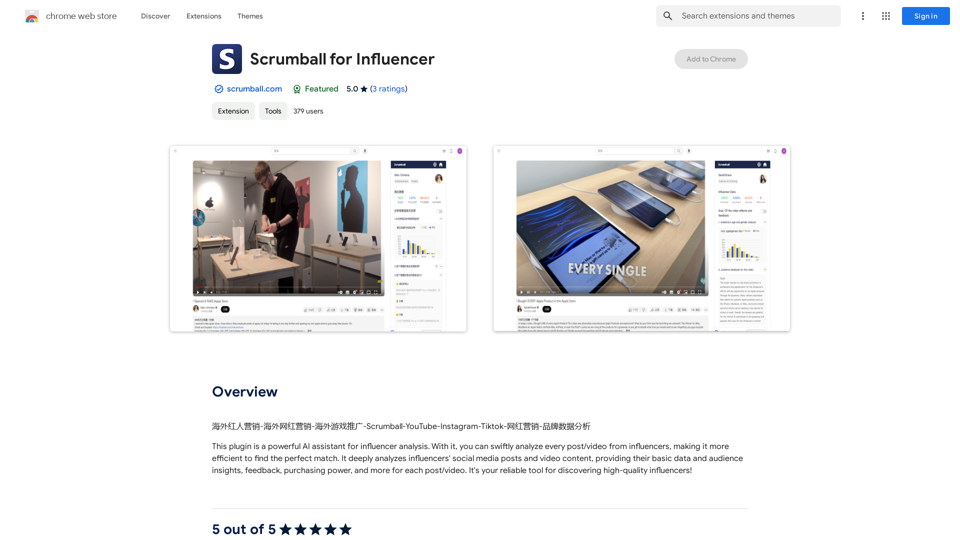
Send custom prompts, generate content, summarize links, entire web pages, YouTube videos, and code, and much more! All powered by GPT-4 ⚡️

193.90 M