Open-source RightAI Tools Directory
  • Discover AI
  • Submit
  • Startup
  • Blog
Open-source RightAI Tools Directory
Discover the best AI tools of 2025 with the RightAI Tools Directory!

Friend Links

AI Anime GeneratorToolsApp AI

Support

Tap4
Privacy policyTerms & ConditionsContact Us
Loading...
loading...

RESIPT.AI

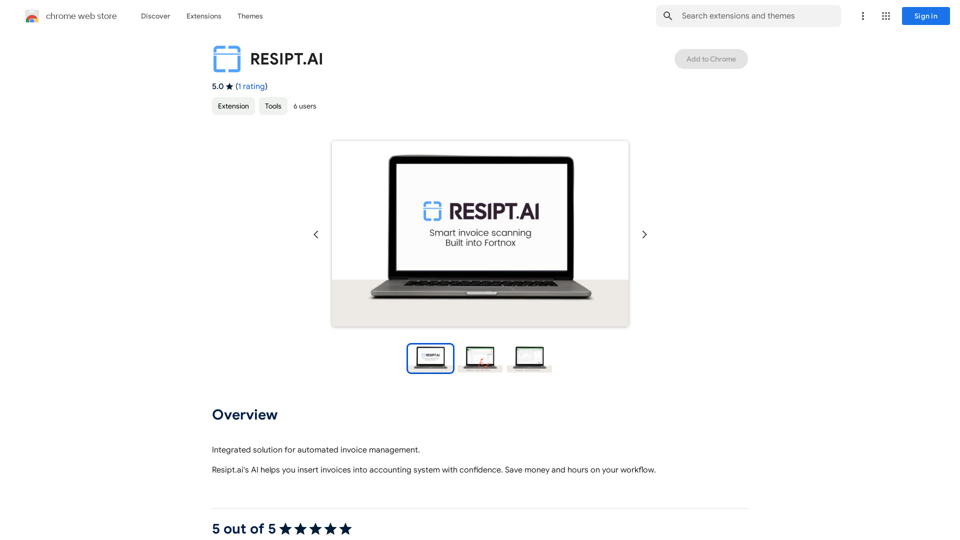
Integrated solution for automated invoice management.
Visit Website
RESIPT.AI
Visit Website

Introduction

RESIPT.AI is an AI-powered platform designed for automated invoice management. It streamlines the process of inserting invoices into accounting systems, offering users a time-saving and cost-effective solution. The platform aims to enhance workflow efficiency by reducing manual errors and providing a seamless integration with existing accounting systems.

Feature

Automated Invoice Management

RESIPT.AI utilizes artificial intelligence to automate the invoice insertion process, significantly reducing manual errors and saving valuable time for businesses.

Seamless Integration

The platform is designed to integrate effortlessly with existing accounting systems, ensuring a smooth transition and user-friendly experience.

Free Trial Offer

RESIPT.AI provides a free trial period, allowing users to experience the benefits of automated invoice management firsthand before committing to a subscription.

User-Friendly Setup

  1. Sign up for the free trial
  2. Integrate with your accounting system
  3. Start using RESIPT.AI for invoice management

Flexible Pricing Plans

After the free trial, users can choose from various affordable pricing plans tailored to their specific needs.

Secure and Compliant

RESIPT.AI prioritizes security and adheres to industry standards, ensuring the protection of sensitive financial data.

FAQ

Is RESIPT.AI secure?

Yes, RESIPT.AI is secure and compliant with industry standards, prioritizing the protection of user data and financial information.

Can I cancel my subscription at any time?

Yes, users have the flexibility to cancel their subscription at any time without incurring any penalties.

What if I need support or have questions?

RESIPT.AI provides a dedicated support team ready to assist users with any questions or concerns they may have throughout their experience with the platform.

How can I ensure optimal use of RESIPT.AI?

To maximize the benefits of RESIPT.AI:

  1. Ensure proper integration with your accounting system
  2. Utilize the AI-powered features to minimize manual errors
  3. Take advantage of the free trial to fully explore the platform's capabilities

Latest Traffic Insights

  • Monthly Visits

    193.90 M

  • Bounce Rate

    56.27%

  • Pages Per Visit

    2.71

  • Time on Site(s)

    115.91

  • Global Rank

    -

  • Country Rank

    -

Recent Visits

Traffic Sources

  • Social Media:
    0.48%
  • Paid Referrals:
    0.55%
  • Email:
    0.15%
  • Referrals:
    12.81%
  • Search Engines:
    16.21%
  • Direct:
    69.81%
More Data

Related Websites

UMLGenius
View Detail

UMLGenius

UMLGenius

A Chrome extension for generating UML diagrams

193.90 M
X-Alpha
View Detail

X-Alpha

X-Alpha

X-Alpha Chrome Extension

193.90 M
Universal Chat AI - Chat GPT 4 Turbo Accessible Across All Websites

With the advent of advanced language models, we are proud to introduce the Chat AI - Chat GPT 4 Turbo, a revolutionary AI-powered chatbot designed to provide seamless and intelligent conversations across all websites. This innovative technology enables users to engage with a highly advanced language model, offering unparalleled conversational experiences.

Key Features:

* Omnipresent Accessibility: Chat GPT 4 Turbo is accessible across all websites, allowing users to interact with the AI chatbot from anywhere, at any time.
* Enhanced Conversational Capabilities: Powered by cutting-edge language models, Chat GPT 4 Turbo understands and responds to user queries with unprecedented accuracy and context.
* Seamless Integration: Effortlessly integrate Chat GPT 4 Turbo into any website, ensuring a unified and engaging user experience.

Unlock the Power of Conversational AI:

Experience the future of chatbots today with Chat AI - Chat GPT 4 Turbo. Discover how this groundbreaking technology can transform the way you interact with websites, providing unparalleled convenience, efficiency, and personalized experiences.
View Detail

Universal Chat AI - Chat GPT 4 Turbo Accessible Across All Websites With the advent of advanced language models, we are proud to introduce the Chat AI - Chat GPT 4 Turbo, a revolutionary AI-powered chatbot designed to provide seamless and intelligent conversations across all websites. This innovative technology enables users to engage with a highly advanced language model, offering unparalleled conversational experiences. Key Features: * Omnipresent Accessibility: Chat GPT 4 Turbo is accessible across all websites, allowing users to interact with the AI chatbot from anywhere, at any time. * Enhanced Conversational Capabilities: Powered by cutting-edge language models, Chat GPT 4 Turbo understands and responds to user queries with unprecedented accuracy and context. * Seamless Integration: Effortlessly integrate Chat GPT 4 Turbo into any website, ensuring a unified and engaging user experience. Unlock the Power of Conversational AI: Experience the future of chatbots today with Chat AI - Chat GPT 4 Turbo. Discover how this groundbreaking technology can transform the way you interact with websites, providing unparalleled convenience, efficiency, and personalized experiences.

Universal Chat AI - Chat GPT 4 Turbo Accessible Across All Websites With the advent of advanced language models, we are proud to introduce the Chat AI - Chat GPT 4 Turbo, a revolutionary AI-powered chatbot designed to provide seamless and intelligent conversations across all websites. This innovative technology enables users to engage with a highly advanced language model, offering unparalleled conversational experiences. Key Features: * Omnipresent Accessibility: Chat GPT 4 Turbo is accessible across all websites, allowing users to interact with the AI chatbot from anywhere, at any time. * Enhanced Conversational Capabilities: Powered by cutting-edge language models, Chat GPT 4 Turbo understands and responds to user queries with unprecedented accuracy and context. * Seamless Integration: Effortlessly integrate Chat GPT 4 Turbo into any website, ensuring a unified and engaging user experience. Unlock the Power of Conversational AI: Experience the future of chatbots today with Chat AI - Chat GPT 4 Turbo. Discover how this groundbreaking technology can transform the way you interact with websites, providing unparalleled convenience, efficiency, and personalized experiences.

Chat AI will help you highlight summaries, create images, make better translations, fix errors, and more on any page on the web.

193.90 M
AI Voice Over for YouTube 

This is a guide to using AI voice over for your YouTube videos. 

Why Use AI Voice Over?

* Cost-Effective: AI voice over is much cheaper than hiring a professional voice actor.
* Time-Saving: You can generate voice over quickly and easily, without needing to schedule recording sessions.
* Variety of Voices: Choose from a wide range of AI voices, including male, female, and even robotic voices.
* Accessibility: Make your videos accessible to viewers who are deaf or hard of hearing by adding captions generated by AI.

How to Use AI Voice Over

1. Choose a Platform: There are many different platforms that offer AI voice over services, such as:
    * Google Cloud Text-to-Speech
    * Amazon Polly
    * Microsoft Azure Text to Speech
    * Murf.ai
    * NaturalReader
2. Write Your Script:  Write a clear and concise script for your video.
3. Upload Your Script:  Upload your script to the chosen platform.
4. Select a Voice: Choose the voice that best suits your video.
5. Adjust Settings:  Adjust settings such as speed, pitch, and volume.
6. Generate Voice Over:  Click the "Generate" button to create your voice over.
7. Download and Edit: Download the generated voice over file and edit it as needed.
8. Add to Your Video:  Add the voice over to your YouTube video.

Tips for Using AI Voice Over

* Use Natural Language:  Write your script as if you were speaking naturally.
* Vary Your Tone:  Use different tones of voice to keep your viewers engaged.
* Add Pauses:  Include pauses in your script to allow viewers to process information.
* Proofread Carefully:  Always proofread your script before generating the voice over.
* Experiment:  Try different voices, settings, and styles to find what works best for you.
View Detail

AI Voice Over for YouTube This is a guide to using AI voice over for your YouTube videos. Why Use AI Voice Over? * Cost-Effective: AI voice over is much cheaper than hiring a professional voice actor. * Time-Saving: You can generate voice over quickly and easily, without needing to schedule recording sessions. * Variety of Voices: Choose from a wide range of AI voices, including male, female, and even robotic voices. * Accessibility: Make your videos accessible to viewers who are deaf or hard of hearing by adding captions generated by AI. How to Use AI Voice Over 1. Choose a Platform: There are many different platforms that offer AI voice over services, such as: * Google Cloud Text-to-Speech * Amazon Polly * Microsoft Azure Text to Speech * Murf.ai * NaturalReader 2. Write Your Script: Write a clear and concise script for your video. 3. Upload Your Script: Upload your script to the chosen platform. 4. Select a Voice: Choose the voice that best suits your video. 5. Adjust Settings: Adjust settings such as speed, pitch, and volume. 6. Generate Voice Over: Click the "Generate" button to create your voice over. 7. Download and Edit: Download the generated voice over file and edit it as needed. 8. Add to Your Video: Add the voice over to your YouTube video. Tips for Using AI Voice Over * Use Natural Language: Write your script as if you were speaking naturally. * Vary Your Tone: Use different tones of voice to keep your viewers engaged. * Add Pauses: Include pauses in your script to allow viewers to process information. * Proofread Carefully: Always proofread your script before generating the voice over. * Experiment: Try different voices, settings, and styles to find what works best for you.

AI Voice Over for YouTube This is a guide to using AI voice over for your YouTube videos. Why Use AI Voice Over? * Cost-Effective: AI voice over is much cheaper than hiring a professional voice actor. * Time-Saving: You can generate voice over quickly and easily, without needing to schedule recording sessions. * Variety of Voices: Choose from a wide range of AI voices, including male, female, and even robotic voices. * Accessibility: Make your videos accessible to viewers who are deaf or hard of hearing by adding captions generated by AI. How to Use AI Voice Over 1. Choose a Platform: There are many different platforms that offer AI voice over services, such as: * Google Cloud Text-to-Speech * Amazon Polly * Microsoft Azure Text to Speech * Murf.ai * NaturalReader 2. Write Your Script: Write a clear and concise script for your video. 3. Upload Your Script: Upload your script to the chosen platform. 4. Select a Voice: Choose the voice that best suits your video. 5. Adjust Settings: Adjust settings such as speed, pitch, and volume. 6. Generate Voice Over: Click the "Generate" button to create your voice over. 7. Download and Edit: Download the generated voice over file and edit it as needed. 8. Add to Your Video: Add the voice over to your YouTube video. Tips for Using AI Voice Over * Use Natural Language: Write your script as if you were speaking naturally. * Vary Your Tone: Use different tones of voice to keep your viewers engaged. * Add Pauses: Include pauses in your script to allow viewers to process information. * Proofread Carefully: Always proofread your script before generating the voice over. * Experiment: Try different voices, settings, and styles to find what works best for you.

Watch foreign language YouTube videos in your own language.

193.90 M
Meet2text - AI-Powered Meeting Minutes Generation
View Detail

Meet2text - AI-Powered Meeting Minutes Generation

Meet2text - AI-Powered Meeting Minutes Generation

Manage Google Meet Conversation and Comment Content, AI-Powered Meeting Minutes in One Go

193.90 M
Get Your Best AI Tools | bestaitoolsforthat.com
View Detail

Get Your Best AI Tools | bestaitoolsforthat.com

Get Your Best AI Tools | bestaitoolsforthat.com

Discover the top AI tools of 2024 with the bestaitoolsforthat.com AI Directory! Explore the best and latest innovations in artificial intelligence technology.

0
Righty: Right-Click for AI Superpowers
View Detail

Righty: Right-Click for AI Superpowers

Righty: Right-Click for AI Superpowers

Right-click to unlock AI abilities in your web browser.

193.90 M
AI Essay Writer & Free AI Writing Tools | Essay Generator
View Detail

AI Essay Writer & Free AI Writing Tools | Essay Generator

AI Essay Writer & Free AI Writing Tools | Essay Generator

Enhance your essay writing skills with our AI Essay Writer. Begin creating essays today using our AI Essay Writing Tools | No Registration Needed

121.36 K