Open-source RightAI Tools Directory
  • Discover AI
  • Submit
  • Startup
  • Blog
Open-source RightAI Tools Directory
Discover the best AI tools of 2025 with the RightAI Tools Directory!

Friend Links

AI Anime GeneratorToolsApp AI

Support

Tap4
Privacy policyTerms & ConditionsContact Us
Loading...
loading...

Horus

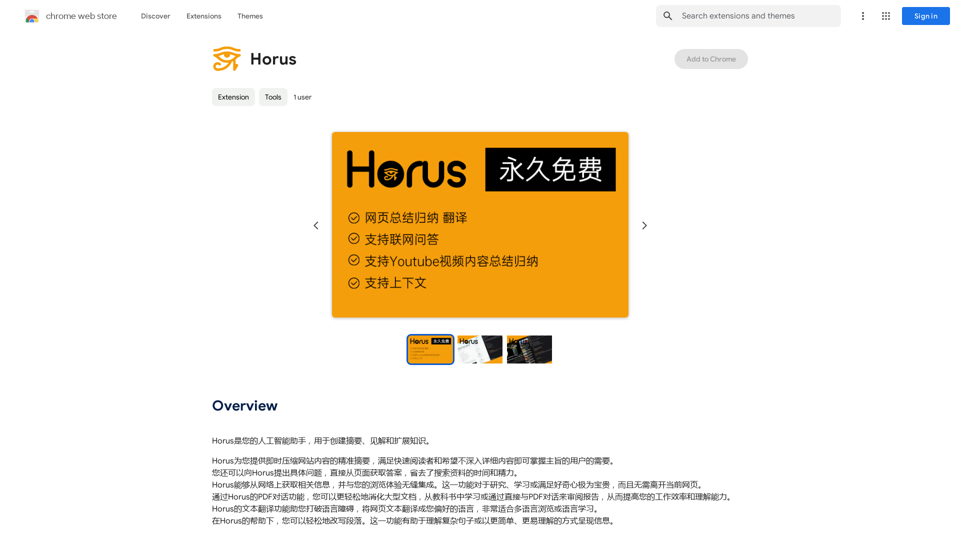
Horus is your AI assistant for creating summaries, insights, and expanding knowledge.
Visit Website
Horus
Visit Website

Introduction

Horus is an AI-powered browser assistant designed to enhance your web browsing experience. It offers a range of features including content summarization, translation, and format conversion. This tool is particularly useful for quickly grasping main points from lengthy articles, overcoming language barriers, and facilitating easy sharing of web content.

Feature

AI-Powered Summary

Horus utilizes advanced AI technology to instantly compress website content, providing concise summaries. This feature allows users to quickly grasp the main points of any web page without reading through the entire text.

Translation Capabilities

The extension offers a translation feature, enabling users to convert web page content into their preferred language. This functionality breaks down language barriers and provides access to global information.

Markdown Conversion

Horus can transform web page content into Markdown format. This feature simplifies the process of editing and sharing information from websites.

PDF Dialogue

For handling large documents such as textbooks or reports, Horus offers a PDF dialogue feature. This functionality makes it easier to digest and learn from extensive materials.

Easy Installation and Use

Users can easily install Horus from the Chrome Web Store. Once installed, it can be activated with a simple click on the browser toolbar icon.

Free of Charge

Horus is offered as a free extension, requiring no subscription or payment for use.

FAQ

How does Horus work?

Horus employs AI-powered technology to instantly compress website content, providing users with a summary of the main points. This process allows for quick understanding of lengthy articles or documents.

Is Horus free to use?

Yes, Horus is completely free. Users can install and use the extension without any subscription or payment requirements.

Can Horus translate web page content?

Yes, Horus offers a translation feature that can convert web page content into the user's preferred language, facilitating access to information from around the world.

Latest Traffic Insights

  • Monthly Visits

    193.90 M

  • Bounce Rate

    56.27%

  • Pages Per Visit

    2.71

  • Time on Site(s)

    115.91

  • Global Rank

    -

  • Country Rank

    -

Recent Visits

Traffic Sources

  • Social Media:
    0.48%
  • Paid Referrals:
    0.55%
  • Email:
    0.15%
  • Referrals:
    12.81%
  • Search Engines:
    16.21%
  • Direct:
    69.81%
More Data

Related Websites

ChatShelf - Save ChatGPT to Notion

ChatShelf is a tool that lets you save your ChatGPT conversations directly into Notion. 

It's a simple way to keep track of your AI interactions and use them later. 

Just copy the link to your ChatGPT conversation and paste it into ChatShelf. 

It will then extract the conversation and create a Notion page for you.
View Detail

ChatShelf - Save ChatGPT to Notion ChatShelf is a tool that lets you save your ChatGPT conversations directly into Notion. It's a simple way to keep track of your AI interactions and use them later. Just copy the link to your ChatGPT conversation and paste it into ChatShelf. It will then extract the conversation and create a Notion page for you.

ChatShelf - Save ChatGPT to Notion ChatShelf is a tool that lets you save your ChatGPT conversations directly into Notion. It's a simple way to keep track of your AI interactions and use them later. Just copy the link to your ChatGPT conversation and paste it into ChatShelf. It will then extract the conversation and create a Notion page for you.

It's fast, stable, beautiful, and free.

193.90 M
Humanize.im: Humanize AI Text for Free Online
View Detail

Humanize.im: Humanize AI Text for Free Online

Humanize.im: Humanize AI Text for Free Online

Experience the power of our AI text humanizer to convert AI text into human-like text effortlessly. Humanize AI text for free online to create engaging and undetectable content. Perfect for humanizing AI text from ChatGPT.

337.20 K
Dirty Pickup Lines - Online AI Raunchy Pickup Line Generator
View Detail

Dirty Pickup Lines - Online AI Raunchy Pickup Line Generator

Dirty Pickup Lines - Online AI Raunchy Pickup Line Generator

Dirty Pickup Lines is an online AI tool that generates explicit, sexually suggestive pickup lines for various scenarios, at no cost. Simply input a specific pickup scenario, and the AI will produce humorous, original, risqué pickup lines filled with sexual innuendos.

0
Discord Translator
View Detail

Discord Translator

Discord Translator

Translate Messages in Discord ============================= What is the "Translate" feature in Discord? The "Translate" feature in Discord allows users to translate messages in real-time, making it easier for people who speak different languages to communicate with each other. How to use the "Translate" feature in Discord? #1. Enable the "Translate" feature To enable the "Translate" feature, you need to go to the "User Settings" and click on the "Language" tab. Then, toggle the switch next to "Translator" to the "On" position. #2. Set your preferred language After enabling the "Translate" feature, you need to set your preferred language. You can do this by clicking on the "Language" dropdown menu and selecting your preferred language from the list. #3. Translate messages Once you've set your preferred language, you can start translating messages. To translate a message, simply hover over the message and click on the "Translate" button that appears. #4. View translated messages After clicking the "Translate" button, the message will be translated into your preferred language. You can view the translated message below the original message. Benefits of the "Translate" feature in Discord The "Translate" feature in Discord has several benefits, including: * Improved communication: The "Translate" feature helps to break down language barriers, making it easier for people who speak different languages to communicate with each other. * Increased accessibility: The "Translate" feature makes Discord more accessible to people who may not speak the dominant language of a server or community. * Enhanced collaboration: The "Translate" feature enables people to collaborate more effectively, even if they speak different languages.

193.90 M
JustRecap
View Detail

JustRecap

JustRecap

JustRecap extracts summaries and key moments from videos so you can learn more in less time.

193.90 M
ChatGPT - Google, Bing, Baidu, More
View Detail

ChatGPT - Google, Bing, Baidu, More

ChatGPT - Google, Bing, Baidu, More

ChatGPT-powered search results

193.90 M
Curatio on the App Store
View Detail

Curatio on the App Store

Curatio on the App Store

Filter your SMS messages using the latest innovations on AI: - Curatio categorizes every new SMS message without any previous instructions. - Curatio filters every unwanted SMS, such as spam or promotional messages, to keep your inbox clean and organized.

124.77 M
Wallow

To roll or move about in a lazy, relaxed way, often in a pleasant or enjoyable manner.
View Detail

Wallow To roll or move about in a lazy, relaxed way, often in a pleasant or enjoyable manner.

Wallow To roll or move about in a lazy, relaxed way, often in a pleasant or enjoyable manner.

Wallow streamlines digital product development with real-time incident tracking, team alignment, and integrated communication tools. Experience seamless collaboration and boost productivity with Wallow.

847