Open-source RightAI Tools Directory
  • Discover AI
  • Submit
  • Startup
  • Blog
Open-source RightAI Tools Directory
Discover the best AI tools of 2025 with the RightAI Tools Directory!

Friend Links

AI Anime GeneratorToolsApp AI

Support

Tap4
Privacy policyTerms & ConditionsContact Us
Loading...
loading...

BestAiApp

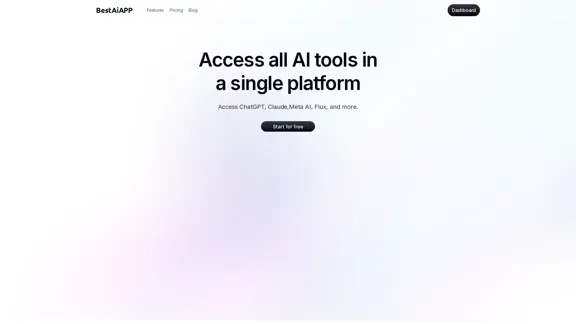
All in one AI super app,get the benefits of all the best AI products in one place, for one price
Visit Website
BestAiApp
Visit Website

Introduction

BestAiApp consolidates various AI tools into a single platform, making it easy for users to access and utilize multiple AI models, including ChatGPT, Claude, and Meta AI. The platform is designed for quick and efficient use, catering to a wide range of needs from music generation to image creation.

Feature

  1. Access to Multiple AI Tools

    BestAiApp provides a centralized platform where users can access various AI tools, simplifying the process of utilizing different models for different tasks.

  2. Multi-LLM Insights

    Users can perform a single search across multiple language models, ensuring they receive the best results tailored to their queries.

  3. Melodic Mastermind

    This feature allows users to create music using AI, enabling them to explore their creativity and compose original pieces effortlessly.

  4. Imagio - AI Image Creator

    Users can transform their ideas into stunning visuals in seconds, enhancing their creative projects with AI-generated images.

  5. Flexible Model Switching

    Users can switch between different models (text, images, music) within the same chat, providing versatility in their interactions.

  6. Simple Pricing Plans

    BestAiApp offers straightforward pricing options, making it accessible for users with varying needs and budgets.

How to Use?

  1. Explore the dashboard to familiarize yourself with the available tools.
  2. Utilize the search feature to find specific AI models or tools quickly.
  3. Experiment with the Melodic Mastermind to create music by inputting your ideas or themes.
  4. Use the Imagio feature to generate images based on your concepts or descriptions.
  5. Take advantage of the document chat feature for collaborative projects.

FAQ

What is BestAiApp?

BestAiApp is a comprehensive platform that integrates various AI tools, allowing users to access and utilize multiple AI models for diverse tasks.

What features does BestAiApp offer?

The platform includes tools for text generation, image creation, music composition, and more, all designed to enhance user creativity and productivity.

What AI models are available on BestAiApp?

Users can access models such as ChatGPT, Claude, and Meta AI, among others, for different applications.

Is my data safe on BestAiApp?

BestAiApp prioritizes user data security, implementing measures to protect user information.

Can I cancel my subscription at any time?

Yes, users have the flexibility to cancel their subscriptions whenever they choose.

Can I use BestAiApp for commercial purposes?

Yes, the platform allows users to utilize its tools for commercial projects without restrictions.

Price

PlanMonthly PriceAI-Powered MessagesImage GenerationsMusic GenerationsSupport Type
Basic$111,0003015Email support
Pro$245,00010050Priority support
Legend$3610,00030010024/7 priority support
The price is for reference only, please refer to the latest official data for actual information.

Evaluation

  1. BestAiApp effectively combines multiple AI tools, making it a versatile platform for various creative and professional needs.
  2. The user interface is intuitive, allowing for easy navigation and quick access to features.
  3. While the platform offers robust capabilities, some users may find the limitations on message and generation counts restrictive for extensive projects.
  4. The pricing structure is straightforward, but users with higher demands may need to consider the cost of upgrading to higher tiers.
  5. Overall, BestAiApp is a valuable resource for individuals and teams looking to enhance their productivity and creativity through AI, though continuous updates and feature expansions would further improve user experience.

Latest Traffic Insights

  • Monthly Visits

    0

  • Bounce Rate

    0.00%

  • Pages Per Visit

    0.00

  • Time on Site(s)

    0.00

  • Global Rank

    -

  • Country Rank

    -

Recent Visits

Traffic Sources

  • Social Media:
    0.00%
  • Paid Referrals:
    0.00%
  • Email:
    0.00%
  • Referrals:
    0.00%
  • Search Engines:
    0.00%
  • Direct:
    0.00%
More Data

Related Websites

Abyss Hub
View Detail

Abyss Hub

Abyss Hub

Generated by Abyss Team.

0
Gamma
View Detail

Gamma

Gamma

Made with Gamma. A new medium for presenting ideas, powered by AI.

28.16 M
Otto
View Detail

Otto

Otto

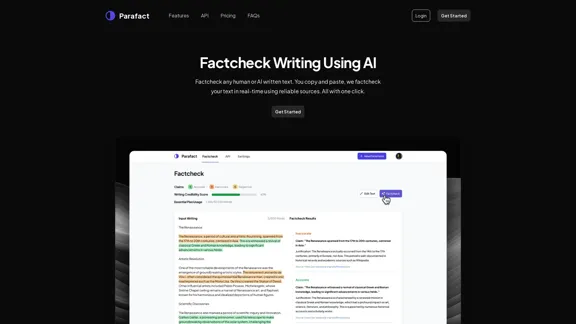
OttoTemplates is designed to automate manual research tasks, enabling users to leverage AI agents for enriching lists, researching companies, and processing documents efficiently

10.30 K
PDF.ai | Chat with your PDF documents
View Detail

PDF.ai | Chat with your PDF documents

PDF.ai | Chat with your PDF documents

We built the ultimate ChatPDF app that allows you to chat with any PDF: ask questions, get summaries, find anything you need!

341.40 K
Kudra • AI-Powered Data Extraction in one click - Kudra
View Detail

Kudra • AI-Powered Data Extraction in one click - Kudra

Kudra • AI-Powered Data Extraction in one click - Kudra

Solutions Dedicated Solutions Unlock unparalleled performance and reliability with our dedicated solutions. Finance Financial statements, 10K, reports Human Resources Resume, Employment Contracts Logistics Commercial invoices, Bill of lading Legal Contracts, litigation documents Blog Resources Tutorials Videos and Step-by-step guides White Papers AI document processing resources Affiliate Marketing Invite your community and profit Docs Pricing Login

1.60 K
Copilot for Microsoft 365 – Microsoft Adoption

Copilot for Microsoft 365 is a powerful AI assistant that helps you work smarter and faster across Microsoft 365 apps and services. It combines the power of large language models (LLMs) with your organization's data in the Microsoft Graph and Microsoft 365 apps to turn your words into the most powerful productivity tool on the planet.

Copilot is designed to help you:

• Unleash creativity
• Unlock productivity
• Uplevel skills

Copilot is built on Microsoft's comprehensive approach to security, compliance, and privacy. Copilot in Microsoft 365 apps and services:

• Does not use your data to train the underlying LLM
• Does not replace human ingenuity and judgment
• Is designed to keep humans in the loop

Copilot is currently available in Word, Excel, PowerPoint, Outlook, Teams, and more.

Getting Started with Copilot

To get started with Copilot, follow these steps:

1. Check availability: Ensure your organization has access to Copilot.
2. Learn the basics: Familiarize yourself with Copilot's capabilities and how to use it effectively.
3. Explore use cases: Discover how Copilot can help you in your specific role and tasks.
4. Practice and refine: Use Copilot regularly and refine your prompts for better results.
5. Share and collaborate: Collaborate with colleagues using Copilot and share best practices.

Best Practices for Using Copilot

1. Be specific in your prompts
2. Provide context for better results
3. Review and edit Copilot's output
4. Use Copilot as a starting point, not a final product
5. Experiment with different approaches
6. Stay informed about new features and updates

Copilot in Different Microsoft 365 Apps

• Word: Draft, edit, summarize, and rewrite content
• Excel: Analyze data, create formulas, and generate insights
• PowerPoint: Create presentations, design slides, and generate content
• Outlook: Compose emails, summarize threads, and manage your inbox
• Teams: Summarize meetings, generate action items, and create meeting notes

Responsible AI and Copilot

Microsoft is committed to developing AI systems responsibly. When using Copilot, keep in mind:

• AI-generated content may contain biases or inaccuracies
• Always review and verify Copilot's output
• Use your judgment and expertise alongside Copilot's suggestions
• Be aware of your organization's policies regarding AI use

Conclusion

Copilot for Microsoft 365 is a powerful tool that can significantly enhance your productivity and creativity. By understanding its capabilities, following best practices, and using it responsibly, you can make the most of this AI assistant in your daily work.
View Detail

Copilot for Microsoft 365 – Microsoft Adoption Copilot for Microsoft 365 is a powerful AI assistant that helps you work smarter and faster across Microsoft 365 apps and services. It combines the power of large language models (LLMs) with your organization's data in the Microsoft Graph and Microsoft 365 apps to turn your words into the most powerful productivity tool on the planet. Copilot is designed to help you: • Unleash creativity • Unlock productivity • Uplevel skills Copilot is built on Microsoft's comprehensive approach to security, compliance, and privacy. Copilot in Microsoft 365 apps and services: • Does not use your data to train the underlying LLM • Does not replace human ingenuity and judgment • Is designed to keep humans in the loop Copilot is currently available in Word, Excel, PowerPoint, Outlook, Teams, and more. Getting Started with Copilot To get started with Copilot, follow these steps: 1. Check availability: Ensure your organization has access to Copilot. 2. Learn the basics: Familiarize yourself with Copilot's capabilities and how to use it effectively. 3. Explore use cases: Discover how Copilot can help you in your specific role and tasks. 4. Practice and refine: Use Copilot regularly and refine your prompts for better results. 5. Share and collaborate: Collaborate with colleagues using Copilot and share best practices. Best Practices for Using Copilot 1. Be specific in your prompts 2. Provide context for better results 3. Review and edit Copilot's output 4. Use Copilot as a starting point, not a final product 5. Experiment with different approaches 6. Stay informed about new features and updates Copilot in Different Microsoft 365 Apps • Word: Draft, edit, summarize, and rewrite content • Excel: Analyze data, create formulas, and generate insights • PowerPoint: Create presentations, design slides, and generate content • Outlook: Compose emails, summarize threads, and manage your inbox • Teams: Summarize meetings, generate action items, and create meeting notes Responsible AI and Copilot Microsoft is committed to developing AI systems responsibly. When using Copilot, keep in mind: • AI-generated content may contain biases or inaccuracies • Always review and verify Copilot's output • Use your judgment and expertise alongside Copilot's suggestions • Be aware of your organization's policies regarding AI use Conclusion Copilot for Microsoft 365 is a powerful tool that can significantly enhance your productivity and creativity. By understanding its capabilities, following best practices, and using it responsibly, you can make the most of this AI assistant in your daily work.

Copilot for Microsoft 365 – Microsoft Adoption Copilot for Microsoft 365 is a powerful AI assistant that helps you work smarter and faster across Microsoft 365 apps and services. It combines the power of large language models (LLMs) with your organization's data in the Microsoft Graph and Microsoft 365 apps to turn your words into the most powerful productivity tool on the planet. Copilot is designed to help you: • Unleash creativity • Unlock productivity • Uplevel skills Copilot is built on Microsoft's comprehensive approach to security, compliance, and privacy. Copilot in Microsoft 365 apps and services: • Does not use your data to train the underlying LLM • Does not replace human ingenuity and judgment • Is designed to keep humans in the loop Copilot is currently available in Word, Excel, PowerPoint, Outlook, Teams, and more. Getting Started with Copilot To get started with Copilot, follow these steps: 1. Check availability: Ensure your organization has access to Copilot. 2. Learn the basics: Familiarize yourself with Copilot's capabilities and how to use it effectively. 3. Explore use cases: Discover how Copilot can help you in your specific role and tasks. 4. Practice and refine: Use Copilot regularly and refine your prompts for better results. 5. Share and collaborate: Collaborate with colleagues using Copilot and share best practices. Best Practices for Using Copilot 1. Be specific in your prompts 2. Provide context for better results 3. Review and edit Copilot's output 4. Use Copilot as a starting point, not a final product 5. Experiment with different approaches 6. Stay informed about new features and updates Copilot in Different Microsoft 365 Apps • Word: Draft, edit, summarize, and rewrite content • Excel: Analyze data, create formulas, and generate insights • PowerPoint: Create presentations, design slides, and generate content • Outlook: Compose emails, summarize threads, and manage your inbox • Teams: Summarize meetings, generate action items, and create meeting notes Responsible AI and Copilot Microsoft is committed to developing AI systems responsibly. When using Copilot, keep in mind: • AI-generated content may contain biases or inaccuracies • Always review and verify Copilot's output • Use your judgment and expertise alongside Copilot's suggestions • Be aware of your organization's policies regarding AI use Conclusion Copilot for Microsoft 365 is a powerful tool that can significantly enhance your productivity and creativity. By understanding its capabilities, following best practices, and using it responsibly, you can make the most of this AI assistant in your daily work.

Microsoft Copilot combines the power of large language models (LLMs) with your organization's data to turn your words into one of the most powerful productivity tools on the planet.

608.60 K
Resumeguru.pro
View Detail

Resumeguru.pro

Resumeguru.pro

Resumeguru.pro is an advanced AI-powered resume optimization tool designed to transform and enhance job seekers' resumes. By leveraging cutting-edge artificial intelligence technology, it automates the entire process of creating a highly effective and hirable resume, including editing, formatting, and optimization. This innovative platform aims to help users stand out in the competitive job market by tailoring their resumes to perfection.

0
Open Multiple URLs
View Detail

Open Multiple URLs

Open Multiple URLs

Multiple URL Opener is a free online tool to open multiple URLs simultaneously.

0