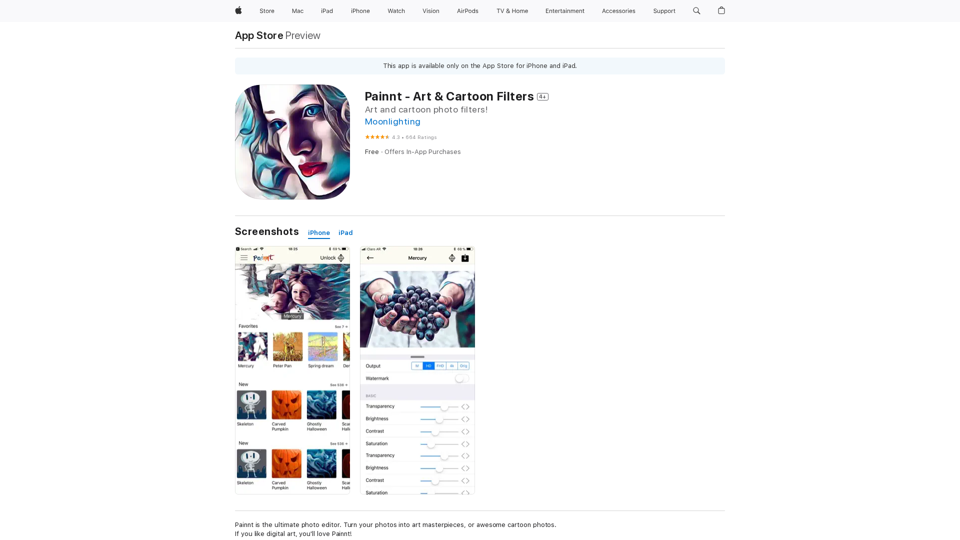
Painnt is an advanced photo editing application for iPhone and iPad that transforms ordinary photos into artistic masterpieces or cartoon-style images. Using AI-powered filters and effects, it offers over 2000 styles ranging from classical art to cartoon sketches. The app utilizes deep dream technology for realistic painting results and allows users to create and share custom filters within its community.
Painnt - Art & Cartoon Filters on the App Store
Painnt is the ultimate photo editor. Turn your photos into art masterpieces, or awesome cartoon photos. If you like digital art, you'll love Painnt!
Choose fro...
Introduction
Feature
Extensive Filter Library
Painnt boasts an impressive collection of over 2000 filters and effects, covering a wide range of artistic styles from classical art to modern cartoon sketches.
AI-Powered Technology
The app employs advanced AI deep dream technology to produce realistic painting results, ensuring high-quality artistic transformations.
Custom Filter Creation
Users can create their own custom filters, adding a personal touch to their artistic creations and expanding the app's already vast library of effects.
Community Sharing
Painnt fosters a creative community by allowing users to share their custom styles with others, promoting inspiration and collaboration.
High-Resolution Output
With a subscription, users can access high-resolution output options, perfect for printing or professional use.
User-Friendly Interface
The app features an intuitive interface, making it easy for users to edit and transform their photos with just a few taps.
Regular Updates
Painnt consistently updates its features and filter collection, ensuring users always have access to new and exciting artistic options.
FAQ
Can I use Painnt offline?
No, the app requires an internet connection to process images.
How do I cancel my subscription?
Go to your Apple ID settings and manage your subscriptions from there.
Is there a way to see which filter was used on a previous image?
Currently, the app doesn't provide a history of used filters for each image.
Can I use Painnt on my Mac?
Painnt is only available for iOS devices (iPhone and iPad) at this time.
Does Painnt collect my personal data?
According to the privacy policy, Painnt may collect usage data but does not link it to your identity.
Latest Traffic Insights
Monthly Visits
124.77 M
Bounce Rate
74.15%
Pages Per Visit
1.56
Time on Site(s)
46.64
Global Rank
-
Country Rank
-
Recent Visits
Traffic Sources
- Social Media:2.88%
- Paid Referrals:2.50%
- Email:0.18%
- Referrals:19.65%
- Search Engines:29.02%
- Direct:45.78%
Related Websites
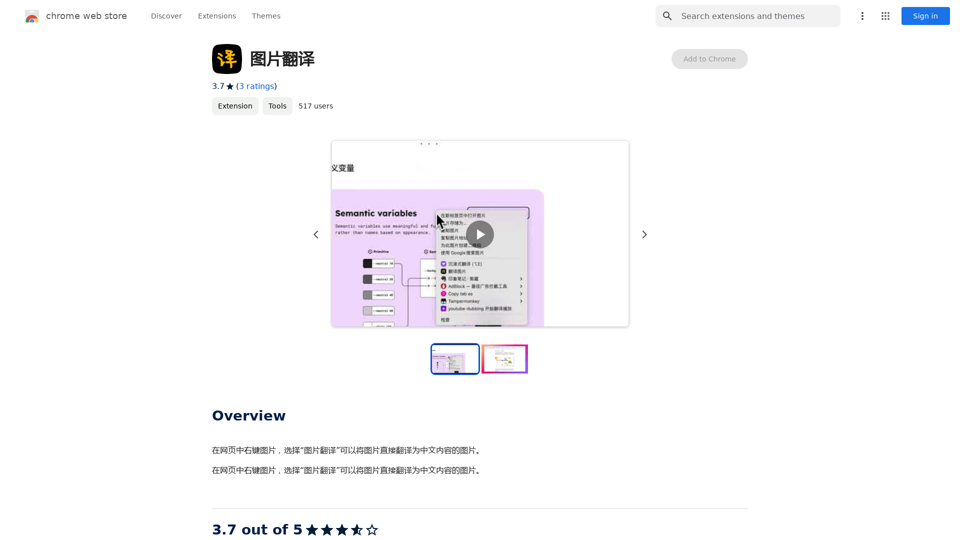
Right-click on an image on a webpage and select "Image Translation" to translate the image directly into Chinese content.
193.90 M
![Batch Save ChatGPT to Notion
This is a guide on how to save multiple ChatGPT responses to Notion in a batch.
Tools You'll Need:
* ChatGPT: An AI chatbot that can generate text.
* Notion: A note-taking and project management tool.
* Python: A programming language.
* Requests Library: A Python library for making HTTP requests.
Steps:
1. Get Your Notion API Token:
- Go to your Notion workspace settings.
- Navigate to the "Integrations" tab.
- Click "Create new integration" and choose "API Token".
- Copy your API token.
2. Install Python Libraries:
- Open your terminal or command prompt.
- Type `pip install requests` and press Enter.
3. Write Python Script:
- Create a new Python file (e.g., `save_chatgpt_to_notion.py`).
- Paste the following code into the file, replacing `YOUR_NOTION_API_TOKEN` with your actual token:
```python
import requests
def save_chatgpt_response_to_notion(response, page_id, token):
"""Saves a ChatGPT response to a Notion page."""
url = f"https://api.notion.com/v1/pages/{page_id}/children"
headers = {"Authorization": f"Bearer {token}"}
data = {
"parent": {
"page_id": page_id
},
"properties": {
"title": {
"title": [
{
"text": {
"content": "ChatGPT Response"
}
}
]
},
"content": {
"rich_text": [
{
"text": {
"content": response
}
}
]
}
}
}
response = requests.post(url, headers=headers, json=data)
print(response.status_code)
Example usage
page_id = "YOUR_NOTION_PAGE_ID"
token = "YOUR_NOTION_API_TOKEN"
Get ChatGPT responses (replace with your actual ChatGPT interaction)
chatgpt_responses = [
"This is the first ChatGPT response.",
"This is the second ChatGPT response.",
"This is the third ChatGPT response."
]
Save each response to Notion
for response in chatgpt_responses:
save_chatgpt_response_to_notion(response, page_id, token)
```
4. Run the Script:
- In your terminal, navigate to the directory where you saved the Python file.
- Type `python save_chatgpt_to_notion.py` and press Enter.
5. Check Notion:
- Open your Notion workspace and go to the page specified by `page_id`.
- You should see your ChatGPT responses saved as separate blocks.](https://static.right-ai.com/tools/2024/7/4/chromewebstore-google-com-detail-save-chatgpt-to-notion-da-djefhicmpbpmmlagbgooepmbobdhajgn-thumbnail-1720087209.png "Batch Save ChatGPT to Notion
This is a guide on how to save multiple ChatGPT responses to Notion in a batch.
Tools You'll Need:
* ChatGPT: An AI chatbot that can generate text.
* Notion: A note-taking and project management tool.
* Python: A programming language.
* Requests Library: A Python library for making HTTP requests.
Steps:
1. Get Your Notion API Token:
- Go to your Notion workspace settings.
- Navigate to the \"Integrations\" tab.
- Click \"Create new integration\" and choose \"API Token\".
- Copy your API token.
2. Install Python Libraries:
- Open your terminal or command prompt.
- Type `pip install requests` and press Enter.
3. Write Python Script:
- Create a new Python file (e.g., `save_chatgpt_to_notion.py`).
- Paste the following code into the file, replacing `YOUR_NOTION_API_TOKEN` with your actual token:
```python
import requests
def save_chatgpt_response_to_notion(response, page_id, token):
\"\"\"Saves a ChatGPT response to a Notion page.\"\"\"
url = f\"https://api.notion.com/v1/pages/{page_id}/children\"
headers = {\"Authorization\": f\"Bearer {token}\"}
data = {
\"parent\": {
\"page_id\": page_id
},
\"properties\": {
\"title\": {
\"title\": [
{
\"text\": {
\"content\": \"ChatGPT Response\"
}
}
]
},
\"content\": {
\"rich_text\": [
{
\"text\": {
\"content\": response
}
}
]
}
}
}
response = requests.post(url, headers=headers, json=data)
print(response.status_code)
Example usage
page_id = \"YOUR_NOTION_PAGE_ID\"
token = \"YOUR_NOTION_API_TOKEN\"
Get ChatGPT responses (replace with your actual ChatGPT interaction)
chatgpt_responses = [
\"This is the first ChatGPT response.\",
\"This is the second ChatGPT response.\",
\"This is the third ChatGPT response.\"
]
Save each response to Notion
for response in chatgpt_responses:
save_chatgpt_response_to_notion(response, page_id, token)
```
4. Run the Script:
- In your terminal, navigate to the directory where you saved the Python file.
- Type `python save_chatgpt_to_notion.py` and press Enter.
5. Check Notion:
- Open your Notion workspace and go to the page specified by `page_id`.
- You should see your ChatGPT responses saved as separate blocks.")
Batch Save ChatGPT to Notion This is a guide on how to save multiple ChatGPT responses to Notion in a batch. Tools You'll Need: * ChatGPT: An AI chatbot that can generate text. * Notion: A note-taking and project management tool. * Python: A programming language. * Requests Library: A Python library for making HTTP requests. Steps: 1. Get Your Notion API Token: - Go to your Notion workspace settings. - Navigate to the "Integrations" tab. - Click "Create new integration" and choose "API Token". - Copy your API token. 2. Install Python Libraries: - Open your terminal or command prompt. - Type `pip install requests` and press Enter. 3. Write Python Script: - Create a new Python file (e.g., `save_chatgpt_to_notion.py`). - Paste the following code into the file, replacing `YOUR_NOTION_API_TOKEN` with your actual token: ```python import requests def save_chatgpt_response_to_notion(response, page_id, token): """Saves a ChatGPT response to a Notion page.""" url = f"https://api.notion.com/v1/pages/{page_id}/children" headers = {"Authorization": f"Bearer {token}"} data = { "parent": { "page_id": page_id }, "properties": { "title": { "title": [ { "text": { "content": "ChatGPT Response" } } ] }, "content": { "rich_text": [ { "text": { "content": response } } ] } } } response = requests.post(url, headers=headers, json=data) print(response.status_code) Example usage page_id = "YOUR_NOTION_PAGE_ID" token = "YOUR_NOTION_API_TOKEN" Get ChatGPT responses (replace with your actual ChatGPT interaction) chatgpt_responses = [ "This is the first ChatGPT response.", "This is the second ChatGPT response.", "This is the third ChatGPT response." ] Save each response to Notion for response in chatgpt_responses: save_chatgpt_response_to_notion(response, page_id, token) ``` 4. Run the Script: - In your terminal, navigate to the directory where you saved the Python file. - Type `python save_chatgpt_to_notion.py` and press Enter. 5. Check Notion: - Open your Notion workspace and go to the page specified by `page_id`. - You should see your ChatGPT responses saved as separate blocks.
Batch Save ChatGPT to Notion This is a guide on how to save multiple ChatGPT responses to Notion in a batch. Tools You'll Need: * ChatGPT: An AI chatbot that can generate text. * Notion: A note-taking and project management tool. * Python: A programming language. * Requests Library: A Python library for making HTTP requests. Steps: 1. Get Your Notion API Token: - Go to your Notion workspace settings. - Navigate to the "Integrations" tab. - Click "Create new integration" and choose "API Token". - Copy your API token. 2. Install Python Libraries: - Open your terminal or command prompt. - Type `pip install requests` and press Enter. 3. Write Python Script: - Create a new Python file (e.g., `save_chatgpt_to_notion.py`). - Paste the following code into the file, replacing `YOUR_NOTION_API_TOKEN` with your actual token: ```python import requests def save_chatgpt_response_to_notion(response, page_id, token): """Saves a ChatGPT response to a Notion page.""" url = f"https://api.notion.com/v1/pages/{page_id}/children" headers = {"Authorization": f"Bearer {token}"} data = { "parent": { "page_id": page_id }, "properties": { "title": { "title": [ { "text": { "content": "ChatGPT Response" } } ] }, "content": { "rich_text": [ { "text": { "content": response } } ] } } } response = requests.post(url, headers=headers, json=data) print(response.status_code) Example usage page_id = "YOUR_NOTION_PAGE_ID" token = "YOUR_NOTION_API_TOKEN" Get ChatGPT responses (replace with your actual ChatGPT interaction) chatgpt_responses = [ "This is the first ChatGPT response.", "This is the second ChatGPT response.", "This is the third ChatGPT response." ] Save each response to Notion for response in chatgpt_responses: save_chatgpt_response_to_notion(response, page_id, token) ``` 4. Run the Script: - In your terminal, navigate to the directory where you saved the Python file. - Type `python save_chatgpt_to_notion.py` and press Enter. 5. Check Notion: - Open your Notion workspace and go to the page specified by `page_id`. - You should see your ChatGPT responses saved as separate blocks.Save ChatGPT Conversations to Notion with One Click Export your ChatGPT conversations directly to Notion with a single click.
193.90 M

Create unique and professional logos effortlessly with LogoAI.ai's AI logo maker. Enjoy free online access, advanced customization, watermark-free logos, and secure design.
129.09 K
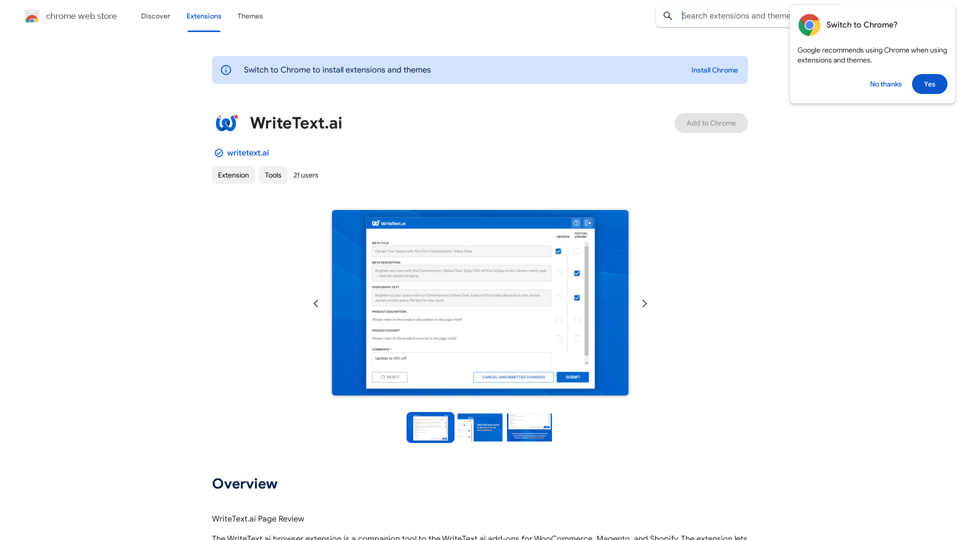
WriteText.ai Page Review WriteText.ai is an AI-powered writing assistant that helps you generate different creative text formats, like poems, code, scripts, musical pieces, email, letters, etc. It's designed to be user-friendly and accessible to everyone, regardless of their writing experience. Here's a breakdown of its key features and benefits: * Multiple Text Formats: WriteText.ai can generate a variety of text formats, including poems, code, scripts, musical pieces, emails, letters, and more. This versatility makes it a valuable tool for writers, developers, and anyone who needs to create different types of content. * User-Friendly Interface: The platform boasts a clean and intuitive interface that is easy to navigate, even for beginners. * AI-Powered Generation: WriteText.ai leverages the power of artificial intelligence to generate high-quality text. The AI model is trained on a massive dataset of text and code, allowing it to produce creative and coherent outputs. * Customization Options: Users can customize their text generation by providing specific instructions, keywords, or examples. This level of control ensures that the generated text meets their exact needs. * Fast and Efficient: WriteText.ai is designed to be fast and efficient, generating text quickly and accurately. This saves users time and effort, allowing them to focus on other aspects of their work. Overall, WriteText.ai is a powerful and versatile AI writing assistant that can be a valuable tool for a wide range of users. Its user-friendly interface, multiple text format options, and AI-powered generation make it a compelling choice for anyone looking to enhance their writing process.
193.90 M
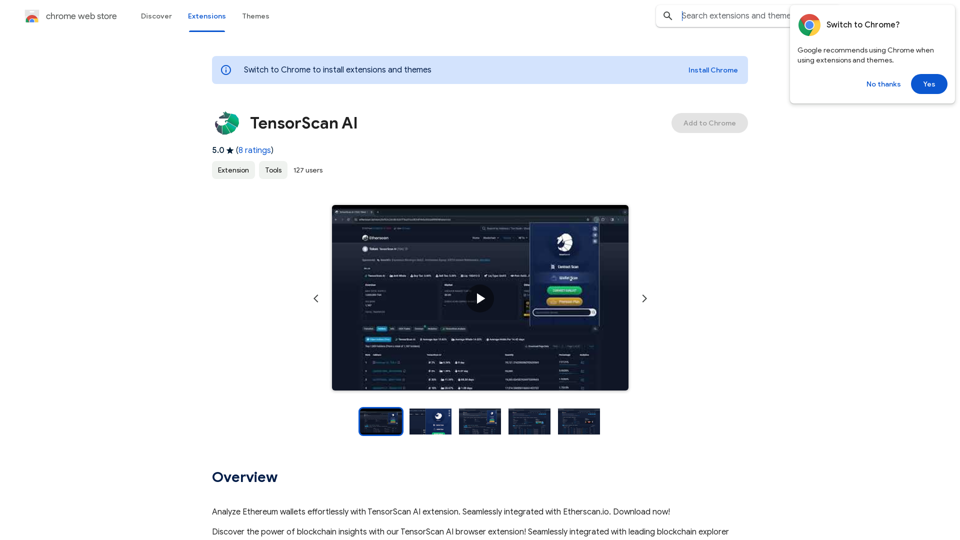
Analyze Ethereum wallets easily with the TensorScan AI extension. It works perfectly with Etherscan.io. Download it now!
193.90 M
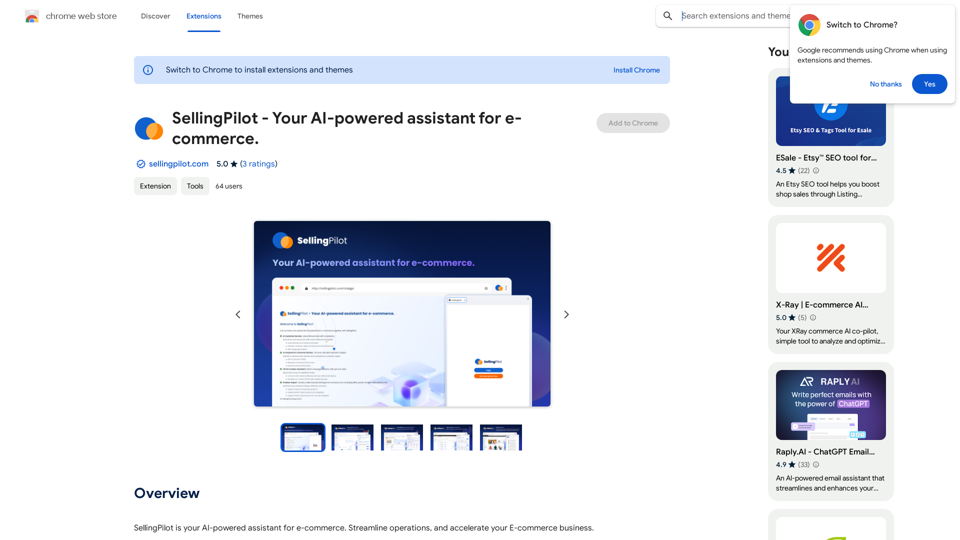
SellingPilot - Your AI-powered assistant for e-commerce.
SellingPilot - Your AI-powered assistant for e-commerce.SellingPilot is your AI-powered assistant for e-commerce. It helps you streamline your operations and accelerate your e-commerce business.
193.90 M