Open-source RightAI Tools Directory
  • Discover AI
  • Submit
  • Startup
  • Blog
Open-source RightAI Tools Directory
Discover the best AI tools of 2025 with the RightAI Tools Directory!

Friend Links

AI Anime GeneratorToolsApp AI

Support

Tap4
Privacy policyTerms & ConditionsContact Us
Loading...
loading...

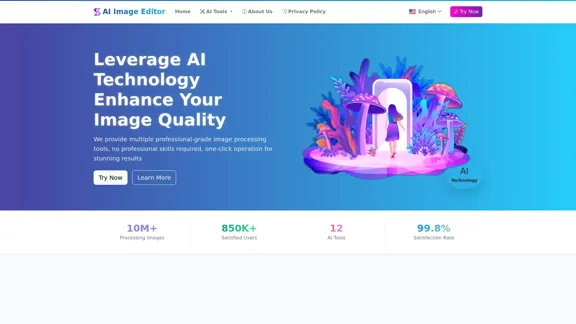
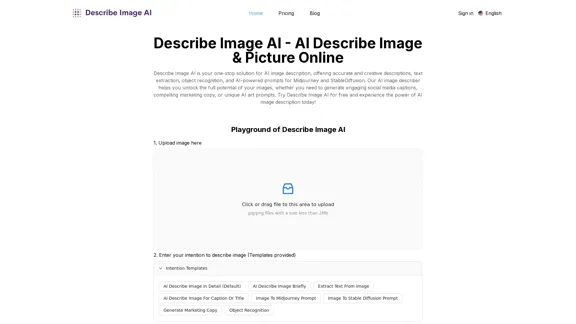
AI Describe Image & Picture Online, Free Trial This title describes an online service that uses artificial intelligence to analyze and describe images or pictures. The service offers a free trial period for users to test its capabilities. The AI technology can likely generate text descriptions of the visual content in uploaded images, helping users understand or categorize their pictures automatically.

Describe Image AI: Accurately describe images online using AI. Our image describer generates image descriptions, AI picture descriptions, text extraction, social media captions, and prompts for Midjourney & StableDiffusion. Free Trial!
Visit Website
AI Describe Image & Picture Online, Free Trial

This title describes an online service that uses artificial intelligence to analyze and describe images or pictures. The service offers a free trial period for users to test its capabilities. The AI technology can likely generate text descriptions of the visual content in uploaded images, helping users understand or categorize their pictures automatically.
Visit Website

Introduction

Describe Image AI is a comprehensive AI-powered tool for image analysis and description. It offers a range of features including accurate image descriptions, text extraction, object recognition, and AI-generated prompts for platforms like Midjourney and StableDiffusion. This versatile tool caters to various needs, from social media marketing to creative inspiration and product descriptions.

Feature

Advanced AI Image Description

Generate detailed and accurate descriptions of images using sophisticated AI technology. The tool provides rich narratives that capture the essence of visuals, going beyond basic labeling.

Social Media Caption Generation

Create engaging captions for social media platforms like Instagram, Facebook, and Twitter. The AI analyzes images and generates compelling descriptions tailored for social media use.

Text Extraction from Images

Utilize OCR (Optical Character Recognition) technology to accurately extract text from images. This feature is useful for digitizing printed content and repurposing text within images.

AI Art Prompts Generation

Generate unique and inspiring prompts for AI art platforms such as Midjourney and StableDiffusion. This feature fuels creativity and assists in creating AI-generated art.

Object Recognition and Analysis

Identify and label objects within images with high accuracy. The tool provides valuable insights into visual content through detailed object recognition.

Marketing Copy Generation

Create persuasive marketing copy based on product images. The AI generates compelling descriptions, product highlights, and calls to action suitable for websites and social media.

User-Friendly Interface

Describe Image AI offers a simple three-step process: upload an image, select an AI action, and receive results instantly. The tool accepts various image formats for a seamless experience.

Cloud-Based Platform

As a cloud-based service, Describe Image AI requires no downloads or installations. Users can access all features through a web browser, making it convenient and accessible.

FAQ

What is Describe Image AI?

Describe Image AI is an online tool that uses AI technology to analyze images and provide valuable insights and creative outputs. It offers features such as image description, text extraction, object identification, and AI art prompt generation.

Is Describe Image AI free to use?

Describe Image AI offers a free trial for users to experience its features. After the trial, users can choose from various subscription plans to continue accessing the full suite of features.

What are the applications of Describe Image AI?

The tool has diverse applications, including generating social media captions, creating marketing copy from product images, extracting text from documents, and generating AI art prompts. It's suitable for social media managers, marketers, students, artists, and anyone looking to better understand and utilize their images.

Are there any limitations to using Describe Image AI?

While highly accurate, the tool's performance can be influenced by factors like image resolution, clarity, and complexity. For optimal results, clear and well-lit images are recommended. As with any AI tool, occasional misinterpretations may occur, especially with abstract or highly nuanced imagery.

How does Describe Image AI handle updates and new features?

The platform regularly releases updates including new features, performance enhancements, and algorithm refinements. As a cloud-based service, all updates are implemented automatically, ensuring users always have access to the latest features without manual installations.

Latest Traffic Insights

  • Monthly Visits

    5.16 K

  • Bounce Rate

    47.79%

  • Pages Per Visit

    1.53

  • Time on Site(s)

    27.57

  • Global Rank

    3700345

  • Country Rank

    United States 1951960

Recent Visits

Traffic Sources

  • Social Media:
    6.29%
  • Paid Referrals:
    1.13%
  • Email:
    0.20%
  • Referrals:
    8.57%
  • Search Engines:
    24.65%
  • Direct:
    58.82%
More Data

Related Websites

Journey ArtPrompt with Midjourney

This guide will walk you through creating stunning artwork using Midjourney, a powerful AI art generator. 

1. Accessing Midjourney

* You'll need a Discord account to use Midjourney. 
* Join the official Midjourney server: [https://discord.gg/midjourney](https://discord.gg/midjourney)

2. Understanding the Basics

* `/imagine` Command: This is the core command for generating images.
* Prompt:  A text description of the artwork you want to create. Be specific and descriptive!
* Parameters: Options that control aspects like image size, aspect ratio, and style.

3. Crafting Your Journey Prompt

Think about the story you want to tell with your artwork.  

* Setting: Where does your journey take place? (e.g., a mystical forest, a futuristic city, a desolate wasteland)
* Characters: Who is on this journey? (e.g., a lone traveler, a group of adventurers, mythical creatures)
* Mood: What feeling do you want to evoke? (e.g., adventurous, mysterious, hopeful, melancholic)
* Style: What artistic style appeals to you? (e.g., photorealistic, painterly, abstract)

4. Putting it Together

Combine these elements into a clear and concise prompt. 

Example:

`/imagine A lone traveler journeys through a mystical forest at sunset, bathed in golden light. The path ahead is shrouded in mist, hinting at unknown wonders. Style: painterly, ethereal`

5. Experiment and Refine

* Midjourney is all about experimentation! Try different prompts, parameters, and styles.
* Use the "upscale" command to enlarge your favorite images and reveal more detail.
* Don't be afraid to iterate and refine your prompts based on the results.
View Detail

Journey ArtPrompt with Midjourney This guide will walk you through creating stunning artwork using Midjourney, a powerful AI art generator. 1. Accessing Midjourney * You'll need a Discord account to use Midjourney. * Join the official Midjourney server: [https://discord.gg/midjourney](https://discord.gg/midjourney) 2. Understanding the Basics * `/imagine` Command: This is the core command for generating images. * Prompt: A text description of the artwork you want to create. Be specific and descriptive! * Parameters: Options that control aspects like image size, aspect ratio, and style. 3. Crafting Your Journey Prompt Think about the story you want to tell with your artwork. * Setting: Where does your journey take place? (e.g., a mystical forest, a futuristic city, a desolate wasteland) * Characters: Who is on this journey? (e.g., a lone traveler, a group of adventurers, mythical creatures) * Mood: What feeling do you want to evoke? (e.g., adventurous, mysterious, hopeful, melancholic) * Style: What artistic style appeals to you? (e.g., photorealistic, painterly, abstract) 4. Putting it Together Combine these elements into a clear and concise prompt. Example: `/imagine A lone traveler journeys through a mystical forest at sunset, bathed in golden light. The path ahead is shrouded in mist, hinting at unknown wonders. Style: painterly, ethereal` 5. Experiment and Refine * Midjourney is all about experimentation! Try different prompts, parameters, and styles. * Use the "upscale" command to enlarge your favorite images and reveal more detail. * Don't be afraid to iterate and refine your prompts based on the results.

Journey ArtPrompt with Midjourney This guide will walk you through creating stunning artwork using Midjourney, a powerful AI art generator. 1. Accessing Midjourney * You'll need a Discord account to use Midjourney. * Join the official Midjourney server: [https://discord.gg/midjourney](https://discord.gg/midjourney) 2. Understanding the Basics * `/imagine` Command: This is the core command for generating images. * Prompt: A text description of the artwork you want to create. Be specific and descriptive! * Parameters: Options that control aspects like image size, aspect ratio, and style. 3. Crafting Your Journey Prompt Think about the story you want to tell with your artwork. * Setting: Where does your journey take place? (e.g., a mystical forest, a futuristic city, a desolate wasteland) * Characters: Who is on this journey? (e.g., a lone traveler, a group of adventurers, mythical creatures) * Mood: What feeling do you want to evoke? (e.g., adventurous, mysterious, hopeful, melancholic) * Style: What artistic style appeals to you? (e.g., photorealistic, painterly, abstract) 4. Putting it Together Combine these elements into a clear and concise prompt. Example: `/imagine A lone traveler journeys through a mystical forest at sunset, bathed in golden light. The path ahead is shrouded in mist, hinting at unknown wonders. Style: painterly, ethereal` 5. Experiment and Refine * Midjourney is all about experimentation! Try different prompts, parameters, and styles. * Use the "upscale" command to enlarge your favorite images and reveal more detail. * Don't be afraid to iterate and refine your prompts based on the results.

New backgrounds with Midjourney on new tabs

193.90 M
Agent K
View Detail

Agent K

Agent K

Agent K AI Agent - Job Copilot

193.90 M
Based AI Image & Video Creator
View Detail

Based AI Image & Video Creator

Based AI Image & Video Creator

BasedLabs is your go-to source for AI video and tools. Join our community of thousands of AI enthusiasts and creators.

771.42 K
Ai Workout Generator
=====================

What is an AI Workout Generator?

An AI workout generator is a tool that uses artificial intelligence to create personalized workout plans tailored to an individual's fitness goals, fitness level, and preferences.

How does it work?

The AI workout generator uses machine learning algorithms to analyze a user's input data, such as their fitness goals, fitness level, and exercise preferences. It then generates a customized workout plan that includes a series of exercises, sets, reps, and weights tailored to the user's specific needs.

Benefits of using an AI Workout Generator

* Personalized workouts: The AI workout generator creates a workout plan that is tailored to the user's specific fitness goals and fitness level.
* Time-saving: The AI workout generator saves time by eliminating the need to research and create a workout plan from scratch.
* Increased motivation: The AI workout generator provides a sense of accountability and motivation, as users are more likely to stick to a workout plan that is tailored to their specific needs.
* Improved results: The AI workout generator helps users achieve their fitness goals faster and more efficiently, as the workout plan is optimized for their specific needs.

How to use an AI Workout Generator

1. Input your data: Enter your fitness goals, fitness level, and exercise preferences into the AI workout generator.
2. Select your workout type: Choose the type of workout you want to do, such as strength training, cardio, or yoga.
3. Generate your workout plan: The AI workout generator will create a customized workout plan tailored to your specific needs.
4. Start your workout: Follow the workout plan and track your progress.

Conclusion

An AI workout generator is a powerful tool that can help individuals achieve their fitness goals faster and more efficiently. By providing personalized workout plans, the AI workout generator saves time, increases motivation, and improves results. Whether you're a beginner or an experienced athlete, an AI workout generator can help you take your fitness to the next level.
View Detail

Ai Workout Generator ===================== What is an AI Workout Generator? An AI workout generator is a tool that uses artificial intelligence to create personalized workout plans tailored to an individual's fitness goals, fitness level, and preferences. How does it work? The AI workout generator uses machine learning algorithms to analyze a user's input data, such as their fitness goals, fitness level, and exercise preferences. It then generates a customized workout plan that includes a series of exercises, sets, reps, and weights tailored to the user's specific needs. Benefits of using an AI Workout Generator * Personalized workouts: The AI workout generator creates a workout plan that is tailored to the user's specific fitness goals and fitness level. * Time-saving: The AI workout generator saves time by eliminating the need to research and create a workout plan from scratch. * Increased motivation: The AI workout generator provides a sense of accountability and motivation, as users are more likely to stick to a workout plan that is tailored to their specific needs. * Improved results: The AI workout generator helps users achieve their fitness goals faster and more efficiently, as the workout plan is optimized for their specific needs. How to use an AI Workout Generator 1. Input your data: Enter your fitness goals, fitness level, and exercise preferences into the AI workout generator. 2. Select your workout type: Choose the type of workout you want to do, such as strength training, cardio, or yoga. 3. Generate your workout plan: The AI workout generator will create a customized workout plan tailored to your specific needs. 4. Start your workout: Follow the workout plan and track your progress. Conclusion An AI workout generator is a powerful tool that can help individuals achieve their fitness goals faster and more efficiently. By providing personalized workout plans, the AI workout generator saves time, increases motivation, and improves results. Whether you're a beginner or an experienced athlete, an AI workout generator can help you take your fitness to the next level.

Ai Workout Generator ===================== What is an AI Workout Generator? An AI workout generator is a tool that uses artificial intelligence to create personalized workout plans tailored to an individual's fitness goals, fitness level, and preferences. How does it work? The AI workout generator uses machine learning algorithms to analyze a user's input data, such as their fitness goals, fitness level, and exercise preferences. It then generates a customized workout plan that includes a series of exercises, sets, reps, and weights tailored to the user's specific needs. Benefits of using an AI Workout Generator * Personalized workouts: The AI workout generator creates a workout plan that is tailored to the user's specific fitness goals and fitness level. * Time-saving: The AI workout generator saves time by eliminating the need to research and create a workout plan from scratch. * Increased motivation: The AI workout generator provides a sense of accountability and motivation, as users are more likely to stick to a workout plan that is tailored to their specific needs. * Improved results: The AI workout generator helps users achieve their fitness goals faster and more efficiently, as the workout plan is optimized for their specific needs. How to use an AI Workout Generator 1. Input your data: Enter your fitness goals, fitness level, and exercise preferences into the AI workout generator. 2. Select your workout type: Choose the type of workout you want to do, such as strength training, cardio, or yoga. 3. Generate your workout plan: The AI workout generator will create a customized workout plan tailored to your specific needs. 4. Start your workout: Follow the workout plan and track your progress. Conclusion An AI workout generator is a powerful tool that can help individuals achieve their fitness goals faster and more efficiently. By providing personalized workout plans, the AI workout generator saves time, increases motivation, and improves results. Whether you're a beginner or an experienced athlete, an AI workout generator can help you take your fitness to the next level.

AI generated workouts reviewed and Approved by American College of Sports Medicine certified Personal Trainers.

3.30 K
Free AI Baby Generator - See Your Future Baby's Face Instantly
View Detail

Free AI Baby Generator - See Your Future Baby's Face Instantly

Free AI Baby Generator - See Your Future Baby's Face Instantly

See your own future baby using our free AI baby face generator. Get ultra-realistic baby photo predictions in just seconds, with one click!

32.64 K
Krea
View Detail

Krea

Krea

Krea makes generative AI intuitive. Generate, edit, and enhance images and videos using powerful AI for free.

5.34 M
Editing and Design Tools | Picsart
View Detail

Editing and Design Tools | Picsart

Editing and Design Tools | Picsart

Picsart is the biggest comprehensive creative platform offering photo and video editing tools along with design capabilities. It provides an ecosystem of freely available content and inspiration drawn from other creators.

13.31 M
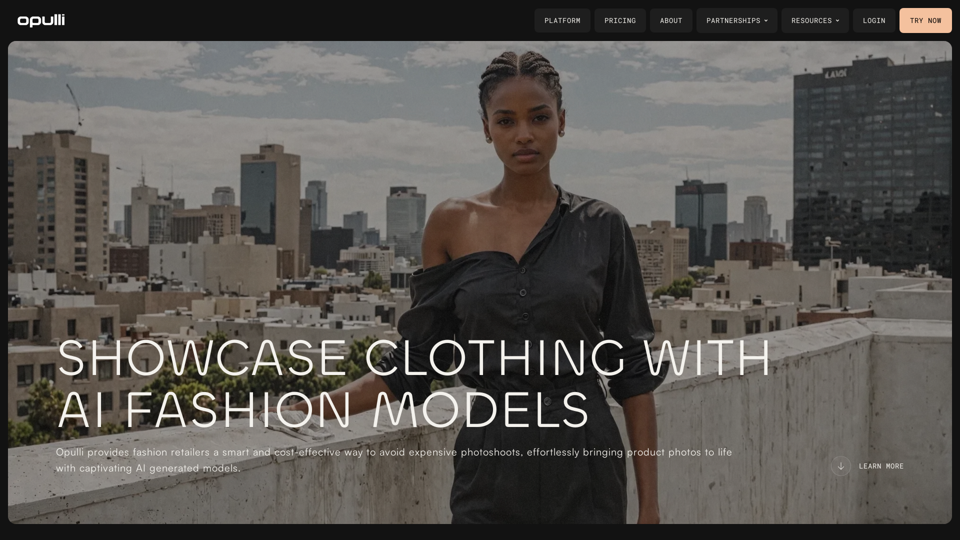
SellerPic: AI Fashion Models and Product Image Creator
View Detail

SellerPic: AI Fashion Models and Product Image Creator

SellerPic: AI Fashion Models and Product Image Creator

Transform your eCommerce store with AI Fashion Models and AI Product Images. Create stunning images that drive sales and revenue. Try it FREE!

203.22 K