Open-source RightAI Tools Directory
  • Discover AI
  • Submit
  • Startup
  • Blog
Open-source RightAI Tools Directory
Discover the best AI tools of 2025 with the RightAI Tools Directory!

Friend Links

AI Anime GeneratorToolsApp AI

Support

Tap4
Privacy policyTerms & ConditionsContact Us
Loading...
loading...

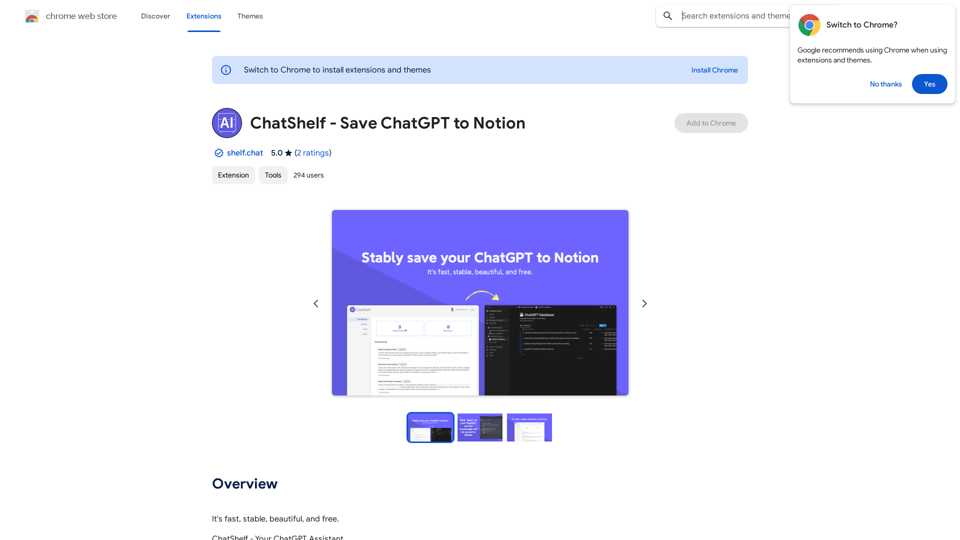
ChatShelf - Save ChatGPT to Notion ChatShelf is a tool that lets you save your ChatGPT conversations directly into Notion. It's a simple way to keep track of your AI interactions and use them later. Just copy the link to your ChatGPT conversation and paste it into ChatShelf. It will then extract the conversation and create a Notion page for you.

It's fast, stable, beautiful, and free.
Visit Website
ChatShelf - Save ChatGPT to Notion

ChatShelf is a tool that lets you save your ChatGPT conversations directly into Notion. 

It's a simple way to keep track of your AI interactions and use them later. 

Just copy the link to your ChatGPT conversation and paste it into ChatShelf. 

It will then extract the conversation and create a Notion page for you.
Visit Website

Introduction

ChatShelf is a powerful synchronization tool designed for ChatGPT users. It enables efficient capture, management, and repurposing of ChatGPT conversations. The tool seamlessly transfers conversations to personal knowledge bases, starting with Notion integration. ChatShelf offers a range of features to enhance the ChatGPT experience, including auto-sync, Notion compatibility, history tracing, content management, and privacy-focused encrypted storage.

Feature

Auto-Sync Functionality

ChatShelf automatically transfers ChatGPT conversations to your personal knowledge base, starting with Notion integration. This feature ensures that all your valuable interactions are preserved and easily accessible.

Notion Compatibility

The tool perfectly transforms ChatGPT text into Notion Blocks, maintaining the structure from headers to code. This seamless integration enhances the organization and readability of your saved conversations.

Comprehensive History Tracing

ChatShelf archives every interaction, ensuring that no ChatGPT conversation is ever lost. This feature provides a complete record of your chat history for future reference and analysis.

Flexible Content Management

Users can copy conversations as Markdown or formatted text, allowing for versatile use and sharing of the captured content across different platforms and applications.

Privacy-First Approach

ChatShelf prioritizes user privacy with encrypted storage, ensuring that only the user has access to their conversations. This feature provides peace of mind for those concerned about data security.

User-Friendly Interface

The tool is designed for ease of use, requiring no technical expertise. Users can quickly install the extension and start benefiting from its features immediately.

Free Basic Version

ChatShelf offers a free extension that users can utilize without any subscription or payment, making it accessible to a wide range of users.

FAQ

What are the main benefits of using ChatShelf?

ChatShelf offers several key benefits:

  1. Efficient conversation management
  2. Seamless integration with Notion
  3. Comprehensive history tracking
  4. Flexible content export options
  5. Enhanced privacy and security

How does ChatShelf ensure user privacy?

ChatShelf uses encrypted storage to ensure that only the user can access their conversations, prioritizing data security and user privacy.

Can ChatShelf be used with platforms other than Notion?

Currently, ChatShelf primarily supports integration with Notion. However, the ability to copy conversations as Markdown or formatted text allows for versatile use across different platforms.

Is there a paid version of ChatShelf available?

While ChatShelf offers a free extension, users can consider upgrading to a paid plan for additional features or support if needed.

Latest Traffic Insights

  • Monthly Visits

    193.90 M

  • Bounce Rate

    56.27%

  • Pages Per Visit

    2.71

  • Time on Site(s)

    115.91

  • Global Rank

    -

  • Country Rank

    -

Recent Visits

Traffic Sources

  • Social Media:
    0.48%
  • Paid Referrals:
    0.55%
  • Email:
    0.15%
  • Referrals:
    12.81%
  • Search Engines:
    16.21%
  • Direct:
    69.81%
More Data

Related Websites

CyberGPT - AI-Boosted Job Search Tool
View Detail

CyberGPT - AI-Boosted Job Search Tool

CyberGPT - AI-Boosted Job Search Tool

Land a job in cybersecurity quickly with the strongest ChatGPT prompts available!

193.90 M
ChatGPT Keyboard Shortcuts

#Navigation

* Ctrl + β†’: Move to the next message
* Ctrl + ←: Move to the previous message
* Home: Move to the beginning of the conversation
* End: Move to the end of the conversation

#Editing

* Ctrl + A: Select all text
* Ctrl + C: Copy selected text
* Ctrl + X: Cut selected text
* Ctrl + V: Paste copied or cut text
* Ctrl + Z: Undo
* Ctrl + Y: Redo
* Ctrl + Shift + F: Format text as code

#Actions

* Enter: Send the message
* Shift + Enter: Insert a new line
* Ctrl + Shift + Enter: Send the message and insert a new line
* Esc: Cancel editing and close the message input field
* Ctrl + Shift + Space: Open the emoji picker
* Ctrl + Shift + /: Open the help menu

#Accessibility

* Ctrl + +: Increase font size
* Ctrl + -: Decrease font size
* Ctrl + 0: Reset font size to default
View Detail

ChatGPT Keyboard Shortcuts #Navigation * Ctrl + β†’: Move to the next message * Ctrl + ←: Move to the previous message * Home: Move to the beginning of the conversation * End: Move to the end of the conversation #Editing * Ctrl + A: Select all text * Ctrl + C: Copy selected text * Ctrl + X: Cut selected text * Ctrl + V: Paste copied or cut text * Ctrl + Z: Undo * Ctrl + Y: Redo * Ctrl + Shift + F: Format text as code #Actions * Enter: Send the message * Shift + Enter: Insert a new line * Ctrl + Shift + Enter: Send the message and insert a new line * Esc: Cancel editing and close the message input field * Ctrl + Shift + Space: Open the emoji picker * Ctrl + Shift + /: Open the help menu #Accessibility * Ctrl + +: Increase font size * Ctrl + -: Decrease font size * Ctrl + 0: Reset font size to default

ChatGPT Keyboard Shortcuts #Navigation * Ctrl + β†’: Move to the next message * Ctrl + ←: Move to the previous message * Home: Move to the beginning of the conversation * End: Move to the end of the conversation #Editing * Ctrl + A: Select all text * Ctrl + C: Copy selected text * Ctrl + X: Cut selected text * Ctrl + V: Paste copied or cut text * Ctrl + Z: Undo * Ctrl + Y: Redo * Ctrl + Shift + F: Format text as code #Actions * Enter: Send the message * Shift + Enter: Insert a new line * Ctrl + Shift + Enter: Send the message and insert a new line * Esc: Cancel editing and close the message input field * Ctrl + Shift + Space: Open the emoji picker * Ctrl + Shift + /: Open the help menu #Accessibility * Ctrl + +: Increase font size * Ctrl + -: Decrease font size * Ctrl + 0: Reset font size to default

Enhance your ChatGPT experience with easy-to-use keyboard shortcuts.

193.90 M
Face Swap - FaceArt
View Detail

Face Swap - FaceArt

Face Swap - FaceArt

FaceArt is a powerful AI face swap plugin that utilizes AI technology to generate face swap images in one click!

193.90 M
Integrito β€” Analyze Text, Check Plagiarism & AI
View Detail

Integrito β€” Analyze Text, Check Plagiarism & AI

Integrito β€” Analyze Text, Check Plagiarism & AI

This extension is a helpful all-in-one tool for education and working with texts.

193.90 M
Please provide me with the text you would like me to rewrite in English.
View Detail

Please provide me with the text you would like me to rewrite in English.

Please provide me with the text you would like me to rewrite in English.

An AI-powered rephraser that can help you express your ideas more clearly and powerfully.

193.90 M
ChatGPT TextCheck - analyze any text for Influence & Propaganda with AI
View Detail

ChatGPT TextCheck - analyze any text for Influence & Propaganda with AI

ChatGPT TextCheck - analyze any text for Influence & Propaganda with AI

An extension to help you avoid misinformation

193.90 M
ChatCraft - ChatGPT Prompts

What is ChatCraft?

ChatCraft is a tool that helps you generate creative and effective prompts for ChatGPT. 

Why Use ChatCraft?

* Unlock ChatGPT's Potential: Get more insightful, engaging, and surprising responses from ChatGPT.
* Save Time and Effort:  Quickly brainstorm and refine prompts without getting stuck.
* Explore New Ideas: Discover unique angles and perspectives for your ChatGPT interactions.

How to Use ChatCraft:

1. Choose a Category: Select from a range of categories like storytelling, code generation, dialogue writing, and more.
2. Provide Input:  Give ChatCraft some context or keywords related to your desired outcome.
3. Generate Prompts: ChatCraft will generate a variety of tailored prompts for you to use with ChatGPT.
4. Experiment and Refine:  Try out different prompts and see what works best for your needs.


Let ChatCraft be your guide to unlocking the full potential of ChatGPT!
View Detail

ChatCraft - ChatGPT Prompts What is ChatCraft? ChatCraft is a tool that helps you generate creative and effective prompts for ChatGPT. Why Use ChatCraft? * Unlock ChatGPT's Potential: Get more insightful, engaging, and surprising responses from ChatGPT. * Save Time and Effort: Quickly brainstorm and refine prompts without getting stuck. * Explore New Ideas: Discover unique angles and perspectives for your ChatGPT interactions. How to Use ChatCraft: 1. Choose a Category: Select from a range of categories like storytelling, code generation, dialogue writing, and more. 2. Provide Input: Give ChatCraft some context or keywords related to your desired outcome. 3. Generate Prompts: ChatCraft will generate a variety of tailored prompts for you to use with ChatGPT. 4. Experiment and Refine: Try out different prompts and see what works best for your needs. Let ChatCraft be your guide to unlocking the full potential of ChatGPT!

ChatCraft - ChatGPT Prompts What is ChatCraft? ChatCraft is a tool that helps you generate creative and effective prompts for ChatGPT. Why Use ChatCraft? * Unlock ChatGPT's Potential: Get more insightful, engaging, and surprising responses from ChatGPT. * Save Time and Effort: Quickly brainstorm and refine prompts without getting stuck. * Explore New Ideas: Discover unique angles and perspectives for your ChatGPT interactions. How to Use ChatCraft: 1. Choose a Category: Select from a range of categories like storytelling, code generation, dialogue writing, and more. 2. Provide Input: Give ChatCraft some context or keywords related to your desired outcome. 3. Generate Prompts: ChatCraft will generate a variety of tailored prompts for you to use with ChatGPT. 4. Experiment and Refine: Try out different prompts and see what works best for your needs. Let ChatCraft be your guide to unlocking the full potential of ChatGPT!

Helping users of generative AI get the most out of ChatGPT by giving them easy-to-use, advanced prompts.

193.90 M
Free AI Face Swap Online Tool for Videos, GIFs and Photos | Faceswap.tech
View Detail

Free AI Face Swap Online Tool for Videos, GIFs and Photos | Faceswap.tech

Free AI Face Swap Online Tool for Videos, GIFs and Photos | Faceswap.tech

Try our free online face swap tool to swap faces in photos, videos, and GIFs. Easy, fast, and powered by AI for amazing results. Swap faces now!

1.81 K