Open-source RightAI Tools Directory
  • Discover AI
  • Submit
  • Startup
  • Blog
Open-source RightAI Tools Directory
Discover the best AI tools of 2025 with the RightAI Tools Directory!

Friend Links

AI Anime GeneratorToolsApp AI

Support

Tap4
Privacy policyTerms & ConditionsContact Us
Loading...
loading...

Audiotext AI

Transform Your Ideas into Actionable Notes
Visit Website
Audiotext AI
Visit Website

Introduction

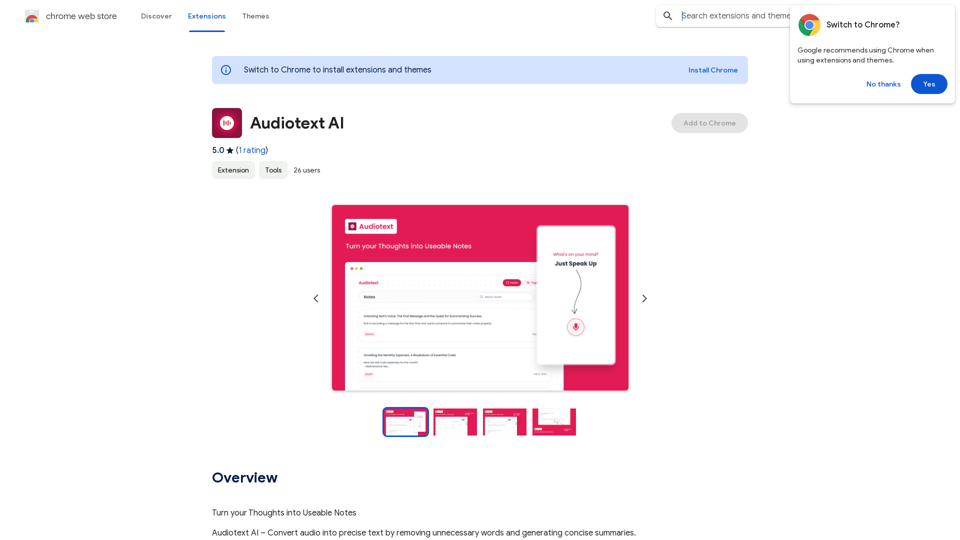
Audiotext AI is an innovative tool that transforms spoken words into concise, well-structured text. It removes unnecessary filler words and generates summaries in various styles. Users can speak naturally and select their preferred transcription style, making it an efficient solution for converting thoughts into usable notes.

Feature

Voice-to-Text Conversion

Audiotext AI accurately converts spoken words into text, including natural speech patterns and filler words. Users can speak normally, and the AI will process and refine the content.

Customizable Transcription Styles

Users can choose from various transcription styles, including short summaries, long summaries, bullet points, passive voice, and active voice. This flexibility allows for tailored output based on specific needs.

AI-Powered Rewriting

With a single click, Audiotext AI can intelligently rewrite notes according to the chosen style, enhancing clarity and coherence.

Easy Sharing

Users can quickly share their notes by toggling a switch, generating a unique link for web and social media sharing.

Multiple Use Cases

Audiotext AI supports various applications, including:

  • Note-taking
  • Content creation
  • Student lecture recording
  • Personal journaling
  • Interview transcription
  • Meeting minutes extraction

Privacy Protection

User privacy is prioritized, with no data used for training purposes. Users can delete their accounts at any time, removing all associated data.

Free Daily Usage

Users can access daily free uses of GPT-4o document reading and Dalle's image generation, providing a range of AI-powered tools for various tasks.

FAQ

How do I use Audiotext AI?

  1. Speak naturally, including filler words and pauses.
  2. Select your desired transcription style (e.g., short summary, bullet points, active voice).
  3. Click "Transcribe" to generate your text.

What are the benefits of using Audiotext AI for content creation?

Audiotext AI streamlines the content creation process by allowing bloggers, writers, and YouTubers to dictate their ideas, stories, or scripts and have them transcribed efficiently.

How can students benefit from Audiotext AI?

Students can record lectures, convert them to text, review at their own pace, highlight important points, and create comprehensive study guides.

Is there a subscription option for Audiotext AI?

Yes, if the 20 free GPT-4o conversations per day are insufficient, users can subscribe to affordable products for increased usage.

How does Audiotext AI handle user privacy?

Audiotext AI prioritizes user privacy. Your data is not used for training purposes, and you can delete your account at any time, removing all associated data.

Latest Traffic Insights

  • Monthly Visits

    193.90 M

  • Bounce Rate

    56.27%

  • Pages Per Visit

    2.71

  • Time on Site(s)

    115.91

  • Global Rank

    -

  • Country Rank

    -

Recent Visits

Traffic Sources

  • Social Media:
    0.48%
  • Paid Referrals:
    0.55%
  • Email:
    0.15%
  • Referrals:
    12.81%
  • Search Engines:
    16.21%
  • Direct:
    69.81%
More Data

Related Websites

Face Swap - AI Face Swapper
View Detail

Face Swap - AI Face Swapper

Face Swap - AI Face Swapper

Upload photos or videos to swap the face. Switch any face on photo and video. Generate magic AI face swap photos and videos.

193.90 M
Orthoscribe
View Detail

Orthoscribe

Orthoscribe

Orthographic transcription

193.90 M
Bing AI Chatbot

Bing AI Chatbot is a conversational AI developed by Microsoft, which uses natural language processing (NLP) technology to understand and respond to user queries.
View Detail

Bing AI Chatbot Bing AI Chatbot is a conversational AI developed by Microsoft, which uses natural language processing (NLP) technology to understand and respond to user queries.

Bing AI Chatbot Bing AI Chatbot is a conversational AI developed by Microsoft, which uses natural language processing (NLP) technology to understand and respond to user queries.

Enhance Chrome with Bing AI Chatbot: Unlock Bing AI chatbot conversation and easily access Bing AI for a better browsing experience.

193.90 M
MailMentor | Sales Copilot
View Detail

MailMentor | Sales Copilot

MailMentor | Sales Copilot

Find and message potential leads quickly while browsing.

193.90 M
Quest
View Detail

Quest

Quest

Find information fast.

193.90 M
AI Writing Tool - YanbiAI | yanbiai.com | Generate Quality Copy with One Click
View Detail

AI Writing Tool - YanbiAI | yanbiai.com | Generate Quality Copy with One Click

AI Writing Tool - YanbiAI | yanbiai.com | Generate Quality Copy with One Click

YanBi AI (yanbiai.com) is a leading AI writing tool that provides intelligent article creation, continuation, rewriting, and polishing services. Use our AI writing software to quickly generate high-quality content, including papers, presentations, official documents, and more, unleashing your creative potential.

13.43 K
Coursera Summary with ChatGPT and Take Notes
=====================================================

What is Coursera?

Coursera is an online learning platform that partners with top universities and organizations to offer courses and degree programs in a wide range of fields.

What is ChatGPT?

ChatGPT is a conversational AI tool that can understand and respond to human input in a human-like way. It can be used to generate text, answer questions, and even create content.

How to Use ChatGPT for Coursera Summary?

You can use ChatGPT to summarize Coursera courses by:

* Providing the course material or lecture notes to ChatGPT
* Asking ChatGPT to summarize the key points or main ideas
* Reviewing and editing the summary generated by ChatGPT

Benefits of Using ChatGPT for Coursera Summary

Using ChatGPT for Coursera summary can help you:

* Save time by automating the summarization process
* Improve understanding and retention of course material
* Focus on key concepts and ideas
* Enhance learning experience

How to Take Notes with ChatGPT?

You can use ChatGPT to take notes by:

* Providing the course material or lecture notes to ChatGPT
* Asking ChatGPT to generate notes or key points
* Reviewing and editing the notes generated by ChatGPT
* Organizing and structuring the notes for easy reference

Benefits of Using ChatGPT for Taking Notes

Using ChatGPT for taking notes can help you:

* Save time by automating the note-taking process
* Improve organization and structure of notes
* Enhance understanding and retention of course material
* Focus on key concepts and ideas
View Detail

Coursera Summary with ChatGPT and Take Notes ===================================================== What is Coursera? Coursera is an online learning platform that partners with top universities and organizations to offer courses and degree programs in a wide range of fields. What is ChatGPT? ChatGPT is a conversational AI tool that can understand and respond to human input in a human-like way. It can be used to generate text, answer questions, and even create content. How to Use ChatGPT for Coursera Summary? You can use ChatGPT to summarize Coursera courses by: * Providing the course material or lecture notes to ChatGPT * Asking ChatGPT to summarize the key points or main ideas * Reviewing and editing the summary generated by ChatGPT Benefits of Using ChatGPT for Coursera Summary Using ChatGPT for Coursera summary can help you: * Save time by automating the summarization process * Improve understanding and retention of course material * Focus on key concepts and ideas * Enhance learning experience How to Take Notes with ChatGPT? You can use ChatGPT to take notes by: * Providing the course material or lecture notes to ChatGPT * Asking ChatGPT to generate notes or key points * Reviewing and editing the notes generated by ChatGPT * Organizing and structuring the notes for easy reference Benefits of Using ChatGPT for Taking Notes Using ChatGPT for taking notes can help you: * Save time by automating the note-taking process * Improve organization and structure of notes * Enhance understanding and retention of course material * Focus on key concepts and ideas

Coursera Summary with ChatGPT and Take Notes ===================================================== What is Coursera? Coursera is an online learning platform that partners with top universities and organizations to offer courses and degree programs in a wide range of fields. What is ChatGPT? ChatGPT is a conversational AI tool that can understand and respond to human input in a human-like way. It can be used to generate text, answer questions, and even create content. How to Use ChatGPT for Coursera Summary? You can use ChatGPT to summarize Coursera courses by: * Providing the course material or lecture notes to ChatGPT * Asking ChatGPT to summarize the key points or main ideas * Reviewing and editing the summary generated by ChatGPT Benefits of Using ChatGPT for Coursera Summary Using ChatGPT for Coursera summary can help you: * Save time by automating the summarization process * Improve understanding and retention of course material * Focus on key concepts and ideas * Enhance learning experience How to Take Notes with ChatGPT? You can use ChatGPT to take notes by: * Providing the course material or lecture notes to ChatGPT * Asking ChatGPT to generate notes or key points * Reviewing and editing the notes generated by ChatGPT * Organizing and structuring the notes for easy reference Benefits of Using ChatGPT for Taking Notes Using ChatGPT for taking notes can help you: * Save time by automating the note-taking process * Improve organization and structure of notes * Enhance understanding and retention of course material * Focus on key concepts and ideas

Automate Your Learning: Coursera Videos Transcript and Summary with ChatGPT ============================================================ Are you tired of manually taking notes while watching Coursera videos? Do you wish you had a summary of the video to review later? Look no further! With the power of ChatGPT, you can now generate transcripts and summaries of Coursera videos with ease. How it Works --------------- 1. Transcribe the Video: Use a transcription tool to convert the audio from the Coursera video into text. 2. Feed it to ChatGPT: Input the transcript into ChatGPT, and it will generate a concise summary of the video. 3. Review and Refine: Review the summary, refine it as needed, and you're good to go! Benefits ------------ * Save Time: No more manual note-taking or re-watching videos to understand the content. * Improve Retention: A summary of the video helps you retain information better and review it quickly. * Enhance Learning: Focus on understanding the concepts rather than taking notes. Get Started -------------- Try it out today and take your learning to the next level!

193.90 M
Explore GPT-4 for Free Online: OpenAI's Cutting-Edge Multimodal AI Platform
View Detail

Explore GPT-4 for Free Online: OpenAI's Cutting-Edge Multimodal AI Platform

Explore GPT-4 for Free Online: OpenAI's Cutting-Edge Multimodal AI Platform

Explore the future of AI with GPT-4o, OpenAI's groundbreaking multimodal platform that interprets and generates text, visuals, and audio. Experience unparalleled speed, cost efficiency, and accessibility in AI technology. Dive into GPT-4o's capabilities and learn how it can revolutionize your interaction with AI. Perfect for tech enthusiasts, developers, and businesses aiming to enhance operational efficiency and engagement.

1.33 K