Open-source RightAI Tools Directory
  • Discover AI
  • Submit
  • Startup
  • Blog
Open-source RightAI Tools Directory
Discover the best AI tools of 2025 with the RightAI Tools Directory!

Friend Links

AI Anime GeneratorToolsApp AI

Support

Tap4
Privacy policyTerms & ConditionsContact Us
Loading...
loading...

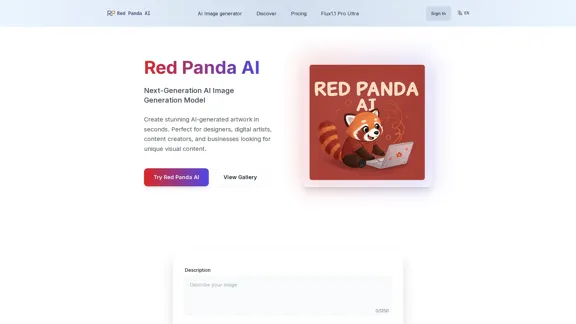
Red Panda AI | A New Future of AI Image Generation

Transform your designs with our professional AI red panda image generator. Create stunning artwork with perfect text placement, vector support, and consistent style. Start creating for free.
Visit Website
Red Panda AI | A New Future of AI Image Generation
Visit Website

Introduction

Red Panda AI is an advanced AI image generation tool that allows users to create stunning artwork in seconds. It is designed for designers, digital artists, content creators, and businesses seeking unique visual content. With features like customizable style control and industry-leading quality, Red Panda AI aims to revolutionize the way images are generated.

Feature

  1. Revolutionary Text Generation

    • Unlimited text length and precise placement.
    • Extended text support and custom font sizing.
  2. Industry-Leading Quality

    • Superior resolution and enhanced detail clarity.
    • Professional-grade output that surpasses competitors.
  3. Precise Style Control

    • Maintain consistent visual styles across generated content.
    • Custom style references and real-time style adjustments.
  4. Vector Art Support

    • Built-in vector output capabilities for scalable graphics.
    • Print-ready output and multiple format support.
  5. Brand Identity & Design

    • Create consistent visual assets for branding.
    • Generate multiple design variations from a single prompt.
  6. Marketing & Advertising

    • Convert marketing concepts into eye-catching visuals.
    • Generate multiple visual variations for A/B testing.
  7. UI/UX Design Assets

    • Create consistent visual elements for websites and applications.
    • Generate vector-based assets that scale across devices.
  8. Digital Content Creation

    • Produce unique images for blogs, social media, and digital platforms.
    • Optimize visuals with perfect text placement and consistent styling.

How to Use?

  1. Launch the Red Panda AI Image Generator and click the generate button.
  2. Enter your prompt and select the desired style.
  3. Click the generate button to create your image.
  4. Download the generated image for personal or commercial use.
  5. Share your creation with others or recommend the tool.

FAQ

What is Red Panda Image Generator?

Red Panda Image Generator is a cutting-edge tool that creates stunning images from text in seconds, ideal for image creators and enthusiasts.

How does your red panda image generator compare to other AI image generators?

It uses Recraft V3 technology, outperforming other models in image quality, text integration, and style control.

Can I generate multiple images from a single prompt with Red Panda Image Generator?

Yes, you can generate multiple images from a single prompt and download them all.

Is there a free trial available?

Yes, there is a free plan that allows limited image generation.

Can I use Red Panda Image Generator for commercial purposes?

Yes, with a premium plan, you can use the generated images commercially.

What styles can I create with the red panda image generator?

Styles include realistic photography, cartoon/anime, watercolor, digital art, and vector illustrations.

Do I need to credit the red panda AI when using the images?

No, you do not need to credit Red Panda AI.

What image formats does your generator support?

It supports high-resolution PNG, scalable SVG vectors, and JPEG formats.

Can I edit the generated images after creation?

Yes, you can edit the images using any image editing software.

How specific can I be with my image requests?

You can be very specific, including pose descriptions, environmental settings, and style preferences.

Price

  • Free plan: Limited image generation
  • Premium plan: Unlimited access (specific pricing not provided)
The price is for reference only, please refer to the latest official data for actual information.

Evaluation

  1. Red Panda AI excels in generating high-quality images quickly, making it a valuable tool for various creative professionals.
  2. The ability to generate multiple images from a single prompt enhances its usability for marketing and design purposes.
  3. However, the free plan's limitations may deter users looking for extensive image generation capabilities.
  4. While the tool offers impressive features, ongoing improvements in user interface and accessibility could further enhance the user experience.

Related Websites

TubeX: Your YouTube AI Copilot (Free Tool)
View Detail

TubeX: Your YouTube AI Copilot (Free Tool)

TubeX: Your YouTube AI Copilot (Free Tool)

Integrate the power of Gemini AI and Google Translate into your YouTube, making it a great tool for learning foreign languages

193.90 M
Journey ArtPrompt with Midjourney

This guide will walk you through creating stunning artwork using Midjourney, a powerful AI art generator. 

1. Accessing Midjourney

* You'll need a Discord account to use Midjourney. 
* Join the official Midjourney server: [https://discord.gg/midjourney](https://discord.gg/midjourney)

2. Understanding the Basics

* `/imagine` Command: This is the core command for generating images.
* Prompt:  A text description of the artwork you want to create. Be specific and descriptive!
* Parameters: Options that control aspects like image size, aspect ratio, and style.

3. Crafting Your Journey Prompt

Think about the story you want to tell with your artwork.  

* Setting: Where does your journey take place? (e.g., a mystical forest, a futuristic city, a desolate wasteland)
* Characters: Who is on this journey? (e.g., a lone traveler, a group of adventurers, mythical creatures)
* Mood: What feeling do you want to evoke? (e.g., adventurous, mysterious, hopeful, melancholic)
* Style: What artistic style appeals to you? (e.g., photorealistic, painterly, abstract)

4. Putting it Together

Combine these elements into a clear and concise prompt. 

Example:

`/imagine A lone traveler journeys through a mystical forest at sunset, bathed in golden light. The path ahead is shrouded in mist, hinting at unknown wonders. Style: painterly, ethereal`

5. Experiment and Refine

* Midjourney is all about experimentation! Try different prompts, parameters, and styles.
* Use the "upscale" command to enlarge your favorite images and reveal more detail.
* Don't be afraid to iterate and refine your prompts based on the results.
View Detail

Journey ArtPrompt with Midjourney This guide will walk you through creating stunning artwork using Midjourney, a powerful AI art generator. 1. Accessing Midjourney * You'll need a Discord account to use Midjourney. * Join the official Midjourney server: [https://discord.gg/midjourney](https://discord.gg/midjourney) 2. Understanding the Basics * `/imagine` Command: This is the core command for generating images. * Prompt: A text description of the artwork you want to create. Be specific and descriptive! * Parameters: Options that control aspects like image size, aspect ratio, and style. 3. Crafting Your Journey Prompt Think about the story you want to tell with your artwork. * Setting: Where does your journey take place? (e.g., a mystical forest, a futuristic city, a desolate wasteland) * Characters: Who is on this journey? (e.g., a lone traveler, a group of adventurers, mythical creatures) * Mood: What feeling do you want to evoke? (e.g., adventurous, mysterious, hopeful, melancholic) * Style: What artistic style appeals to you? (e.g., photorealistic, painterly, abstract) 4. Putting it Together Combine these elements into a clear and concise prompt. Example: `/imagine A lone traveler journeys through a mystical forest at sunset, bathed in golden light. The path ahead is shrouded in mist, hinting at unknown wonders. Style: painterly, ethereal` 5. Experiment and Refine * Midjourney is all about experimentation! Try different prompts, parameters, and styles. * Use the "upscale" command to enlarge your favorite images and reveal more detail. * Don't be afraid to iterate and refine your prompts based on the results.

Journey ArtPrompt with Midjourney This guide will walk you through creating stunning artwork using Midjourney, a powerful AI art generator. 1. Accessing Midjourney * You'll need a Discord account to use Midjourney. * Join the official Midjourney server: [https://discord.gg/midjourney](https://discord.gg/midjourney) 2. Understanding the Basics * `/imagine` Command: This is the core command for generating images. * Prompt: A text description of the artwork you want to create. Be specific and descriptive! * Parameters: Options that control aspects like image size, aspect ratio, and style. 3. Crafting Your Journey Prompt Think about the story you want to tell with your artwork. * Setting: Where does your journey take place? (e.g., a mystical forest, a futuristic city, a desolate wasteland) * Characters: Who is on this journey? (e.g., a lone traveler, a group of adventurers, mythical creatures) * Mood: What feeling do you want to evoke? (e.g., adventurous, mysterious, hopeful, melancholic) * Style: What artistic style appeals to you? (e.g., photorealistic, painterly, abstract) 4. Putting it Together Combine these elements into a clear and concise prompt. Example: `/imagine A lone traveler journeys through a mystical forest at sunset, bathed in golden light. The path ahead is shrouded in mist, hinting at unknown wonders. Style: painterly, ethereal` 5. Experiment and Refine * Midjourney is all about experimentation! Try different prompts, parameters, and styles. * Use the "upscale" command to enlarge your favorite images and reveal more detail. * Don't be afraid to iterate and refine your prompts based on the results.

New backgrounds with Midjourney on new tabs

193.90 M
DreamStudio
View Detail

DreamStudio

DreamStudio

DreamStudio is an AI-powered image generation platform developed by Stability AI

8.59 K
MarketingAI: You don't need more features. You need marketing.
View Detail

MarketingAI: You don't need more features. You need marketing.

MarketingAI: You don't need more features. You need marketing.

Get a 15-page marketing action plan tailored to your SaaS business, including a step-by-step guide on acquiring users and a projected return on investment (ROI).

0
G-Data Screen Data
View Detail

G-Data Screen Data

G-Data Screen Data

Use the G-Data Screen Data extension and the g-datalabs.com platform to gather screen and facial information for training artificial intelligence.

193.90 M
Komiko | Create Comics and Webtoons with AI
View Detail

Komiko | Create Comics and Webtoons with AI

Komiko | Create Comics and Webtoons with AI

Bring your stories to life with AI. Create captivating comics, webtoon, and visual stories. Design original characters and dive into limitless story worlds.

743.50 K
AI Image Editor │ Free Comprehensive Photo AI Tools
View Detail

AI Image Editor │ Free Comprehensive Photo AI Tools

AI Image Editor │ Free Comprehensive Photo AI Tools

AIImageEditor.me offers 12 Free AI image tools—from image enhancement and watermark removal to style transfer and background editing—to simplify image editing.

21.99 K
ChatMoney, ChatMoney AI, AI Monetization, CodeMood, CodeMood AI, AI Chat, AI Knowledge Base, AI Painting, ChatMoney was born for AI monetization.
View Detail

ChatMoney, ChatMoney AI, AI Monetization, CodeMood, CodeMood AI, AI Chat, AI Knowledge Base, AI Painting, ChatMoney was born for AI monetization.

ChatMoney, ChatMoney AI, AI Monetization, CodeMood, CodeMood AI, AI Chat, AI Knowledge Base, AI Painting, ChatMoney was born for AI monetization.

Here is the translation in English, keeping the original format: ChatMoney, ChatMoneyAI, CodeMore AI, CodeMore, AI Source Code, ChatAI, ChatWork, Intelligent Chat System, Knowledge Base System, Painting System, Stable Diffusion, Midjourney, AI Chat, AI Knowledge Base, AI Painting, AI System.

0