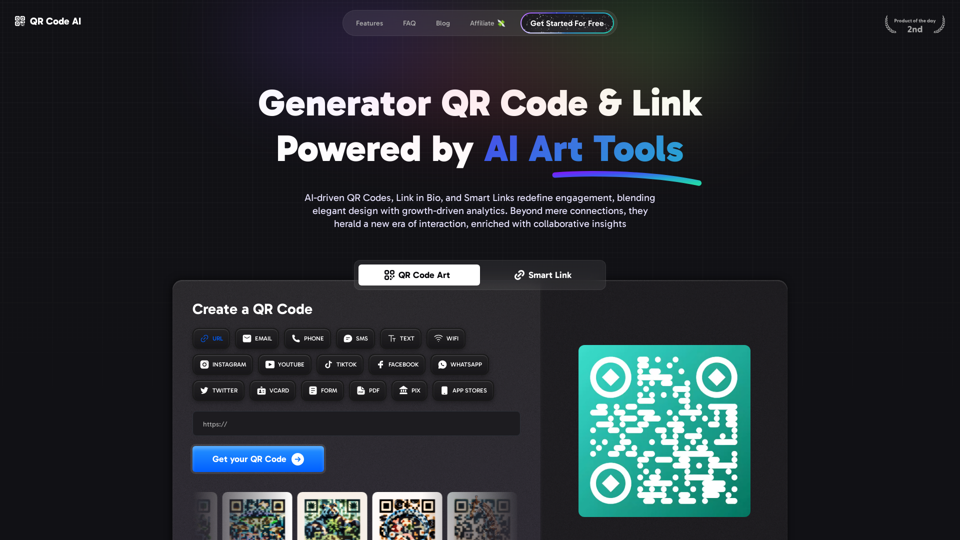
QR Code AI Art Generator is an innovative platform that combines traditional QR code functionality with artificial intelligence to create visually appealing and brand-centric designs. This tool goes beyond simple link sharing, offering a comprehensive suite of features including AI-driven QR code creation, Link in Bio functionality, Smart Links, Analytics, Workspace collaboration, and custom designs. It revolutionizes digital engagement by enhancing QR codes with artistic elements and brand-specific designs while maintaining functionality.
Free QR Code AI Art Generator (2024) • Scanner, Link in Bio, Smart Link, Analytics, Workspace, Monkey, Tiger
Create an artistic QR Code for free, featuring images, logos, colors, and shapes. Select from templates that link to your website, email, WiFi, URL, phone, UPI, PIX, or Rick Roll. Use tools like Canva, Adobe, or Google to design. Compatible with Android and iOS devices. A top alternative to QR Monkey, Tiger, Chimp, and Unitag.
Introduction
Feature
AI-Powered QR Code Art
- Custom AI Generation for unique, brand-aligned QR codes
- Adaptive QR Code Customization that matches platform styles
- Increase scan rates by up to 30% with AI-driven customization
Smart Link Technology
- Create versatile links for various platforms (Instagram, YouTube, TikTok, etc.)
- Enhance user engagement with interactive elements
Advanced Analytics
- Track scan rates and user interactions
- Gain actionable insights for marketing strategies
Team Workspace
- Collaborative environment for QR code management
- Streamlined workflow for design and analysis
Extensive Template Library
- Over 1200 templates available
- Customizable designs to match brand identity
Multi-Platform Support
| Supported Platforms |
|---|
| URL, Email, Phone, SMS, WiFi |
| Instagram, YouTube, TikTok |
| Facebook, WhatsApp, Twitter |
| vCard, Forms, PDF, App Stores |
Impressive Usage Statistics
- 2.3M QR Codes & Links created
- 8.7M Scans & Clicks
FAQ
What is QR Code Art?
QR Code Art, or QR Code AI, is an advanced version of traditional QR codes that incorporates artistic elements and brand-specific designs while maintaining functionality.
What are the benefits of using QR Codes?
QR codes offer versatility in marketing and customer engagement. They can be used to gather feedback, increase engagement through multimedia content, and promote businesses through events and coupons.
How does QR Code AI differ from traditional QR codes?
QR Code AI enhances traditional QR codes with AI-driven design elements, improved aesthetics, and integration with analytics and smart link features.
Can I customize my QR code to match my brand?
Yes, the platform offers brand adaptation features and a custom AI generation tool to create QR codes that align with your brand identity.
Is there a free version available?
The platform offers a "Get Started For Free" option, indicating that there is a free tier or trial available.
Related Websites

2. Understanding the Basics
* `/imagine` Command: This is the core command for generating images.
* Prompt: A text description of the artwork you want to create. Be specific and descriptive!
* Parameters: Options that control aspects like image size, aspect ratio, and style.
3. Crafting Your Journey Prompt
Think about the story you want to tell with your artwork.
* Setting: Where does your journey take place? (e.g., a mystical forest, a futuristic city, a desolate wasteland)
* Characters: Who is on this journey? (e.g., a lone traveler, a group of adventurers, mythical creatures)
* Mood: What feeling do you want to evoke? (e.g., adventurous, mysterious, hopeful, melancholic)
* Style: What artistic style appeals to you? (e.g., photorealistic, painterly, abstract)
4. Putting it Together
Combine these elements into a clear and concise prompt.
Example:
`/imagine A lone traveler journeys through a mystical forest at sunset, bathed in golden light. The path ahead is shrouded in mist, hinting at unknown wonders. Style: painterly, ethereal`
5. Experiment and Refine
* Midjourney is all about experimentation! Try different prompts, parameters, and styles.
* Use the "upscale" command to enlarge your favorite images and reveal more detail.
* Don't be afraid to iterate and refine your prompts based on the results.](https://static.right-ai.com/tools/2024/7/4/chromewebstore-google-com-detail-journey-artprompt-with-mi-pfjhhefanfhdijppdppillliedgaehko-thumbnail-1720092379.png "Journey ArtPrompt with Midjourney
This guide will walk you through creating stunning artwork using Midjourney, a powerful AI art generator.
1. Accessing Midjourney
* You'll need a Discord account to use Midjourney.
* Join the official Midjourney server: [https://discord.gg/midjourney](https://discord.gg/midjourney)
2. Understanding the Basics
* `/imagine` Command: This is the core command for generating images.
* Prompt: A text description of the artwork you want to create. Be specific and descriptive!
* Parameters: Options that control aspects like image size, aspect ratio, and style.
3. Crafting Your Journey Prompt
Think about the story you want to tell with your artwork.
* Setting: Where does your journey take place? (e.g., a mystical forest, a futuristic city, a desolate wasteland)
* Characters: Who is on this journey? (e.g., a lone traveler, a group of adventurers, mythical creatures)
* Mood: What feeling do you want to evoke? (e.g., adventurous, mysterious, hopeful, melancholic)
* Style: What artistic style appeals to you? (e.g., photorealistic, painterly, abstract)
4. Putting it Together
Combine these elements into a clear and concise prompt.
Example:
`/imagine A lone traveler journeys through a mystical forest at sunset, bathed in golden light. The path ahead is shrouded in mist, hinting at unknown wonders. Style: painterly, ethereal`
5. Experiment and Refine
* Midjourney is all about experimentation! Try different prompts, parameters, and styles.
* Use the \"upscale\" command to enlarge your favorite images and reveal more detail.
* Don't be afraid to iterate and refine your prompts based on the results.")
Journey ArtPrompt with Midjourney This guide will walk you through creating stunning artwork using Midjourney, a powerful AI art generator. 1. Accessing Midjourney * You'll need a Discord account to use Midjourney. * Join the official Midjourney server: [https://discord.gg/midjourney](https://discord.gg/midjourney) 2. Understanding the Basics * `/imagine` Command: This is the core command for generating images. * Prompt: A text description of the artwork you want to create. Be specific and descriptive! * Parameters: Options that control aspects like image size, aspect ratio, and style. 3. Crafting Your Journey Prompt Think about the story you want to tell with your artwork. * Setting: Where does your journey take place? (e.g., a mystical forest, a futuristic city, a desolate wasteland) * Characters: Who is on this journey? (e.g., a lone traveler, a group of adventurers, mythical creatures) * Mood: What feeling do you want to evoke? (e.g., adventurous, mysterious, hopeful, melancholic) * Style: What artistic style appeals to you? (e.g., photorealistic, painterly, abstract) 4. Putting it Together Combine these elements into a clear and concise prompt. Example: `/imagine A lone traveler journeys through a mystical forest at sunset, bathed in golden light. The path ahead is shrouded in mist, hinting at unknown wonders. Style: painterly, ethereal` 5. Experiment and Refine * Midjourney is all about experimentation! Try different prompts, parameters, and styles. * Use the "upscale" command to enlarge your favorite images and reveal more detail. * Don't be afraid to iterate and refine your prompts based on the results.
Journey ArtPrompt with Midjourney This guide will walk you through creating stunning artwork using Midjourney, a powerful AI art generator. 1. Accessing Midjourney * You'll need a Discord account to use Midjourney. * Join the official Midjourney server: [https://discord.gg/midjourney](https://discord.gg/midjourney) 2. Understanding the Basics * `/imagine` Command: This is the core command for generating images. * Prompt: A text description of the artwork you want to create. Be specific and descriptive! * Parameters: Options that control aspects like image size, aspect ratio, and style. 3. Crafting Your Journey Prompt Think about the story you want to tell with your artwork. * Setting: Where does your journey take place? (e.g., a mystical forest, a futuristic city, a desolate wasteland) * Characters: Who is on this journey? (e.g., a lone traveler, a group of adventurers, mythical creatures) * Mood: What feeling do you want to evoke? (e.g., adventurous, mysterious, hopeful, melancholic) * Style: What artistic style appeals to you? (e.g., photorealistic, painterly, abstract) 4. Putting it Together Combine these elements into a clear and concise prompt. Example: `/imagine A lone traveler journeys through a mystical forest at sunset, bathed in golden light. The path ahead is shrouded in mist, hinting at unknown wonders. Style: painterly, ethereal` 5. Experiment and Refine * Midjourney is all about experimentation! Try different prompts, parameters, and styles. * Use the "upscale" command to enlarge your favorite images and reveal more detail. * Don't be afraid to iterate and refine your prompts based on the results.New backgrounds with Midjourney on new tabs
193.90 M
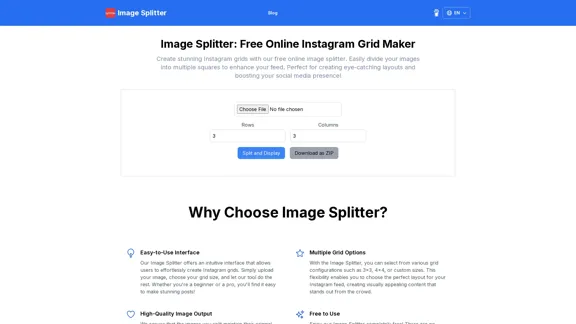
Create stunning Instagram grids with our free online image splitter. Easily divide your images into multiple squares to enhance your feed. Perfect for creating eye-catching layouts and boosting your social media presence!
0
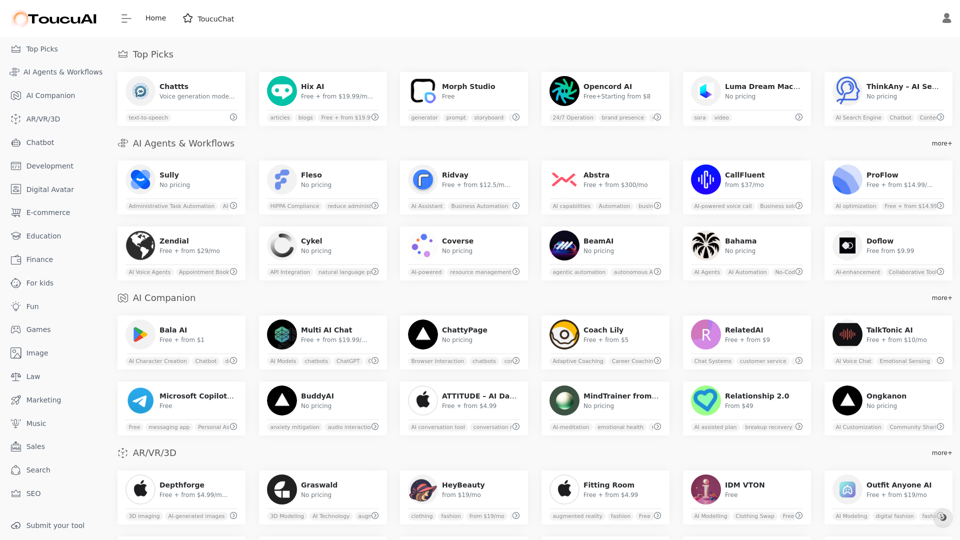
Toucu AI Directory | Curated List of over 8,000 AI Tools in 2024
Toucu AI Directory | Curated List of over 8,000 AI Tools in 2024Toucu AI Directory is a curated list of over 8,000 AI tools in 2024, providing access to a wide variety of AI technologies for different purposes.
585
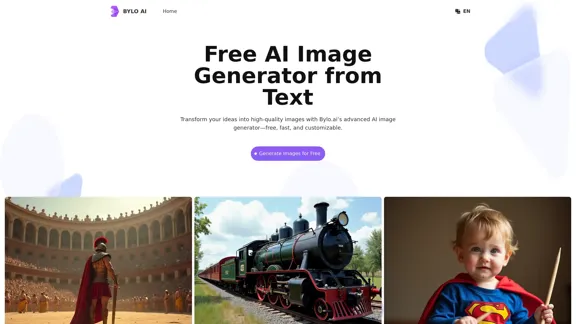
Bylo.ai: The Best Free AI Image Generator for Converting Text to Images
Bylo.ai: The Best Free AI Image Generator for Converting Text to ImagesBylo.ai is the best free AI image generator online that transforms text into stunning visuals. With advanced features like negative prompts and the Flux AI image generator, customize settings to create professional-quality images quickly.
1.57 M
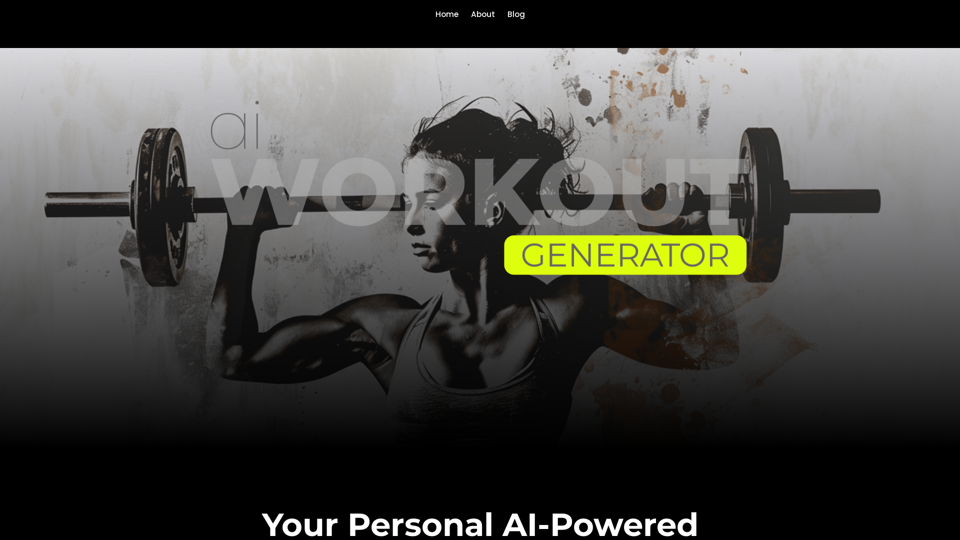
Ai Workout Generator ===================== What is an AI Workout Generator? An AI workout generator is a tool that uses artificial intelligence to create personalized workout plans tailored to an individual's fitness goals, fitness level, and preferences. How does it work? The AI workout generator uses machine learning algorithms to analyze a user's input data, such as their fitness goals, fitness level, and exercise preferences. It then generates a customized workout plan that includes a series of exercises, sets, reps, and weights tailored to the user's specific needs. Benefits of using an AI Workout Generator * Personalized workouts: The AI workout generator creates a workout plan that is tailored to the user's specific fitness goals and fitness level. * Time-saving: The AI workout generator saves time by eliminating the need to research and create a workout plan from scratch. * Increased motivation: The AI workout generator provides a sense of accountability and motivation, as users are more likely to stick to a workout plan that is tailored to their specific needs. * Improved results: The AI workout generator helps users achieve their fitness goals faster and more efficiently, as the workout plan is optimized for their specific needs. How to use an AI Workout Generator 1. Input your data: Enter your fitness goals, fitness level, and exercise preferences into the AI workout generator. 2. Select your workout type: Choose the type of workout you want to do, such as strength training, cardio, or yoga. 3. Generate your workout plan: The AI workout generator will create a customized workout plan tailored to your specific needs. 4. Start your workout: Follow the workout plan and track your progress. Conclusion An AI workout generator is a powerful tool that can help individuals achieve their fitness goals faster and more efficiently. By providing personalized workout plans, the AI workout generator saves time, increases motivation, and improves results. Whether you're a beginner or an experienced athlete, an AI workout generator can help you take your fitness to the next level.
Ai Workout Generator ===================== What is an AI Workout Generator? An AI workout generator is a tool that uses artificial intelligence to create personalized workout plans tailored to an individual's fitness goals, fitness level, and preferences. How does it work? The AI workout generator uses machine learning algorithms to analyze a user's input data, such as their fitness goals, fitness level, and exercise preferences. It then generates a customized workout plan that includes a series of exercises, sets, reps, and weights tailored to the user's specific needs. Benefits of using an AI Workout Generator * Personalized workouts: The AI workout generator creates a workout plan that is tailored to the user's specific fitness goals and fitness level. * Time-saving: The AI workout generator saves time by eliminating the need to research and create a workout plan from scratch. * Increased motivation: The AI workout generator provides a sense of accountability and motivation, as users are more likely to stick to a workout plan that is tailored to their specific needs. * Improved results: The AI workout generator helps users achieve their fitness goals faster and more efficiently, as the workout plan is optimized for their specific needs. How to use an AI Workout Generator 1. Input your data: Enter your fitness goals, fitness level, and exercise preferences into the AI workout generator. 2. Select your workout type: Choose the type of workout you want to do, such as strength training, cardio, or yoga. 3. Generate your workout plan: The AI workout generator will create a customized workout plan tailored to your specific needs. 4. Start your workout: Follow the workout plan and track your progress. Conclusion An AI workout generator is a powerful tool that can help individuals achieve their fitness goals faster and more efficiently. By providing personalized workout plans, the AI workout generator saves time, increases motivation, and improves results. Whether you're a beginner or an experienced athlete, an AI workout generator can help you take your fitness to the next level.AI generated workouts reviewed and Approved by American College of Sports Medicine certified Personal Trainers.
3.30 K