Open-source RightAI Tools Directory
  • Discover AI
  • Submit
  • Startup
  • Blog
Open-source RightAI Tools Directory
Discover the best AI tools of 2025 with the RightAI Tools Directory!

Friend Links

AI Anime GeneratorToolsApp AI

Support

Tap4
Privacy policyTerms & ConditionsContact Us
Loading...
loading...

Automated Predictive Analytics Software

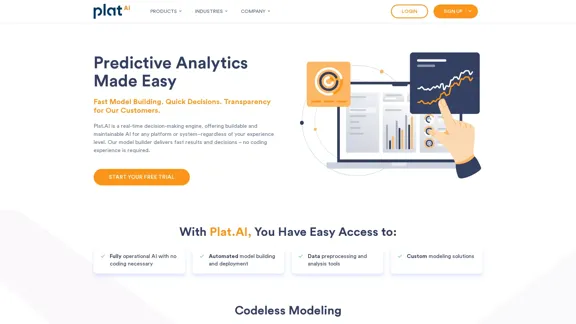
Plat.AI is predictive analytics software for building and deploying custom models using machine learning and deep learning algorithms for real-time predictions.
Visit Website
Automated Predictive Analytics Software
Visit Website

Introduction

Plat.AI is a powerful real-time decision-making engine that offers buildable and maintainable AI solutions for any platform or system. It provides automated predictive analytics software, enabling fast model building and quick decisions, regardless of the user's experience level. Plat.AI streamlines the process of creating and deploying custom AI models, making data intelligence accessible to users without coding experience.

Feature

Automated Model Building and Deployment

Plat.AI offers a streamlined process for creating and deploying AI models:

  1. Define your objective
  2. Upload and process your data
  3. Select a target and generate the model
  4. Deploy the model in one click

Codeless Modeling

Users can create and deploy automated custom models without writing a single line of code, making AI accessible to non-programmers.

Real-time Predictive Analytics

Plat.AI provides quick model setup and real-time predictive analytics, allowing for fast decision-making based on accurate insights from existing data.

Data Preprocessing and Analysis Tools

The platform offers tools for data preprocessing and analysis, ensuring that your data is properly prepared for model building.

Security & Compliance

Plat.AI ensures data security by processing all data in their U.S.-based facility. They offer deployment options on their trusted server or your own server, and use interpretable models to ensure compliance with regulatory requirements.

Personalized Approach

Plat.AI helps users understand their data through various methodologies, providing a personalized approach to AI model building.

Wide Industry Application

The platform can be used across various industries, including:

  • Finance
  • Banking
  • Fintech
  • Insurance
  • Healthcare
  • Agriculture
  • Manufacturing
  • Marketing
  • Retail
  • Oil and Gas
  • Telecommunications
  • Public Sector
  • Sports
  • Entertainment

FAQ

How long does it take to have a model up and running?

You can have your model up and running in as little as one month. After that, you can enjoy real-time predictive analytics.

Is there a free trial available?

Yes, Plat.AI offers a free 14-day trial of their model-building platform, which includes 10,000 model requests.

How does Plat.AI maintain the quality of machine-learning models?

Plat.AI provides maintenance services to keep machine-learning models up to date, supported by trained professionals.

What are the key features of Plat.AI?

Plat.AI offers several key features:

  1. Speed: Quick model setup and real-time analytics
  2. Clarity: Transparent model operations with one-on-one support
  3. Actionable Analytics: Accurate insights from existing data
  4. Security & Compliance: Ensures data security and regulatory compliance
  5. Maintenance: Keeps models updated with trained support
  6. Personalized Approach: Helps understand data via various methodologies

What solutions does Plat.AI provide?

Plat.AI provides two main solutions:

  1. Model Building and Deployment Platform as SAAS
  2. Custom Modeling Solutions

Latest Traffic Insights

  • Monthly Visits

    10.79 K

  • Bounce Rate

    40.04%

  • Pages Per Visit

    1.55

  • Time on Site(s)

    28.63

  • Global Rank

    2174681

  • Country Rank

    United States 1304807

Recent Visits

Traffic Sources

  • Social Media:
    7.09%
  • Paid Referrals:
    1.03%
  • Email:
    0.08%
  • Referrals:
    12.01%
  • Search Engines:
    39.06%
  • Direct:
    40.57%
More Data

Related Websites

UPDF AI: The GPT-4 Powered AI for PDF Questions and More
View Detail

UPDF AI: The GPT-4 Powered AI for PDF Questions and More

UPDF AI: The GPT-4 Powered AI for PDF Questions and More

UPDF AI with GPT-4 integrated to enhance productivity by summarizing, translating, explaining, rewriting, etc., for PDFs or anything!

1.61 M
PCSports – Sports for everyone
View Detail

PCSports – Sports for everyone

PCSports – Sports for everyone

0
RehearseNow - AI Scene Partners
View Detail

RehearseNow - AI Scene Partners

RehearseNow - AI Scene Partners

Rehearse with responsive, natural-sounding AI characters anytime, anywhere. Perfect for actors, voice actors, and anyone practicing scripts.

1.91 K
Filo - AI Email Client & To-Do
View Detail

Filo - AI Email Client & To-Do

Filo - AI Email Client & To-Do

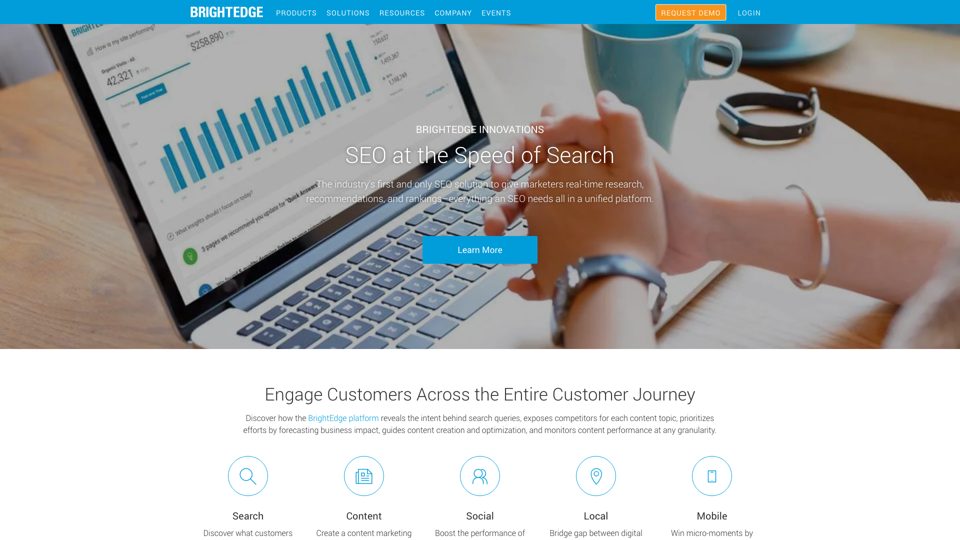
Turn overwhelming emails into clear summaries, quick replies, and AI-generated to-dos in one second.

6.31 K
SharpAPI - Automate with AI-powered API, AI automation for: E-Commerce, Marketing, Content Management, HR Tech, Travel -
View Detail

SharpAPI - Automate with AI-powered API, AI automation for: E-Commerce, Marketing, Content Management, HR Tech, Travel -

SharpAPI - Automate with AI-powered API, AI automation for: E-Commerce, Marketing, Content Management, HR Tech, Travel -

Leverage AI API to streamline workflow in E-Commerce, Marketing, Content Management, HR Tech, Travel, and more.

2.92 K
Copilot for Microsoft 365 – Microsoft Adoption

Copilot for Microsoft 365 is a powerful AI assistant that helps you work smarter and faster across Microsoft 365 apps and services. It combines the power of large language models (LLMs) with your organization's data in the Microsoft Graph and Microsoft 365 apps to turn your words into the most powerful productivity tool on the planet.

Copilot is designed to help you:

β€’ Unleash creativity
β€’ Unlock productivity
β€’ Uplevel skills

Copilot is built on Microsoft's comprehensive approach to security, compliance, and privacy. Copilot in Microsoft 365 apps and services:

β€’ Does not use your data to train the underlying LLM
β€’ Does not replace human ingenuity and judgment
β€’ Is designed to keep humans in the loop

Copilot is currently available in Word, Excel, PowerPoint, Outlook, Teams, and more.

Getting Started with Copilot

To get started with Copilot, follow these steps:

1. Check availability: Ensure your organization has access to Copilot.
2. Learn the basics: Familiarize yourself with Copilot's capabilities and how to use it effectively.
3. Explore use cases: Discover how Copilot can help you in your specific role and tasks.
4. Practice and refine: Use Copilot regularly and refine your prompts for better results.
5. Share and collaborate: Collaborate with colleagues using Copilot and share best practices.

Best Practices for Using Copilot

1. Be specific in your prompts
2. Provide context for better results
3. Review and edit Copilot's output
4. Use Copilot as a starting point, not a final product
5. Experiment with different approaches
6. Stay informed about new features and updates

Copilot in Different Microsoft 365 Apps

β€’ Word: Draft, edit, summarize, and rewrite content
β€’ Excel: Analyze data, create formulas, and generate insights
β€’ PowerPoint: Create presentations, design slides, and generate content
β€’ Outlook: Compose emails, summarize threads, and manage your inbox
β€’ Teams: Summarize meetings, generate action items, and create meeting notes

Responsible AI and Copilot

Microsoft is committed to developing AI systems responsibly. When using Copilot, keep in mind:

β€’ AI-generated content may contain biases or inaccuracies
β€’ Always review and verify Copilot's output
β€’ Use your judgment and expertise alongside Copilot's suggestions
β€’ Be aware of your organization's policies regarding AI use

Conclusion

Copilot for Microsoft 365 is a powerful tool that can significantly enhance your productivity and creativity. By understanding its capabilities, following best practices, and using it responsibly, you can make the most of this AI assistant in your daily work.
View Detail

Copilot for Microsoft 365 – Microsoft Adoption Copilot for Microsoft 365 is a powerful AI assistant that helps you work smarter and faster across Microsoft 365 apps and services. It combines the power of large language models (LLMs) with your organization's data in the Microsoft Graph and Microsoft 365 apps to turn your words into the most powerful productivity tool on the planet. Copilot is designed to help you: β€’ Unleash creativity β€’ Unlock productivity β€’ Uplevel skills Copilot is built on Microsoft's comprehensive approach to security, compliance, and privacy. Copilot in Microsoft 365 apps and services: β€’ Does not use your data to train the underlying LLM β€’ Does not replace human ingenuity and judgment β€’ Is designed to keep humans in the loop Copilot is currently available in Word, Excel, PowerPoint, Outlook, Teams, and more. Getting Started with Copilot To get started with Copilot, follow these steps: 1. Check availability: Ensure your organization has access to Copilot. 2. Learn the basics: Familiarize yourself with Copilot's capabilities and how to use it effectively. 3. Explore use cases: Discover how Copilot can help you in your specific role and tasks. 4. Practice and refine: Use Copilot regularly and refine your prompts for better results. 5. Share and collaborate: Collaborate with colleagues using Copilot and share best practices. Best Practices for Using Copilot 1. Be specific in your prompts 2. Provide context for better results 3. Review and edit Copilot's output 4. Use Copilot as a starting point, not a final product 5. Experiment with different approaches 6. Stay informed about new features and updates Copilot in Different Microsoft 365 Apps β€’ Word: Draft, edit, summarize, and rewrite content β€’ Excel: Analyze data, create formulas, and generate insights β€’ PowerPoint: Create presentations, design slides, and generate content β€’ Outlook: Compose emails, summarize threads, and manage your inbox β€’ Teams: Summarize meetings, generate action items, and create meeting notes Responsible AI and Copilot Microsoft is committed to developing AI systems responsibly. When using Copilot, keep in mind: β€’ AI-generated content may contain biases or inaccuracies β€’ Always review and verify Copilot's output β€’ Use your judgment and expertise alongside Copilot's suggestions β€’ Be aware of your organization's policies regarding AI use Conclusion Copilot for Microsoft 365 is a powerful tool that can significantly enhance your productivity and creativity. By understanding its capabilities, following best practices, and using it responsibly, you can make the most of this AI assistant in your daily work.

Copilot for Microsoft 365 – Microsoft Adoption Copilot for Microsoft 365 is a powerful AI assistant that helps you work smarter and faster across Microsoft 365 apps and services. It combines the power of large language models (LLMs) with your organization's data in the Microsoft Graph and Microsoft 365 apps to turn your words into the most powerful productivity tool on the planet. Copilot is designed to help you: β€’ Unleash creativity β€’ Unlock productivity β€’ Uplevel skills Copilot is built on Microsoft's comprehensive approach to security, compliance, and privacy. Copilot in Microsoft 365 apps and services: β€’ Does not use your data to train the underlying LLM β€’ Does not replace human ingenuity and judgment β€’ Is designed to keep humans in the loop Copilot is currently available in Word, Excel, PowerPoint, Outlook, Teams, and more. Getting Started with Copilot To get started with Copilot, follow these steps: 1. Check availability: Ensure your organization has access to Copilot. 2. Learn the basics: Familiarize yourself with Copilot's capabilities and how to use it effectively. 3. Explore use cases: Discover how Copilot can help you in your specific role and tasks. 4. Practice and refine: Use Copilot regularly and refine your prompts for better results. 5. Share and collaborate: Collaborate with colleagues using Copilot and share best practices. Best Practices for Using Copilot 1. Be specific in your prompts 2. Provide context for better results 3. Review and edit Copilot's output 4. Use Copilot as a starting point, not a final product 5. Experiment with different approaches 6. Stay informed about new features and updates Copilot in Different Microsoft 365 Apps β€’ Word: Draft, edit, summarize, and rewrite content β€’ Excel: Analyze data, create formulas, and generate insights β€’ PowerPoint: Create presentations, design slides, and generate content β€’ Outlook: Compose emails, summarize threads, and manage your inbox β€’ Teams: Summarize meetings, generate action items, and create meeting notes Responsible AI and Copilot Microsoft is committed to developing AI systems responsibly. When using Copilot, keep in mind: β€’ AI-generated content may contain biases or inaccuracies β€’ Always review and verify Copilot's output β€’ Use your judgment and expertise alongside Copilot's suggestions β€’ Be aware of your organization's policies regarding AI use Conclusion Copilot for Microsoft 365 is a powerful tool that can significantly enhance your productivity and creativity. By understanding its capabilities, following best practices, and using it responsibly, you can make the most of this AI assistant in your daily work.

Microsoft Copilot combines the power of large language models (LLMs) with your organization's data to turn your words into one of the most powerful productivity tools on the planet.

608.60 K
AI Just Works β€”β€” discover AIs using AI
View Detail

AI Just Works β€”β€” discover AIs using AI

AI Just Works β€”β€” discover AIs using AI

AI Just Works: Discover the Best AI Tools for Your Needs, designed to find AI solutions for your business.

0
Yes or No | Tool for Making Decisions & Generating Random Answers
View Detail

Yes or No | Tool for Making Decisions & Generating Random Answers

Yes or No | Tool for Making Decisions & Generating Random Answers

Make difficult decisions easier with YesOrNo.run - the yes or no decision maker. Use our simple online decision maker to get instant answers to your questions.

0