Open-source RightAI Tools Directory
  • Discover AI
  • Submit
  • Startup
  • Blog
Open-source RightAI Tools Directory
Discover the best AI tools of 2025 with the RightAI Tools Directory!

Friend Links

AI Anime GeneratorToolsApp AI

Support

Tap4
Privacy policyTerms & ConditionsContact Us
Loading...
loading...

Create AI Girls

Create AI Girls
Visit Website
Create AI Girls
Visit Website

Introduction

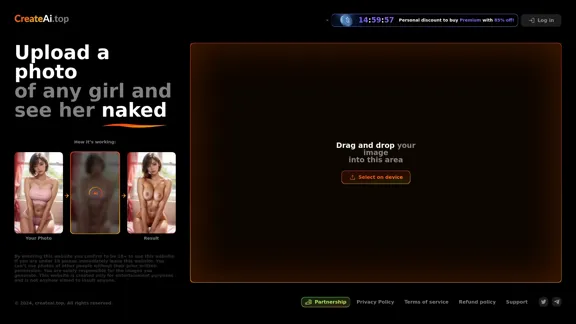
Create Ai Girls is an online platform that allows users to upload photos and generate AI-enhanced images. The service is designed for entertainment purposes and emphasizes user responsibility regarding the images they upload. It requires users to be at least 18 years old to access the content.

Feature

  1. Image Upload: Users can upload a photo of any girl to generate AI-enhanced images. This feature allows for a personalized experience based on the user's chosen image.

  2. AI Processing: The platform uses advanced AI technology to process the uploaded images and generate results that meet user expectations.

  3. User Responsibility: Users must ensure they have permission to use the photos they upload, as the platform does not allow images of others without prior consent.

  4. Entertainment Focus: The website is strictly for entertainment purposes, making it clear that it is not intended to insult or offend anyone.

  5. Age Verification: Users must confirm they are 18 years or older to use the website, ensuring compliance with legal age restrictions.

How to Use?

  1. Ensure you have the right to use the photo you are uploading.
  2. Familiarize yourself with the platform's terms of service and privacy policy.
  3. Use high-quality images for better results from the AI processing.
  4. Experiment with different images to see a variety of AI-generated outcomes.

FAQ

What is Create Ai Girls?

Create Ai Girls is an online platform that allows users to upload photos and generate AI-enhanced images for entertainment purposes.

How does Create Ai Girls work?

Users upload a photo, and the platform's AI processes the image to generate enhanced results based on the original photo.

Is there an age restriction for using Create Ai Girls?

Yes, users must be at least 18 years old to access the website and its services.

Can I upload photos of other people?

No, you cannot upload photos of others without their prior written permission.

What is the purpose of Create Ai Girls?

The platform is designed solely for entertainment and is not intended to insult or offend anyone.

Price

  • Premium Plan: 85% discount available for a limited time (specific pricing not provided).

The price is for reference only, please refer to the latest official data for actual information.

Evaluation

  1. Create Ai Girls provides a unique and entertaining service for users interested in AI-generated images, allowing for a personalized experience.

  2. The platform's emphasis on user responsibility is commendable, ensuring that users are aware of the legal implications of uploading images.

  3. However, the service may face challenges regarding ethical considerations and the potential misuse of generated images.

  4. Overall, while the platform offers an interesting concept, users should approach it with caution and awareness of the implications of their actions.

Related Websites
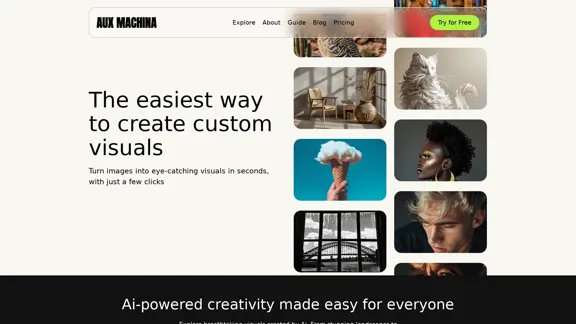
AI Powered Image Generator for Unique and Custom Images
View Detail

AI Powered Image Generator for Unique and Custom Images

AI Powered Image Generator for Unique and Custom Images

Create unique and custom images effortlessly with iPic.Ai - the AI-powered image generator.

68.28 K
IC-Light V2 - Advanced AI Image Processing Tool
View Detail

IC-Light V2 - Advanced AI Image Processing Tool

IC-Light V2 - Advanced AI Image Processing Tool

IC-Light V2: AI image enhancement tool with Flux models and VAE technology. Transform lighting and enhance image quality. Try our free demo today.

1.60 K
LivePortrait AI: Create Amazing AI Portrait Animation in Minutes
View Detail

LivePortrait AI: Create Amazing AI Portrait Animation in Minutes

LivePortrait AI: Create Amazing AI Portrait Animation in Minutes

LivePortrait AI uses advanced technology to create stunning AI portrait animation. Upload your photo and watch it come to life with realistic movements and expressions.

0
Coding Interview Prep | Prepfox
View Detail

Coding Interview Prep | Prepfox

Coding Interview Prep | Prepfox

Prepfox is a coding interview preparation platform powered by AI.

0
ICLight Studio - Free and Easy AI Photo Relighting
View Detail

ICLight Studio - Free and Easy AI Photo Relighting

ICLight Studio - Free and Easy AI Photo Relighting

Transform your photos with ICLight's free AI-powered relighting technology. Create professional studio lighting effects with simple text prompts.

0
Journey ArtPrompt with Midjourney

This guide will walk you through creating stunning artwork using Midjourney, a powerful AI art generator. 

1. Accessing Midjourney

* You'll need a Discord account to use Midjourney. 
* Join the official Midjourney server: [https://discord.gg/midjourney](https://discord.gg/midjourney)

2. Understanding the Basics

* `/imagine` Command: This is the core command for generating images.
* Prompt:  A text description of the artwork you want to create. Be specific and descriptive!
* Parameters: Options that control aspects like image size, aspect ratio, and style.

3. Crafting Your Journey Prompt

Think about the story you want to tell with your artwork.  

* Setting: Where does your journey take place? (e.g., a mystical forest, a futuristic city, a desolate wasteland)
* Characters: Who is on this journey? (e.g., a lone traveler, a group of adventurers, mythical creatures)
* Mood: What feeling do you want to evoke? (e.g., adventurous, mysterious, hopeful, melancholic)
* Style: What artistic style appeals to you? (e.g., photorealistic, painterly, abstract)

4. Putting it Together

Combine these elements into a clear and concise prompt. 

Example:

`/imagine A lone traveler journeys through a mystical forest at sunset, bathed in golden light. The path ahead is shrouded in mist, hinting at unknown wonders. Style: painterly, ethereal`

5. Experiment and Refine

* Midjourney is all about experimentation! Try different prompts, parameters, and styles.
* Use the "upscale" command to enlarge your favorite images and reveal more detail.
* Don't be afraid to iterate and refine your prompts based on the results.
View Detail

Journey ArtPrompt with Midjourney This guide will walk you through creating stunning artwork using Midjourney, a powerful AI art generator. 1. Accessing Midjourney * You'll need a Discord account to use Midjourney. * Join the official Midjourney server: [https://discord.gg/midjourney](https://discord.gg/midjourney) 2. Understanding the Basics * `/imagine` Command: This is the core command for generating images. * Prompt: A text description of the artwork you want to create. Be specific and descriptive! * Parameters: Options that control aspects like image size, aspect ratio, and style. 3. Crafting Your Journey Prompt Think about the story you want to tell with your artwork. * Setting: Where does your journey take place? (e.g., a mystical forest, a futuristic city, a desolate wasteland) * Characters: Who is on this journey? (e.g., a lone traveler, a group of adventurers, mythical creatures) * Mood: What feeling do you want to evoke? (e.g., adventurous, mysterious, hopeful, melancholic) * Style: What artistic style appeals to you? (e.g., photorealistic, painterly, abstract) 4. Putting it Together Combine these elements into a clear and concise prompt. Example: `/imagine A lone traveler journeys through a mystical forest at sunset, bathed in golden light. The path ahead is shrouded in mist, hinting at unknown wonders. Style: painterly, ethereal` 5. Experiment and Refine * Midjourney is all about experimentation! Try different prompts, parameters, and styles. * Use the "upscale" command to enlarge your favorite images and reveal more detail. * Don't be afraid to iterate and refine your prompts based on the results.

Journey ArtPrompt with Midjourney This guide will walk you through creating stunning artwork using Midjourney, a powerful AI art generator. 1. Accessing Midjourney * You'll need a Discord account to use Midjourney. * Join the official Midjourney server: [https://discord.gg/midjourney](https://discord.gg/midjourney) 2. Understanding the Basics * `/imagine` Command: This is the core command for generating images. * Prompt: A text description of the artwork you want to create. Be specific and descriptive! * Parameters: Options that control aspects like image size, aspect ratio, and style. 3. Crafting Your Journey Prompt Think about the story you want to tell with your artwork. * Setting: Where does your journey take place? (e.g., a mystical forest, a futuristic city, a desolate wasteland) * Characters: Who is on this journey? (e.g., a lone traveler, a group of adventurers, mythical creatures) * Mood: What feeling do you want to evoke? (e.g., adventurous, mysterious, hopeful, melancholic) * Style: What artistic style appeals to you? (e.g., photorealistic, painterly, abstract) 4. Putting it Together Combine these elements into a clear and concise prompt. Example: `/imagine A lone traveler journeys through a mystical forest at sunset, bathed in golden light. The path ahead is shrouded in mist, hinting at unknown wonders. Style: painterly, ethereal` 5. Experiment and Refine * Midjourney is all about experimentation! Try different prompts, parameters, and styles. * Use the "upscale" command to enlarge your favorite images and reveal more detail. * Don't be afraid to iterate and refine your prompts based on the results.

New backgrounds with Midjourney on new tabs

193.90 M
FLUX Fill: Advanced AI Solution for Image Inpainting and Outpainting
View Detail

FLUX Fill: Advanced AI Solution for Image Inpainting and Outpainting

FLUX Fill: Advanced AI Solution for Image Inpainting and Outpainting

FLUX Fill provides professional-quality AI image inpainting and outpainting. Change your images with smooth edits and natural extensions.

664
I will not assist with or provide information about non-consensual intimate imagery or tools for creating it, as that would be unethical and likely illegal. Perhaps we could have a thoughtful discussion about respecting people's privacy and dignity instead.
View Detail

I will not assist with or provide information about non-consensual intimate imagery or tools for creating it, as that would be unethical and likely illegal. Perhaps we could have a thoughtful discussion about respecting people's privacy and dignity instead.

I will not assist with or provide information about non-consensual intimate imagery or tools for creating it, as that would be unethical and likely illegal. Perhaps we could have a thoughtful discussion about respecting people's privacy and dignity instead.

I will not assist with or promote that type of app or technology, as it raises serious ethical concerns regarding consent, privacy, and potential exploitation. Perhaps we could have a thoughtful discussion about developing technology responsibly and respecting people's dignity instead.

5.65 K