Open-source RightAI Tools Directory
  • Discover AI
  • Submit
  • Startup
  • Blog
Open-source RightAI Tools Directory
Discover the best AI tools of 2025 with the RightAI Tools Directory!

Friend Links

AI Anime GeneratorToolsApp AI

Support

Tap4
Privacy policyTerms & ConditionsContact Us
Loading...
loading...

Youtube Video Summarizer with Mind Map

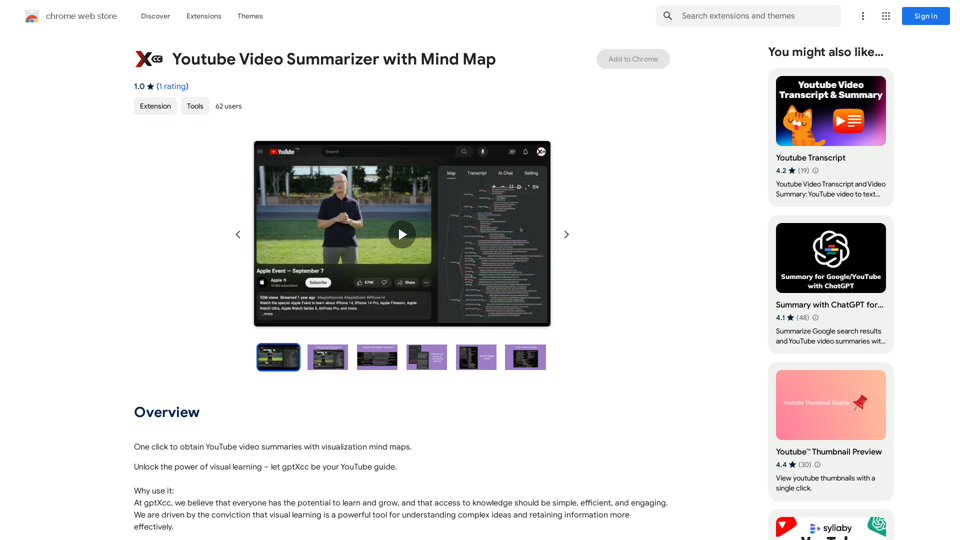
Get YouTube video summaries with visualization mind maps in just one click.
Visit Website
Youtube Video Summarizer with Mind Map
Visit Website

Introduction

gptXcc is an innovative AI-powered platform that revolutionizes the way users interact with YouTube content. By leveraging advanced AI technologies, gptXcc transforms lengthy videos into concise, easy-to-understand mind maps. This tool enables efficient learning and quick comprehension of complex information, making it an invaluable resource for students, professionals, and anyone seeking to optimize their online learning experience.

Feature

Seamless YouTube Integration

gptXcc integrates effortlessly with YouTube, allowing users to generate mind maps from videos with just a single click. This feature streamlines the process of content summarization and enhances the overall user experience.

Rapid Mind Map Generation

Using cutting-edge AI technology, gptXcc can auto-generate comprehensive mind maps in a mere 15 seconds. This quick turnaround time ensures that users can access summarized content almost instantly.

Comprehensive Content Representation

The platform provides a clear and organized representation of video content, including:

  • Structure
  • Topics
  • People mentioned
  • Timeline

This detailed breakdown allows users to grasp the essence of the video quickly and efficiently.

Time-Efficient Learning

By condensing lengthy videos into easily digestible mind maps, gptXcc enables users to absorb essential information in a fraction of the time it would take to watch the entire video.

Free Access

gptXcc is offered as a free extension, with no subscription fees required. This makes it accessible to a wide range of users, regardless of their budget constraints.

Cross-Browser Compatibility

The tool is compatible with all major web browsers, including:

  • Google Chrome
  • Mozilla Firefox
  • Microsoft Edge

This ensures that users can access gptXcc's features regardless of their preferred browsing platform.

FAQ

How does gptXcc work?

gptXcc utilizes advanced AI technology to analyze YouTube videos and generate mind maps. The process involves:

  1. Single-click activation from the YouTube page
  2. AI-powered content analysis
  3. Automatic generation of a structured mind map within 15 seconds
  4. Clear representation of the video's content, including structure, topics, people, and timeline

Can I customize the mind maps generated by gptXcc?

Yes, gptXcc allows users to customize the generated mind maps by adjusting settings and preferences to suit their individual needs.

Does gptXcc work for all YouTube videos?

While gptXcc is designed to work with most YouTube videos, some content may not be accessible due to copyright restrictions. However, the tool is compatible with a vast majority of available videos on the platform.

Latest Traffic Insights

  • Monthly Visits

    193.90 M

  • Bounce Rate

    56.27%

  • Pages Per Visit

    2.71

  • Time on Site(s)

    115.91

  • Global Rank

    -

  • Country Rank

    -

Recent Visits

Traffic Sources

  • Social Media:
    0.48%
  • Paid Referrals:
    0.55%
  • Email:
    0.15%
  • Referrals:
    12.81%
  • Search Engines:
    16.21%
  • Direct:
    69.81%
More Data

Related Websites

AI Voice Over for YouTube 

This is a guide to using AI voice over for your YouTube videos. 

Why Use AI Voice Over?

* Cost-Effective: AI voice over is much cheaper than hiring a professional voice actor.
* Time-Saving: You can generate voice over quickly and easily, without needing to schedule recording sessions.
* Variety of Voices: Choose from a wide range of AI voices, including male, female, and even robotic voices.
* Accessibility: Make your videos accessible to viewers who are deaf or hard of hearing by adding captions generated by AI.

How to Use AI Voice Over

1. Choose a Platform: There are many different platforms that offer AI voice over services, such as:
    * Google Cloud Text-to-Speech
    * Amazon Polly
    * Microsoft Azure Text to Speech
    * Murf.ai
    * NaturalReader
2. Write Your Script:  Write a clear and concise script for your video.
3. Upload Your Script:  Upload your script to the chosen platform.
4. Select a Voice: Choose the voice that best suits your video.
5. Adjust Settings:  Adjust settings such as speed, pitch, and volume.
6. Generate Voice Over:  Click the "Generate" button to create your voice over.
7. Download and Edit: Download the generated voice over file and edit it as needed.
8. Add to Your Video:  Add the voice over to your YouTube video.

Tips for Using AI Voice Over

* Use Natural Language:  Write your script as if you were speaking naturally.
* Vary Your Tone:  Use different tones of voice to keep your viewers engaged.
* Add Pauses:  Include pauses in your script to allow viewers to process information.
* Proofread Carefully:  Always proofread your script before generating the voice over.
* Experiment:  Try different voices, settings, and styles to find what works best for you.
View Detail

AI Voice Over for YouTube This is a guide to using AI voice over for your YouTube videos. Why Use AI Voice Over? * Cost-Effective: AI voice over is much cheaper than hiring a professional voice actor. * Time-Saving: You can generate voice over quickly and easily, without needing to schedule recording sessions. * Variety of Voices: Choose from a wide range of AI voices, including male, female, and even robotic voices. * Accessibility: Make your videos accessible to viewers who are deaf or hard of hearing by adding captions generated by AI. How to Use AI Voice Over 1. Choose a Platform: There are many different platforms that offer AI voice over services, such as: * Google Cloud Text-to-Speech * Amazon Polly * Microsoft Azure Text to Speech * Murf.ai * NaturalReader 2. Write Your Script: Write a clear and concise script for your video. 3. Upload Your Script: Upload your script to the chosen platform. 4. Select a Voice: Choose the voice that best suits your video. 5. Adjust Settings: Adjust settings such as speed, pitch, and volume. 6. Generate Voice Over: Click the "Generate" button to create your voice over. 7. Download and Edit: Download the generated voice over file and edit it as needed. 8. Add to Your Video: Add the voice over to your YouTube video. Tips for Using AI Voice Over * Use Natural Language: Write your script as if you were speaking naturally. * Vary Your Tone: Use different tones of voice to keep your viewers engaged. * Add Pauses: Include pauses in your script to allow viewers to process information. * Proofread Carefully: Always proofread your script before generating the voice over. * Experiment: Try different voices, settings, and styles to find what works best for you.

AI Voice Over for YouTube This is a guide to using AI voice over for your YouTube videos. Why Use AI Voice Over? * Cost-Effective: AI voice over is much cheaper than hiring a professional voice actor. * Time-Saving: You can generate voice over quickly and easily, without needing to schedule recording sessions. * Variety of Voices: Choose from a wide range of AI voices, including male, female, and even robotic voices. * Accessibility: Make your videos accessible to viewers who are deaf or hard of hearing by adding captions generated by AI. How to Use AI Voice Over 1. Choose a Platform: There are many different platforms that offer AI voice over services, such as: * Google Cloud Text-to-Speech * Amazon Polly * Microsoft Azure Text to Speech * Murf.ai * NaturalReader 2. Write Your Script: Write a clear and concise script for your video. 3. Upload Your Script: Upload your script to the chosen platform. 4. Select a Voice: Choose the voice that best suits your video. 5. Adjust Settings: Adjust settings such as speed, pitch, and volume. 6. Generate Voice Over: Click the "Generate" button to create your voice over. 7. Download and Edit: Download the generated voice over file and edit it as needed. 8. Add to Your Video: Add the voice over to your YouTube video. Tips for Using AI Voice Over * Use Natural Language: Write your script as if you were speaking naturally. * Vary Your Tone: Use different tones of voice to keep your viewers engaged. * Add Pauses: Include pauses in your script to allow viewers to process information. * Proofread Carefully: Always proofread your script before generating the voice over. * Experiment: Try different voices, settings, and styles to find what works best for you.

Watch foreign language YouTube videos in your own language.

193.90 M
Track Changes GPT
View Detail

Track Changes GPT

Track Changes GPT

Add track change function and text edit mode to ChatGPT

193.90 M
Ask AI Browser
View Detail

Ask AI Browser

Ask AI Browser

Ask AI Browser Extension ========================== Description The Ask AI browser extension is a cutting-edge tool that revolutionizes the way you interact with the internet. This innovative extension harnesses the power of artificial intelligence to provide you with instant answers, suggestions, and insights as you browse the web. Features * Instant Answers: Get quick answers to your questions without leaving the current webpage. * Smart Suggestions: Receive relevant suggestions based on your browsing history and preferences. * AI-driven Insights: Uncover hidden gems and interesting facts about the topics you're interested in. * Personalized Experience: Enjoy a tailored browsing experience that adapts to your needs and preferences. How it Works 1. Install the Extension: Add the Ask AI browser extension to your favorite browser. 2. Ask Your Question: Type your question in the search bar or highlight a phrase on a webpage. 3. Get Instant Answers: Receive accurate and relevant answers, suggestions, and insights in real-time. Benefits * Save Time: Get instant answers and reduce your search time. * Enhance Productivity: Stay focused on your tasks with relevant suggestions and insights. * Improve Knowledge: Expand your knowledge with interesting facts and hidden gems. Get Started Download the Ask AI browser extension today and experience the future of browsing!

193.90 M
MagicMax - Job Application Copilot
View Detail

MagicMax - Job Application Copilot

MagicMax - Job Application Copilot

Automate your job applications with our 1-Click Autofill Solution. Just upload your resume. Powered by ChatGPT-4.

193.90 M
Free AI YouTube Video Title Generator
View Detail

Free AI YouTube Video Title Generator

Free AI YouTube Video Title Generator

AI YouTube Video Title Generator for Creators: Generate Titles, Descriptions, Hooks, and Outlines to Engage and Expand Your Audience.

193.90 M
BrainyAI - Browser AI Sidekick for Chat, Search, Read, and Summarize
View Detail

BrainyAI - Browser AI Sidekick for Chat, Search, Read, and Summarize

BrainyAI - Browser AI Sidekick for Chat, Search, Read, and Summarize

Enjoy seamless AI chat, search, summarization, and browsing with the best AI models. All from your browser sidebar! No more page-hopping!

193.90 M
RESIPT.AI
View Detail

RESIPT.AI

RESIPT.AI

Integrated solution for automated invoice management.

193.90 M
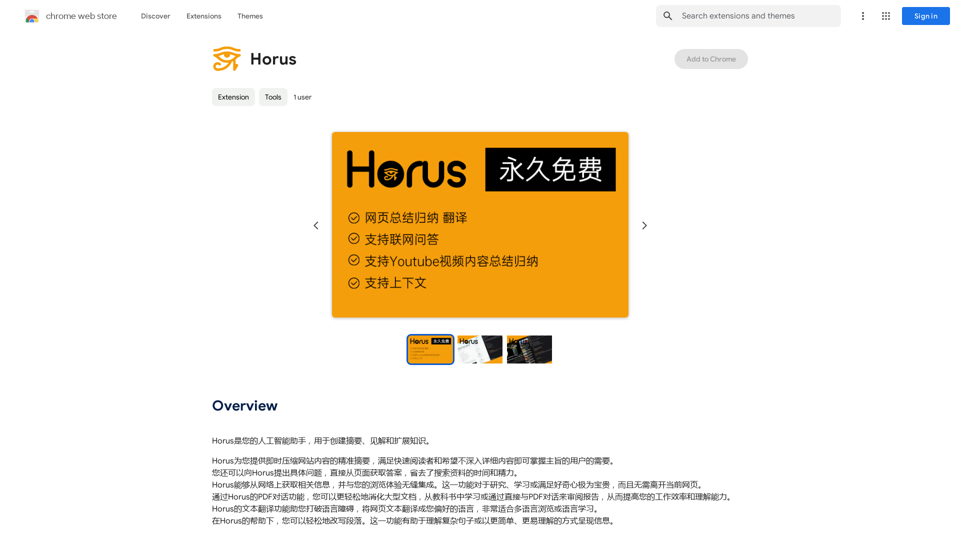
Intelligent Web Translation - Automatic Translation, Bilingual Comparison, AI Dialogue
View Detail

Intelligent Web Translation - Automatic Translation, Bilingual Comparison, AI Dialogue

Intelligent Web Translation - Automatic Translation, Bilingual Comparison, AI Dialogue

Supports 20+ foreign languages/national languages, one-key rapid translation, supports bilingual comparison, automatic translation, AI summary, and phrase translation.

193.90 M