Open-source RightAI Tools Directory
  • Discover AI
  • Submit
  • Startup
  • Blog
Open-source RightAI Tools Directory
Discover the best AI tools of 2025 with the RightAI Tools Directory!

Friend Links

AI Anime GeneratorToolsApp AI

Support

Tap4
Privacy policyTerms & ConditionsContact Us
Loading...
loading...

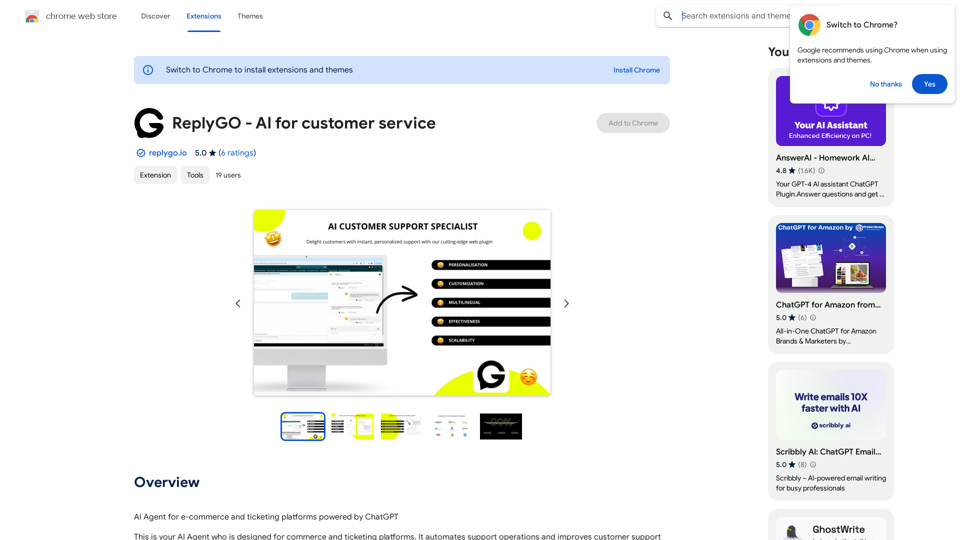
ReplyGO - AI for Customer Service

AI Agent for e-commerce and ticketing platforms powered by ChatGPT
Visit Website
ReplyGO - AI for Customer Service
Visit Website

Introduction

ReplyGO is an AI-powered customer service platform designed for e-commerce and ticketing platforms. It utilizes ChatGPT technology to automate support operations, enhancing customer support productivity and efficiency. ReplyGO simplifies customer interactions on platforms like Amazon, Etsy, Zendesk, Gmail, and Meta Business Suite, providing personalized answers based on client information and brand tone.

Feature

AI Agent for E-commerce and Ticketing Platforms

ReplyGO's AI agent simplifies customer problems and questions on existing e-commerce and ticketing platforms, including Amazon, Etsy, Zendesk, Gmail, and Meta Business Suite.

Personalized Answers

The AI agent provides tailored responses to customer inquiries based on client information, chat history, language, brand tone, and other factors, mimicking human-to-human communication for an excellent customer experience.

Easy Installation and Customization

Installing ReplyGO is straightforward:

  1. Install it in your Chrome browser
  2. Log in to your account
  3. Customize your agent
  4. Start using it on your platform

Automated Support Operations

ReplyGO's AI-powered technology automates support operations, improving customer support productivity and efficiency while enhancing the overall customer experience.

Flexible Pricing

ReplyGO offers in-app purchases, allowing users to customize their subscription plan according to their specific needs and requirements.

FAQ

What platforms does ReplyGO support?

ReplyGO supports e-commerce and ticketing platforms like Amazon, Etsy, Zendesk, Gmail, and Meta Business Suite.

How does ReplyGO's AI agent work?

The AI agent uses ChatGPT technology to identify customer problems and suggest personalized answers based on client information, chat history, language, brand tone, and other factors.

Is ReplyGO secure?

ReplyGO handles personally identifiable information, authentication information, personal communications, and website content. The company declares that user data is not being sold to third parties or used for purposes unrelated to the item's core functionality.

Latest Traffic Insights

  • Monthly Visits

    193.90 M

  • Bounce Rate

    56.27%

  • Pages Per Visit

    2.71

  • Time on Site(s)

    115.91

  • Global Rank

    -

  • Country Rank

    -

Recent Visits

Traffic Sources

  • Social Media:
    0.48%
  • Paid Referrals:
    0.55%
  • Email:
    0.15%
  • Referrals:
    12.81%
  • Search Engines:
    16.21%
  • Direct:
    69.81%
More Data

Related Websites

AutoVerify
View Detail

AutoVerify

AutoVerify

Fully automatic, high-precision CAPTCHA recognition and filling solution. Improve your work efficiency and free your hands.

193.90 M
Coursera Summary with ChatGPT and Take Notes
=====================================================

What is Coursera?

Coursera is an online learning platform that partners with top universities and organizations to offer courses and degree programs in a wide range of fields.

What is ChatGPT?

ChatGPT is a conversational AI tool that can understand and respond to human input in a human-like way. It can be used to generate text, answer questions, and even create content.

How to Use ChatGPT for Coursera Summary?

You can use ChatGPT to summarize Coursera courses by:

* Providing the course material or lecture notes to ChatGPT
* Asking ChatGPT to summarize the key points or main ideas
* Reviewing and editing the summary generated by ChatGPT

Benefits of Using ChatGPT for Coursera Summary

Using ChatGPT for Coursera summary can help you:

* Save time by automating the summarization process
* Improve understanding and retention of course material
* Focus on key concepts and ideas
* Enhance learning experience

How to Take Notes with ChatGPT?

You can use ChatGPT to take notes by:

* Providing the course material or lecture notes to ChatGPT
* Asking ChatGPT to generate notes or key points
* Reviewing and editing the notes generated by ChatGPT
* Organizing and structuring the notes for easy reference

Benefits of Using ChatGPT for Taking Notes

Using ChatGPT for taking notes can help you:

* Save time by automating the note-taking process
* Improve organization and structure of notes
* Enhance understanding and retention of course material
* Focus on key concepts and ideas
View Detail

Coursera Summary with ChatGPT and Take Notes ===================================================== What is Coursera? Coursera is an online learning platform that partners with top universities and organizations to offer courses and degree programs in a wide range of fields. What is ChatGPT? ChatGPT is a conversational AI tool that can understand and respond to human input in a human-like way. It can be used to generate text, answer questions, and even create content. How to Use ChatGPT for Coursera Summary? You can use ChatGPT to summarize Coursera courses by: * Providing the course material or lecture notes to ChatGPT * Asking ChatGPT to summarize the key points or main ideas * Reviewing and editing the summary generated by ChatGPT Benefits of Using ChatGPT for Coursera Summary Using ChatGPT for Coursera summary can help you: * Save time by automating the summarization process * Improve understanding and retention of course material * Focus on key concepts and ideas * Enhance learning experience How to Take Notes with ChatGPT? You can use ChatGPT to take notes by: * Providing the course material or lecture notes to ChatGPT * Asking ChatGPT to generate notes or key points * Reviewing and editing the notes generated by ChatGPT * Organizing and structuring the notes for easy reference Benefits of Using ChatGPT for Taking Notes Using ChatGPT for taking notes can help you: * Save time by automating the note-taking process * Improve organization and structure of notes * Enhance understanding and retention of course material * Focus on key concepts and ideas

Coursera Summary with ChatGPT and Take Notes ===================================================== What is Coursera? Coursera is an online learning platform that partners with top universities and organizations to offer courses and degree programs in a wide range of fields. What is ChatGPT? ChatGPT is a conversational AI tool that can understand and respond to human input in a human-like way. It can be used to generate text, answer questions, and even create content. How to Use ChatGPT for Coursera Summary? You can use ChatGPT to summarize Coursera courses by: * Providing the course material or lecture notes to ChatGPT * Asking ChatGPT to summarize the key points or main ideas * Reviewing and editing the summary generated by ChatGPT Benefits of Using ChatGPT for Coursera Summary Using ChatGPT for Coursera summary can help you: * Save time by automating the summarization process * Improve understanding and retention of course material * Focus on key concepts and ideas * Enhance learning experience How to Take Notes with ChatGPT? You can use ChatGPT to take notes by: * Providing the course material or lecture notes to ChatGPT * Asking ChatGPT to generate notes or key points * Reviewing and editing the notes generated by ChatGPT * Organizing and structuring the notes for easy reference Benefits of Using ChatGPT for Taking Notes Using ChatGPT for taking notes can help you: * Save time by automating the note-taking process * Improve organization and structure of notes * Enhance understanding and retention of course material * Focus on key concepts and ideas

Automate Your Learning: Coursera Videos Transcript and Summary with ChatGPT ============================================================ Are you tired of manually taking notes while watching Coursera videos? Do you wish you had a summary of the video to review later? Look no further! With the power of ChatGPT, you can now generate transcripts and summaries of Coursera videos with ease. How it Works --------------- 1. Transcribe the Video: Use a transcription tool to convert the audio from the Coursera video into text. 2. Feed it to ChatGPT: Input the transcript into ChatGPT, and it will generate a concise summary of the video. 3. Review and Refine: Review the summary, refine it as needed, and you're good to go! Benefits ------------ * Save Time: No more manual note-taking or re-watching videos to understand the content. * Improve Retention: A summary of the video helps you retain information better and review it quickly. * Enhance Learning: Focus on understanding the concepts rather than taking notes. Get Started -------------- Try it out today and take your learning to the next level!

193.90 M
TechLink - Genius Connection
View Detail

TechLink - Genius Connection

TechLink - Genius Connection

TechLink-Darling is a lightweight plugin designed for Kuaishou colleagues, mainly enabling users to conveniently access various development tools and data tools, and leveraging existing AI capabilities to help everyone improve quality and efficiency.

193.90 M
Hashtag Guru: AI Assistant for Instagram on the App Store
View Detail

Hashtag Guru: AI Assistant for Instagram on the App Store

Hashtag Guru: AI Assistant for Instagram on the App Store

Your Ultimate AI-Powered Hashtag and Caption Generator! Unlock the secret to social media success with Hashtag Guru, the ultimate AI-driven hashtag generator and caption creator that helps you increase your online visibility, boost engagement, and grow your followers!

124.77 M
S32 | Your Personal AI Conveyancer for Section 32 and Rental Agreements
View Detail

S32 | Your Personal AI Conveyancer for Section 32 and Rental Agreements

S32 | Your Personal AI Conveyancer for Section 32 and Rental Agreements

The Closest Thing to a Human Conveyancer

69
Andi: AI-Powered Search
View Detail

Andi: AI-Powered Search

Andi: AI-Powered Search

Open your browser to a smarter, safer, and more beautiful internet.

193.90 M
Link to lingo
View Detail

Link to lingo

Link to lingo

Translate words as you read, with support for multiple AI assistants. Save words, add notes, and improve your language skills while you read.

193.90 M
AIskNet
View Detail

AIskNet

AIskNet

AI that runs on your computer and answers questions about the web page you are currently viewing.

193.90 M