Open-source RightAI Tools Directory
  • Discover AI
  • Submit
  • Startup
  • Blog
Open-source RightAI Tools Directory
Discover the best AI tools of 2025 with the RightAI Tools Directory!

Friend Links

AI Anime GeneratorToolsApp AI

Support

Tap4
Privacy policyTerms & ConditionsContact Us
Loading...
loading...

AIDEA

Interfacing with AI This document explores the various ways humans interact with artificial intelligence (AI). Types of Interfaces * Text-based Interfaces: These interfaces allow users to communicate with AI systems through written language. * Examples include chatbots, command-line interfaces, and search engines. * Voice-based Interfaces: Users interact with AI using spoken words. * Examples include virtual assistants like Siri, Alexa, and Google Assistant. * Graphical User Interfaces (GUIs): These interfaces use visual elements like icons, buttons, and menus to enable interaction with AI. * Examples include AI-powered image editing software and virtual reality experiences. * Gesture-based Interfaces: Users control AI systems through physical movements. * Examples include motion-controlled gaming and sign language recognition. Challenges of AI Interfacing * Natural Language Understanding (NLU): AI systems struggle to fully understand the nuances of human language. * Contextual Awareness: AI often lacks the ability to understand the broader context of a conversation or interaction. * Personalization: Creating AI interfaces that are tailored to individual user preferences and needs can be complex. * Ethical Considerations: * Bias in AI algorithms can lead to unfair or discriminatory outcomes. * Privacy concerns arise when AI systems collect and process personal data. Future of AI Interfacing * More Natural and Intuitive Interactions: Advancements in NLU and machine learning will lead to AI systems that can understand and respond to human input more naturally. * Multi-modal Interfaces: Future interfaces will likely combine multiple input methods (e.g., text, voice, gesture) for a richer and more immersive experience. * Personalized AI Assistants: AI assistants will become increasingly personalized, anticipating user needs and providing customized support. * Ethical AI Development: * Researchers and developers will continue to work on mitigating bias and ensuring responsible use of AI.
Visit Website
AIDEA
Visit Website

Introduction

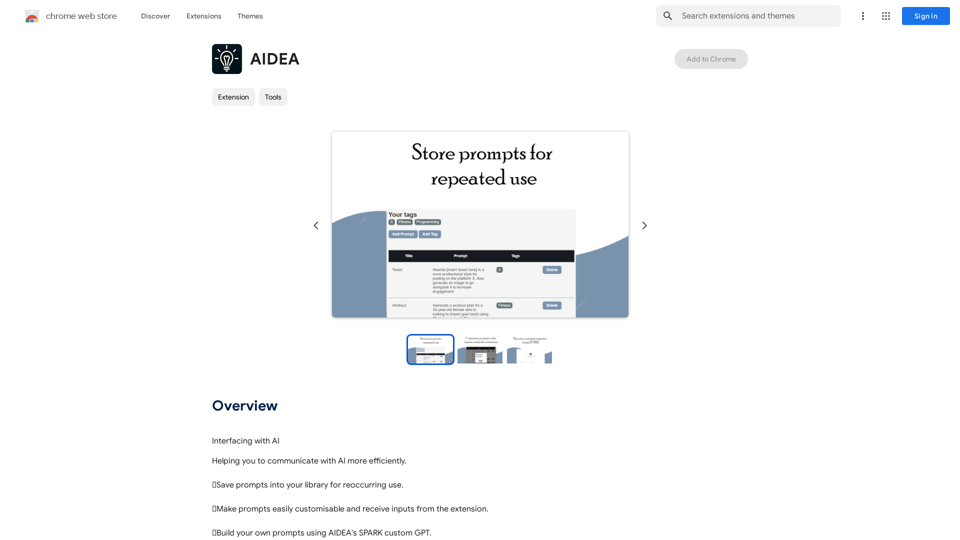
AIDEA is an AI-driven platform designed to enhance communication with AI. It offers features like saving prompts, customizing prompts, and building personalized prompts using AIDEA's SPARK custom GPT. This tool aims to streamline AI interactions, automate tasks, and improve overall efficiency for users engaging with artificial intelligence.

Feature

Save Prompts to Your Library

Users can save frequently used prompts into their personal library for quick and easy access, facilitating efficient reuse for recurring tasks.

Customizable Prompts

AIDEA allows users to easily customize prompts and receive inputs directly from the extension, enabling more tailored and effective AI interactions.

Build Your Own Prompts with SPARK

Utilizing AIDEA's SPARK custom GPT, users can create their own unique prompts, offering a high level of personalization and flexibility in AI communication.

Task Automation

AIDEA simplifies task automation, helping users save valuable time and increase productivity in their AI-related workflows.

Flexible Usage Options

While all users can access core features, a subscription model offers extended benefits and usage limits beyond the free tier.

FAQ

What is AIDEA?

AIDEA is an AI-driven platform that enhances communication with AI by providing features like prompt saving, customization, and creation using SPARK custom GPT.

What are the main features of AIDEA?

The main features include saving prompts to a personal library, customizing prompts, building unique prompts with SPARK custom GPT, and task automation.

How do I use AIDEA?

Users can access AIDEA's features such as saving prompts, customizing them, and creating new ones. Subscribing unlocks additional benefits and extended usage limits.

What are the benefits of using AIDEA?

Key benefits include time savings through task automation, improved AI interactions via customized prompts, and the ability to create personalized prompts using SPARK custom GPT.

How much does AIDEA cost?

AIDEA offers various pricing plans, including a free tier and paid options with additional features and benefits.

Latest Traffic Insights

  • Monthly Visits

    193.90 M

  • Bounce Rate

    56.27%

  • Pages Per Visit

    2.71

  • Time on Site(s)

    115.91

  • Global Rank

    -

  • Country Rank

    -

Recent Visits

Traffic Sources

  • Social Media:
    0.48%
  • Paid Referrals:
    0.55%
  • Email:
    0.15%
  • Referrals:
    12.81%
  • Search Engines:
    16.21%
  • Direct:
    69.81%
More Data

Related Websites

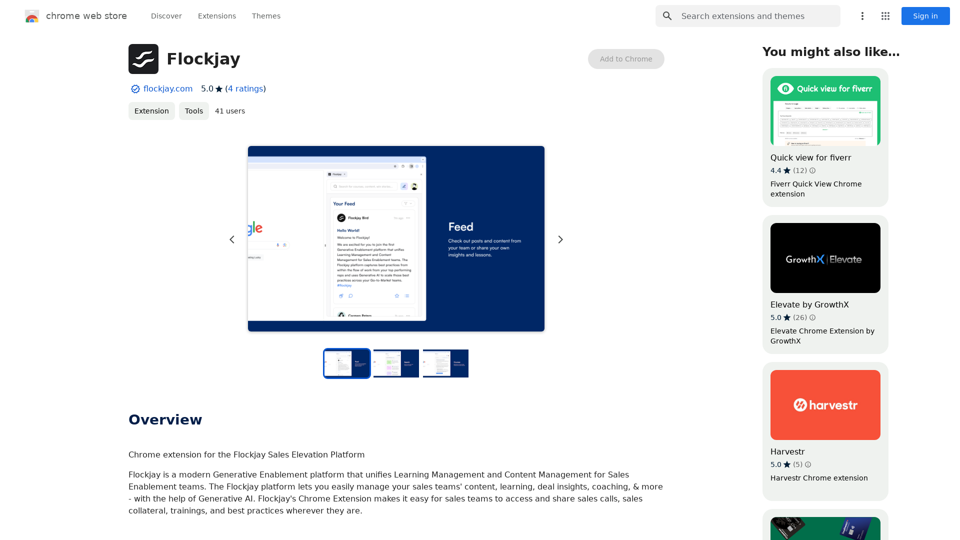
GPTSnow - Supercharge your ChatGPT
View Detail

GPTSnow - Supercharge your ChatGPT

GPTSnow - Supercharge your ChatGPT

Unlock Search, Conversation History, Image Gallery, and Bookmarks for your ChatGPT.

193.90 M
Parental Search - Keep Your Kids Safe
View Detail

Parental Search - Keep Your Kids Safe

Parental Search - Keep Your Kids Safe

Parental Search uses AI to protect your children from harmful content online. It's free and easy to use.

193.90 M
Thrive as a Freelancer
View Detail

Thrive as a Freelancer

Thrive as a Freelancer

Your all-in-one solution for maximizing efficiency and income

0
Doozy: AI Made Easy
View Detail

Doozy: AI Made Easy

Doozy: AI Made Easy

✨ Translate, summarize, and more with a single click.

193.90 M
Orchid: AI Clinical Notes
View Detail

Orchid: AI Clinical Notes

Orchid: AI Clinical Notes

Automatically create clinical notes and generate AI-powered progress notes in any electronic health record (EHR) system.

193.90 M
Chrome Web Store
View Detail

Chrome Web Store

Chrome Web Store

Enhance your browser with new features and customize your browsing experience.

193.90 M
AI Writing Tool - YanbiAI | yanbiai.com | Generate Quality Copy with One Click
View Detail

AI Writing Tool - YanbiAI | yanbiai.com | Generate Quality Copy with One Click

AI Writing Tool - YanbiAI | yanbiai.com | Generate Quality Copy with One Click

YanBi AI (yanbiai.com) is a leading AI writing tool that provides intelligent article creation, continuation, rewriting, and polishing services. Use our AI writing software to quickly generate high-quality content, including papers, presentations, official documents, and more, unleashing your creative potential.

13.43 K
DecentralizedAI 

This is a general term referring to artificial intelligence (AI) systems that are not controlled by a single, centralized entity. 

Instead of relying on a large corporation or government to manage and govern AI, decentralized AI aims to distribute these capabilities across a network of independent nodes. 

Think of it like a blockchain for AI:

* Transparency:  The decision-making processes of decentralized AI are open and visible to everyone.
* Security:  Since there's no single point of failure, it's harder for malicious actors to take control or manipulate the system.
* Resilience:  Even if some nodes go offline, the network can continue to function.
* Accessibility:  Decentralized AI can make AI technology more accessible to individuals and smaller organizations.


There are many potential applications for decentralized AI, including:

* Data privacy:  Decentralized AI can help protect user data by distributing it across multiple nodes.
* Fairness and bias mitigation:  By involving a wider range of participants in the training process, decentralized AI can help reduce bias in AI systems.
* Autonomous organizations:  Decentralized AI can be used to create self-governing organizations that operate without human intervention.


Decentralized AI is still a relatively new field, but it has the potential to revolutionize the way we develop and use AI.
View Detail

DecentralizedAI This is a general term referring to artificial intelligence (AI) systems that are not controlled by a single, centralized entity. Instead of relying on a large corporation or government to manage and govern AI, decentralized AI aims to distribute these capabilities across a network of independent nodes. Think of it like a blockchain for AI: * Transparency: The decision-making processes of decentralized AI are open and visible to everyone. * Security: Since there's no single point of failure, it's harder for malicious actors to take control or manipulate the system. * Resilience: Even if some nodes go offline, the network can continue to function. * Accessibility: Decentralized AI can make AI technology more accessible to individuals and smaller organizations. There are many potential applications for decentralized AI, including: * Data privacy: Decentralized AI can help protect user data by distributing it across multiple nodes. * Fairness and bias mitigation: By involving a wider range of participants in the training process, decentralized AI can help reduce bias in AI systems. * Autonomous organizations: Decentralized AI can be used to create self-governing organizations that operate without human intervention. Decentralized AI is still a relatively new field, but it has the potential to revolutionize the way we develop and use AI.

DecentralizedAI This is a general term referring to artificial intelligence (AI) systems that are not controlled by a single, centralized entity. Instead of relying on a large corporation or government to manage and govern AI, decentralized AI aims to distribute these capabilities across a network of independent nodes. Think of it like a blockchain for AI: * Transparency: The decision-making processes of decentralized AI are open and visible to everyone. * Security: Since there's no single point of failure, it's harder for malicious actors to take control or manipulate the system. * Resilience: Even if some nodes go offline, the network can continue to function. * Accessibility: Decentralized AI can make AI technology more accessible to individuals and smaller organizations. There are many potential applications for decentralized AI, including: * Data privacy: Decentralized AI can help protect user data by distributing it across multiple nodes. * Fairness and bias mitigation: By involving a wider range of participants in the training process, decentralized AI can help reduce bias in AI systems. * Autonomous organizations: Decentralized AI can be used to create self-governing organizations that operate without human intervention. Decentralized AI is still a relatively new field, but it has the potential to revolutionize the way we develop and use AI.

The AI Layer2 Extension for Google Chrome.

193.90 M