Open-source RightAI Tools Directory
  • Discover AI
  • Submit
  • Startup
  • Blog
Open-source RightAI Tools Directory
Discover the best AI tools of 2025 with the RightAI Tools Directory!

Friend Links

AI Anime GeneratorToolsApp AI

Support

Tap4
Privacy policyTerms & ConditionsContact Us
Loading...
loading...

MealCrafter

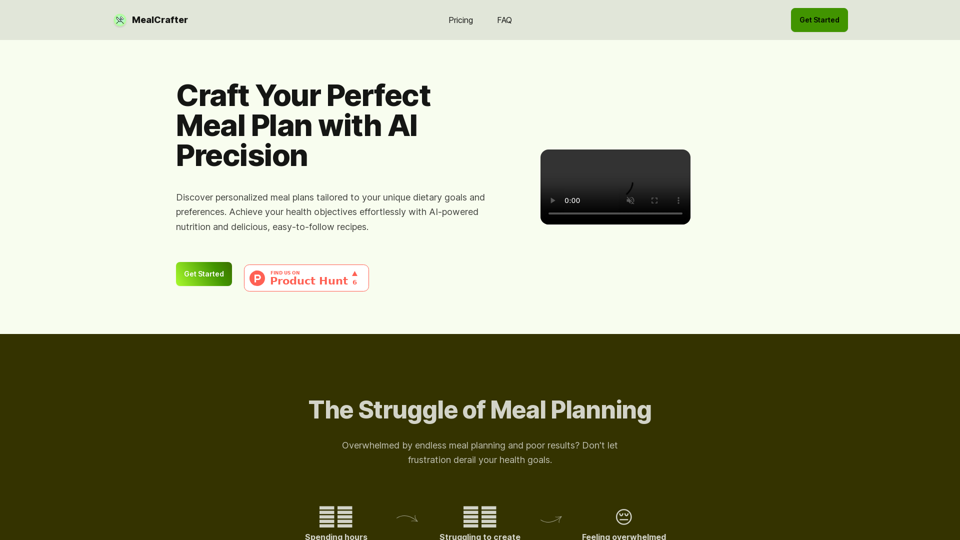
The Web App for personalized meal planning tailored to your dietary goals
Visit Website
MealCrafter
Visit Website

Introduction

MealCrafter is an AI-powered platform designed to create personalized meal plans tailored to individual dietary goals and preferences. It offers a comprehensive solution for those seeking to improve their eating habits and achieve health objectives effortlessly. The platform provides customized meal plans, easy-to-follow recipes, and additional features to support users in their journey towards better health.

Feature

Personalized Meal Planning

MealCrafter utilizes AI technology to generate customized meal plans based on user-specific dietary goals and preferences. These plans include breakfast, lunch, dinner, and snacks, ensuring a well-rounded approach to nutrition.

Diverse Recipe Database

Users have access to a variety of delicious and easy-to-follow recipes that align with their personalized meal plans. The platform allows for recipe regeneration, providing continuous variety and options.

Convenient Grocery List

MealCrafter generates a comprehensive grocery list organized by category and quantity, simplifying the shopping process for users.

AI-Driven Customization

The platform's AI technology takes care of the meal planning process based on user input during the onboarding process, creating tailored plans that suit individual needs.

Ongoing Support

Users receive email support to help them stay on track and overcome challenges in their health journey.

Flexible Subscription Options

MealCrafter offers both monthly and yearly subscription plans, with a discount available for annual subscriptions.

SubscriptionPriceSavings
Monthly€9.9-
Yearly€89.920% OFF

FAQ

What does a MealCrafter subscription include?

A MealCrafter subscription provides:

  • 1 personalized meal plan
  • Access to 20 delicious recipes
  • Ability to generate new recipes as needed
  • Groceries list
  • Stock list
  • Email support

How does MealCrafter handle dietary restrictions?

MealCrafter allows users to input dietary restrictions and allergies during the onboarding process. The AI ensures that meal plans exclude any ingredients that users cannot consume.

Is there a free trial available?

Currently, MealCrafter does not offer a free trial. However, interested users can email [email protected] to potentially participate in a 7-day test program.

Can subscriptions be cancelled at any time?

Yes, users can cancel their subscription at any time directly from their account settings without any long-term commitments.

How can users contact customer support?

Customer support can be reached via email at [email protected] for any questions or assistance needed.

Latest Traffic Insights

  • Monthly Visits

    0

  • Bounce Rate

    0.00%

  • Pages Per Visit

    0.00

  • Time on Site(s)

    0.00

  • Global Rank

    -

  • Country Rank

    -

Recent Visits

Traffic Sources

  • Social Media:
    0.00%
  • Paid Referrals:
    0.00%
  • Email:
    0.00%
  • Referrals:
    0.00%
  • Search Engines:
    0.00%
  • Direct:
    0.00%
More Data

Related Websites

New York Laws on the App Store
View Detail

New York Laws on the App Store

New York Laws on the App Store

Access the full text of New York State laws with ease. Bookmark important sections, highlight text, and get AI-generated summaries. Features include: - Comprehensive search functionality to quickly find specific laws and regulations - Customizable bookmarks to mark important sections for future reference - Highlighting tool to emphasize key points and phrases - AI-powered summaries to provide a concise overview of complex laws

124.77 M
Reviewer Recommender
View Detail

Reviewer Recommender

Reviewer Recommender

Reviewer Recommender

193.90 M
AI Voice Over for YouTube 

This is a guide to using AI voice over for your YouTube videos. 

Why Use AI Voice Over?

* Cost-Effective: AI voice over is much cheaper than hiring a professional voice actor.
* Time-Saving: You can generate voice over quickly and easily, without needing to schedule recording sessions.
* Variety of Voices: Choose from a wide range of AI voices, including male, female, and even robotic voices.
* Accessibility: Make your videos accessible to viewers who are deaf or hard of hearing by adding captions generated by AI.

How to Use AI Voice Over

1. Choose a Platform: There are many different platforms that offer AI voice over services, such as:
    * Google Cloud Text-to-Speech
    * Amazon Polly
    * Microsoft Azure Text to Speech
    * Murf.ai
    * NaturalReader
2. Write Your Script:  Write a clear and concise script for your video.
3. Upload Your Script:  Upload your script to the chosen platform.
4. Select a Voice: Choose the voice that best suits your video.
5. Adjust Settings:  Adjust settings such as speed, pitch, and volume.
6. Generate Voice Over:  Click the "Generate" button to create your voice over.
7. Download and Edit: Download the generated voice over file and edit it as needed.
8. Add to Your Video:  Add the voice over to your YouTube video.

Tips for Using AI Voice Over

* Use Natural Language:  Write your script as if you were speaking naturally.
* Vary Your Tone:  Use different tones of voice to keep your viewers engaged.
* Add Pauses:  Include pauses in your script to allow viewers to process information.
* Proofread Carefully:  Always proofread your script before generating the voice over.
* Experiment:  Try different voices, settings, and styles to find what works best for you.
View Detail

AI Voice Over for YouTube This is a guide to using AI voice over for your YouTube videos. Why Use AI Voice Over? * Cost-Effective: AI voice over is much cheaper than hiring a professional voice actor. * Time-Saving: You can generate voice over quickly and easily, without needing to schedule recording sessions. * Variety of Voices: Choose from a wide range of AI voices, including male, female, and even robotic voices. * Accessibility: Make your videos accessible to viewers who are deaf or hard of hearing by adding captions generated by AI. How to Use AI Voice Over 1. Choose a Platform: There are many different platforms that offer AI voice over services, such as: * Google Cloud Text-to-Speech * Amazon Polly * Microsoft Azure Text to Speech * Murf.ai * NaturalReader 2. Write Your Script: Write a clear and concise script for your video. 3. Upload Your Script: Upload your script to the chosen platform. 4. Select a Voice: Choose the voice that best suits your video. 5. Adjust Settings: Adjust settings such as speed, pitch, and volume. 6. Generate Voice Over: Click the "Generate" button to create your voice over. 7. Download and Edit: Download the generated voice over file and edit it as needed. 8. Add to Your Video: Add the voice over to your YouTube video. Tips for Using AI Voice Over * Use Natural Language: Write your script as if you were speaking naturally. * Vary Your Tone: Use different tones of voice to keep your viewers engaged. * Add Pauses: Include pauses in your script to allow viewers to process information. * Proofread Carefully: Always proofread your script before generating the voice over. * Experiment: Try different voices, settings, and styles to find what works best for you.

AI Voice Over for YouTube This is a guide to using AI voice over for your YouTube videos. Why Use AI Voice Over? * Cost-Effective: AI voice over is much cheaper than hiring a professional voice actor. * Time-Saving: You can generate voice over quickly and easily, without needing to schedule recording sessions. * Variety of Voices: Choose from a wide range of AI voices, including male, female, and even robotic voices. * Accessibility: Make your videos accessible to viewers who are deaf or hard of hearing by adding captions generated by AI. How to Use AI Voice Over 1. Choose a Platform: There are many different platforms that offer AI voice over services, such as: * Google Cloud Text-to-Speech * Amazon Polly * Microsoft Azure Text to Speech * Murf.ai * NaturalReader 2. Write Your Script: Write a clear and concise script for your video. 3. Upload Your Script: Upload your script to the chosen platform. 4. Select a Voice: Choose the voice that best suits your video. 5. Adjust Settings: Adjust settings such as speed, pitch, and volume. 6. Generate Voice Over: Click the "Generate" button to create your voice over. 7. Download and Edit: Download the generated voice over file and edit it as needed. 8. Add to Your Video: Add the voice over to your YouTube video. Tips for Using AI Voice Over * Use Natural Language: Write your script as if you were speaking naturally. * Vary Your Tone: Use different tones of voice to keep your viewers engaged. * Add Pauses: Include pauses in your script to allow viewers to process information. * Proofread Carefully: Always proofread your script before generating the voice over. * Experiment: Try different voices, settings, and styles to find what works best for you.

Watch foreign language YouTube videos in your own language.

193.90 M
Bookmark GPT
View Detail

Bookmark GPT

Bookmark GPT

Save the best GPT response, no need to get lost of the best response anymore! Discover the power of seamless bookmarking with...

193.90 M
SkillSpot.ai
View Detail

SkillSpot.ai

SkillSpot.ai

Discover SkillSpot.ai, an AI-driven recruitment solution transforming the hiring landscape. Experience AI-guided job listings, intelligent AI Powered candidate screening, and detailed virtual interviews. Embrace efficiency and precision in talent acquisition with our advanced AI tools. Book a demo today!

1.24 K
No-Code AI Chatbot for Your Website | Chatling
View Detail

No-Code AI Chatbot for Your Website | Chatling

No-Code AI Chatbot for Your Website | Chatling

Empower your business with a custom AI website chatbot that helps with customer support, lead generation, knowledge base search, and more. It's free to start!

125.24 K
Free AI Song Generator | Song.do
View Detail

Free AI Song Generator | Song.do

Free AI Song Generator | Song.do

The best free AI song generator: create songs and make music in the simplest way possible.

427.38 K
InFold
View Detail

InFold

InFold

We're here to help you understand things better, explore topics in more detail, and learn new things.

193.90 M