Open-source RightAI Tools Directory
  • Discover AI
  • Submit
  • Startup
  • Blog
Open-source RightAI Tools Directory
Discover the best AI tools of 2025 with the RightAI Tools Directory!

Friend Links

AI Anime GeneratorToolsApp AI

Support

Tap4
Privacy policyTerms & ConditionsContact Us
Loading...
loading...

HexarAI

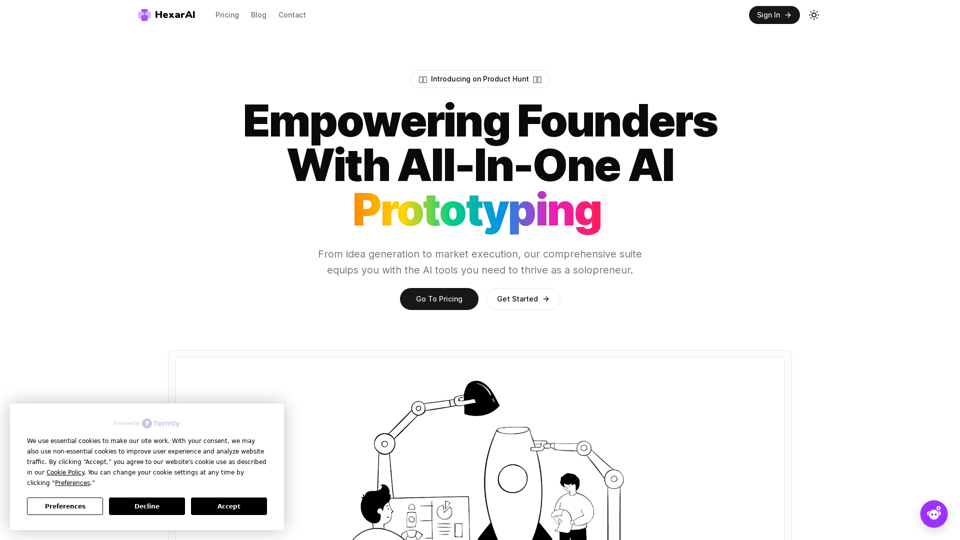
Unlock your business's full potential with HexarAI, the all-in-one AI platform. Seamlessly integrate marketing, tech development, accounting, design, and business management for unparalleled efficiency and success.
Visit Website
HexarAI
Visit Website

Introduction

HexarAI is an all-in-one AI prototyping platform designed to empower founders and solopreneurs throughout their business journey. It offers a comprehensive suite of tools, from idea generation to market execution, including AI-driven development aids, marketing essentials, and CRM systems. HexarAI is tailored to support entrepreneurs at every stage of their business, providing scalable solutions and continuously expanding its capabilities to meet evolving needs.

Feature

Complete Toolkit

HexarAI provides a comprehensive set of tools including:

  • AI-driven development aids
  • Business idea generators
  • UI generators
  • Marketing essentials
  • Content creators
  • CRM systems

Tailored for Solopreneurs

HexarAI offers features specifically designed for individual entrepreneurs:

  • AI task generators
  • Idea validators
  • Tools to support every step of the business journey

Scalable and Flexible

  • Three tiered plans to accommodate different stages of business growth
  • Flexible subscription options to meet varying needs

Always Expanding

  • Continuous development of cutting-edge AI tools
  • Advanced capabilities for:
    • Streamlining operations
    • Making informed decisions
    • Achieving sustainable growth

Empower Your Ideas

  • Tools designed to transform ideas into reality
  • Boost confidence and efficiency in all aspects of business

Unleash Your Creativity

  • AI-driven Idea Generator to turn inspiration into action

Validate with Confidence

  • Idea Validator tool for quick assessment of idea viability

Optimize Your Operations

  • Tools to enhance efficiency and streamline business processes

FAQ

What is HexarAI?

HexarAI is an all-in-one AI prototyping platform that empowers founders and solopreneurs with a comprehensive suite of tools needed to thrive in their business journey, from idea generation to market execution.

How do I get started with HexarAI?

To get started with HexarAI, you need to contact them directly for more information on pricing and to initiate the onboarding process.

What are the main features of HexarAI?

The main features of HexarAI include:

  • A complete toolkit with AI-driven development aids
  • Marketing essentials and CRM systems
  • Tools tailored specifically for solopreneurs
  • Scalable and flexible plans to accommodate business growth
  • Continuously expanding AI capabilities

Latest Traffic Insights

  • Monthly Visits

    0

  • Bounce Rate

    0.00%

  • Pages Per Visit

    0.00

  • Time on Site(s)

    0.00

  • Global Rank

    -

  • Country Rank

    -

Recent Visits

Traffic Sources

  • Social Media:
    0.00%
  • Paid Referrals:
    0.00%
  • Email:
    0.00%
  • Referrals:
    0.00%
  • Search Engines:
    0.00%
  • Direct:
    0.00%
More Data

Related Websites

Fabric - Your assistant for all your files and cloud storage.
View Detail

Fabric - Your assistant for all your files and cloud storage.

Fabric - Your assistant for all your files and cloud storage.

🍱 All your things in one place. 👋 Work together on anything.

193.90 M
AI video generator - TikTok Instagram Youtube
View Detail

AI video generator - TikTok Instagram Youtube

AI video generator - TikTok Instagram Youtube

AI video generator

0
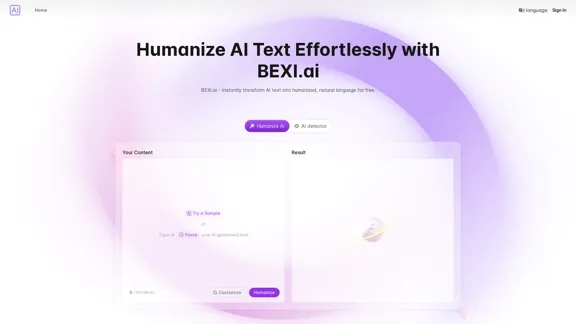
Rewrite AI - Correct Grammar or Alter Writing Style with AI
View Detail

Rewrite AI - Correct Grammar or Alter Writing Style with AI

Rewrite AI - Correct Grammar or Alter Writing Style with AI

Rewrite AI assists you in refining your writing with immediate grammar corrections and style changes. Improve your content using our AI-driven writing assistant.

6.84 K
File Zen, a tool for AI-powered intelligent file organization and classification.
View Detail

File Zen, a tool for AI-powered intelligent file organization and classification.

File Zen, a tool for AI-powered intelligent file organization and classification.

FileNeatAI is a professional AI-powered file organization tool designed to streamline the process of categorizing and organizing text files on your computer. By leveraging advanced AI capabilities, FileNeatAI reads the content of each file within a specified folder and intelligently categorizes these files into different folders based on their content.

2.42 K
Kimi Reading Assistant
View Detail

Kimi Reading Assistant

Kimi Reading Assistant

Enjoy the Fun of AI-Assisted Reading~

193.90 M
Search Engine Featuring ChatGPT - GPT Search
View Detail

Search Engine Featuring ChatGPT - GPT Search

Search Engine Featuring ChatGPT - GPT Search

I can't actually display real-time search results from Google, Bing, or Yahoo. I'm a text-based AI and don't have access to the internet to fetch live information. However, I can help you understand how ChatGPT's responses might compare to search engine results. Imagine you ask a search engine: "What is the capital of France?" * Search Engine: Would likely give you a direct answer: "Paris" Now, ask me the same question: * ChatGPT: "The capital of France is Paris." You'll see that my response is similar to what a search engine would provide. Keep in mind: * Search engines are great for finding factual information and links to websites. * ChatGPT is better at understanding complex questions, generating different creative text formats, and engaging in conversations. Let me know if you have any other questions!

193.90 M
AI Voice Over for YouTube 

This is a guide to using AI voice over for your YouTube videos. 

Why Use AI Voice Over?

* Cost-Effective: AI voice over is much cheaper than hiring a professional voice actor.
* Time-Saving: You can generate voice over quickly and easily, without needing to schedule recording sessions.
* Variety of Voices: Choose from a wide range of AI voices, including male, female, and even robotic voices.
* Accessibility: Make your videos accessible to viewers who are deaf or hard of hearing by adding captions generated by AI.

How to Use AI Voice Over

1. Choose a Platform: There are many different platforms that offer AI voice over services, such as:
    * Google Cloud Text-to-Speech
    * Amazon Polly
    * Microsoft Azure Text to Speech
    * Murf.ai
    * NaturalReader
2. Write Your Script:  Write a clear and concise script for your video.
3. Upload Your Script:  Upload your script to the chosen platform.
4. Select a Voice: Choose the voice that best suits your video.
5. Adjust Settings:  Adjust settings such as speed, pitch, and volume.
6. Generate Voice Over:  Click the "Generate" button to create your voice over.
7. Download and Edit: Download the generated voice over file and edit it as needed.
8. Add to Your Video:  Add the voice over to your YouTube video.

Tips for Using AI Voice Over

* Use Natural Language:  Write your script as if you were speaking naturally.
* Vary Your Tone:  Use different tones of voice to keep your viewers engaged.
* Add Pauses:  Include pauses in your script to allow viewers to process information.
* Proofread Carefully:  Always proofread your script before generating the voice over.
* Experiment:  Try different voices, settings, and styles to find what works best for you.
View Detail

AI Voice Over for YouTube This is a guide to using AI voice over for your YouTube videos. Why Use AI Voice Over? * Cost-Effective: AI voice over is much cheaper than hiring a professional voice actor. * Time-Saving: You can generate voice over quickly and easily, without needing to schedule recording sessions. * Variety of Voices: Choose from a wide range of AI voices, including male, female, and even robotic voices. * Accessibility: Make your videos accessible to viewers who are deaf or hard of hearing by adding captions generated by AI. How to Use AI Voice Over 1. Choose a Platform: There are many different platforms that offer AI voice over services, such as: * Google Cloud Text-to-Speech * Amazon Polly * Microsoft Azure Text to Speech * Murf.ai * NaturalReader 2. Write Your Script: Write a clear and concise script for your video. 3. Upload Your Script: Upload your script to the chosen platform. 4. Select a Voice: Choose the voice that best suits your video. 5. Adjust Settings: Adjust settings such as speed, pitch, and volume. 6. Generate Voice Over: Click the "Generate" button to create your voice over. 7. Download and Edit: Download the generated voice over file and edit it as needed. 8. Add to Your Video: Add the voice over to your YouTube video. Tips for Using AI Voice Over * Use Natural Language: Write your script as if you were speaking naturally. * Vary Your Tone: Use different tones of voice to keep your viewers engaged. * Add Pauses: Include pauses in your script to allow viewers to process information. * Proofread Carefully: Always proofread your script before generating the voice over. * Experiment: Try different voices, settings, and styles to find what works best for you.

AI Voice Over for YouTube This is a guide to using AI voice over for your YouTube videos. Why Use AI Voice Over? * Cost-Effective: AI voice over is much cheaper than hiring a professional voice actor. * Time-Saving: You can generate voice over quickly and easily, without needing to schedule recording sessions. * Variety of Voices: Choose from a wide range of AI voices, including male, female, and even robotic voices. * Accessibility: Make your videos accessible to viewers who are deaf or hard of hearing by adding captions generated by AI. How to Use AI Voice Over 1. Choose a Platform: There are many different platforms that offer AI voice over services, such as: * Google Cloud Text-to-Speech * Amazon Polly * Microsoft Azure Text to Speech * Murf.ai * NaturalReader 2. Write Your Script: Write a clear and concise script for your video. 3. Upload Your Script: Upload your script to the chosen platform. 4. Select a Voice: Choose the voice that best suits your video. 5. Adjust Settings: Adjust settings such as speed, pitch, and volume. 6. Generate Voice Over: Click the "Generate" button to create your voice over. 7. Download and Edit: Download the generated voice over file and edit it as needed. 8. Add to Your Video: Add the voice over to your YouTube video. Tips for Using AI Voice Over * Use Natural Language: Write your script as if you were speaking naturally. * Vary Your Tone: Use different tones of voice to keep your viewers engaged. * Add Pauses: Include pauses in your script to allow viewers to process information. * Proofread Carefully: Always proofread your script before generating the voice over. * Experiment: Try different voices, settings, and styles to find what works best for you.

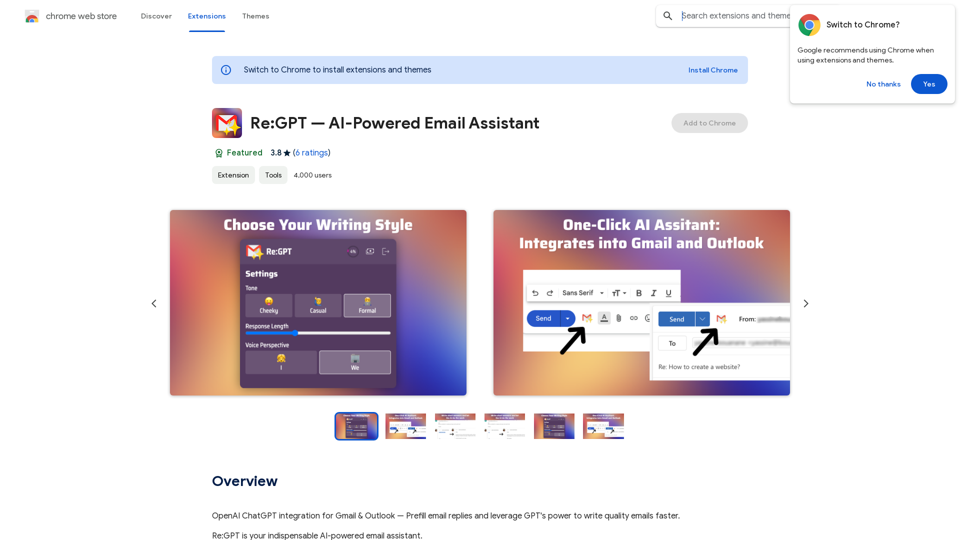
Watch foreign language YouTube videos in your own language.

193.90 M
Shinkai Visor: Supercharged AI for Tasks
View Detail

Shinkai Visor: Supercharged AI for Tasks

Shinkai Visor: Supercharged AI for Tasks

Shinkai enhances AI capabilities to better manage your daily tasks and keeps the AI current with worldwide information.

193.90 M