Ting Wu is an AI-driven platform offering real-time voice recognition, AI-powered subtitles, and smart summarization. It's designed to enhance the experience of online courses, meetings, and video watching by providing efficient transcription and comprehension tools.
Universal Listening Comprehension - Speech-to-Text, Bilingual Subtitle Translation
Alibaba's free large model application, real-time speech recognition, AI subtitle translation, and intelligent summarization. Essential for online courses, chasing dramas, and online meetings. Record, transcribe, translate, and summarize online courses and meetings from any web page.

Introduction
Feature
Real-time Voice Recognition
Ting Wu's advanced AI technology enables instant voice recognition, allowing users to effortlessly record and transcribe conversations in real-time.
AI-Powered Subtitles
The platform generates AI-powered subtitles in multiple languages, facilitating easy understanding and translation of audio content across linguistic barriers.
Smart Summarization
Ting Wu's intelligent summarization feature quickly extracts and presents the main points from conversations or meetings, saving users valuable time and effort.
Chrome Integration
Users can easily add Ting Wu to their Chrome browser through the Chrome Web Store, making it readily accessible for various online activities.
Multi-language Support
The platform supports multiple languages, catering to a diverse user base and enhancing its utility in various global contexts.
Free Version Available
Ting Wu offers a free version with 50 hours of transcription time, with daily login rewards of 10 additional hours, making it accessible to a wide range of users.
FAQ
How do I start using Ting Wu?
To begin using Ting Wu:
- Install the Ting Wu extension from the Chrome Web Store
- Register or login to your account
- Select your preferred language
- Click "Start Recording" to begin transcription
- Share the recording if needed
- Click "End Recording" when finished
What are the main applications of Ting Wu?
Ting Wu is particularly useful for:
- Recording and transcribing online courses
- Capturing and summarizing meeting content
- Enhancing video watching experiences with subtitles and summaries
Is Ting Wu free to use?
Yes, Ting Wu offers a free version with the following benefits:
- 50 hours of initial transcription time
- 10 additional hours rewarded for daily logins
Can Ting Wu handle multiple languages?
Yes, Ting Wu supports multiple languages for both voice recognition and subtitle generation, making it versatile for various linguistic needs.
Related Websites
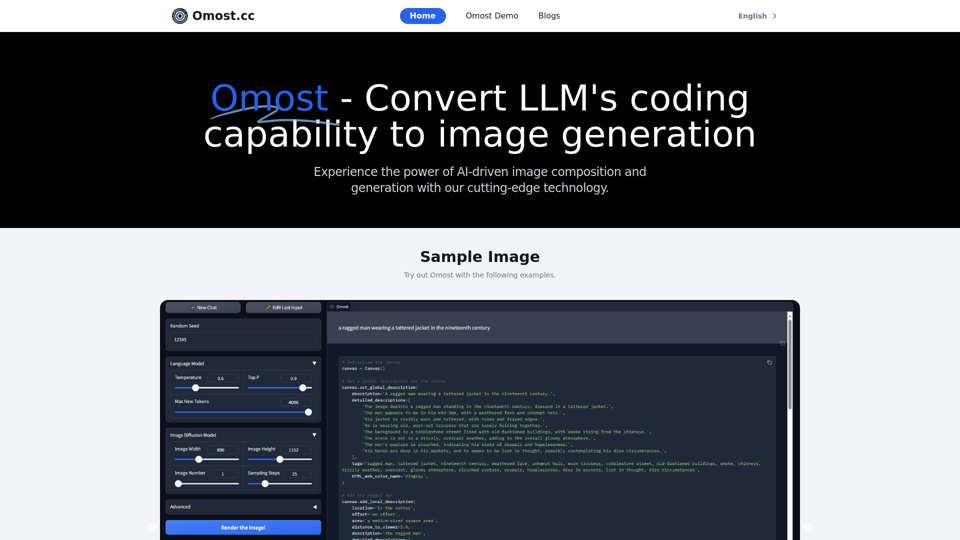
Omost | Try Omost for Free Online - AI-Powered Image Generation from Code
Omost | Try Omost for Free Online - AI-Powered Image Generation from CodeOmost offers large language model (LLM) models that can generate code to create visual images using Omost's virtual Canvas agent.
0
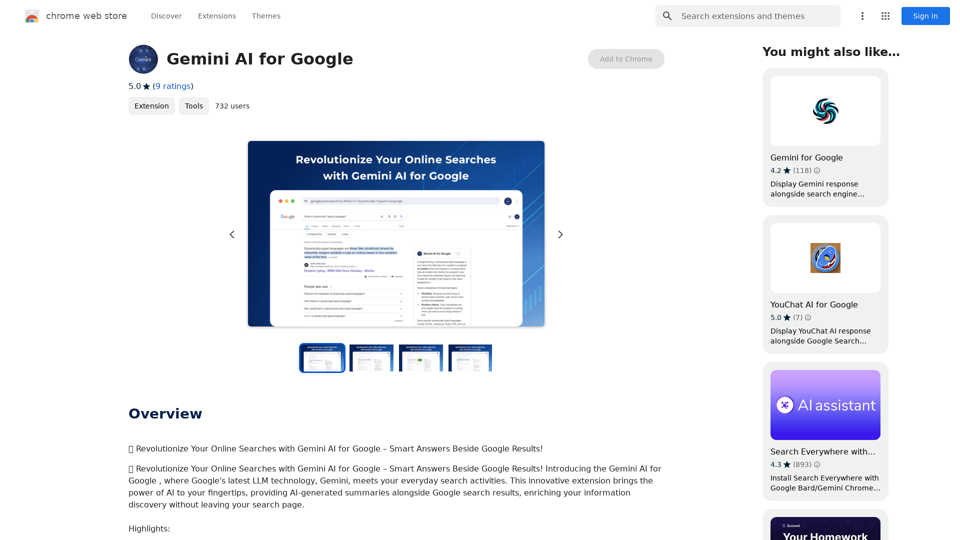
Gemini AI for Google Gemini AI is an innovative artificial intelligence (AI) model designed to revolutionize the way Google interacts with its users. This cutting-edge technology is capable of understanding and responding to natural language inputs, making it an ideal solution for enhancing user experience on Google's platforms. Key Features: * Conversational Interface: Gemini AI enables users to interact with Google using conversational language, making it easier to find information and perform tasks. * Contextual Understanding: The AI model can understand the context of a user's query, providing more accurate and relevant results. * Personalized Experience: Gemini AI can learn a user's preferences and tailor the search results and recommendations to their individual needs. * Multitasking Capability: The AI model can handle multiple tasks simultaneously, allowing users to perform complex queries and tasks with ease. Benefits: * Enhanced User Experience: Gemini AI provides a more intuitive and user-friendly experience, making it easier for users to find what they're looking for on Google. * Improved Accuracy: The AI model's ability to understand context and nuances of language reduces the likelihood of irrelevant search results. * Increased Productivity: Gemini AI's multitasking capability and personalized experience enable users to accomplish more in less time. Potential Applications: * Google Assistant: Gemini AI can be integrated into Google Assistant, enabling users to have more natural and conversational interactions with the virtual assistant. * Google Search: The AI model can be used to improve the search engine's ability to understand complex queries and provide more accurate results. * Google Workspace: Gemini AI can be applied to Google Workspace (formerly G Suite) to enhance the productivity and collaboration capabilities of the platform.
Gemini AI for Google Gemini AI is an innovative artificial intelligence (AI) model designed to revolutionize the way Google interacts with its users. This cutting-edge technology is capable of understanding and responding to natural language inputs, making it an ideal solution for enhancing user experience on Google's platforms. Key Features: * Conversational Interface: Gemini AI enables users to interact with Google using conversational language, making it easier to find information and perform tasks. * Contextual Understanding: The AI model can understand the context of a user's query, providing more accurate and relevant results. * Personalized Experience: Gemini AI can learn a user's preferences and tailor the search results and recommendations to their individual needs. * Multitasking Capability: The AI model can handle multiple tasks simultaneously, allowing users to perform complex queries and tasks with ease. Benefits: * Enhanced User Experience: Gemini AI provides a more intuitive and user-friendly experience, making it easier for users to find what they're looking for on Google. * Improved Accuracy: The AI model's ability to understand context and nuances of language reduces the likelihood of irrelevant search results. * Increased Productivity: Gemini AI's multitasking capability and personalized experience enable users to accomplish more in less time. Potential Applications: * Google Assistant: Gemini AI can be integrated into Google Assistant, enabling users to have more natural and conversational interactions with the virtual assistant. * Google Search: The AI model can be used to improve the search engine's ability to understand complex queries and provide more accurate results. * Google Workspace: Gemini AI can be applied to Google Workspace (formerly G Suite) to enhance the productivity and collaboration capabilities of the platform.🗨️ Revolutionize Your Online Searches with Gemini AI for Google – Get Smart Answers Right Beside Google Results!
193.90 M
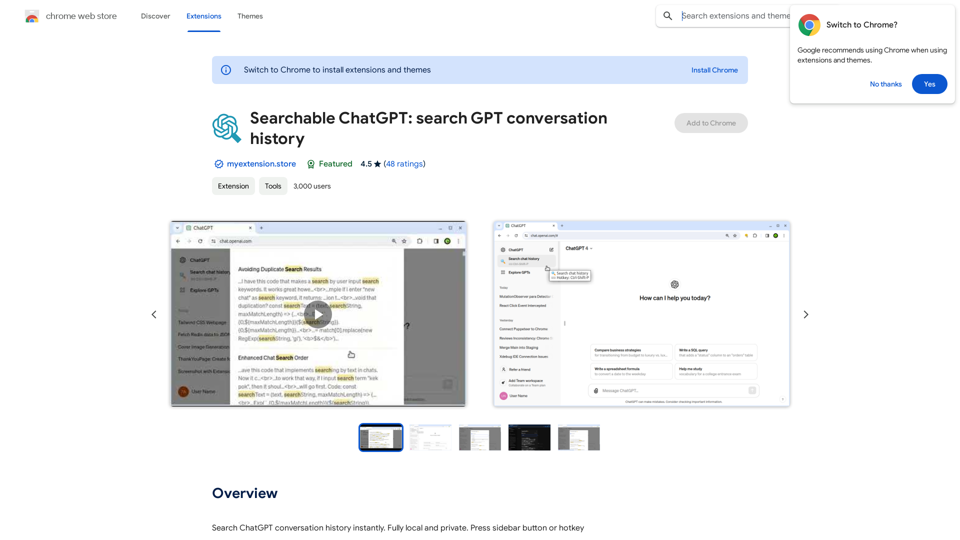
Searchable ChatGPT: Search GPT Conversation History With the rapid development of artificial intelligence technology, ChatGPT has become an essential tool for people to communicate and interact with AI. However, as the conversation history grows, it becomes increasingly difficult to find specific conversations or topics. To address this issue, we propose the concept of Searchable ChatGPT, which enables users to search their GPT conversation history efficiently. Key Features 1. Keyword Search Users can input specific keywords or phrases to search for relevant conversations in their chat history. The system will then display a list of conversations that match the search criteria, allowing users to quickly find the information they need. 2. Contextual Search In addition to keyword search, users can also search for conversations based on context. For example, they can search for conversations related to a specific topic, such as "travel" or "cooking." The system will then display a list of conversations that are relevant to the specified context. 3. Conversation Filtering To further refine the search results, users can apply filters to narrow down the list of conversations. For instance, they can filter conversations by date, time, or even the emotions expressed during the conversation. 4. Conversation Analytics Searchable ChatGPT also provides users with conversation analytics, which offer insights into their conversation patterns and preferences. This feature can help users identify areas for improvement and optimize their communication with ChatGPT. Benefits 1. Improved Productivity Searchable ChatGPT saves users time and effort by allowing them to quickly find specific conversations or topics in their chat history. 2. Enhanced User Experience By providing users with a more efficient way to search and analyze their conversations, Searchable ChatGPT enhances the overall user experience and encourages more effective communication with ChatGPT. 3. Better Decision Making With access to conversation analytics, users can make more informed decisions by identifying patterns and trends in their conversations with ChatGPT. Conclusion Searchable ChatGPT is a powerful tool that revolutionizes the way users interact with ChatGPT. By providing a robust search function, contextual search, conversation filtering, and conversation analytics, Searchable ChatGPT improves productivity, enhances the user experience, and enables better decision making.
Searchable ChatGPT: Search GPT Conversation History With the rapid development of artificial intelligence technology, ChatGPT has become an essential tool for people to communicate and interact with AI. However, as the conversation history grows, it becomes increasingly difficult to find specific conversations or topics. To address this issue, we propose the concept of Searchable ChatGPT, which enables users to search their GPT conversation history efficiently. Key Features 1. Keyword Search Users can input specific keywords or phrases to search for relevant conversations in their chat history. The system will then display a list of conversations that match the search criteria, allowing users to quickly find the information they need. 2. Contextual Search In addition to keyword search, users can also search for conversations based on context. For example, they can search for conversations related to a specific topic, such as "travel" or "cooking." The system will then display a list of conversations that are relevant to the specified context. 3. Conversation Filtering To further refine the search results, users can apply filters to narrow down the list of conversations. For instance, they can filter conversations by date, time, or even the emotions expressed during the conversation. 4. Conversation Analytics Searchable ChatGPT also provides users with conversation analytics, which offer insights into their conversation patterns and preferences. This feature can help users identify areas for improvement and optimize their communication with ChatGPT. Benefits 1. Improved Productivity Searchable ChatGPT saves users time and effort by allowing them to quickly find specific conversations or topics in their chat history. 2. Enhanced User Experience By providing users with a more efficient way to search and analyze their conversations, Searchable ChatGPT enhances the overall user experience and encourages more effective communication with ChatGPT. 3. Better Decision Making With access to conversation analytics, users can make more informed decisions by identifying patterns and trends in their conversations with ChatGPT. Conclusion Searchable ChatGPT is a powerful tool that revolutionizes the way users interact with ChatGPT. By providing a robust search function, contextual search, conversation filtering, and conversation analytics, Searchable ChatGPT improves productivity, enhances the user experience, and enables better decision making.Search ChatGPT conversation history instantly. Fully local and private. Press sidebar button or hotkey
193.90 M
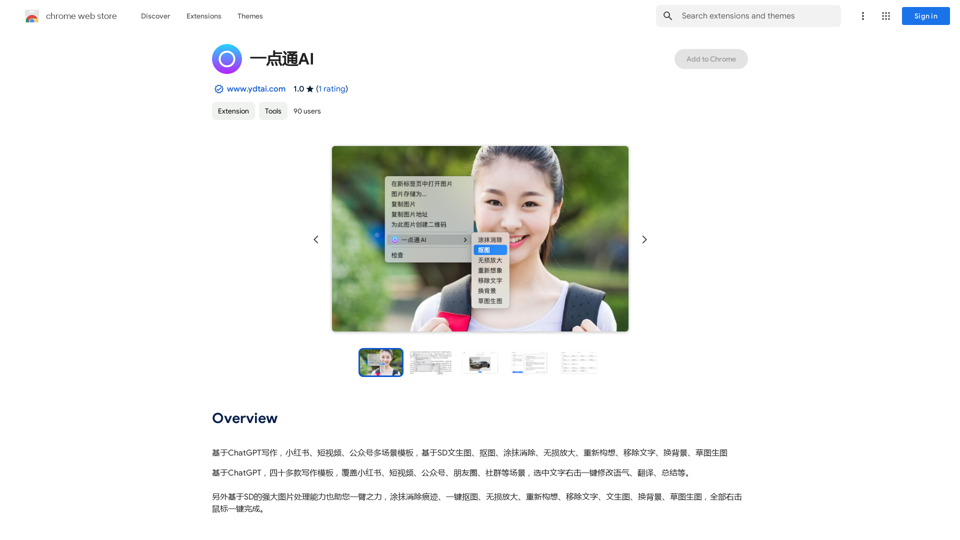
ChatGPT-based templates for multiple scenarios on Xiaohongshu, short videos, and public accounts. Based on SD text-to-image generation, cutout, erasure, lossless enlargement, reimagining, text removal, background replacement, and sketch-to-image.
193.90 M
)
* Create a new notebook
* Install the `transformers` library by running `!pip install transformers`
* Import the `transformers` library and load the ChatGPT model using `from transformers import AutoModelForCausalLM, AutoTokenizer; model = AutoModelForCausalLM.from_pretrained('chatgpt'); tokenizer = AutoTokenizer.from_pretrained('chatgpt')`
* Use the model to generate text using `input_text = "Your input here"; inputs = tokenizer.encode_plus(input_text, return_tensors='pt', max_length=1024, padding='max_length', truncation=True); output = model(inputs['input_ids'], attention_mask=inputs['attention_mask']); print(tokenizer.decode(output.logits[0], skip_special_tokens=True))`
Method 2: Google Apps Script
* Open Google Apps Script ([script.google.com](http://script.google.com))
* Create a new project
* Install the `transformers` library by running `npm install transformers`
* Import the `transformers` library and load the ChatGPT model using `const { AutoModelForCausalLM, AutoTokenizer } = require('transformers'); const model = new AutoModelForCausalLM('chatgpt'); const tokenizer = new AutoTokenizer('chatgpt');`
* Use the model to generate text using `const inputText = "Your input here"; const inputs = tokenizer.encodePlus(inputText, { return_tensors: 'pt', max_length: 1024, padding: 'max_length', truncation: true }); const output = model(inputs.inputIds, inputs.attentionMask); console.log(tokenizer.decode(output.logits[0], { skipSpecialTokens: true }));`
Note: These methods require some technical knowledge and may have limitations compared to the original ChatGPT model.](https://static.right-ai.com/tools/2024/7/3/chromewebstore-google-com-detail-chatgpt-for-google-for-fr-pabeminldebomngnkgffiejipjjaaogi-thumbnail-1720037311.png "Get ChatGPT for Free with Google
You can now access ChatGPT, a powerful language model, for free with Google. Here's how:
Method 1: Google Colab
* Open Google Colab ([colab.research.google.com](http://colab.research.google.com))
* Create a new notebook
* Install the `transformers` library by running `!pip install transformers`
* Import the `transformers` library and load the ChatGPT model using `from transformers import AutoModelForCausalLM, AutoTokenizer; model = AutoModelForCausalLM.from_pretrained('chatgpt'); tokenizer = AutoTokenizer.from_pretrained('chatgpt')`
* Use the model to generate text using `input_text = \"Your input here\"; inputs = tokenizer.encode_plus(input_text, return_tensors='pt', max_length=1024, padding='max_length', truncation=True); output = model(inputs['input_ids'], attention_mask=inputs['attention_mask']); print(tokenizer.decode(output.logits[0], skip_special_tokens=True))`
Method 2: Google Apps Script
* Open Google Apps Script ([script.google.com](http://script.google.com))
* Create a new project
* Install the `transformers` library by running `npm install transformers`
* Import the `transformers` library and load the ChatGPT model using `const { AutoModelForCausalLM, AutoTokenizer } = require('transformers'); const model = new AutoModelForCausalLM('chatgpt'); const tokenizer = new AutoTokenizer('chatgpt');`
* Use the model to generate text using `const inputText = \"Your input here\"; const inputs = tokenizer.encodePlus(inputText, { return_tensors: 'pt', max_length: 1024, padding: 'max_length', truncation: true }); const output = model(inputs.inputIds, inputs.attentionMask); console.log(tokenizer.decode(output.logits[0], { skipSpecialTokens: true }));`
Note: These methods require some technical knowledge and may have limitations compared to the original ChatGPT model.")
Get ChatGPT for Free with Google You can now access ChatGPT, a powerful language model, for free with Google. Here's how: Method 1: Google Colab * Open Google Colab ([colab.research.google.com](http://colab.research.google.com)) * Create a new notebook * Install the `transformers` library by running `!pip install transformers` * Import the `transformers` library and load the ChatGPT model using `from transformers import AutoModelForCausalLM, AutoTokenizer; model = AutoModelForCausalLM.from_pretrained('chatgpt'); tokenizer = AutoTokenizer.from_pretrained('chatgpt')` * Use the model to generate text using `input_text = "Your input here"; inputs = tokenizer.encode_plus(input_text, return_tensors='pt', max_length=1024, padding='max_length', truncation=True); output = model(inputs['input_ids'], attention_mask=inputs['attention_mask']); print(tokenizer.decode(output.logits[0], skip_special_tokens=True))` Method 2: Google Apps Script * Open Google Apps Script ([script.google.com](http://script.google.com)) * Create a new project * Install the `transformers` library by running `npm install transformers` * Import the `transformers` library and load the ChatGPT model using `const { AutoModelForCausalLM, AutoTokenizer } = require('transformers'); const model = new AutoModelForCausalLM('chatgpt'); const tokenizer = new AutoTokenizer('chatgpt');` * Use the model to generate text using `const inputText = "Your input here"; const inputs = tokenizer.encodePlus(inputText, { return_tensors: 'pt', max_length: 1024, padding: 'max_length', truncation: true }); const output = model(inputs.inputIds, inputs.attentionMask); console.log(tokenizer.decode(output.logits[0], { skipSpecialTokens: true }));` Note: These methods require some technical knowledge and may have limitations compared to the original ChatGPT model.
Get ChatGPT for Free with Google You can now access ChatGPT, a powerful language model, for free with Google. Here's how: Method 1: Google Colab * Open Google Colab ([colab.research.google.com](http://colab.research.google.com)) * Create a new notebook * Install the `transformers` library by running `!pip install transformers` * Import the `transformers` library and load the ChatGPT model using `from transformers import AutoModelForCausalLM, AutoTokenizer; model = AutoModelForCausalLM.from_pretrained('chatgpt'); tokenizer = AutoTokenizer.from_pretrained('chatgpt')` * Use the model to generate text using `input_text = "Your input here"; inputs = tokenizer.encode_plus(input_text, return_tensors='pt', max_length=1024, padding='max_length', truncation=True); output = model(inputs['input_ids'], attention_mask=inputs['attention_mask']); print(tokenizer.decode(output.logits[0], skip_special_tokens=True))` Method 2: Google Apps Script * Open Google Apps Script ([script.google.com](http://script.google.com)) * Create a new project * Install the `transformers` library by running `npm install transformers` * Import the `transformers` library and load the ChatGPT model using `const { AutoModelForCausalLM, AutoTokenizer } = require('transformers'); const model = new AutoModelForCausalLM('chatgpt'); const tokenizer = new AutoTokenizer('chatgpt');` * Use the model to generate text using `const inputText = "Your input here"; const inputs = tokenizer.encodePlus(inputText, { return_tensors: 'pt', max_length: 1024, padding: 'max_length', truncation: true }); const output = model(inputs.inputIds, inputs.attentionMask); console.log(tokenizer.decode(output.logits[0], { skipSpecialTokens: true }));` Note: These methods require some technical knowledge and may have limitations compared to the original ChatGPT model.How to Add ChatGPT to All Google Searches ===================================================== Step 1: Create a Custom Search Engine -------------------------------------- * Go to the [Google Custom Search Engine](https://cse.google.com/) website and sign in with your Google account. * Click on the "New Search Engine" button. * Fill in the required information, such as the name and description of your search engine. * Click on the "Create" button. Step 2: Add ChatGPT to the Search Engine ----------------------------------------- * In the "Setup" tab, click on the "Add" button next to "Sites to search". * Enter the following URL: `https://chat.openai.com/` * Click on the "Add" button. Step 3: Configure the Search Engine -------------------------------------- * In the "Setup" tab, click on the "Edit" button next to "Search engine keywords". * Add the following keywords: `ChatGPT` * Click on the "Save" button. Step 4: Get the Search Engine Code ------------------------------------- * In the "Setup" tab, click on the "Get code" button. * Copy the HTML code provided. Step 5: Add the Search Engine to Your Browser ------------------------------------------------ * Open your browser and go to the "Settings" or "Options" page. * Look for the "Search engine" or "Default search engine" option. * Click on the "Add" or "Manage search engines" button. * Paste the HTML code you copied earlier. * Click on the "Add" or "Save" button. You're Done! =============== Now, whenever you search on Google, ChatGPT will be included in the search results. You can also use the custom search engine URL provided by Google to search directly.
193.90 M
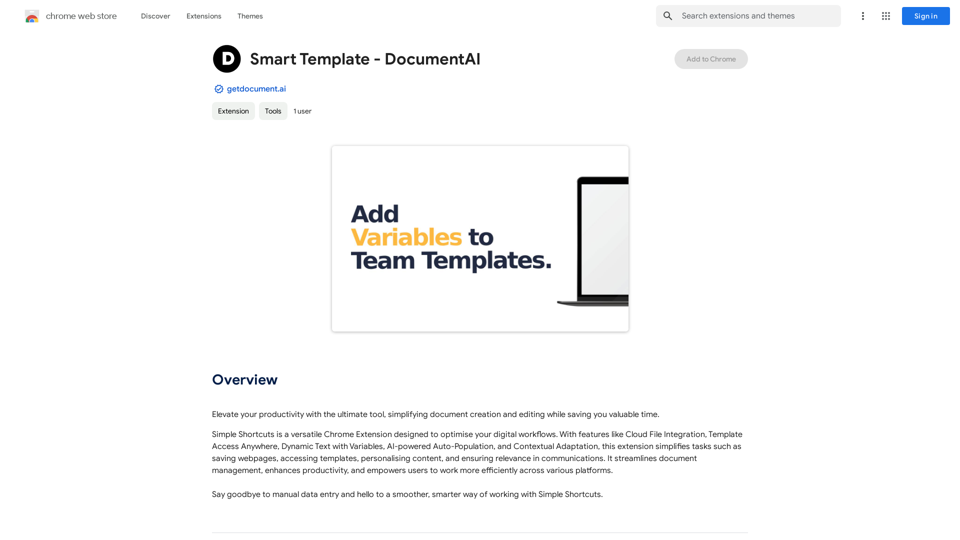
Smart Template - DocumentAI This is a placeholder for content about Smart Templates in DocumentAI. Please provide me with the content you'd like me to translate.
Smart Template - DocumentAI This is a placeholder for content about Smart Templates in DocumentAI. Please provide me with the content you'd like me to translate.Boost your productivity with the best tool around, making it easy to create and edit documents and saving you precious time.
193.90 M