Open-source RightAI Tools Directory
  • Discover AI
  • Submit
  • Startup
  • Blog
Open-source RightAI Tools Directory
Discover the best AI tools of 2025 with the RightAI Tools Directory!

Friend Links

AI Anime GeneratorToolsApp AI

Support

Tap4
Privacy policyTerms & ConditionsContact Us
Loading...
loading...

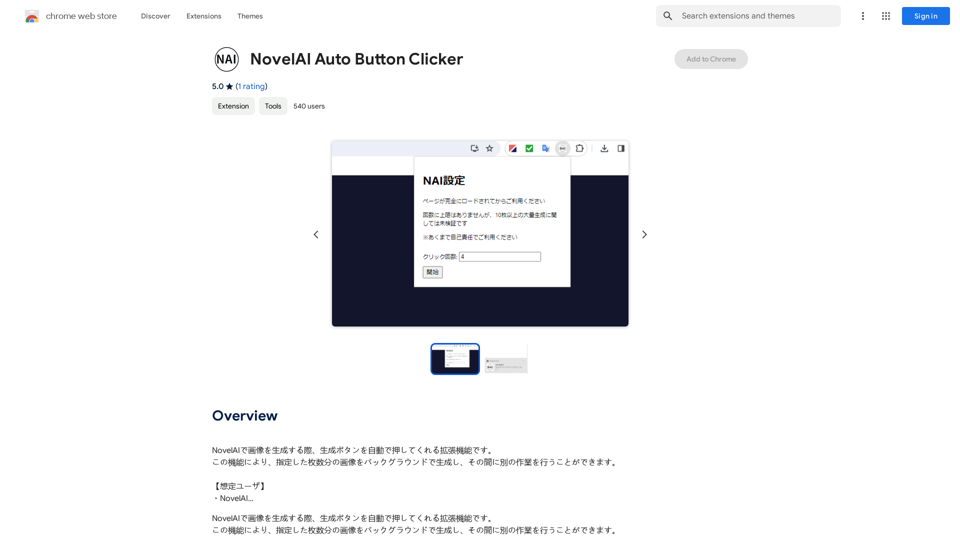
NovelAI Auto Button Clicker This is a tool designed to automate button clicks within the NovelAI web application. It can be used to: * Speed up repetitive tasks: Such as generating multiple story continuations or iterating through different story options. * Free up your time: Allow you to focus on other aspects of your writing process while the tool handles the clicking. * Improve efficiency: Reduce the amount of time and effort required to complete certain tasks in NovelAI. Disclaimer: This tool is intended for personal use only and should not be used to violate NovelAI's terms of service.

This is an extension that automatically clicks the generate button when creating images in NovelAI. This feature allows you to generate a specified number of images in the background, allowing you to work on other tasks while the images are being created. 【Target Users】 ・NovelAI…
Visit Website
NovelAI Auto Button Clicker 

This is a tool designed to automate button clicks within the NovelAI web application. 

It can be used to:

* Speed up repetitive tasks:  Such as generating multiple story continuations or iterating through different story options.
* Free up your time:  Allow you to focus on other aspects of your writing process while the tool handles the clicking.
* Improve efficiency:  Reduce the amount of time and effort required to complete certain tasks in NovelAI.


Disclaimer:

This tool is intended for personal use only and should not be used to violate NovelAI's terms of service.
Visit Website

Introduction

NovelAI Auto Button Clicker is an innovative Chrome extension designed to streamline the image generation process on NovelAI. This AI-driven tool automates the repetitive task of clicking the generate button, allowing users to produce multiple images in the background while focusing on other activities. The extension offers customizable settings, making it a versatile and time-saving solution for NovelAI users.

Feature

Automated Image Generation

The extension automatically clicks the generate button in NovelAI, enabling users to create multiple images without manual intervention. This feature significantly reduces the time and effort required for bulk image generation.

Background Processing

Users can generate images in the background while performing other tasks. This multitasking capability enhances productivity and efficiency in workflow management.

Customizable Settings

The extension provides adjustable parameters, including:

  • Number of images to generate
  • Interval between clicks

This flexibility allows users to tailor the automation process to their specific needs and preferences.

User-Friendly Installation

The extension can be easily installed from the Chrome Web Store, making it accessible to a wide range of users.

Cost-Effective Solution

NovelAI Auto Button Clicker is available as a free extension, offering its automation benefits without any additional costs to users.

FAQ

How does NovelAI Auto Button Clicker work?

The extension utilizes AI technology to automate the process of clicking the generate button in NovelAI. It simulates user interaction to produce images based on the configured settings.

Is the extension compatible with other AI platforms?

The extension is specifically designed for NovelAI and may not be compatible with other AI platforms. Its functionality is optimized for the NovelAI interface.

Can I customize the extension's settings?

Yes, users can customize various settings, including the number of images to generate and the interval between clicks. This customization allows for a tailored automation experience.

What are some tips for using NovelAI Auto Button Clicker effectively?

  1. Configure the settings before starting the extension to ensure optimal performance.
  2. Utilize the background generation feature to multitask efficiently.
  3. Be aware that the extension is specifically designed for NovelAI and may not function with other platforms.

Related Websites
PS2 Filter AI - Convert Photo to PS2 Video Game Style Online With AI, Free Trial
View Detail

PS2 Filter AI - Convert Photo to PS2 Video Game Style Online With AI, Free Trial

PS2 Filter AI - Convert Photo to PS2 Video Game Style Online With AI, Free Trial

PS2 Filter AI transforms your photos into iconic PlayStation 2 style graphics. 🎮

7
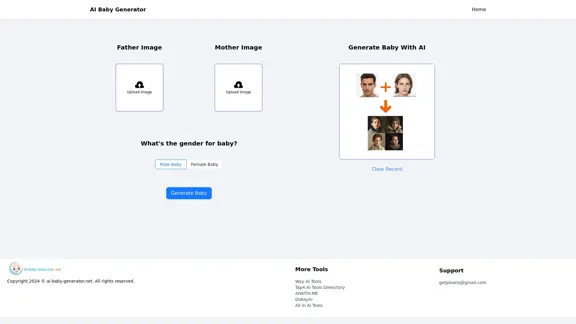
Free AI Baby Generator - See Your Future Baby's Face Instantly
View Detail

Free AI Baby Generator - See Your Future Baby's Face Instantly

Free AI Baby Generator - See Your Future Baby's Face Instantly

See your own future baby using our free AI baby face generator. Get ultra-realistic baby photo predictions in just seconds, with one click!

32.64 K
Recorditor: Record your browser activity.
View Detail

Recorditor: Record your browser activity.

Recorditor: Record your browser activity.

Record, write down, and shorten web browser activities for simple how-to guides and sharing information.

193.90 M
Journey ArtPrompt with Midjourney

This guide will walk you through creating stunning artwork using Midjourney, a powerful AI art generator. 

1. Accessing Midjourney

* You'll need a Discord account to use Midjourney. 
* Join the official Midjourney server: [https://discord.gg/midjourney](https://discord.gg/midjourney)

2. Understanding the Basics

* `/imagine` Command: This is the core command for generating images.
* Prompt:  A text description of the artwork you want to create. Be specific and descriptive!
* Parameters: Options that control aspects like image size, aspect ratio, and style.

3. Crafting Your Journey Prompt

Think about the story you want to tell with your artwork.  

* Setting: Where does your journey take place? (e.g., a mystical forest, a futuristic city, a desolate wasteland)
* Characters: Who is on this journey? (e.g., a lone traveler, a group of adventurers, mythical creatures)
* Mood: What feeling do you want to evoke? (e.g., adventurous, mysterious, hopeful, melancholic)
* Style: What artistic style appeals to you? (e.g., photorealistic, painterly, abstract)

4. Putting it Together

Combine these elements into a clear and concise prompt. 

Example:

`/imagine A lone traveler journeys through a mystical forest at sunset, bathed in golden light. The path ahead is shrouded in mist, hinting at unknown wonders. Style: painterly, ethereal`

5. Experiment and Refine

* Midjourney is all about experimentation! Try different prompts, parameters, and styles.
* Use the "upscale" command to enlarge your favorite images and reveal more detail.
* Don't be afraid to iterate and refine your prompts based on the results.
View Detail

Journey ArtPrompt with Midjourney This guide will walk you through creating stunning artwork using Midjourney, a powerful AI art generator. 1. Accessing Midjourney * You'll need a Discord account to use Midjourney. * Join the official Midjourney server: [https://discord.gg/midjourney](https://discord.gg/midjourney) 2. Understanding the Basics * `/imagine` Command: This is the core command for generating images. * Prompt: A text description of the artwork you want to create. Be specific and descriptive! * Parameters: Options that control aspects like image size, aspect ratio, and style. 3. Crafting Your Journey Prompt Think about the story you want to tell with your artwork. * Setting: Where does your journey take place? (e.g., a mystical forest, a futuristic city, a desolate wasteland) * Characters: Who is on this journey? (e.g., a lone traveler, a group of adventurers, mythical creatures) * Mood: What feeling do you want to evoke? (e.g., adventurous, mysterious, hopeful, melancholic) * Style: What artistic style appeals to you? (e.g., photorealistic, painterly, abstract) 4. Putting it Together Combine these elements into a clear and concise prompt. Example: `/imagine A lone traveler journeys through a mystical forest at sunset, bathed in golden light. The path ahead is shrouded in mist, hinting at unknown wonders. Style: painterly, ethereal` 5. Experiment and Refine * Midjourney is all about experimentation! Try different prompts, parameters, and styles. * Use the "upscale" command to enlarge your favorite images and reveal more detail. * Don't be afraid to iterate and refine your prompts based on the results.

Journey ArtPrompt with Midjourney This guide will walk you through creating stunning artwork using Midjourney, a powerful AI art generator. 1. Accessing Midjourney * You'll need a Discord account to use Midjourney. * Join the official Midjourney server: [https://discord.gg/midjourney](https://discord.gg/midjourney) 2. Understanding the Basics * `/imagine` Command: This is the core command for generating images. * Prompt: A text description of the artwork you want to create. Be specific and descriptive! * Parameters: Options that control aspects like image size, aspect ratio, and style. 3. Crafting Your Journey Prompt Think about the story you want to tell with your artwork. * Setting: Where does your journey take place? (e.g., a mystical forest, a futuristic city, a desolate wasteland) * Characters: Who is on this journey? (e.g., a lone traveler, a group of adventurers, mythical creatures) * Mood: What feeling do you want to evoke? (e.g., adventurous, mysterious, hopeful, melancholic) * Style: What artistic style appeals to you? (e.g., photorealistic, painterly, abstract) 4. Putting it Together Combine these elements into a clear and concise prompt. Example: `/imagine A lone traveler journeys through a mystical forest at sunset, bathed in golden light. The path ahead is shrouded in mist, hinting at unknown wonders. Style: painterly, ethereal` 5. Experiment and Refine * Midjourney is all about experimentation! Try different prompts, parameters, and styles. * Use the "upscale" command to enlarge your favorite images and reveal more detail. * Don't be afraid to iterate and refine your prompts based on the results.

New backgrounds with Midjourney on new tabs

193.90 M
AI Professional Headshot Pro on the App Store
View Detail

AI Professional Headshot Pro on the App Store

AI Professional Headshot Pro on the App Store

Introducing AI Professional Headshot Pro, the ultimate AI headshot generator designed to create stunning AI headshots and business photos effortlessly.

124.77 M
Get your top AI Tools | ToolsApp AI Tools Directory
View Detail

Get your top AI Tools | ToolsApp AI Tools Directory

Get your top AI Tools | ToolsApp AI Tools Directory

ToolsApp AI Directory is a tool that provides a free directory of AI tools. Find your favorite AI tools with ToolsApp AI Directory. ToolsApp AI Directory aims to gather all AI tools and offer the best options for users.

0
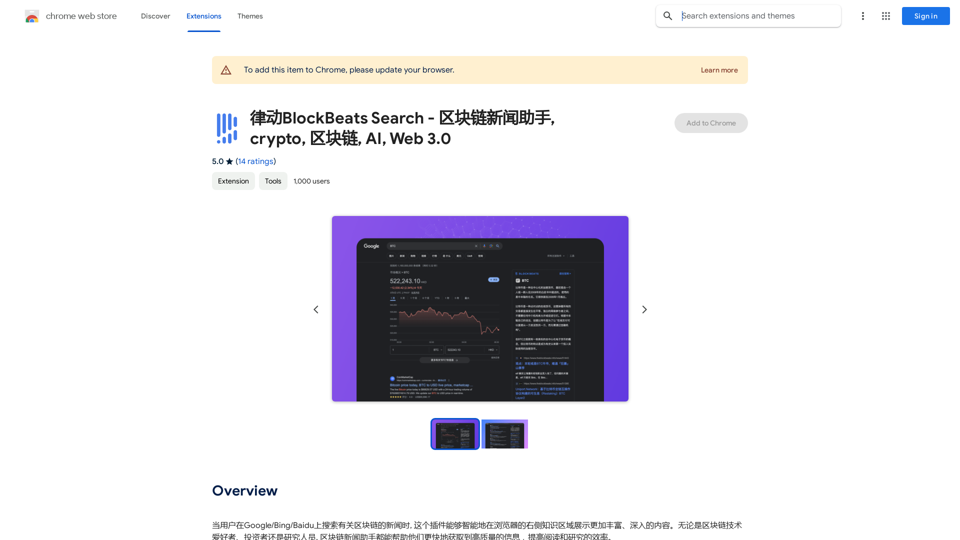
BlockBeats Search - Your Blockchain News Assistant, covering crypto, blockchain, AI, and Web 3.0.
View Detail

BlockBeats Search - Your Blockchain News Assistant, covering crypto, blockchain, AI, and Web 3.0.

BlockBeats Search - Your Blockchain News Assistant, covering crypto, blockchain, AI, and Web 3.0.

When users search for blockchain news on Google/Bing/Baidu, this plugin can intelligently display more comprehensive and in-depth content in the browser's right-side knowledge area. Whether you are a blockchain technology enthusiast, investor, or researcher, the Blockchain News Assistant can help you quickly access high-quality information and improve your reading and research efficiency.

193.90 M

Wow, with just one photo, the camera can generate a portrait!
View Detail

Wow, with just one photo, the camera can generate a portrait!

Wow, with just one photo, the camera can generate a portrait!

Wow Camera, Wow Camera, Wao, Portrait Photography, Korean-Style Photography, Chinese-Style Photography, Old Photo Restoration, AI Face Swap, AI Video, Remini, Remini, Clay Filter, Clay Filter, Clay Clay Photo, Standard ID Photo, AI Photography, Photo Editing, Beauty Photo, Wow Photo, Portrait Photo, Butter Camera, Intelligent Photo Editing, Auto Beauty, Deep Learning Photography, Personalized Photo, Artistic Photo, Retro-Style Photo, Modern-Style Photo, Cartoon-Style Photo, Photo Post-Production, AI Photography, Photo Special Effects, Professional-Level Photography, Family Portrait, Personal Photography, Photography Art, Photo Editing, Photo Beautification, Intelligent Filter, Selfie Magic, Photography Enthusiast, Professional Photographer.

0