Open-source RightAI Tools Directory
  • Discover AI
  • Submit
  • Startup
  • Blog
Open-source RightAI Tools Directory
Discover the best AI tools of 2025 with the RightAI Tools Directory!

Friend Links

AI Anime GeneratorToolsApp AI

Support

Tap4
Privacy policyTerms & ConditionsContact Us
Loading...
loading...

DecentralizedAI This is a general term referring to artificial intelligence (AI) systems that are not controlled by a single, centralized entity. Instead of relying on a large corporation or government to manage and govern AI, decentralized AI aims to distribute these capabilities across a network of independent nodes. Think of it like a blockchain for AI: * Transparency: The decision-making processes of decentralized AI are open and visible to everyone. * Security: Since there's no single point of failure, it's harder for malicious actors to take control or manipulate the system. * Resilience: Even if some nodes go offline, the network can continue to function. * Accessibility: Decentralized AI can make AI technology more accessible to individuals and smaller organizations. There are many potential applications for decentralized AI, including: * Data privacy: Decentralized AI can help protect user data by distributing it across multiple nodes. * Fairness and bias mitigation: By involving a wider range of participants in the training process, decentralized AI can help reduce bias in AI systems. * Autonomous organizations: Decentralized AI can be used to create self-governing organizations that operate without human intervention. Decentralized AI is still a relatively new field, but it has the potential to revolutionize the way we develop and use AI.

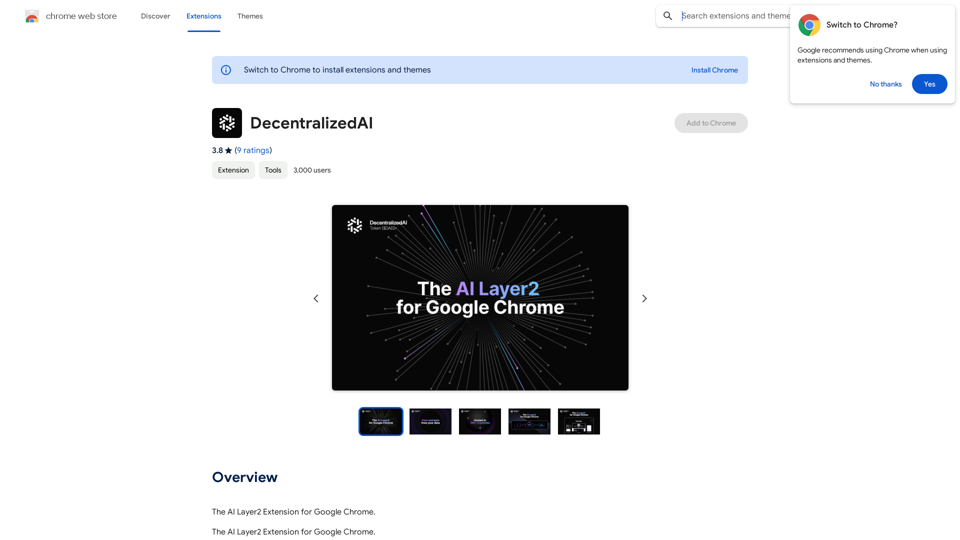
The AI Layer2 Extension for Google Chrome.
Visit Website
DecentralizedAI 

This is a general term referring to artificial intelligence (AI) systems that are not controlled by a single, centralized entity. 

Instead of relying on a large corporation or government to manage and govern AI, decentralized AI aims to distribute these capabilities across a network of independent nodes. 

Think of it like a blockchain for AI:

* Transparency:  The decision-making processes of decentralized AI are open and visible to everyone.
* Security:  Since there's no single point of failure, it's harder for malicious actors to take control or manipulate the system.
* Resilience:  Even if some nodes go offline, the network can continue to function.
* Accessibility:  Decentralized AI can make AI technology more accessible to individuals and smaller organizations.


There are many potential applications for decentralized AI, including:

* Data privacy:  Decentralized AI can help protect user data by distributing it across multiple nodes.
* Fairness and bias mitigation:  By involving a wider range of participants in the training process, decentralized AI can help reduce bias in AI systems.
* Autonomous organizations:  Decentralized AI can be used to create self-governing organizations that operate without human intervention.


Decentralized AI is still a relatively new field, but it has the potential to revolutionize the way we develop and use AI.
Visit Website

Introduction

Decentralized AI (DeAI) is an innovative platform that allows users to earn from their internet usage directly on desktop and mobile devices. By leveraging decentralized AI technology, DeAI provides users with access to billions of users on any internet browser, maximizing its adoption. The platform enables users to contribute to the growth of ethical AI while earning passive income from their idle internet usage.

Feature

Earn from Internet Usage

Users can generate passive income by simply using their internet connection. DeAI monetizes idle internet time, creating a new revenue stream for users.

Decentralized AI Technology

The platform utilizes decentralized AI technology, allowing users to contribute to the development of ethical AI systems while earning rewards.

User-Friendly Chrome Extension

DeAI offers a simple-to-use Chrome extension, making it easy for users to access and utilize the platform's services directly from their browser.

Multiple Device Support

The platform is accessible on both desktop and mobile devices, providing flexibility for users to earn from various internet-connected devices.

Ethical AI Contribution

By using DeAI, users actively participate in the growth and development of ethical AI systems, contributing to advancements in artificial intelligence.

Flexible Pricing Plans

DeAI offers a range of pricing options, including a free version and several paid plans with additional features and benefits to suit different user needs.

FAQ

What is Decentralized AI (DeAI)?

Decentralized AI (DeAI) is an innovative platform that enables users to earn from their internet usage directly on desktop and mobile devices while contributing to the growth of ethical AI through decentralized technology.

How does DeAI work?

DeAI works through a Chrome extension that users install. It utilizes idle internet time to contribute to ethical AI development, allowing users to earn passive income in the process.

What are the main features of DeAI?

The main features of DeAI include:

  1. Earning from internet usage
  2. Contributing to ethical AI development
  3. User-friendly Chrome extension
  4. Support for desktop and mobile devices
  5. Passive income generation
  6. Various pricing plans, including a free option

How much does DeAI cost?

DeAI offers multiple pricing plans:

Plan TypeDescription
FreeBasic features available at no cost
Paid PlansAdditional features and benefits at various price points

Users can choose the plan that best suits their needs and budget.

How can I start using DeAI?

To start using DeAI:

  1. Install the Chrome extension
  2. Choose a pricing plan (including the free option)
  3. Begin earning from your idle internet usage while contributing to ethical AI development

Latest Traffic Insights

  • Monthly Visits

    193.90 M

  • Bounce Rate

    56.27%

  • Pages Per Visit

    2.71

  • Time on Site(s)

    115.91

  • Global Rank

    -

  • Country Rank

    -

Recent Visits

Traffic Sources

  • Social Media:
    0.48%
  • Paid Referrals:
    0.55%
  • Email:
    0.15%
  • Referrals:
    12.81%
  • Search Engines:
    16.21%
  • Direct:
    69.81%
More Data

Related Websites

Face Swap - AI Face Swapper
View Detail

Face Swap - AI Face Swapper

Face Swap - AI Face Swapper

Upload photos or videos to swap the face. Switch any face on photo and video. Generate magic AI face swap photos and videos.

193.90 M
CrossPrism Nature Id on the App Store
View Detail

CrossPrism Nature Id on the App Store

CrossPrism Nature Id on the App Store

Get out of your head. Pause. Take your mind off work and steep yourself in curiosity. Observe. See the struggles of ants cleaning their homes one grain at a time, and the way birds build their nests with twigs and threads.

124.77 M
BrainBuddy: AI Assistant with ChatGPT & Bard
View Detail

BrainBuddy: AI Assistant with ChatGPT & Bard

BrainBuddy: AI Assistant with ChatGPT & Bard

BrainBuddy is an All-in-one AI-powered Sidebar Assistant, with ChatGPT, Bard, & more! ⚡

193.90 M
Walle - AI Copilot ChatBot for ChatGPT
View Detail

Walle - AI Copilot ChatBot for ChatGPT

Walle - AI Copilot ChatBot for ChatGPT

Walle: Your All-in-One AI Assistant and Browser Extension

193.90 M
moyuNote
View Detail

moyuNote

moyuNote

An all-in-one tool for organizing, collecting, and managing information. Build your structured knowledge base from fragmented information.

193.90 M
XOR Extension
View Detail

XOR Extension

XOR Extension

The XOR Extension lets recruiters talk to candidates from their Applicant Tracking System (ATS), job boards, or LinkedIn.

193.90 M
Get ChatGPT for Free with Google

You can now access ChatGPT, a powerful language model, for free with Google. Here's how:

Method 1: Google Colab

* Open Google Colab ([colab.research.google.com](http://colab.research.google.com))
* Create a new notebook
* Install the `transformers` library by running `!pip install transformers`
* Import the `transformers` library and load the ChatGPT model using `from transformers import AutoModelForCausalLM, AutoTokenizer; model = AutoModelForCausalLM.from_pretrained('chatgpt'); tokenizer = AutoTokenizer.from_pretrained('chatgpt')`
* Use the model to generate text using `input_text = "Your input here"; inputs = tokenizer.encode_plus(input_text, return_tensors='pt', max_length=1024, padding='max_length', truncation=True); output = model(inputs['input_ids'], attention_mask=inputs['attention_mask']); print(tokenizer.decode(output.logits[0], skip_special_tokens=True))`

Method 2: Google Apps Script

* Open Google Apps Script ([script.google.com](http://script.google.com))
* Create a new project
* Install the `transformers` library by running `npm install transformers`
* Import the `transformers` library and load the ChatGPT model using `const { AutoModelForCausalLM, AutoTokenizer } = require('transformers'); const model = new AutoModelForCausalLM('chatgpt'); const tokenizer = new AutoTokenizer('chatgpt');`
* Use the model to generate text using `const inputText = "Your input here"; const inputs = tokenizer.encodePlus(inputText, { return_tensors: 'pt', max_length: 1024, padding: 'max_length', truncation: true }); const output = model(inputs.inputIds, inputs.attentionMask); console.log(tokenizer.decode(output.logits[0], { skipSpecialTokens: true }));`

Note: These methods require some technical knowledge and may have limitations compared to the original ChatGPT model.
View Detail

Get ChatGPT for Free with Google You can now access ChatGPT, a powerful language model, for free with Google. Here's how: Method 1: Google Colab * Open Google Colab ([colab.research.google.com](http://colab.research.google.com)) * Create a new notebook * Install the `transformers` library by running `!pip install transformers` * Import the `transformers` library and load the ChatGPT model using `from transformers import AutoModelForCausalLM, AutoTokenizer; model = AutoModelForCausalLM.from_pretrained('chatgpt'); tokenizer = AutoTokenizer.from_pretrained('chatgpt')` * Use the model to generate text using `input_text = "Your input here"; inputs = tokenizer.encode_plus(input_text, return_tensors='pt', max_length=1024, padding='max_length', truncation=True); output = model(inputs['input_ids'], attention_mask=inputs['attention_mask']); print(tokenizer.decode(output.logits[0], skip_special_tokens=True))` Method 2: Google Apps Script * Open Google Apps Script ([script.google.com](http://script.google.com)) * Create a new project * Install the `transformers` library by running `npm install transformers` * Import the `transformers` library and load the ChatGPT model using `const { AutoModelForCausalLM, AutoTokenizer } = require('transformers'); const model = new AutoModelForCausalLM('chatgpt'); const tokenizer = new AutoTokenizer('chatgpt');` * Use the model to generate text using `const inputText = "Your input here"; const inputs = tokenizer.encodePlus(inputText, { return_tensors: 'pt', max_length: 1024, padding: 'max_length', truncation: true }); const output = model(inputs.inputIds, inputs.attentionMask); console.log(tokenizer.decode(output.logits[0], { skipSpecialTokens: true }));` Note: These methods require some technical knowledge and may have limitations compared to the original ChatGPT model.

Get ChatGPT for Free with Google You can now access ChatGPT, a powerful language model, for free with Google. Here's how: Method 1: Google Colab * Open Google Colab ([colab.research.google.com](http://colab.research.google.com)) * Create a new notebook * Install the `transformers` library by running `!pip install transformers` * Import the `transformers` library and load the ChatGPT model using `from transformers import AutoModelForCausalLM, AutoTokenizer; model = AutoModelForCausalLM.from_pretrained('chatgpt'); tokenizer = AutoTokenizer.from_pretrained('chatgpt')` * Use the model to generate text using `input_text = "Your input here"; inputs = tokenizer.encode_plus(input_text, return_tensors='pt', max_length=1024, padding='max_length', truncation=True); output = model(inputs['input_ids'], attention_mask=inputs['attention_mask']); print(tokenizer.decode(output.logits[0], skip_special_tokens=True))` Method 2: Google Apps Script * Open Google Apps Script ([script.google.com](http://script.google.com)) * Create a new project * Install the `transformers` library by running `npm install transformers` * Import the `transformers` library and load the ChatGPT model using `const { AutoModelForCausalLM, AutoTokenizer } = require('transformers'); const model = new AutoModelForCausalLM('chatgpt'); const tokenizer = new AutoTokenizer('chatgpt');` * Use the model to generate text using `const inputText = "Your input here"; const inputs = tokenizer.encodePlus(inputText, { return_tensors: 'pt', max_length: 1024, padding: 'max_length', truncation: true }); const output = model(inputs.inputIds, inputs.attentionMask); console.log(tokenizer.decode(output.logits[0], { skipSpecialTokens: true }));` Note: These methods require some technical knowledge and may have limitations compared to the original ChatGPT model.

How to Add ChatGPT to All Google Searches ===================================================== Step 1: Create a Custom Search Engine -------------------------------------- * Go to the [Google Custom Search Engine](https://cse.google.com/) website and sign in with your Google account. * Click on the "New Search Engine" button. * Fill in the required information, such as the name and description of your search engine. * Click on the "Create" button. Step 2: Add ChatGPT to the Search Engine ----------------------------------------- * In the "Setup" tab, click on the "Add" button next to "Sites to search". * Enter the following URL: `https://chat.openai.com/` * Click on the "Add" button. Step 3: Configure the Search Engine -------------------------------------- * In the "Setup" tab, click on the "Edit" button next to "Search engine keywords". * Add the following keywords: `ChatGPT` * Click on the "Save" button. Step 4: Get the Search Engine Code ------------------------------------- * In the "Setup" tab, click on the "Get code" button. * Copy the HTML code provided. Step 5: Add the Search Engine to Your Browser ------------------------------------------------ * Open your browser and go to the "Settings" or "Options" page. * Look for the "Search engine" or "Default search engine" option. * Click on the "Add" or "Manage search engines" button. * Paste the HTML code you copied earlier. * Click on the "Add" or "Save" button. You're Done! =============== Now, whenever you search on Google, ChatGPT will be included in the search results. You can also use the custom search engine URL provided by Google to search directly.

193.90 M
Genji - AI Browser Assistant
View Detail

Genji - AI Browser Assistant

Genji - AI Browser Assistant

Automate the Browser Using a Visual AI Assistant

193.90 M