Open-source RightAI Tools Directory
  • Discover AI
  • Submit
  • Startup
  • Blog
Open-source RightAI Tools Directory
Discover the best AI tools of 2025 with the RightAI Tools Directory!

Friend Links

AI Anime GeneratorToolsApp AI

Support

Tap4
Privacy policyTerms & ConditionsContact Us
Loading...
loading...

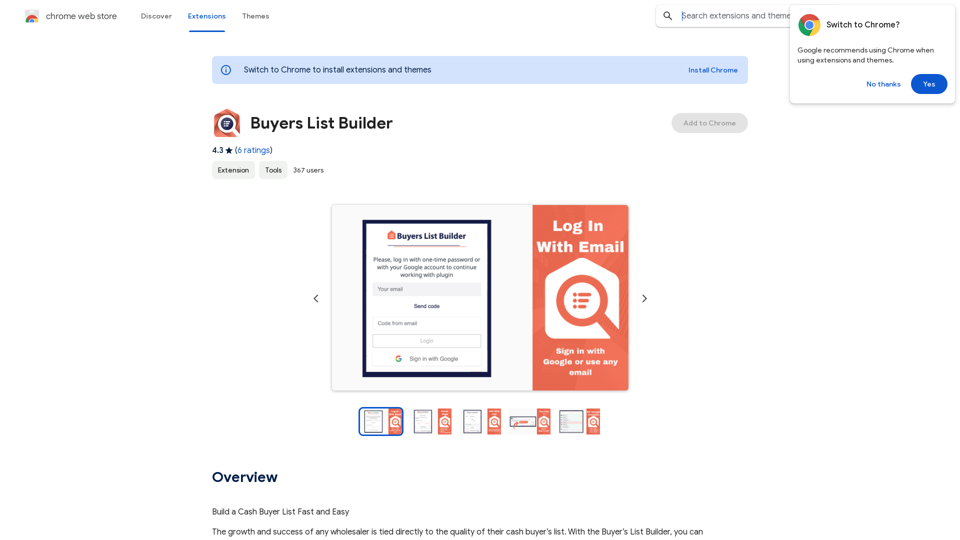
Buyers List Builder

Build a Cash Buyer List Fast and Easy
Visit Website
Buyers List Builder
Visit Website

Introduction

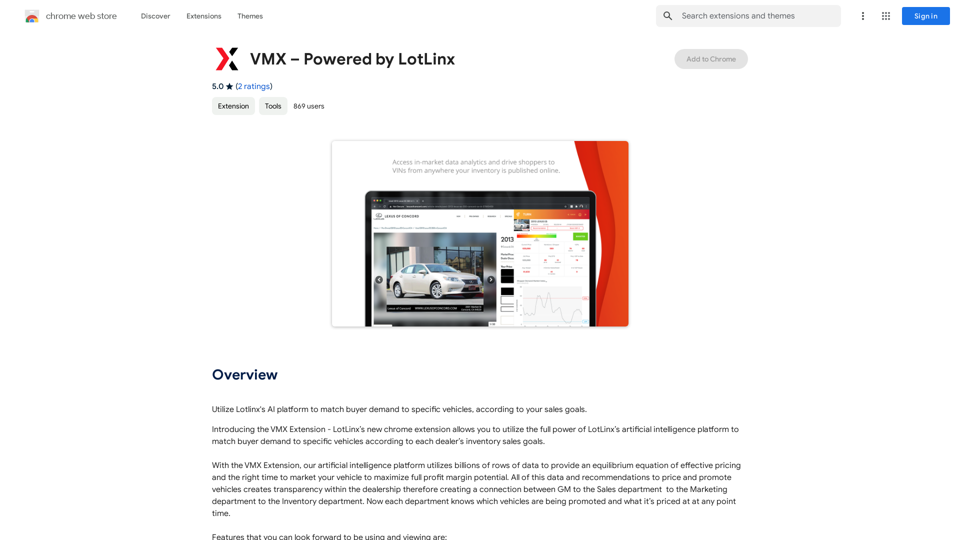
Buyers List Builder is a powerful Google Chrome extension designed for wholesalers to quickly and efficiently build cash buyer lists. This tool streamlines the process of gathering potential buyer information from Facebook real estate investor groups, saving users significant time and effort. With its user-friendly interface and automated data extraction capabilities, Buyers List Builder simplifies the task of creating and managing buyer lists for real estate professionals.

Feature

Easy List Creation

Create multiple lists effortlessly, including cash buyers lists, with just a few clicks. The extension allows for flexible list management to suit various business needs.

Facebook Group Integration

Seamlessly connect with real estate investor groups on Facebook, whether nationwide, local, or a combination. Users can target high-quality, active groups with substantial memberships to maximize their reach.

Automated Post Scanning and Data Extraction

Efficiently scan posts that attract cash buyers. The "Add To List" button triggers the Buyers List Builder to automatically extract phone numbers and emails from posts, adding them to your list while eliminating duplicates.

Time-Saving Organization

Streamline your workflow by repeating the data collection process as needed. The tool saves hours of manual work and provides a one-click export feature, generating a neatly organized .csv file for immediate use in deal distribution.

Flexible Pricing Model

Buyers List Builder offers a one-time purchase option with no recurring fees, making it a cost-effective solution for real estate professionals.

Market Expansion Tool

Utilize the Buyers List Builder to explore new markets and expand your business reach, facilitating growth and diversification of your real estate portfolio.

FAQ

How do I get started with Buyers List Builder?

To begin using Buyers List Builder:

  1. Download and install the Google Chrome extension
  2. Sign in to your account
  3. Create a new list
  4. Join relevant real estate investor groups on Facebook
  5. Search for posts attracting cash buyers
  6. Use the "Add To List" button to automatically extract contact information

Is there a free version of Buyers List Builder available?

Yes, Buyers List Builder offers a free version with limited features. For full functionality, a one-time purchase is required.

Will my data be used for training purposes?

No, Buyers List Builder does not use your data for any training purposes, ensuring your information remains private and secure.

How does the export feature work?

The export feature allows you to download your compiled list with a single click. It generates a well-organized .csv file, making it easy to start distributing your deals to potential buyers.

Latest Traffic Insights

  • Monthly Visits

    193.90 M

  • Bounce Rate

    56.27%

  • Pages Per Visit

    2.71

  • Time on Site(s)

    115.91

  • Global Rank

    -

  • Country Rank

    -

Recent Visits

Traffic Sources

  • Social Media:
    0.48%
  • Paid Referrals:
    0.55%
  • Email:
    0.15%
  • Referrals:
    12.81%
  • Search Engines:
    16.21%
  • Direct:
    69.81%
More Data

Related Websites

AI Baby Generator | Generate Your Future Baby Photos Using AI
View Detail

AI Baby Generator | Generate Your Future Baby Photos Using AI

AI Baby Generator | Generate Your Future Baby Photos Using AI

Generate baby photos using our AI Baby Generator to see what your future baby might look like.

0
Text Summarizer
View Detail

Text Summarizer

Text Summarizer

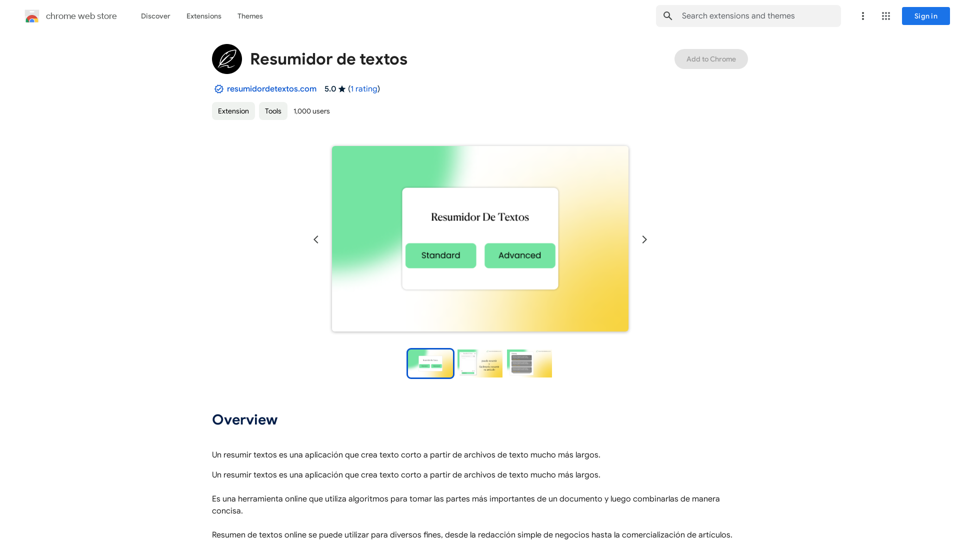
Summarizing texts is an application that creates short text from much longer text files.

193.90 M
Batch Save ChatGPT to Notion

This is a guide on how to save multiple ChatGPT responses to Notion in a batch. 

Tools You'll Need:

* ChatGPT: An AI chatbot that can generate text.
* Notion: A note-taking and project management tool.
* Python: A programming language.
* Requests Library: A Python library for making HTTP requests.

Steps:

1. Get Your Notion API Token:
   - Go to your Notion workspace settings.
   - Navigate to the "Integrations" tab.
   - Click "Create new integration" and choose "API Token".
   - Copy your API token.

2. Install Python Libraries:
   - Open your terminal or command prompt.
   - Type `pip install requests` and press Enter.

3. Write Python Script:
   - Create a new Python file (e.g., `save_chatgpt_to_notion.py`).
   - Paste the following code into the file, replacing `YOUR_NOTION_API_TOKEN` with your actual token:

```python
import requests

def save_chatgpt_response_to_notion(response, page_id, token):
  """Saves a ChatGPT response to a Notion page."""
  url = f"https://api.notion.com/v1/pages/{page_id}/children"
  headers = {"Authorization": f"Bearer {token}"}
  data = {
    "parent": {
      "page_id": page_id
    },
    "properties": {
      "title": {
        "title": [
          {
            "text": {
              "content": "ChatGPT Response"
            }
          }
        ]
      },
      "content": {
        "rich_text": [
          {
            "text": {
              "content": response
            }
          }
        ]
      }
    }
  }
  response = requests.post(url, headers=headers, json=data)
  print(response.status_code)

Example usage
page_id = "YOUR_NOTION_PAGE_ID"
token = "YOUR_NOTION_API_TOKEN"

Get ChatGPT responses (replace with your actual ChatGPT interaction)
chatgpt_responses = [
  "This is the first ChatGPT response.",
  "This is the second ChatGPT response.",
  "This is the third ChatGPT response."
]

Save each response to Notion
for response in chatgpt_responses:
  save_chatgpt_response_to_notion(response, page_id, token)
```

4. Run the Script:
   - In your terminal, navigate to the directory where you saved the Python file.
   - Type `python save_chatgpt_to_notion.py` and press Enter.

5. Check Notion:
   - Open your Notion workspace and go to the page specified by `page_id`.
   - You should see your ChatGPT responses saved as separate blocks.
View Detail

Batch Save ChatGPT to Notion This is a guide on how to save multiple ChatGPT responses to Notion in a batch. Tools You'll Need: * ChatGPT: An AI chatbot that can generate text. * Notion: A note-taking and project management tool. * Python: A programming language. * Requests Library: A Python library for making HTTP requests. Steps: 1. Get Your Notion API Token: - Go to your Notion workspace settings. - Navigate to the "Integrations" tab. - Click "Create new integration" and choose "API Token". - Copy your API token. 2. Install Python Libraries: - Open your terminal or command prompt. - Type `pip install requests` and press Enter. 3. Write Python Script: - Create a new Python file (e.g., `save_chatgpt_to_notion.py`). - Paste the following code into the file, replacing `YOUR_NOTION_API_TOKEN` with your actual token: ```python import requests def save_chatgpt_response_to_notion(response, page_id, token): """Saves a ChatGPT response to a Notion page.""" url = f"https://api.notion.com/v1/pages/{page_id}/children" headers = {"Authorization": f"Bearer {token}"} data = { "parent": { "page_id": page_id }, "properties": { "title": { "title": [ { "text": { "content": "ChatGPT Response" } } ] }, "content": { "rich_text": [ { "text": { "content": response } } ] } } } response = requests.post(url, headers=headers, json=data) print(response.status_code) Example usage page_id = "YOUR_NOTION_PAGE_ID" token = "YOUR_NOTION_API_TOKEN" Get ChatGPT responses (replace with your actual ChatGPT interaction) chatgpt_responses = [ "This is the first ChatGPT response.", "This is the second ChatGPT response.", "This is the third ChatGPT response." ] Save each response to Notion for response in chatgpt_responses: save_chatgpt_response_to_notion(response, page_id, token) ``` 4. Run the Script: - In your terminal, navigate to the directory where you saved the Python file. - Type `python save_chatgpt_to_notion.py` and press Enter. 5. Check Notion: - Open your Notion workspace and go to the page specified by `page_id`. - You should see your ChatGPT responses saved as separate blocks.

Batch Save ChatGPT to Notion This is a guide on how to save multiple ChatGPT responses to Notion in a batch. Tools You'll Need: * ChatGPT: An AI chatbot that can generate text. * Notion: A note-taking and project management tool. * Python: A programming language. * Requests Library: A Python library for making HTTP requests. Steps: 1. Get Your Notion API Token: - Go to your Notion workspace settings. - Navigate to the "Integrations" tab. - Click "Create new integration" and choose "API Token". - Copy your API token. 2. Install Python Libraries: - Open your terminal or command prompt. - Type `pip install requests` and press Enter. 3. Write Python Script: - Create a new Python file (e.g., `save_chatgpt_to_notion.py`). - Paste the following code into the file, replacing `YOUR_NOTION_API_TOKEN` with your actual token: ```python import requests def save_chatgpt_response_to_notion(response, page_id, token): """Saves a ChatGPT response to a Notion page.""" url = f"https://api.notion.com/v1/pages/{page_id}/children" headers = {"Authorization": f"Bearer {token}"} data = { "parent": { "page_id": page_id }, "properties": { "title": { "title": [ { "text": { "content": "ChatGPT Response" } } ] }, "content": { "rich_text": [ { "text": { "content": response } } ] } } } response = requests.post(url, headers=headers, json=data) print(response.status_code) Example usage page_id = "YOUR_NOTION_PAGE_ID" token = "YOUR_NOTION_API_TOKEN" Get ChatGPT responses (replace with your actual ChatGPT interaction) chatgpt_responses = [ "This is the first ChatGPT response.", "This is the second ChatGPT response.", "This is the third ChatGPT response." ] Save each response to Notion for response in chatgpt_responses: save_chatgpt_response_to_notion(response, page_id, token) ``` 4. Run the Script: - In your terminal, navigate to the directory where you saved the Python file. - Type `python save_chatgpt_to_notion.py` and press Enter. 5. Check Notion: - Open your Notion workspace and go to the page specified by `page_id`. - You should see your ChatGPT responses saved as separate blocks.

Save ChatGPT Conversations to Notion with One Click Export your ChatGPT conversations directly to Notion with a single click.

193.90 M
Describe Picture: AI-Generated Image Descriptions for Enhanced Accessibility and SEO
View Detail

Describe Picture: AI-Generated Image Descriptions for Enhanced Accessibility and SEO

Describe Picture: AI-Generated Image Descriptions for Enhanced Accessibility and SEO

Describe Picture is an AI-driven platform that generates detailed descriptions of your images, enhancing accessibility, SEO, and content creation. Upload your images and let our AI provide accurate and editable descriptions to improve your digital content.

10.10 K
Rock and Search
View Detail

Rock and Search

Rock and Search

Install Rock and Search - a custom New Tab with beautiful wallpapers and backgrounds to brighten your day!

193.90 M
Bing search
View Detail

Bing search

Bing search

Upgrade your browsing with the Bing Search extension. Optimize your SEO with Bing's AI-powered search engine.

193.90 M
AutoJourney - Automatically Send Midjourney Prompts
View Detail

AutoJourney - Automatically Send Midjourney Prompts

AutoJourney - Automatically Send Midjourney Prompts

Midjourney Efficiency Plugin: Batch Sending Prompts, Automatic Queuing, Repeat in Relax Mode, and Automatic Upscale/Download Image

193.90 M
Baby Generator | AI Future Baby Prediction | Free Trial
View Detail

Baby Generator | AI Future Baby Prediction | Free Trial

Baby Generator | AI Future Baby Prediction | Free Trial

Create realistic AI predictions of your future baby with Baby Generator. Free trial for new users! Advanced technology transforms parents' photos into lifelike baby images.

0