Open-source RightAI Tools Directory
  • Discover AI
  • Submit
  • Startup
  • Blog
Open-source RightAI Tools Directory
Discover the best AI tools of 2025 with the RightAI Tools Directory!

Friend Links

AI Anime GeneratorToolsApp AI

Support

Tap4
Privacy policyTerms & ConditionsContact Us
Loading...
loading...

AI-Mask - In-browser inference

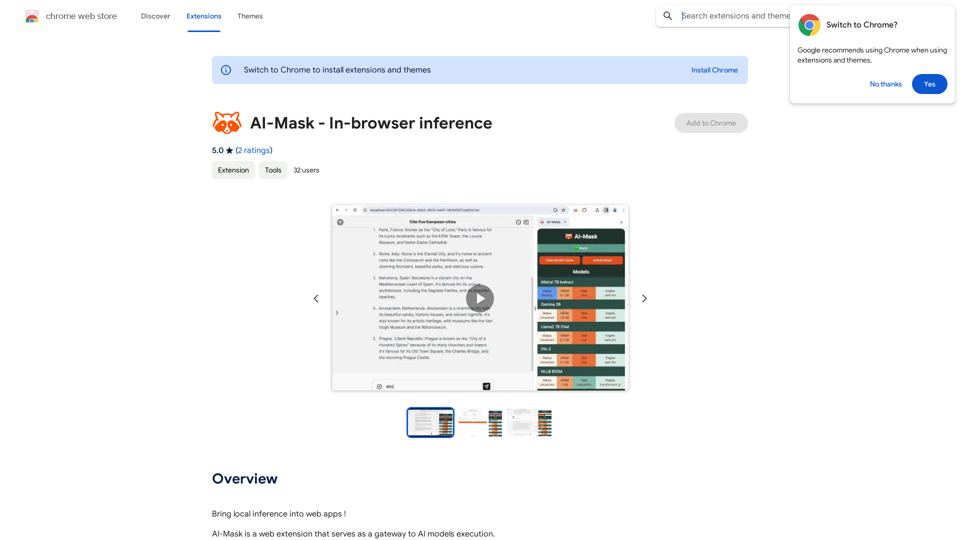
Bring local inference to web apps!
Visit Website
AI-Mask - In-browser inference
Visit Website

Introduction

AI-Mask is a web extension that enables local inference on web apps, allowing users to run AI models directly on their devices. This innovative tool provides free and unlimited access to various AI models like Llama2, Gemma, and Mistral, ensuring full privacy and security for users. AI-Mask serves as a gateway to AI model execution, making advanced AI technology accessible to everyone without compromising personal data.

Feature

Local Inference

AI-Mask allows users to run AI models directly on their devices, providing a seamless and private experience without relying on external servers.

Free and Unlimited Usage

Users can utilize AI-Mask without any cost or restrictions, making it accessible to individuals and businesses alike.

Wide Range of Supported Models

AI-Mask supports various AI models, including:

  • Llama2
  • Gemma
  • Mistral

Enhanced Privacy and Security

By running AI models locally, AI-Mask ensures that user data remains private and secure, eliminating the need to share sensitive information with third-party servers.

Easy Installation and Use

Users can simply install the AI-Mask extension from the Chrome Web Store and start using AI-powered applications immediately.

Cost-Effective Solution

As a free tool, AI-Mask offers a cost-effective way to leverage AI technology without subscription fees or hidden costs.

FAQ

Is AI-Mask free to use?

Yes, AI-Mask is completely free to use, with no subscription fees or limitations on usage.

What AI models does AI-Mask support?

AI-Mask supports a wide range of AI models, including but not limited to Llama2, Gemma, and Mistral.

How does AI-Mask ensure data security?

AI-Mask runs AI models locally on the user's device, ensuring that personal data never leaves the user's control, thus maintaining privacy and security.

How do I start using AI-Mask?

To begin using AI-Mask:

  1. Install the extension from the Chrome Web Store
  2. Choose your preferred AI model
  3. Start enjoying AI-powered applications with enhanced privacy

What are the main benefits of using AI-Mask?

The key benefits of AI-Mask include:

  • Enhanced user experience with seamless local AI processing
  • Increased security and privacy protection
  • Cost-effectiveness due to its free nature
  • Access to a wide range of AI models

Latest Traffic Insights

  • Monthly Visits

    193.90 M

  • Bounce Rate

    56.27%

  • Pages Per Visit

    2.71

  • Time on Site(s)

    115.91

  • Global Rank

    -

  • Country Rank

    -

Recent Visits

Traffic Sources

  • Social Media:
    0.48%
  • Paid Referrals:
    0.55%
  • Email:
    0.15%
  • Referrals:
    12.81%
  • Search Engines:
    16.21%
  • Direct:
    69.81%
More Data

Related Websites

AI Interview Copilot: Cracking the Coding Interview for Real
View Detail

AI Interview Copilot: Cracking the Coding Interview for Real

AI Interview Copilot: Cracking the Coding Interview for Real

An application designed to generate real-time answers to job interview questions, solve algorithmic problems, assist with live coding, and offer advice

211
Flux-1
View Detail

Flux-1

Flux-1

FLUX.1 is a new open-source image generation model developed by Black Forest Labs

12.83 K
 Create a Consistent Character Across Different Looks!

Imagine this:

* Your character rocking a cool new outfit.
* Your character with a fresh hairstyle.
* Your character in a variety of exciting backgrounds.

But...

* They always look like *themselves*.
* Their personality shines through, no matter the change.

That's where a Consistent Character Generator comes in!

This powerful tool lets you:

* Generate variations of your character with different:
    * Poses
    * Clothing
    * Hairstyles
    * Backgrounds

* Maintain consistency in your character's appearance and essence.

Say goodbye to:

* Inconsistent character designs that break immersion.
* Spending hours tweaking details to keep your character recognizable.

Say hello to:

* A library of diverse character variations, all true to your vision.
* Effortless character customization for your projects.
View Detail

Create a Consistent Character Across Different Looks! Imagine this: * Your character rocking a cool new outfit. * Your character with a fresh hairstyle. * Your character in a variety of exciting backgrounds. But... * They always look like *themselves*. * Their personality shines through, no matter the change. That's where a Consistent Character Generator comes in! This powerful tool lets you: * Generate variations of your character with different: * Poses * Clothing * Hairstyles * Backgrounds * Maintain consistency in your character's appearance and essence. Say goodbye to: * Inconsistent character designs that break immersion. * Spending hours tweaking details to keep your character recognizable. Say hello to: * A library of diverse character variations, all true to your vision. * Effortless character customization for your projects.

Create a Consistent Character Across Different Looks! Imagine this: * Your character rocking a cool new outfit. * Your character with a fresh hairstyle. * Your character in a variety of exciting backgrounds. But... * They always look like *themselves*. * Their personality shines through, no matter the change. That's where a Consistent Character Generator comes in! This powerful tool lets you: * Generate variations of your character with different: * Poses * Clothing * Hairstyles * Backgrounds * Maintain consistency in your character's appearance and essence. Say goodbye to: * Inconsistent character designs that break immersion. * Spending hours tweaking details to keep your character recognizable. Say hello to: * A library of diverse character variations, all true to your vision. * Effortless character customization for your projects.

Unlock your creative potential with the AI Consistent Character Generator. Effortlessly generate, customize, and transform characters with consistent features for photography, gaming, art, and more. Start your creative journey today!

37.98 K
AI Product Shot - Create Beautiful Product Images with AI
View Detail

AI Product Shot - Create Beautiful Product Images with AI

AI Product Shot - Create Beautiful Product Images with AI

AI Product Shot - Create stunning and professional AI-generated product images that boost your sales. Achieve expert-level product photos using AI technology. Begin your journey for free.

1.69 K
Translate Frame
View Detail

Translate Frame

Translate Frame

This Chrome extension lets you translate text by taking pictures of it on web pages.

193.90 M
Midjourney API - Automate Midjourney AI Image Generation 

This document outlines how to use the Midjourney API to automate the generation of AI images. 

What is the Midjourney API?

The Midjourney API allows developers to programmatically interact with the powerful Midjourney AI model. This means you can generate images, control various parameters, and integrate Midjourney into your own applications and workflows.

Why Use the Midjourney API?

* Automation: Automate the creation of images for various purposes, such as marketing materials, website content, or research projects.
* Customization: Fine-tune image generation by controlling parameters like aspect ratio, style, and seed values.
* Integration: Seamlessly integrate Midjourney's capabilities into your existing tools and platforms.

Getting Started

1. Sign Up for a Midjourney Account: You'll need a Midjourney account to access the API.

2. Obtain an API Key: Once you have an account, you can generate an API key from your account settings.

3. Choose a Programming Language: The Midjourney API supports various programming languages, including Python, JavaScript, and Go.

4. Install the API Client: Install the appropriate API client library for your chosen language.

5. Start Generating Images: Use the API client to send image generation requests to the Midjourney server.

Example (Python):

```python
import midjourney

Replace with your actual API key
api_key = "YOUR_API_KEY"

Create a Midjourney client
client = midjourney.Client(api_key=api_key)

Generate an image
response = client.create_image(prompt="A cat wearing a hat", num_images=1)

Print the image URL
print(response.images[0].url)
```

Documentation and Resources

For detailed information about the Midjourney API, including available endpoints, parameters, and examples, please refer to the official documentation: [https://docs.midjourney.com/](https://docs.midjourney.com/)
View Detail

Midjourney API - Automate Midjourney AI Image Generation This document outlines how to use the Midjourney API to automate the generation of AI images. What is the Midjourney API? The Midjourney API allows developers to programmatically interact with the powerful Midjourney AI model. This means you can generate images, control various parameters, and integrate Midjourney into your own applications and workflows. Why Use the Midjourney API? * Automation: Automate the creation of images for various purposes, such as marketing materials, website content, or research projects. * Customization: Fine-tune image generation by controlling parameters like aspect ratio, style, and seed values. * Integration: Seamlessly integrate Midjourney's capabilities into your existing tools and platforms. Getting Started 1. Sign Up for a Midjourney Account: You'll need a Midjourney account to access the API. 2. Obtain an API Key: Once you have an account, you can generate an API key from your account settings. 3. Choose a Programming Language: The Midjourney API supports various programming languages, including Python, JavaScript, and Go. 4. Install the API Client: Install the appropriate API client library for your chosen language. 5. Start Generating Images: Use the API client to send image generation requests to the Midjourney server. Example (Python): ```python import midjourney Replace with your actual API key api_key = "YOUR_API_KEY" Create a Midjourney client client = midjourney.Client(api_key=api_key) Generate an image response = client.create_image(prompt="A cat wearing a hat", num_images=1) Print the image URL print(response.images[0].url) ``` Documentation and Resources For detailed information about the Midjourney API, including available endpoints, parameters, and examples, please refer to the official documentation: [https://docs.midjourney.com/](https://docs.midjourney.com/)

Midjourney API - Automate Midjourney AI Image Generation This document outlines how to use the Midjourney API to automate the generation of AI images. What is the Midjourney API? The Midjourney API allows developers to programmatically interact with the powerful Midjourney AI model. This means you can generate images, control various parameters, and integrate Midjourney into your own applications and workflows. Why Use the Midjourney API? * Automation: Automate the creation of images for various purposes, such as marketing materials, website content, or research projects. * Customization: Fine-tune image generation by controlling parameters like aspect ratio, style, and seed values. * Integration: Seamlessly integrate Midjourney's capabilities into your existing tools and platforms. Getting Started 1. Sign Up for a Midjourney Account: You'll need a Midjourney account to access the API. 2. Obtain an API Key: Once you have an account, you can generate an API key from your account settings. 3. Choose a Programming Language: The Midjourney API supports various programming languages, including Python, JavaScript, and Go. 4. Install the API Client: Install the appropriate API client library for your chosen language. 5. Start Generating Images: Use the API client to send image generation requests to the Midjourney server. Example (Python): ```python import midjourney Replace with your actual API key api_key = "YOUR_API_KEY" Create a Midjourney client client = midjourney.Client(api_key=api_key) Generate an image response = client.create_image(prompt="A cat wearing a hat", num_images=1) Print the image URL print(response.images[0].url) ``` Documentation and Resources For detailed information about the Midjourney API, including available endpoints, parameters, and examples, please refer to the official documentation: [https://docs.midjourney.com/](https://docs.midjourney.com/)

Easily integrate Midjourney AI into your apps using the Midjourney API. Start creating AI images automatically today!

0
GPT Israel Assistant - Personal GPT Assistant Israel
View Detail

GPT Israel Assistant - Personal GPT Assistant Israel

GPT Israel Assistant - Personal GPT Assistant Israel

Unique add-on that enables managing conversations in chat for free, quickly, and without ads, on the Israeli community website of ChatGPT. Take advantage of shortcuts to leading websites.

193.90 M
Holara - Anime Image Generation - Holara
View Detail

Holara - Anime Image Generation - Holara

Holara - Anime Image Generation - Holara

Holara: AI-generated anime artwork!

42.69 K