Open-source RightAI Tools Directory
  • Discover AI
  • Submit
  • Startup
  • Blog
Open-source RightAI Tools Directory
Discover the best AI tools of 2025 with the RightAI Tools Directory!

Friend Links

AI Anime GeneratorToolsApp AI

Support

Tap4
Privacy policyTerms & ConditionsContact Us
Loading...
loading...

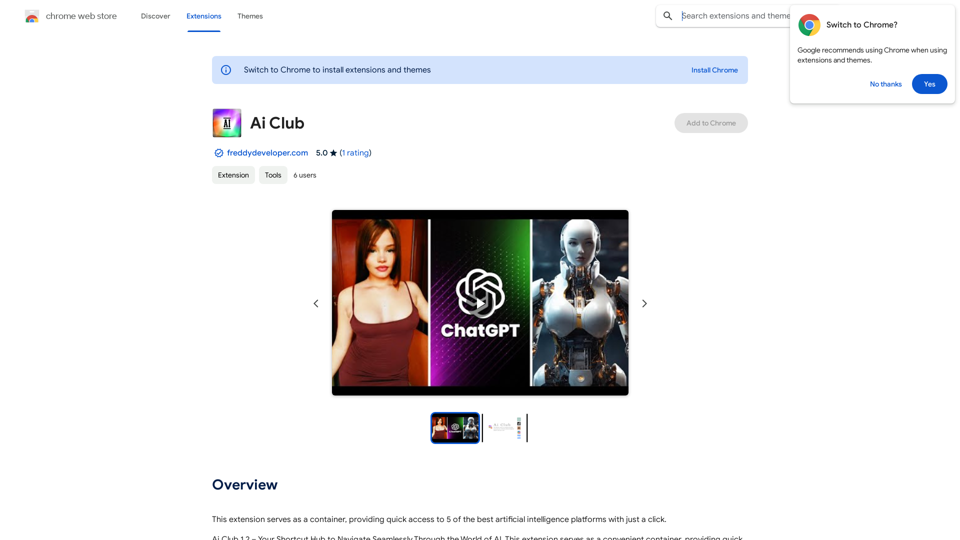
Ai Club

This extension acts as a container, giving you quick access to 5 of the top artificial intelligence platforms with a single click.
Visit Website
Ai Club
Visit Website

Introduction

Ai Club is a browser extension that provides quick access to leading artificial intelligence platforms. It serves as a centralized hub for AI enthusiasts, offering convenient navigation through various AI tools. With Ai Club, users can easily access popular platforms like ChatGPT, Grok, Claude, Copilot, and Gemini, making it an invaluable resource for exploring AI capabilities.

Feature

Quick Access to AI Platforms

Ai Club offers instant access to top AI platforms, allowing users to explore and utilize their capabilities effortlessly.

Centralized AI Hub

The extension functions as a container, providing a unified interface for accessing multiple AI tools and resources.

Integration with Popular AI Services

Ai Club seamlessly integrates with various AI platforms, including:

  • ChatGPT
  • Grok
  • Claude
  • Copilot
  • Gemini

User-Friendly Installation

Users can easily install Ai Club from the Chrome Web Store, making it accessible to a wide range of users.

Free Access

Ai Club is a free extension, offering unlimited access to the best AI platforms without any cost to the user.

Customizable Experience

Users can tailor their experience by adjusting the extension's settings to suit their specific needs and preferences.

FAQ

Is Ai Club free to use?

Yes, Ai Club is a free browser extension that offers unlimited access to various AI platforms. However, some individual AI services may have their own pricing models or usage limitations.

What AI platforms are available through Ai Club?

Ai Club integrates with several popular AI platforms, including:

  • ChatGPT
  • Grok
  • Claude
  • Copilot
  • Gemini

How do I install and use Ai Club?

To install and use Ai Club:

  1. Visit the Chrome Web Store and install the Ai Club extension
  2. Click on the Ai Club icon in your browser toolbar to access the extension
  3. Explore the various AI platforms and tools available within the extension

Latest Traffic Insights

  • Monthly Visits

    193.90 M

  • Bounce Rate

    56.27%

  • Pages Per Visit

    2.71

  • Time on Site(s)

    115.91

  • Global Rank

    -

  • Country Rank

    -

Recent Visits

Traffic Sources

  • Social Media:
    0.48%
  • Paid Referrals:
    0.55%
  • Email:
    0.15%
  • Referrals:
    12.81%
  • Search Engines:
    16.21%
  • Direct:
    69.81%
More Data

Related Websites

Live captions with translation (ChatGPT)
View Detail

Live captions with translation (ChatGPT)

Live captions with translation (ChatGPT)

Live audio/video streaming with subtitles and translation, Live captions powered by ChatGPT

193.90 M
Free QR Code AI Art Generator (2024) • Scanner, Link in Bio, Smart Link, Analytics, Workspace, Monkey, Tiger
View Detail

Free QR Code AI Art Generator (2024) • Scanner, Link in Bio, Smart Link, Analytics, Workspace, Monkey, Tiger

Free QR Code AI Art Generator (2024) • Scanner, Link in Bio, Smart Link, Analytics, Workspace, Monkey, Tiger

Create an artistic QR Code for free, featuring images, logos, colors, and shapes. Select from templates that link to your website, email, WiFi, URL, phone, UPI, PIX, or Rick Roll. Use tools like Canva, Adobe, or Google to design. Compatible with Android and iOS devices. A top alternative to QR Monkey, Tiger, Chimp, and Unitag.

194.49 K
Transform Photos into Ghibli Style Images for Free.
View Detail

Transform Photos into Ghibli Style Images for Free.

Transform Photos into Ghibli Style Images for Free.

Experience AI Ghibli, the revolutionary photo transformation tool that converts your ordinary images into magical Ghibli-style artwork with just one click.

51
AVCLabs AI: Enhance Your Video and Photo Quality with AI
View Detail

AVCLabs AI: Enhance Your Video and Photo Quality with AI

AVCLabs AI: Enhance Your Video and Photo Quality with AI

AVCLabs is an AI products provider, which is dedicated to serving customers with products including Video Enhancer, Photo Editor, Photo Enhancer, and Video Blur AI.

356.07 K
AI Powered Image Generator for Unique and Custom Images
View Detail

AI Powered Image Generator for Unique and Custom Images

AI Powered Image Generator for Unique and Custom Images

Create unique and custom images effortlessly with iPic.Ai - the AI-powered image generator.

68.28 K
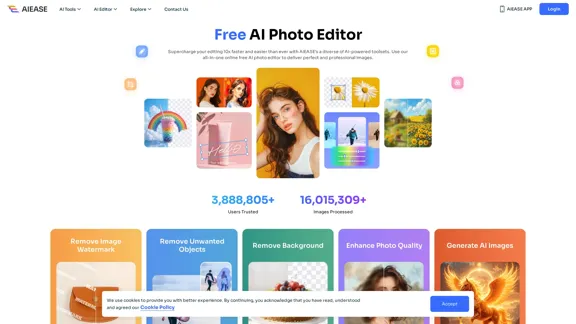
Free AI Photo Editor: Simplify Photo Editing Online - AI Ease
View Detail

Free AI Photo Editor: Simplify Photo Editing Online - AI Ease

Free AI Photo Editor: Simplify Photo Editing Online - AI Ease

Simplify and automate your photo editing with AI Ease. Experience a variety of AI photo editing tools to enhance every aspect of your images for free.

2.46 M
Simplified Chrome Extension

This is a basic Chrome extension designed to be easy to understand and modify. 

Manifest File (manifest.json):

```json
{
  "manifest_version": 3,
  "name": "Simplified Extension",
  "version": "1.0",
  "description": "A simple Chrome extension example.",
  "permissions": [
    "activeTab"
  ],
  "action": {
    "default_popup": "popup.html"
  }
}
```

Popup HTML (popup.html):

```html
<!DOCTYPE html>
<html>
<head>
  <title>Simplified Extension</title>
</head>
<body>
  <h1>Hello from the extension!</h1>
  <p>This is a simple popup.</p>
</body>
</html>
```

Explanation:

* manifest.json: This file tells Chrome what your extension does.
    * `manifest_version`: Specifies the version of the manifest file format.
    * `name`: The name of your extension.
    * `version`: The current version of your extension.
    * `description`: A brief description of your extension.
    * `permissions`: Lists the permissions your extension needs to function. Here, it needs access to the active tab.
    * `action`: Defines the popup that appears when the extension icon is clicked.

* popup.html: This file contains the HTML code for the popup window.

How it works:

1. When you install the extension, Chrome reads the `manifest.json` file.
2. When you click the extension icon, Chrome opens the `popup.html` file in a new window.
3. The popup displays the "Hello from the extension!" message.
View Detail

Simplified Chrome Extension This is a basic Chrome extension designed to be easy to understand and modify. Manifest File (manifest.json): ```json { "manifest_version": 3, "name": "Simplified Extension", "version": "1.0", "description": "A simple Chrome extension example.", "permissions": [ "activeTab" ], "action": { "default_popup": "popup.html" } } ``` Popup HTML (popup.html): ```html <!DOCTYPE html> <html> <head> <title>Simplified Extension</title> </head> <body> <h1>Hello from the extension!</h1> <p>This is a simple popup.</p> </body> </html> ``` Explanation: * manifest.json: This file tells Chrome what your extension does. * `manifest_version`: Specifies the version of the manifest file format. * `name`: The name of your extension. * `version`: The current version of your extension. * `description`: A brief description of your extension. * `permissions`: Lists the permissions your extension needs to function. Here, it needs access to the active tab. * `action`: Defines the popup that appears when the extension icon is clicked. * popup.html: This file contains the HTML code for the popup window. How it works: 1. When you install the extension, Chrome reads the `manifest.json` file. 2. When you click the extension icon, Chrome opens the `popup.html` file in a new window. 3. The popup displays the "Hello from the extension!" message.

Simplified Chrome Extension This is a basic Chrome extension designed to be easy to understand and modify. Manifest File (manifest.json): ```json { "manifest_version": 3, "name": "Simplified Extension", "version": "1.0", "description": "A simple Chrome extension example.", "permissions": [ "activeTab" ], "action": { "default_popup": "popup.html" } } ``` Popup HTML (popup.html): ```html <!DOCTYPE html> <html> <head> <title>Simplified Extension</title> </head> <body> <h1>Hello from the extension!</h1> <p>This is a simple popup.</p> </body> </html> ``` Explanation: * manifest.json: This file tells Chrome what your extension does. * `manifest_version`: Specifies the version of the manifest file format. * `name`: The name of your extension. * `version`: The current version of your extension. * `description`: A brief description of your extension. * `permissions`: Lists the permissions your extension needs to function. Here, it needs access to the active tab. * `action`: Defines the popup that appears when the extension icon is clicked. * popup.html: This file contains the HTML code for the popup window. How it works: 1. When you install the extension, Chrome reads the `manifest.json` file. 2. When you click the extension icon, Chrome opens the `popup.html` file in a new window. 3. The popup displays the "Hello from the extension!" message.

Design & Collaborate Marketing made easy #Simplified

193.90 M
Visual Search
View Detail

Visual Search

Visual Search

This extension connects Flickr Explore with EyeRecognize's image search feature.

193.90 M