Open-source RightAI Tools Directory
  • Discover AI
  • Submit
  • Startup
  • Blog
Open-source RightAI Tools Directory
Discover the best AI tools of 2025 with the RightAI Tools Directory!

Friend Links

AI Anime GeneratorToolsApp AI

Support

Tap4
Privacy policyTerms & ConditionsContact Us
Loading...
loading...

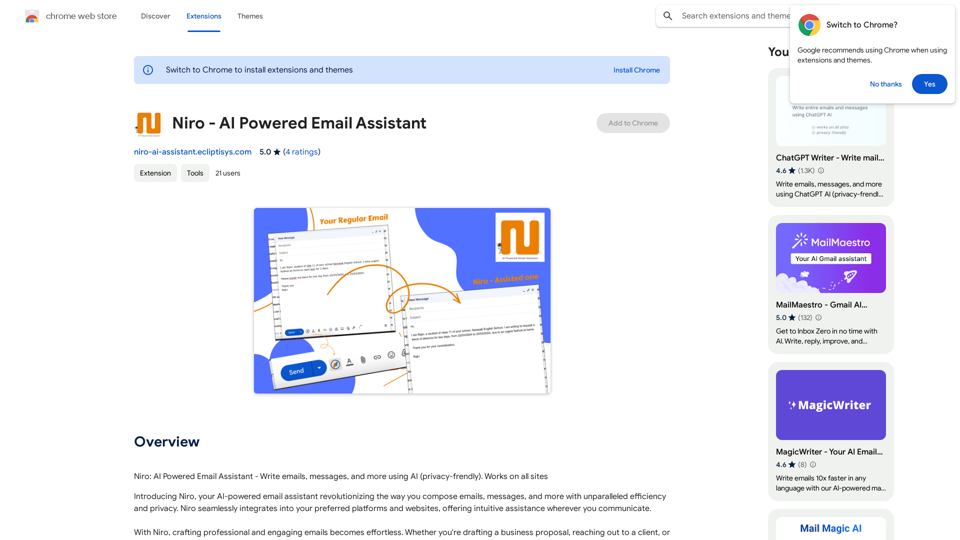
FlowTunes - Music for Focus

FlowTunes - Enhance your focus with curated music playlists designed to boost your productivity.

Visit Website
FlowTunes - Music for Focus
Visit Website

Introduction

FlowTunes is an innovative music platform designed to enhance focus and concentration through a curated selection of lo-fi beats and chill music. It offers a vast library of tracks, providing the perfect soundtrack for productivity and mental clarity. With customizable playlists, an ad-free experience, and offline access, FlowTunes caters to various user needs and preferences.

Feature

Wide Range of Genres

FlowTunes boasts a diverse collection of lo-fi beats, chillhop, and ambient music, ensuring there's something for every taste and mood.

Customizable Playlists

Users can create personalized playlists tailored to their specific mood, activity, or focus requirements, enhancing their listening experience.

Ad-Free Experience

FlowTunes provides an uninterrupted, ad-free environment, allowing users to fully immerse themselves in the music without distractions.

Offline Access

The FlowTunes app enables users to download tracks for offline listening, making it ideal for focusing on-the-go or in areas with limited internet connectivity.

User-Friendly Interface

With its easy-to-use design, users can quickly browse tracks, create playlists, and search for specific genres, moods, or activities to find the perfect music for their needs.

Flexible Pricing Options

FlowTunes offers both a free version with limited access and a premium subscription that unlocks the full library and additional features, catering to different user preferences and budgets.

FAQ

What types of music does FlowTunes offer?

FlowTunes provides a wide range of genres, including lo-fi beats, chillhop, and ambient music, catering to various tastes and preferences for focus and relaxation.

Can I use FlowTunes for free?

Yes, FlowTunes offers a free version with limited access to tracks. There's also a premium subscription available for full access to the library and additional features.

Is FlowTunes available on multiple platforms?

FlowTunes is available as a mobile app for both iPhone and Android devices, making it accessible across multiple platforms.

Can I download tracks for offline listening?

Yes, the FlowTunes app allows users to download tracks for offline listening, perfect for focusing on-the-go or in areas with limited internet access.

How can I optimize my FlowTunes experience?

To get the most out of FlowTunes:

  1. Experiment with different genres to find what works best for your focus needs
  2. Create specific playlists for different tasks or activities
  3. Use FlowTunes for relaxation and stress relief in addition to focus and productivity

Related Websites
GPT Stats 

* Parameters: 175 Billion
* Trainers: 
    * Dataset:  Massive dataset of text and code
    * Method: Supervised fine-tuning 
* Capabilities:
    * Text Generation
    * Text Summarization
    * Language Translation
    * Code Generation
    * Question Answering
    * Dialogue Generation
* Limitations:
    * Can sometimes generate incorrect or biased information
    * Lacks real-world knowledge and common sense
    * Can be fooled by adversarial examples
View Detail

GPT Stats * Parameters: 175 Billion * Trainers: * Dataset: Massive dataset of text and code * Method: Supervised fine-tuning * Capabilities: * Text Generation * Text Summarization * Language Translation * Code Generation * Question Answering * Dialogue Generation * Limitations: * Can sometimes generate incorrect or biased information * Lacks real-world knowledge and common sense * Can be fooled by adversarial examples

GPT Stats * Parameters: 175 Billion * Trainers: * Dataset: Massive dataset of text and code * Method: Supervised fine-tuning * Capabilities: * Text Generation * Text Summarization * Language Translation * Code Generation * Question Answering * Dialogue Generation * Limitations: * Can sometimes generate incorrect or biased information * Lacks real-world knowledge and common sense * Can be fooled by adversarial examples

Search for conversations with GPT and other content.

193.90 M
Hottalks.ai - Enjoy the Ultimate AI Girlfriend Experience
View Detail

Hottalks.ai - Enjoy the Ultimate AI Girlfriend Experience

Hottalks.ai - Enjoy the Ultimate AI Girlfriend Experience

Your dream companion awaits! Uncensored AI chat experience with NSFW AI images. Experience adaptive AI-driven role-plays today.

40.45 K
Free ChatGPT Omni (GPT4o) | gptomni.ai
View Detail

Free ChatGPT Omni (GPT4o) | gptomni.ai

Free ChatGPT Omni (GPT4o) | gptomni.ai

Free ChatGPT Omni: gptomni.ai offers a free, easy-to-use, web-based chat interface for conversations with the GPT4o AI model.

1.25 K
All-in-One AI Chat Social Media Search Engine
View Detail

All-in-One AI Chat Social Media Search Engine

All-in-One AI Chat Social Media Search Engine

Search Google SGE AI, best free AI generative search engines, Gemini AI chatbots, video, image, and social media search engine all in one.

193.90 M
Deploy GPTsDeploying GPTs
View Detail

Deploy GPTsDeploying GPTs

Deploy GPTsDeploying GPTs

This extension deploys your OpenAI GPTs to places like websites, WhatsApp, Telegram, and more.

193.90 M
Algae
View Detail

Algae

Algae

Offers ideas for MSP support requests.

193.90 M
Get ChatGPT for Free with Google

You can now access ChatGPT, a powerful language model, for free with Google. Here's how:

Method 1: Google Colab

* Open Google Colab ([colab.research.google.com](http://colab.research.google.com))
* Create a new notebook
* Install the `transformers` library by running `!pip install transformers`
* Import the `transformers` library and load the ChatGPT model using `from transformers import AutoModelForCausalLM, AutoTokenizer; model = AutoModelForCausalLM.from_pretrained('chatgpt'); tokenizer = AutoTokenizer.from_pretrained('chatgpt')`
* Use the model to generate text using `input_text = "Your input here"; inputs = tokenizer.encode_plus(input_text, return_tensors='pt', max_length=1024, padding='max_length', truncation=True); output = model(inputs['input_ids'], attention_mask=inputs['attention_mask']); print(tokenizer.decode(output.logits[0], skip_special_tokens=True))`

Method 2: Google Apps Script

* Open Google Apps Script ([script.google.com](http://script.google.com))
* Create a new project
* Install the `transformers` library by running `npm install transformers`
* Import the `transformers` library and load the ChatGPT model using `const { AutoModelForCausalLM, AutoTokenizer } = require('transformers'); const model = new AutoModelForCausalLM('chatgpt'); const tokenizer = new AutoTokenizer('chatgpt');`
* Use the model to generate text using `const inputText = "Your input here"; const inputs = tokenizer.encodePlus(inputText, { return_tensors: 'pt', max_length: 1024, padding: 'max_length', truncation: true }); const output = model(inputs.inputIds, inputs.attentionMask); console.log(tokenizer.decode(output.logits[0], { skipSpecialTokens: true }));`

Note: These methods require some technical knowledge and may have limitations compared to the original ChatGPT model.
View Detail

Get ChatGPT for Free with Google You can now access ChatGPT, a powerful language model, for free with Google. Here's how: Method 1: Google Colab * Open Google Colab ([colab.research.google.com](http://colab.research.google.com)) * Create a new notebook * Install the `transformers` library by running `!pip install transformers` * Import the `transformers` library and load the ChatGPT model using `from transformers import AutoModelForCausalLM, AutoTokenizer; model = AutoModelForCausalLM.from_pretrained('chatgpt'); tokenizer = AutoTokenizer.from_pretrained('chatgpt')` * Use the model to generate text using `input_text = "Your input here"; inputs = tokenizer.encode_plus(input_text, return_tensors='pt', max_length=1024, padding='max_length', truncation=True); output = model(inputs['input_ids'], attention_mask=inputs['attention_mask']); print(tokenizer.decode(output.logits[0], skip_special_tokens=True))` Method 2: Google Apps Script * Open Google Apps Script ([script.google.com](http://script.google.com)) * Create a new project * Install the `transformers` library by running `npm install transformers` * Import the `transformers` library and load the ChatGPT model using `const { AutoModelForCausalLM, AutoTokenizer } = require('transformers'); const model = new AutoModelForCausalLM('chatgpt'); const tokenizer = new AutoTokenizer('chatgpt');` * Use the model to generate text using `const inputText = "Your input here"; const inputs = tokenizer.encodePlus(inputText, { return_tensors: 'pt', max_length: 1024, padding: 'max_length', truncation: true }); const output = model(inputs.inputIds, inputs.attentionMask); console.log(tokenizer.decode(output.logits[0], { skipSpecialTokens: true }));` Note: These methods require some technical knowledge and may have limitations compared to the original ChatGPT model.

Get ChatGPT for Free with Google You can now access ChatGPT, a powerful language model, for free with Google. Here's how: Method 1: Google Colab * Open Google Colab ([colab.research.google.com](http://colab.research.google.com)) * Create a new notebook * Install the `transformers` library by running `!pip install transformers` * Import the `transformers` library and load the ChatGPT model using `from transformers import AutoModelForCausalLM, AutoTokenizer; model = AutoModelForCausalLM.from_pretrained('chatgpt'); tokenizer = AutoTokenizer.from_pretrained('chatgpt')` * Use the model to generate text using `input_text = "Your input here"; inputs = tokenizer.encode_plus(input_text, return_tensors='pt', max_length=1024, padding='max_length', truncation=True); output = model(inputs['input_ids'], attention_mask=inputs['attention_mask']); print(tokenizer.decode(output.logits[0], skip_special_tokens=True))` Method 2: Google Apps Script * Open Google Apps Script ([script.google.com](http://script.google.com)) * Create a new project * Install the `transformers` library by running `npm install transformers` * Import the `transformers` library and load the ChatGPT model using `const { AutoModelForCausalLM, AutoTokenizer } = require('transformers'); const model = new AutoModelForCausalLM('chatgpt'); const tokenizer = new AutoTokenizer('chatgpt');` * Use the model to generate text using `const inputText = "Your input here"; const inputs = tokenizer.encodePlus(inputText, { return_tensors: 'pt', max_length: 1024, padding: 'max_length', truncation: true }); const output = model(inputs.inputIds, inputs.attentionMask); console.log(tokenizer.decode(output.logits[0], { skipSpecialTokens: true }));` Note: These methods require some technical knowledge and may have limitations compared to the original ChatGPT model.

How to Add ChatGPT to All Google Searches ===================================================== Step 1: Create a Custom Search Engine -------------------------------------- * Go to the [Google Custom Search Engine](https://cse.google.com/) website and sign in with your Google account. * Click on the "New Search Engine" button. * Fill in the required information, such as the name and description of your search engine. * Click on the "Create" button. Step 2: Add ChatGPT to the Search Engine ----------------------------------------- * In the "Setup" tab, click on the "Add" button next to "Sites to search". * Enter the following URL: `https://chat.openai.com/` * Click on the "Add" button. Step 3: Configure the Search Engine -------------------------------------- * In the "Setup" tab, click on the "Edit" button next to "Search engine keywords". * Add the following keywords: `ChatGPT` * Click on the "Save" button. Step 4: Get the Search Engine Code ------------------------------------- * In the "Setup" tab, click on the "Get code" button. * Copy the HTML code provided. Step 5: Add the Search Engine to Your Browser ------------------------------------------------ * Open your browser and go to the "Settings" or "Options" page. * Look for the "Search engine" or "Default search engine" option. * Click on the "Add" or "Manage search engines" button. * Paste the HTML code you copied earlier. * Click on the "Add" or "Save" button. You're Done! =============== Now, whenever you search on Google, ChatGPT will be included in the search results. You can also use the custom search engine URL provided by Google to search directly.

193.90 M
Yes or No Tarot
View Detail

Yes or No Tarot

Yes or No Tarot

Yes or No Tarot offers quick answers to your everyday questions. Just ask, draw a card, and get a simple yes, no, or maybe to help guide your choices.

0