Open-source RightAI Tools Directory
  • Discover AI
  • Submit
  • Startup
  • Blog
Open-source RightAI Tools Directory
Discover the best AI tools of 2025 with the RightAI Tools Directory!

Friend Links

AI Anime GeneratorToolsApp AI

Support

Tap4
Privacy policyTerms & ConditionsContact Us
Loading...
loading...

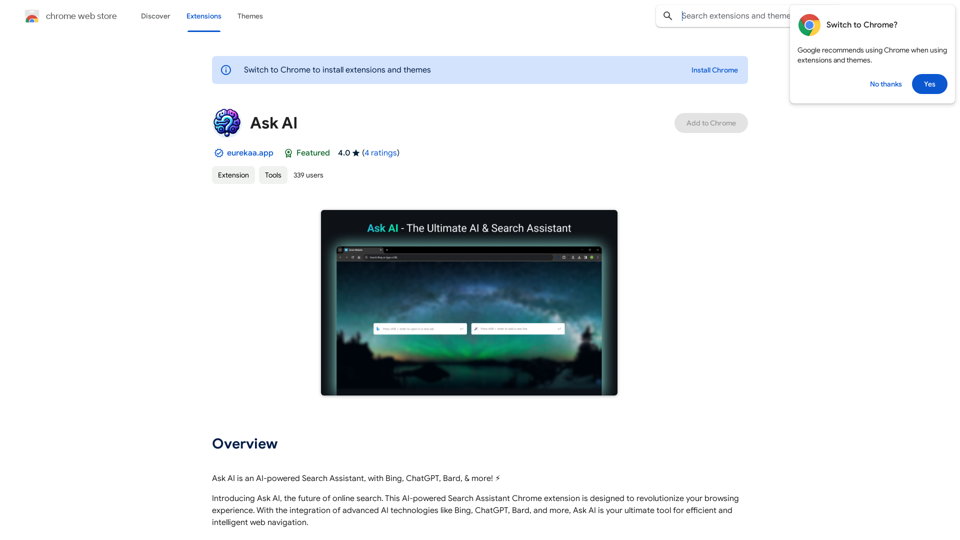
Copilot: Your AI Assistant Powered By ChatGPT

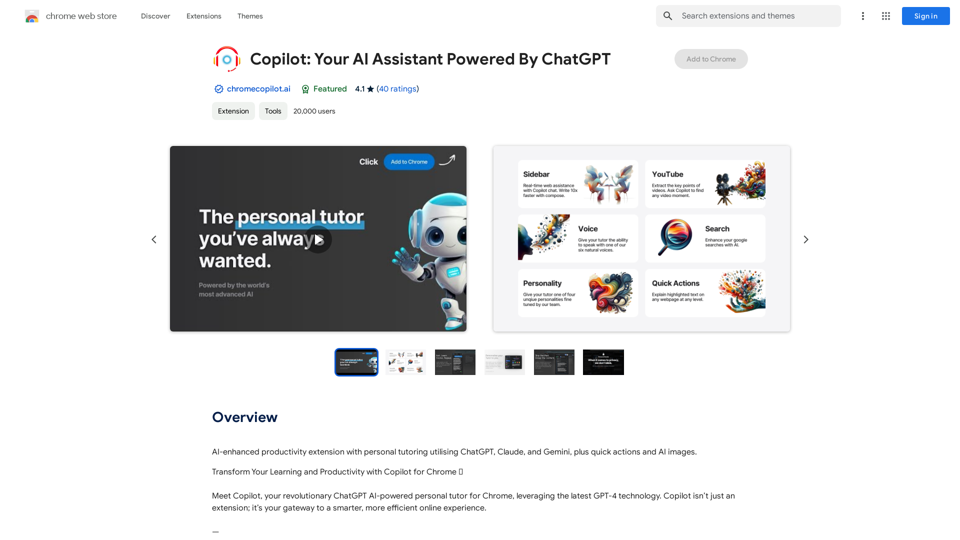
AI-powered productivity extension with personalized coaching using ChatGPT, Claude, and Gemini, plus rapid actions and AI-generated images.
Visit Website
Copilot: Your AI Assistant Powered By ChatGPT
Visit Website

Introduction

Copilot is an AI-powered Chrome extension designed to enhance productivity and learning. It integrates advanced AI models like ChatGPT, Claude, and Gemini to provide a comprehensive suite of features. These include personalized learning assistance, on-demand AI support, enhanced search capabilities, and quick actions for various tasks. Copilot aims to transform the way users interact with web content, offering tailored experiences and intelligent assistance across different websites.

Feature

Personalized Learning Companion

  • Four distinct AI personalities for customized learning
  • Six natural voice options for interactive experiences
  • Customizable learning preferences

On-Demand AI Support

  • Sidebar access to AI assistance on any website
  • Powered by multiple AI models:
    • GPT-3.5
    • GPT-4o
    • Claude Haiku
    • Claude Sonnet
    • Claude Opus
    • Gemini 1.5 Flash
    • Gemini 1.5 Pro
  • AI-powered writing enhancement
  • Image generation capabilities

AI-Enhanced Search

  • Transforms Google searches into rich learning experiences
  • Interactive AI chat for in-depth topic exploration

Quick Actions

  • Web explainer for simplifying complex online content
  • Customizable shortcut keys for easy access

User-Friendly Setup

  1. Pin Copilot to Chrome extensions bar
  2. Log in or sign up with Google
  3. Refresh tabs to activate Copilot

Flexible Pricing

  • Range of options from free to premium plans

FAQ

How can I customize my Copilot experience?

You can personalize your Copilot experience by choosing from four distinct AI personalities, selecting one of six natural voices, and adjusting your learning preferences. This allows for a tailored educational and productivity experience that suits your individual needs.

What AI models does Copilot use?

Copilot integrates several advanced AI models, including:

  • GPT-3.5 and GPT-4o
  • Claude Haiku, Sonnet, and Opus
  • Gemini 1.5 Flash and 1.5 Pro These models power various features such as the sidebar AI support, writing enhancement, and image generation.

Can I use Copilot for image creation?

Yes, Copilot offers image generation capabilities using advanced AI models. You can create any image you can imagine directly through the Copilot interface.

Is it possible to disable certain features of Copilot?

Yes, you can customize your Copilot experience by disabling certain features. For example, you can turn off the quick actions feature by accessing the settings through the sidepanel, which is available from the icon in your task bar.

Latest Traffic Insights

  • Monthly Visits

    193.90 M

  • Bounce Rate

    56.27%

  • Pages Per Visit

    2.71

  • Time on Site(s)

    115.91

  • Global Rank

    -

  • Country Rank

    -

Recent Visits

Traffic Sources

  • Social Media:
    0.48%
  • Paid Referrals:
    0.55%
  • Email:
    0.15%
  • Referrals:
    12.81%
  • Search Engines:
    16.21%
  • Direct:
    69.81%
More Data

Related Websites

Raycast Companion
View Detail

Raycast Companion

Raycast Companion

A browser extension to provide more context to Raycast

193.90 M
CO-STAR Prompt Template
==========================

Task Description
Describe the task you want the AI to perform. Be specific and concise.

Input Prompt
Provide the input prompt that the AI will receive. This can be a question, a statement, or a scenario.

Desired Response
Describe the desired response from the AI. What type of answer or output are you expecting?

Constraints
List any constraints or rules that the AI should follow when generating a response. This can include tone, style, or specific keywords to include or avoid.

Evaluation Metrics
Describe how you will evaluate the AI's response. What metrics or criteria will you use to determine the quality of the response?

Example Output
Provide an example of what a good response from the AI might look like. This can help clarify the task and provide a target for the AI to aim for.
View Detail

CO-STAR Prompt Template ========================== Task Description Describe the task you want the AI to perform. Be specific and concise. Input Prompt Provide the input prompt that the AI will receive. This can be a question, a statement, or a scenario. Desired Response Describe the desired response from the AI. What type of answer or output are you expecting? Constraints List any constraints or rules that the AI should follow when generating a response. This can include tone, style, or specific keywords to include or avoid. Evaluation Metrics Describe how you will evaluate the AI's response. What metrics or criteria will you use to determine the quality of the response? Example Output Provide an example of what a good response from the AI might look like. This can help clarify the task and provide a target for the AI to aim for.

CO-STAR Prompt Template ========================== Task Description Describe the task you want the AI to perform. Be specific and concise. Input Prompt Provide the input prompt that the AI will receive. This can be a question, a statement, or a scenario. Desired Response Describe the desired response from the AI. What type of answer or output are you expecting? Constraints List any constraints or rules that the AI should follow when generating a response. This can include tone, style, or specific keywords to include or avoid. Evaluation Metrics Describe how you will evaluate the AI's response. What metrics or criteria will you use to determine the quality of the response? Example Output Provide an example of what a good response from the AI might look like. This can help clarify the task and provide a target for the AI to aim for.

Using CO-STAR to Make Your Prompt 10 Times More Effective!

193.90 M
AI-Powered Speaking Coach for Calls

Enhance your communication skills and ace your calls with our innovative AI-driven speaking coach. This cutting-edge technology provides personalized feedback and guidance to help you improve your verbal and non-verbal cues, tone, and language.
View Detail

AI-Powered Speaking Coach for Calls Enhance your communication skills and ace your calls with our innovative AI-driven speaking coach. This cutting-edge technology provides personalized feedback and guidance to help you improve your verbal and non-verbal cues, tone, and language.

AI-Powered Speaking Coach for Calls Enhance your communication skills and ace your calls with our innovative AI-driven speaking coach. This cutting-edge technology provides personalized feedback and guidance to help you improve your verbal and non-verbal cues, tone, and language.

Fluently is a personal speaking coach that delivers instant feedback on your day-to-day calls to refine your accent, improve grammar, and expand your vocabulary.

352.33 K
Overcome Copilot AI Message Limit, Export Chats to JSON File: TopicsGPT

This is a tool to help you work around the message limit in Copilot AI and export your conversations to a JSON file. 

Here's how it works:

* Extend Your Conversations: TopicsGPT allows you to continue your conversations with Copilot AI beyond the usual message limit. 

* Save Your History: Export your entire chat history with Copilot AI as a structured JSON file. This makes it easy to review past interactions, analyze your conversations, or even use the data for other purposes.

Benefits:

* No More Interruptions: Keep your creative flow going without worrying about hitting the message limit.
* Organized Data:  Have a clear and organized record of your conversations with Copilot AI.
* Flexibility: Use the exported JSON data for your own projects or analysis. 


Let me know if you have any questions!
View Detail

Overcome Copilot AI Message Limit, Export Chats to JSON File: TopicsGPT This is a tool to help you work around the message limit in Copilot AI and export your conversations to a JSON file. Here's how it works: * Extend Your Conversations: TopicsGPT allows you to continue your conversations with Copilot AI beyond the usual message limit. * Save Your History: Export your entire chat history with Copilot AI as a structured JSON file. This makes it easy to review past interactions, analyze your conversations, or even use the data for other purposes. Benefits: * No More Interruptions: Keep your creative flow going without worrying about hitting the message limit. * Organized Data: Have a clear and organized record of your conversations with Copilot AI. * Flexibility: Use the exported JSON data for your own projects or analysis. Let me know if you have any questions!

Overcome Copilot AI Message Limit, Export Chats to JSON File: TopicsGPT This is a tool to help you work around the message limit in Copilot AI and export your conversations to a JSON file. Here's how it works: * Extend Your Conversations: TopicsGPT allows you to continue your conversations with Copilot AI beyond the usual message limit. * Save Your History: Export your entire chat history with Copilot AI as a structured JSON file. This makes it easy to review past interactions, analyze your conversations, or even use the data for other purposes. Benefits: * No More Interruptions: Keep your creative flow going without worrying about hitting the message limit. * Organized Data: Have a clear and organized record of your conversations with Copilot AI. * Flexibility: Use the exported JSON data for your own projects or analysis. Let me know if you have any questions!

Bypass Copilot's Message Limit and Move Conversations * Get around the message limit in Microsoft's Copilot: Find ways to exceed the character or message count restrictions within Copilot. * Transfer conversations to new chats: Move existing conversations from one chat space to another. Export AI Chat Histories * Download chat history from any AI platform: Save your conversations with various AI systems as JSON files.

193.90 M
Top 70 TikTok Cat Meme Template Videos for Download
View Detail

Top 70 TikTok Cat Meme Template Videos for Download

Top 70 TikTok Cat Meme Template Videos for Download

You can download the latest and most popular green screen cat meme template video featured on TikTok and YouTube. These materials are free.

11.93 K
TurboLearn AI
View Detail

TurboLearn AI

TurboLearn AI

TurboLearn AI quickly makes complete notes, interactive flashcards, and custom quizzes from your lectures. Made to help you learn better and remember more, TurboLearn AI changes to fit your specific learning needs. Make the most of your study time today!

292.80 K
AgentForge
View Detail

AgentForge

AgentForge

Seamlessly build, deploy, and test AI apps with our fully integrated NextJS boilerplate.

997
SHADE: Stylishly Sustainable
View Detail

SHADE: Stylishly Sustainable

SHADE: Stylishly Sustainable

Upgrade Your Style, Thoughtfully.

193.90 M